Learning how to automate presentation formatting using AI opens new possibilities for creating professional and visually appealing slides with efficiency and consistency. By leveraging advanced artificial intelligence technologies, users can streamline the design process, saving time while ensuring a polished final product.
This guide explores the core AI techniques utilized in automating presentation layouts, key features of AI-powered tools, step-by-step integration procedures, and methods for customizing outputs to suit specific preferences. It also addresses common challenges and offers insights into future trends shaping AI-driven presentation design.
Overview of AI-driven presentation formatting
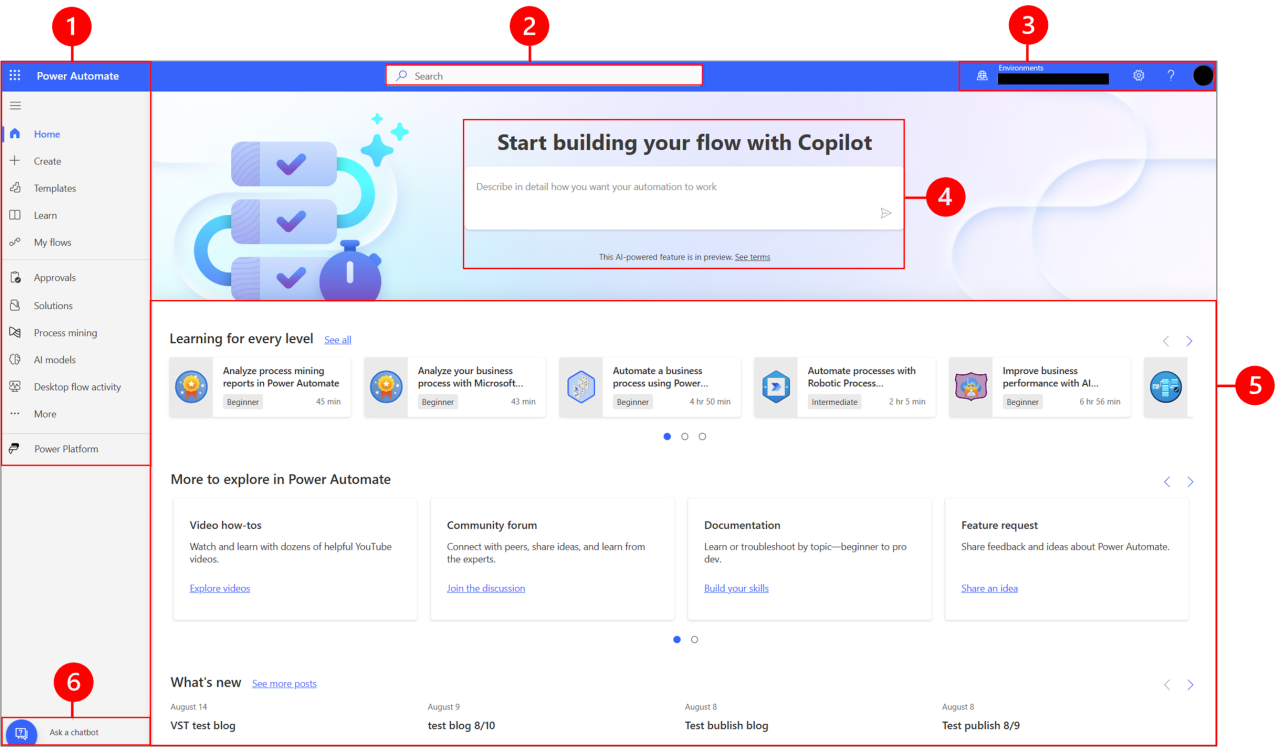
Artificial intelligence (AI) has transformed numerous aspects of digital productivity, and presentation formatting is no exception. Automating the design and layout of presentations through AI technologies streamlines the creation process, enhances visual consistency, and ensures professional quality without extensive manual effort. This integration enables users to focus more on content development while AI handles aesthetic and structural aspects.
Leveraging AI for presentation formatting involves using machine learning algorithms, natural language processing (NLP), and computer vision to analyze content, suggest design improvements, and automatically adjust layouts. These technologies interpret the structure and themes within a presentation, providing real-time suggestions or making automatic edits that align with design standards and branding guidelines.
Benefits of AI in presentation design and layout enhancements
The adoption of AI-driven formatting tools offers a multitude of advantages that significantly improve the efficiency and quality of presentation creation. These benefits include:
- Time Savings: Automating formatting tasks reduces the time spent on manual adjustments, allowing users to concentrate on refining their message.
- Consistency and Branding: AI ensures uniformity in fonts, colors, and layout styles, maintaining brand identity across multiple slides or presentations.
- Design Optimization: AI algorithms analyze visual hierarchies and aesthetics to suggest or apply improvements, resulting in more engaging and visually appealing slides.
- Accessibility and Inclusivity: Automated adjustments can enhance readability and visual clarity, making presentations more accessible to diverse audiences.
- Intelligent Content Placement: AI can determine the optimal positioning of text, images, and data visualizations based on slide content and flow, improving comprehension and impact.
For example, some AI-powered tools automatically recommend font sizes and color schemes based on slide content, and others can generate layout variations that prioritize key information, ensuring clarity and emphasis where needed.
Examples of presentation tools that incorporate AI functionalities
Several modern presentation platforms have integrated AI features to facilitate smarter formatting and design. Some notable examples include:
| Tool Name | AI Features |
|---|---|
| Microsoft PowerPoint (Design Ideas) | Provides layout suggestions based on slide content, automatically aligning images and text for aesthetic balance, and offering multiple design options with a single click. |
| Beautiful.ai | Uses AI to automatically adjust slide layouts, maintain visual consistency, and suggest design improvements in real-time, simplifying the creation of professional-looking presentations. |
| Canva | Features AI-powered design recommendations, background removal, and template suggestions that adapt to the content inserted by users, automating aesthetic enhancements. |
| Visme | Incorporates AI to suggest optimal data visualization formats, automate slide layouts, and ensure cohesive design themes across presentations. |
These tools exemplify the integration of AI to enhance user experience by reducing manual effort and elevating presentation quality through intelligent design decisions.
Core AI Techniques Used in Presentation Automation

Automation of presentation formatting leverages a range of advanced artificial intelligence (AI) techniques that enable dynamic, accurate, and visually appealing slides. These core methods facilitate tasks such as content structuring, visual enhancement, and summarization, making presentations more effective and time-efficient. Understanding these techniques provides insight into how AI transforms traditional presentation creation into a streamlined, intelligent process.
At the heart of AI-driven presentation automation are machine learning algorithms, natural language processing (NLP), and image recognition methods. These technologies work collaboratively to analyze content, recognize visual elements, and generate professional-quality slides with minimal human intervention. Each technique contributes uniquely to different facets of the automation process, ensuring high accuracy, consistency, and adaptability across various presentation contexts.
Machine Learning Algorithms for Formatting Tasks
Machine learning (ML) algorithms serve as the backbone for automating formatting tasks within presentations. These algorithms learn from large datasets of well-structured slides to identify patterns and standards in layout, font choices, color schemes, and visual hierarchy. By analyzing these patterns, ML models can automatically suggest or apply consistent formatting across entire slideshows, ensuring cohesive and visually appealing presentations.
Supervised learning approaches, such as decision trees and support vector machines (SVM), are commonly used for classification tasks like categorizing slide content or selecting suitable templates based on content type. Clustering algorithms, including K-means, aid in grouping similar visual elements or themes, enabling automated theme consistency. Additionally, deep learning models like convolutional neural networks (CNNs) are employed to recognize complex visual patterns and make intelligent formatting recommendations based on image content.
Natural Language Processing for Content Organization and Summarization
Natural language processing (NLP) plays a pivotal role in understanding, organizing, and summarizing textual content within presentations. These capabilities are essential for extracting key points, creating concise summaries, and structuring information logically and coherently. NLP techniques enable AI systems to analyze large bodies of text, identify main ideas, and generate summaries that fit slide constraints without losing essential information.
Techniques such as tokenization, part-of-speech tagging, and named entity recognition allow AI to parse complex language structures, recognize important entities, and classify content into appropriate categories. Semantic analysis and topic modeling further enhance the AI’s ability to identify overarching themes and organize content into a logical sequence. For instance, AI can automatically generate bullet points from lengthy paragraphs, creating succinct, impactful slides that effectively communicate core messages.
Image and Graphic Recognition Methods for Visual Enhancements
Image and graphic recognition methods enable AI to identify visual elements within existing images and graphics, facilitating automated visual enhancements and content integration. These techniques analyze visual data to detect objects, logos, charts, and other graphical components, allowing AI to recommend or perform modifications that improve clarity, aesthetics, and consistency.
Convolutional neural networks (CNNs) are predominantly used for image recognition tasks due to their high accuracy in pattern detection. These models can classify objects within images, identify brands or logos, and even recognize charts and graphs by understanding their structure. For example, AI can detect a pie chart and automatically enhance its colors or suggest alternative visual representations to improve comprehension.
Additionally, graphic recognition methods help in aligning images properly within slides, ensuring balanced layouts and professional visual harmony.
Key Features of AI Tools for Automating Presentation Formatting
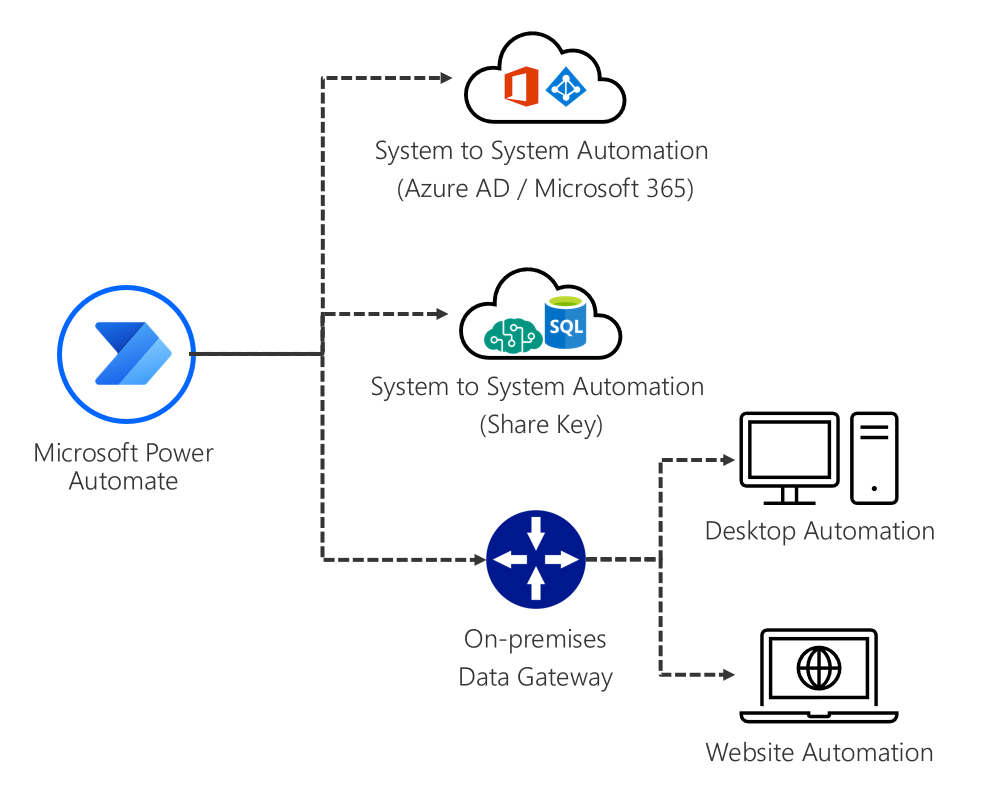
AI-powered tools designed for presentation formatting offer a suite of features that streamline the creation process, enhance visual consistency, and ensure professional-quality outputs. These features not only accelerate workflow but also improve the overall effectiveness and appeal of presentations, enabling users to deliver clear and engaging messages efficiently.
Understanding the core features of these AI tools is essential for leveraging their full potential. By automating repetitive and time-consuming tasks, AI-driven presentation formatting enhances productivity while maintaining high standards of visual coherence and design quality.
Common Features of AI Presentation Formatting Tools
| Feature | Description | Benefits | Example Tools |
|---|---|---|---|
| Template Application | Automatically applies predefined templates to ensure consistent branding, layout, and style across all slides in a presentation. | Speeds up the design process, maintains brand uniformity, and reduces manual formatting errors. | Beautiful.ai, Canva, PowerPoint Designer |
| Style Consistency Enforcement | Uses AI algorithms to ensure uniform font styles, colors, and image styles throughout the presentation. | Creates visually cohesive presentations that enhance professionalism and clarity. | Visme, Slidebean, Google Slides with add-ons |
| Slide Layout Optimization | Analyzes slide content and suggests or automatically applies optimal layouts for readability and aesthetic appeal. | Improves viewer engagement, balances visual hierarchy, and saves layout design time. | Beautiful.ai, PowerPoint Designer, SlideDog |
| Automatic Content Formatting | Reformats text, bullet points, and data visualizations to fit design standards and best practices. | Ensures clarity, reduces formatting inconsistencies, and streamlines content presentation. | Designs.ai, Canva, Prezi |
| Image and Icon Integration | AI recommends or automatically inserts relevant images and icons aligned with slide content. | Enriches slides visually, saves time in searching for assets, and maintains visual harmony. | Slidebean, Canva, Visme |
| Color Palette Suggestions | Analyzes content and suggests harmonious color schemes according to branding or mood requirements. | Enhances visual appeal, ensures consistency, and aligns with branding guidelines. | Adobe Color, Canva, PowerPoint Designer |
These features collectively contribute to a more efficient workflow by automating routine tasks, minimizing manual adjustments, and ensuring high-quality, visually appealing presentations. By integrating these capabilities, users can focus more on content quality and strategic messaging, rather than on formatting details, ultimately leading to more impactful and professional presentations.
Step-by-step procedures for integrating AI into presentation creation
![[무료 MS RPA를 활용한 업무 자동화] Power Automate Desktop Essentials 강의 | 오마스 - 인프런](https://teknolandia.web.id/wp-content/uploads/2025/09/943b02f7-f249-431b-a21d-91e8d96c3ce0-1.png "[무료 MS RPA를 활용한 업무 자동화] Power Automate Desktop Essentials 강의 | 오마스 - 인프런")
Integrating AI into the presentation development process enhances efficiency, ensures consistency, and allows for tailored stylistic adjustments. Following a systematic approach facilitates seamless adoption of AI-powered tools, helping users maximize their benefits while maintaining control over the final output. This section provides detailed procedures to set up AI-driven formatting within popular presentation software, import content efficiently, and customize AI settings to align with specific branding or stylistic preferences.
Implementing AI into presentation workflows requires understanding the setup process, data importation methods, and customization options. The following structured steps enable users to leverage AI capabilities effectively, improving both productivity and presentation quality across various platforms.
Configuring AI-powered formatting in popular presentation software
To embed AI functionalities into widely-used presentation tools such as Microsoft PowerPoint, Google Slides, or Apple Keynote, users need to follow specific setup procedures. These steps typically involve installing dedicated plugins, activating built-in AI features, or integrating third-party AI tools via APIs or add-ons.
- Identify compatible AI plugins or extensions for your presentation software. For instance, Microsoft PowerPoint offers AI-powered design features via the “Design Ideas” pane, while Google Slides users can add third-party AI tools through the Google Workspace Marketplace.
- Download and install the chosen plugin or activate the built-in AI features. Follow the software-specific instructions to ensure proper setup, which often involves signing into your account and granting necessary permissions.
- Configure AI settings to match your preferences. This may include enabling automatic style suggestions, setting default color schemes, or linking your branding assets such as logos and color palettes.
- Test the integration by creating a sample presentation, ensuring that AI suggestions and formatting adjustments are functioning as expected.
Importing content and applying automated style adjustments
Efficiently populating presentations with relevant content and ensuring consistent styling are key benefits of AI integration. The process involves importing existing data sources or content drafts and then utilizing AI tools to automatically format and style the slides accordingly.
- Prepare content for import, such as text files, data spreadsheets, or multimedia assets, ensuring they are well-organized and relevant to your presentation topic.
- Use the import feature within your presentation software or AI plugin to upload content. For example, PowerPoint allows importing Artikels directly, while Google Slides supports copying and pasting from documents or spreadsheets.
- Once content is imported, activate AI-driven formatting tools. These tools will analyze the content and suggest or automatically apply stylistic adjustments such as font selection, layout arrangements, color schemes, and image placement.
- Review the generated styles, making manual adjustments if necessary, to ensure clarity and visual appeal while maintaining consistency with your branding guidelines.
Customizing AI settings for branding and stylistic preferences
Personalizing AI-driven formatting to align with specific branding and stylistic standards is essential for professional presentations. Customization ensures that automated suggestions do not compromise brand identity or stylistic coherence.
- Access the AI tool’s settings or preferences menu within your presentation software or plugin interface.
- Input branding assets such as logos, preferred color palettes, and font choices. Many AI tools allow creating templates that incorporate these elements automatically.
- Set stylistic parameters like slide layout preferences, image-to-text ratios, and header/footer styles. These parameters help AI generate consistent and brand-aligned slides across different presentations.
- Save these configurations as default templates or styles for future presentations, facilitating rapid and uniform content creation.
- Periodically review and update settings to reflect evolving branding guidelines or stylistic preferences, ensuring ongoing consistency in AI-generated presentations.
Effective integration of AI into presentation workflows hinges on meticulous setup, content importation, and customization, empowering users to produce visually appealing and brand-consistent presentations with minimal manual effort.
Methods for customizing AI-driven formatting outputs
Effective customization of AI-generated presentation formatting ensures that outputs align seamlessly with specific branding, thematic preferences, and presentation styles. Tailoring these outputs enhances clarity, professionalism, and audience engagement, making the automation process more valuable and user-centric.
Customizing AI-driven formatting involves leveraging various techniques that allow users to influence the suggestions and styles provided by AI tools. These methods range from specifying style parameters to incorporating user feedback loops, thus enabling the creation of visually consistent and thematically aligned presentations.
Techniques to tailor AI suggestions to match specific presentation themes
Adapting AI suggestions to fit unique presentation themes requires strategic use of predefined parameters and contextual inputs. These techniques help ensure that formatting recommendations reflect the desired aesthetic and communicative goals.
- Template-Based Customization: Utilizing predefined templates that encapsulate specific themes, color schemes, and font styles. AI tools can be configured to select or modify outputs based on these templates, maintaining consistency throughout the presentation.
- Style and Theme Parameters: Defining explicit style parameters such as font types, color palettes, spacing, and layout preferences within the AI tool settings. These parameters guide the AI in generating formatting suggestions aligned with the chosen theme.
- and Contextual Inputs: Providing descriptive s or context about the presentation’s topic and tone allows AI to tailor formatting suggestions that resonate with the theme, such as formal, creative, or technical styles.
- Use of Custom Style Guides: Uploading or referencing detailed style guides that specify branding colors, logo placement, and typographic standards. AI models then incorporate these elements into formatting outputs.
Organizing procedures for feedback and iterative improvements on formatting recommendations
Refining AI-driven formatting outputs through structured feedback ensures that the generated content continuously aligns with user expectations and branding standards. Establishing an iterative process fosters incremental enhancement and personalization.
- Initial Review: Users assess the AI-generated formatting suggestions, identifying areas for improvement or adjustment based on visual appeal and consistency with the presentation’s theme.
- Providing Feedback: Clear and specific feedback can be communicated through built-in review features, annotations, or direct input adjustments. This feedback should highlight elements like font choices, color schemes, or spacing deviations.
- Model Retraining or Fine-Tuning: When supported, users can fine-tune AI models using their feedback data, enabling the system to learn preferences over time and produce increasingly accurate formatting suggestions.
- Iterative Testing: Reapply the AI tool with updated parameters or feedback, reviewing the outputs to ensure improvements. This cycle repeats until the outputs align with the desired standards.
- Documentation of Preferences: Maintaining a record of preferred styles, adjustments, and feedback history helps streamline future customization efforts and ensures consistency across multiple presentations.
Incorporating user-defined style guides into AI automation
Embedding user-defined style guides into AI-driven formatting processes enhances automation consistency and adherence to branding standards. This integration ensures that every presentation generated respects the specific stylistic identity of an organization or individual.
- Structured Style Guide Uploads: Upload comprehensive style guides in formats such as JSON, XML, or PDF, which contain detailed specifications on color schemes, fonts, layout preferences, and logo usage. AI tools can parse and implement these guidelines during formatting.
- API Integration: Utilizing application programming interfaces (APIs) to connect style guides directly with AI tools allows dynamic access to branding standards, enabling real-time adjustments as styles evolve.
- Template and Rule-Based Systems: Creating template libraries and rule sets derived from style guides enables AI to automatically apply consistent formatting based on predefined rules, reducing manual intervention.
- Custom Style Modules: Developing modular style profiles within the AI platform that encapsulate user preferences. These modules can be activated or adjusted for different presentation contexts, ensuring flexible adherence to branding standards.
Epilogue
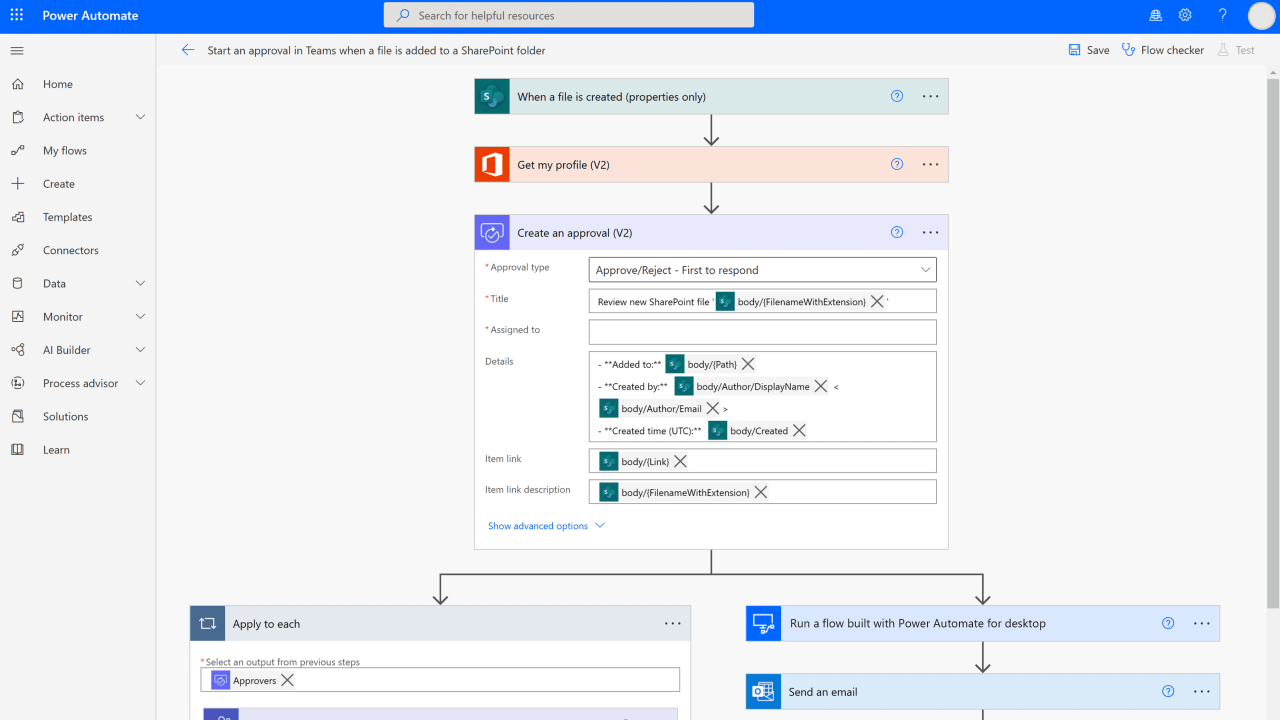
In conclusion, mastering how to automate presentation formatting using AI empowers users to produce high-quality slides with minimal effort, enhancing overall productivity and creativity. As technology continues to evolve, embracing AI-driven automation promises to revolutionize how presentations are crafted and refined in various professional and educational contexts.