Discovering how to create conference slides using AI opens new horizons in simplifying and enhancing presentation development. Leveraging advanced AI tools can streamline the entire process, from content organization to visual design, making your conference preparations more efficient and impactful. This guide introduces you to the essential steps and technologies that can transform your slide creation experience.
By integrating AI into your workflow, you can easily select suitable platforms, structure your content intelligently, generate compelling visuals, and refine your slides with minimal effort. Whether you are a seasoned presenter or new to conference speaking, understanding how to harness AI for slide design can lead to more engaging and professional presentations.
Overview of Using AI for Creating Conference Slides

The integration of Artificial Intelligence (AI) into conference slide creation has revolutionized traditional presentation development by enhancing efficiency, creativity, and consistency. Leveraging AI tools allows presenters and organizers to generate high-quality slides rapidly, ensuring that content is both engaging and visually appealing. This technological advancement reduces manual effort, minimizes errors, and enables more innovative design approaches, ultimately elevating the overall conference experience.
Adopting AI-powered workflows for slide creation involves a structured process that combines data input, AI tool selection, and iterative refinement. This systematic approach ensures that presentations are tailored to specific themes, audiences, and branding requirements while maintaining high standards of clarity and professionalism. The deployment of these workflows not only accelerates the development cycle but also facilitates ongoing updates and improvements based on emerging AI technologies.
Common AI Technologies Applicable to Designing Conference Presentations
The landscape of AI technologies available for conference slide design is diverse, offering tools that automate content generation, visual enhancements, and layout optimization. Understanding these technologies enables users to select the most suitable solutions for their needs.
| AI Technology | Application in Conference Slides | Benefits |
|---|---|---|
| Natural Language Processing (NLP) | Automated content summarization, topic extraction, and text refinement | Speeds up content creation, ensures clarity, and maintains coherence |
| Generative Adversarial Networks (GANs) | Creating high-quality, contextually relevant images and graphics | Enables unique visual assets that align with presentation themes |
| AI-powered Design Assistants | Layout optimization, color palette suggestions, and font pairing | Enhances aesthetic appeal while maintaining consistency and readability |
| Speech-to-Text and Voice Recognition | Transcribing spoken content into slides or notes | Facilitates real-time content updates and accessibility improvements |
| Image Recognition and Processing | Analyzing images for relevance, quality, and suitable enhancements | Ensures visual content is high-quality, relevant, and engaging |
Implementing these AI technologies within a comprehensive workflow can significantly streamline the process of developing impactful conference slides. For instance, using NLP algorithms to generate summaries from lengthy research papers or reports ensures key points are highlighted effectively. Similarly, AI-driven design tools assist in creating visually balanced slides that capture audience attention without requiring extensive manual adjustments.
Integrating AI into slide creation not only accelerates production but also unlocks innovative possibilities for presentation design, fostering more compelling and memorable conference experiences.
Selecting AI Tools and Platforms for Slide Design
Choosing the appropriate AI tools and platforms is a critical step in streamlining the development of professional, engaging conference slides. The right selection ensures that the presentation aligns with the conference objectives, audience expectations, and the complexity of the content being conveyed. With a multitude of AI-powered options available today, understanding their features, limitations, and suitability for specific needs becomes essential for effective slide creation.
Evaluating AI platforms involves analyzing various factors such as usability, customization capabilities, integration potential, output quality, and cost. This process helps presenters identify tools that not only expedite the design process but also enhance visual appeal and clarity of information. The subsequent comparison highlights some of the most popular AI platforms used for presentation development, providing insights into their strengths and constraints.
Comparison of Popular AI Platforms for Presentation Development
Choosing the best AI platform requires a clear understanding of each tool’s offerings and limitations. Here is an overview of some leading options:
| Platform | Features | Limitations |
|---|---|---|
| Beautiful.ai | Automated slide design, smart templates, real-time collaboration, customizable layouts | Limited free features, dependency on predefined templates, less flexibility for highly personalized designs |
| Canva with AI integrations | Intuitive interface, AI-powered design suggestions, extensive media library, easy sharing | Some advanced features behind paywalls, AI suggestions may lack depth for complex content |
| Designs.ai | AI-powered presentation builder, logo creation, video, and graphic design tools, quick output generation | Limited control over detailed slide customization, occasional generic outputs |
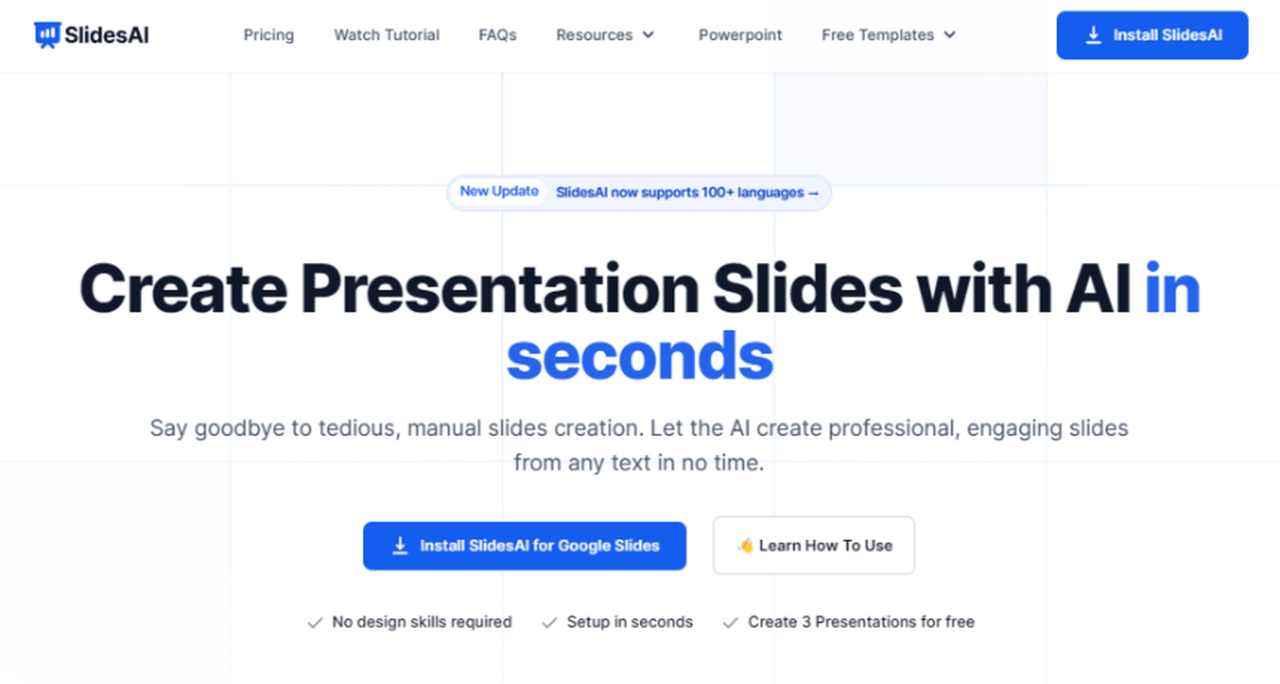
| Beautiful Slides by SlidesAI | Converts text into slides using AI, offers content summarization, integrates with existing tools | Primarily focused on converting text, less suited for highly visual or intricate designs |
| PowerPoint with AI features (Designer & Ideas) | Familiar interface, AI-driven layout suggestions, integration with Office Suite, supports multimedia | Requires Microsoft 365 subscription, less automated than dedicated AI platforms, sometimes offers generic suggestions |
Each platform caters to different needs. For example, Beautiful.ai is ideal for teams seeking consistency and collaboration, whereas Canva excels in versatility and media integration. It is crucial to weigh these features against the specific demands of your conference presentation, such as the level of customization, visual complexity, and team collaboration requirements.
Criteria for Choosing the Most Suitable AI Tool
Selection criteria should reflect the unique aspects of the conference and presentation complexity. When evaluating AI tools, consider the following:
- Presentation Complexity: Determine whether the presentation requires simple infographic slides or intricate data visualizations. For complex designs, platforms offering advanced customization capabilities are preferred.
- Design Flexibility: Assess if the tool allows for creative freedom or relies heavily on templates. Highly flexible tools are better for unique branding and style requirements.
- Ease of Use: Consider user experience, especially if team members have varying levels of technical expertise. Intuitive interfaces with guided features facilitate faster adoption.
- Integration and Compatibility: Check if the platform seamlessly integrates with existing tools such as PowerPoint, Google Slides, or other content management systems.
- Output Quality and Customization: Ensure that the AI-generated slides meet professional standards and allow for post-generation edits to refine the presentation.
- Cost and Licensing: Evaluate budget constraints and licensing models, including subscription fees, pay-per-use options, or free tiers.
Procedural Steps to Access and Use AI Slide Creation Tools
Getting started with AI-powered slide design tools involves a straightforward process that can be completed within minutes, ensuring a smooth transition into automated presentation development:
- Platform Selection: Based on the criteria Artikeld, select the most suitable AI platform that aligns with your conference needs.
- Account Creation or Login: Visit the platform’s official website or app store, create an account using your email or professional credentials, or log in if you already have an account.
- Subscription or Free Trial: Choose a subscription plan or activate a free trial period to access premium features if necessary. Many platforms offer limited free versions suitable for initial experiments.
- Template or Content Input: Upload your presentation content, such as Artikels, text, or data, or select a template aligned with your conference theme.
- AI-Generated Slide Development: Use the platform’s AI features to generate slides, customize layouts, and enhance visual elements according to your preferences.
- Refinement and Personalization: Review the auto-generated slides, make necessary edits, add multimedia, and adjust visual styles to ensure brand consistency and clarity.
- Export and Integration: Save or export the final presentation in your preferred format (PowerPoint, PDF, etc.) and seamlessly integrate it into your conference presentation workflow.
Most platforms provide comprehensive tutorials, customer support, and documentation to assist new users in maximizing their capabilities. Familiarizing yourself with these resources enhances efficiency and ensures the final slides effectively communicate your message during the conference.
Structuring Conference Content with AI
Effective organization of conference content is crucial for delivering clear, engaging, and cohesive presentations. Leveraging AI tools simplifies this process by providing intelligent suggestions for structuring topics, creating adaptable templates, and refining content flow. This approach ensures that each segment of your conference presentation aligns logically, maintains audience interest, and communicates your key messages effectively.
Using AI for structuring conference content enhances the overall clarity and professionalism of your slides. It allows presenters to focus more on delivering insights and engaging with the audience, rather than on the technical intricacies of slide arrangement and narrative flow. The following methods demonstrate how AI can assist in organizing, templating, and optimizing your conference presentations.
Organizing Conference Topics and s with AI Suggestions
Organizing your conference topics effectively is fundamental to guiding your audience through the presentation seamlessly. AI tools can analyze your initial ideas, research data, or transcript inputs to suggest logical hierarchies and groupings for your content. For instance, AI can recommend clustering related topics together, identifying the most relevant sequence, and highlighting key themes that resonate with your target audience.
AI algorithms are capable of scanning large datasets to identify trends, commonalities, and logical connections among your topics. This can be particularly useful when working with complex or interdisciplinary subjects, such as technological innovations or scientific research. By inputting your raw topics or notes, AI can generate a structured Artikel that ensures clarity and coherence, making your presentation more impactful.
Create Templates for Different Presentation Segments
Templates serve as foundational frameworks that streamline the creation of presentation segments like introductions, main points, and conclusions. AI-powered platforms can generate customizable templates tailored to your conference’s style and content needs. These templates ensure consistency across slides and help maintain a professional look while allowing flexibility for specific content variations.
For example, AI can produce an introductory template that includes placeholders for an agenda, background context, and key objectives. Similarly, main point templates can be structured to include sections for data visualization, supporting evidence, and key takeaways. Concluding templates might feature summary points, calls to action, or next steps. These templates can be easily adapted for different topics or audiences, saving time and enhancing presentation uniformity.
Refining and Optimizing Content Flow with AI Assistance
Ensuring a logical and engaging flow of information is vital for audience comprehension and retention. AI tools can analyze your drafted slides or scripts to identify potential gaps, redundancies, or awkward transitions. By doing so, they suggest adjustments that improve the overall narrative flow and emphasize the most critical points.
Techniques include AI-driven content analysis that scores the coherence of your slides, highlights areas needing clarification, and recommends reordering for maximum impact. For example, AI can detect that a statistical data slide may be better placed earlier to set context, or suggest connecting ideas with transition phrases. Additionally, AI can suggest visual aids or summaries where necessary, making your presentation more compelling and easier to follow.
Incorporating AI-assisted content flow optimization results in presentations that are not only well-structured but also dynamic and engaging, ensuring your audience remains attentive and absorbs your key messages effectively.
Designing Visuals and Graphics Using AI
Creating compelling visuals and graphics is essential for delivering impactful conference presentations. Leveraging AI tools for generating relevant images, charts, and infographics can significantly streamline this process, ensuring that visuals are both engaging and tailored to the presentation’s content. Properly designed visuals not only enhance understanding but also reinforce key messages, making your slides more memorable.
AI-powered design solutions enable presenters to produce high-quality visuals efficiently, customize images to match branding standards, and seamlessly incorporate these elements into slide decks. This section explores effective techniques for generating, refining, and integrating AI-created visuals to elevate your conference presentations.
Generating Relevant Visuals, Charts, and Infographics Using AI
AI technologies excel at creating visuals that resonate with your presentation theme, saving time and increasing creativity. These tools use advanced algorithms to interpret textual descriptions or data inputs, transforming them into visually appealing graphics. For example, an AI image generator can produce detailed illustrations that align perfectly with complex concepts discussed during the session, such as molecular structures in a scientific conference or architectural designs in an engineering symposium.
When creating charts and infographics, AI platforms can automatically analyze datasets and suggest optimal visual formats, such as bar graphs, pie charts, or flow diagrams. They can embed relevant data points, highlight trends, and emphasize critical information, making your slides more insightful and easier to interpret.
Techniques for Customizing AI-Created Images for Branding and Clarity
Customizing AI-generated visuals ensures consistency with your organization’s branding and enhances clarity. Techniques include adjusting color schemes to match your brand palette, incorporating logos, and applying specific fonts or style elements. Many AI tools allow manual edits post-generation, enabling fine-tuning of image details, backgrounds, or overlays to better align with your message.
To improve clarity, consider simplifying complex images or infographics by removing unnecessary elements, emphasizing key data points, or adding annotations. Utilizing tools that support layering or masking functions can help isolate important features and enhance their visibility. Additionally, maintaining a cohesive visual style throughout your presentation promotes professionalism and reinforces brand identity.
Procedures for Integrating AI-Generated Visuals into Slide Decks with Proper Formatting
Integrating AI-created visuals into your slides involves several structured steps to ensure proper formatting and presentation flow. First, download the generated images or graphics in high-resolution formats compatible with your presentation software, such as PNG or SVG. Next, insert these visuals into your slides at appropriate locations, ensuring they align correctly with accompanying text and other content.
Adjust the size and position of each visual to maintain balance and avoid clutter. Utilize slide layout features such as gridlines or guides to achieve symmetry and consistency across slides. When necessary, add captions or labels to clarify the visual’s context. Finally, review the slides to ensure that visuals are clear, properly formatted, and enhance the overall narrative of your presentation, maintaining a cohesive visual style throughout.
Automating Slide Layout and Formatting with AI
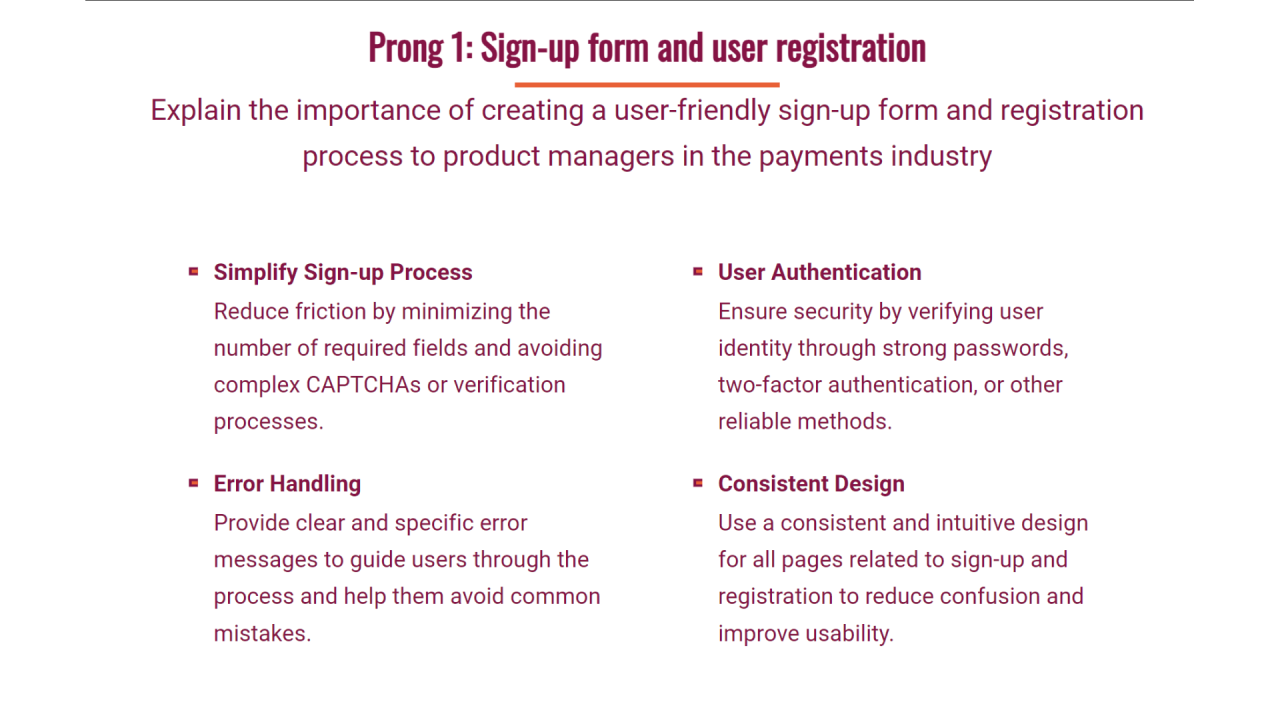
Creating visually appealing and well-structured conference slides is essential for effective communication. Leveraging AI capabilities can significantly streamline the process of arranging slide elements for optimal readability and aesthetic appeal. By automating layout and formatting tasks, presenters can focus more on content quality while ensuring their slides maintain a professional and cohesive appearance. AI-powered tools not only facilitate efficient design but also adapt to different content types and presentation styles, resulting in slides that are both engaging and easy to follow.AI features for slide layout and formatting utilize advanced algorithms to analyze the content and suggest optimal arrangements.
These tools can automatically position text boxes, images, and graphics to balance the slide visually, adhering to principles of design such as alignment, contrast, and proximity. They evaluate content density to recommend adjustments, ensuring that slides are neither overcrowded nor sparse, which enhances audience comprehension. Additionally, AI can detect inconsistencies in spacing and alignment, offering real-time suggestions or automatic corrections to achieve uniformity across the presentation.
Applying Consistent Themes, Fonts, and Color Schemes via AI Tools
Maintaining visual consistency throughout a conference presentation reinforces branding and improves overall professionalism. AI-enabled slide design platforms provide functionalities to apply and manage themes, fonts, and color schemes seamlessly. Once a style preference is set, these tools can automatically enforce it across all slides, reducing manual formatting efforts and minimizing errors. For example, AI can analyze the content style, suggest appropriate font pairings that enhance readability, and recommend color palettes that align with the conference’s branding guidelines or the presenter’s personal style.Many AI tools incorporate smart templates that adapt dynamically to the presentation content, ensuring that design elements remain consistent.
When a new slide is added, these platforms automatically incorporate the chosen themes, fonts, and color schemes. Advanced AI can also identify areas where visual contrast can be improved, such as suggesting darker text on light backgrounds or vice versa, ensuring accessibility for all audience members. This consistency in visual identity not only speaks to professionalism but also enhances audience engagement and retention.
Utilizing AI to Suggest Layout Improvements Based on Content Density
Effective slide layouts depend heavily on content density, which impacts audience understanding and retention. AI-powered platforms analyze the amount of text, images, and other elements within each slide to recommend layout adjustments that optimize clarity. For example, if a slide contains a dense paragraph, the AI might suggest breaking it into bullet points or adding visuals to balance the content.
Conversely, if a slide appears sparse, it may recommend adding relevant graphics or reorganizing elements to create a more engaging visual flow.These tools often feature real-time suggestions, highlighting areas where the layout can be improved for better readability and aesthetic balance. For instance, AI can recommend increasing spacing between elements, resizing images to fit the overall design, or repositioning text blocks for improved alignment.
By automatically proposing these enhancements, presenters can ensure their slides are not only visually balanced but also tailored for maximum audience impact. This intelligent guidance helps in creating slides that are both informative and visually compelling, ultimately elevating the quality of conference presentations.
Enhancing Presentations with AI-Generated Content
Creating impactful conference slides involves more than visual design; the incorporation of well-crafted, AI-generated content can significantly elevate the quality, clarity, and engagement level of your presentation. Leveraging AI to produce compelling bullet points, summaries, and key messages ensures your content is concise, relevant, and tailored to your audience. Additionally, AI can assist in developing engaging opening and closing statements that set the tone and leave a lasting impression.
Seamless integration of AI-created content into slides not only streamlines the creation process but also enhances the overall professionalism and coherence of your presentation.
Utilizing AI to generate content for your conference slides allows for rapid, consistent, and high-quality text development. This approach ensures that your core messages are clear and impactful, while also freeing up valuable time to focus on design and delivery. By harnessing AI tools, presenters can craft precise bullet points, compelling summaries, and memorable key messages that resonate with the audience.
Furthermore, AI’s capacity to assist in developing engaging opening and closing statements helps in establishing a strong start and a powerful conclusion, which are critical for retaining audience attention and reinforcing your main ideas. The key to success lies in smoothly integrating this AI-generated content into your slides, ensuring it complements your visuals and overall presentation flow without disruption.
Generating Bullet Points, Summaries, and Key Messages with AI
In conference presentations, clarity and brevity are essential. AI-powered tools can analyze vast amounts of information and distill them into focused bullet points that highlight the most pertinent details. These tools can also summarize lengthy reports, articles, or data sets into succinct key messages, making complex information accessible and engaging. For example, an AI model like GPT-4 can generate bullet points by identifying main ideas and supporting details, ensuring each point is concise yet comprehensive.
When crafting summaries, AI can identify the core insights, saving presenters hours of manual editing and ensuring the content remains relevant to the audience. Utilizing these capabilities results in well-structured, impactful slides that convey critical information effectively.
Developing Engaging Opening and Closing Statements with AI Support
Strong openings and closing remarks set the tone for a successful presentation. AI can generate compelling opening statements by creating attention-grabbing hooks, relevant anecdotes, or thought-provoking questions based on your presentation topic. Similarly, closing statements can be crafted to reinforce key messages, inspire action, or leave a memorable impression. By inputting your presentation themes and objectives, AI tools can produce varied options, allowing you to select or customize the most suitable ones.
This process enhances your confidence in delivering impactful introductions and conclusions, ensuring your message resonates with your audience long after the presentation ends.
Incorporating AI-Created Content Seamlessly into Slides
To maximize the benefits of AI-generated content, it is essential to integrate it seamlessly into your slides. This can be achieved through strategic formatting, ensuring consistency in style and tone. For example, bullet points generated by AI can be organized with clear headings, uniform font sizes, and visual cues such as icons or color codes to emphasize key points. Summaries and key messages should be positioned prominently, often at the beginning or end of sections, to reinforce comprehension.
When developing opening and closing statements, consider aligning the tone with your overall presentation style, using consistent language and visual elements. Additionally, employing presentation software features like slide layouts, placeholders, and master slides can help incorporate AI content efficiently and professionally, creating a cohesive and polished presentation.
Reviewing and Refining Conference Slides with AI
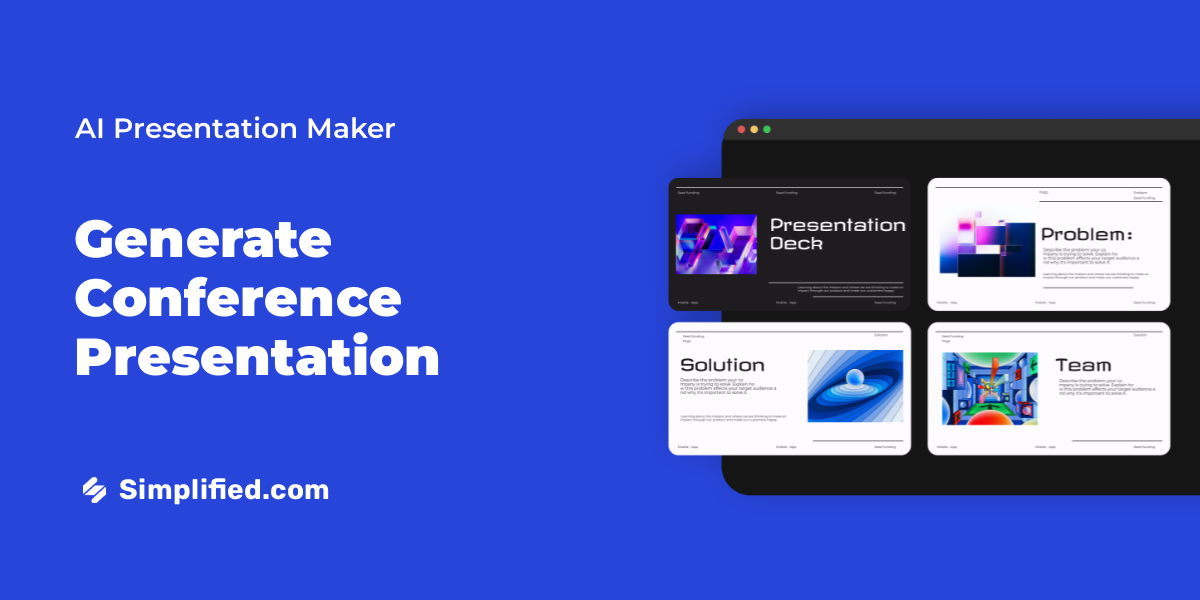
Creating impactful conference presentations involves not only designing visually appealing slides but also ensuring clarity, accuracy, and coherence throughout the deck. AI technologies have become invaluable in streamlining the review and refinement process, enabling presenters to polish their content efficiently and effectively. Leveraging AI for review processes can significantly elevate the quality of conference slides, enhancing audience engagement and comprehension.AI-assisted review routines facilitate comprehensive error detection, content consistency checks, and tone adjustments.
These tools help identify grammatical errors, typographical mistakes, and factual inaccuracies, thus minimizing the risk of embarrassing oversights. Moreover, AI can analyze the overall structure, highlighting areas where information may be ambiguous or overly complex, guiding presenters toward clearer communication.
Techniques for AI-Assisted Proofreading and Error Detection in Slides
Effective proofreading using AI involves multiple layers of analysis to ensure slides are error-free and professionally polished. Advanced AI language models and editing tools can automatically scan for grammatical mistakes, punctuation errors, and stylistic inconsistencies. These tools often provide suggested corrections that seamlessly integrate into the slide content, saving time and reducing manual proofreading efforts.Beyond grammar, AI can detect inconsistencies in terminology, formatting discrepancies, and factual inaccuracies by cross-referencing content against authoritative databases or predefined datasets.
For example, an AI tool reviewing a slide on recent technological developments can flag outdated information or incorrect data points based on current industry reports.
- Use AI-powered grammar and style checkers that integrate with presentation software to identify and correct language errors in real-time.
- Employ factual verification tools that cross-check data points, dates, or technical claims against trusted sources or databases.
- Implement tone analysis features to ensure language remains professional, consistent, and aligned with the conference’s branding or audience expectations.
Receiving Feedback from AI to Improve Clarity and Impact
AI can serve as an interactive reviewer by providing constructive feedback aimed at enhancing slide clarity, coherence, and overall impact. Many AI tools offer suggestions to simplify complex sentences, improve word choice, and optimize slide flow to facilitate audience understanding.In practice, presenters can upload their deck into an AI review platform, which then generates insights on how to improve message clarity.
For instance, AI can recommend restructuring slides that contain dense blocks of text into concise bullet points or suggest visual aids to better illustrate key concepts. Feedback may also include recommendations on emphasizing critical points through color contrast, font size adjustments, or layout enhancements.
Effective AI feedback emphasizes clarity, audience engagement, and visual hierarchy, ensuring the message resonates more strongly during the presentation.
Procedures for Iterative Refinement of Slide Decks with AI Integration
Refining conference slides with AI typically involves a cycle of review, modification, and re-evaluation, allowing for continuous improvement. This iterative process ensures that each revision aligns more closely with the desired presentation goals.A systematic approach includes:
- Initial review: Upload the draft slides into an AI review tool to identify errors and receive preliminary feedback.
- Implement corrections: Make suggested edits related to language, data accuracy, and visual elements, focusing on enhancing clarity and professionalism.
- Reassessment: Re-upload the revised slides for further AI analysis, verifying that previous issues are resolved and no new errors have been introduced.
- Refinement iterations: Repeat this cycle until the slides meet quality standards, achieve a logical flow, and effectively communicate key messages.
- Final validation: Conduct a manual review complemented by AI feedback to ensure that the presentation is polished and ready for delivery.
This process not only streamlines the editing workflow but also leverages AI’s capacity for detecting subtle issues that might escape manual review, ultimately leading to a more impactful and error-free conference presentation.
Exporting and Presenting Conference Slides Created with AI
After developing comprehensive conference slides using AI tools, the subsequent crucial steps involve exporting these slides into appropriate formats and preparing them effectively for presentation. Proper export practices ensure compatibility across diverse presentation platforms, while meticulous preparation enhances the overall delivery and audience engagement. This segment explores best practices for exporting AI-generated slides, troubleshooting common issues, and adapting presentations to various conference settings for optimal impact.
Efficient exporting and presentation of AI-created slides require a clear understanding of the formats supported by different presentation environments and the potential technical challenges that may arise. Proper preparation ensures that the content maintains its visual integrity, functionality, and clarity during live delivery, regardless of the conference’s technological setup.
Best Practices for Exporting AI-Generated Slides into Compatible Formats
Choosing the correct export format is vital to preserving the visual and functional quality of your slides across different platforms. Common formats include PPTX for Microsoft PowerPoint, PDF for static, universally accessible documents, and HTML5 for interactive web presentations. When exporting, consider the presentation environment, such as the conference venue’s hardware and software capabilities, to select the most compatible format.
It is advisable to:
- Use the native format of the AI tool (e.g., PPTX) when further editing or animations are required post-export.
- Export high-resolution images and graphics within your slides to prevent pixelation when enlarging or projecting.
- Save a copy in PDF format for static, universally viewable versions, especially if animations or interactive elements are unnecessary.
- Leverage cloud-based sharing options, such as Google Slides or Microsoft 365, for real-time collaboration and remote access.
“Always verify the exported file’s appearance on multiple devices before the presentation to ensure fidelity and compatibility.”
Tips for Troubleshooting Common Export and Presentation Issues
Technical difficulties during export or live presentation can hinder effective communication. Recognizing and resolving these issues proactively is essential for a smooth experience. Typical problems include format incompatibilities, missing fonts or graphics, and playback errors. To mitigate these risks, consider the following:
- Test the exported slides on the actual hardware and software setup that will be used during the conference.
- Ensure all embedded fonts, videos, and graphics are included or properly linked within the presentation file.
- Update software versions beforehand to avoid incompatibilities caused by outdated applications.
- Prepare backup copies in different formats, such as PDF or lightweight PPTX files, to switch seamlessly if needed.
- Disable or remove complex animations that may not display correctly on older hardware or limited network environments.
“A proactive approach to troubleshooting minimizes disruptions and enhances your confidence during live presentations.”
Preparing AI-Enhanced Slides for Different Conference Settings
Adapting AI-enhanced slides to various conference formats ensures that your visuals and content resonate across diverse audiences and technical setups. Consider the specific presentation environment, audience size, and available technology when tailoring your slides. Key strategies include:
- For large conference halls with high-definition projectors, optimize visuals for high resolution and contrast to maintain clarity from a distance.
- In virtual or hybrid settings, ensure that interactive elements are compatible with online platforms, and consider embedding videos or live demos for engagement.
- Adjust slide complexity based on audience familiarity; for technical audiences, include detailed visuals and data, while for broader audiences, focus on simplified, visually appealing content.
- Test the presentation system beforehand to confirm compatibility with your AI-generated slides, especially when using advanced features like animations or embedded media.
- Prepare alternative formats (e.g., static PDF versions) in case of technical failures or platform restrictions during the conference.
Following these best practices ensures that your AI-enhanced conference slides are effectively exported, troubleshoot potential issues swiftly, and are suitably adapted for various presentation environments, ultimately delivering a compelling and professional experience to your audience.
Concluding Remarks
In conclusion, mastering how to create conference slides using AI empowers you to produce high-quality presentations efficiently. From choosing the right tools to optimizing content and visuals, AI offers valuable support throughout the entire process. Embracing this technology can enhance your conference experience and leave a lasting impression on your audience.