Discover how to create workshop slides using AI and transform your presentation process. Leveraging advanced AI tools can significantly streamline slide development, improve visual appeal, and ensure your content aligns perfectly with your workshop objectives. This guide introduces key methods and best practices for integrating AI into your slide creation workflow, making your presentations more engaging and professional.
Understanding the role of AI in creating workshop slides
Artificial Intelligence (AI) has revolutionized the way educators and presenters craft their workshop materials, offering innovative tools to enhance the creation of engaging, professional, and visually appealing slides. By leveraging AI, facilitators can streamline the design process, ensure content clarity, and foster a more immersive learning experience for participants.
AI’s integration into slide creation serves multiple purposes, from automating mundane tasks to providing creative suggestions that elevate the overall presentation quality. It empowers users to focus more on content delivery and audience interaction while relying on intelligent systems to handle formatting, visual enhancements, and textual refinement.
Assisting in designing engaging presentation slides with AI
AI tools assist in designing slides that captivate audiences by offering features that automate layout optimization, generate visually appealing graphics, and suggest multimedia integrations. These tools analyze the workshop content and recommend slide arrangements that highlight key points effectively, ensuring clarity and impact.
For example, AI-driven design platforms analyze the semantic content of each slide and automatically adjust font sizes, color schemes, and image placements to create a cohesive visual flow. Additionally, AI can suggest relevant icons, images, and animations that align with the topic, making slides more engaging and easier to comprehend.
Benefits of integrating AI tools in slide creation processes
Integrating AI into slide creation offers numerous advantages, including increased efficiency, consistent formatting, and enhanced creativity. AI reduces the time spent on repetitive formatting and layout decisions, allowing creators to dedicate more effort to refining content and delivery strategies.
Moreover, AI ensures visual consistency across all slides, maintaining a professional appearance throughout the presentation. It also offers personalized suggestions based on best practices in visual storytelling, which can improve audience retention and engagement. The ability to quickly generate multiple design options helps facilitators choose the most effective visual approach without extensive manual effort.
“AI-driven slide creation tools enable presenters to produce compelling content with less manual effort, fostering more impactful workshops.”
AI features that enhance visual and textual content in workshop slides
Numerous AI functionalities specifically target the enhancement of both visual and textual aspects of slides, making them more informative and appealing. These features include:
- Automated Image Selection: AI scans slide topics and suggests relevant images, icons, and infographics that complement the textual content, ensuring visuals are contextually appropriate and high quality.
- Smart Text Summarization and Refinement: AI tools can condense lengthy information into concise bullet points or summaries, improving slide readability and audience focus.
- Color and Font Optimization: Based on color theory principles and accessibility standards, AI recommends color schemes and font styles that enhance readability and visual harmony.
- Content Personalization: AI analyzes audience demographics or prior interactions to tailor content suggestions, making slides more relevant and engaging for specific groups.
- Real-time Feedback and Editing: Some AI applications provide immediate suggestions for improving slide clarity, visual appeal, and textual accuracy during the creation process.
By incorporating these advanced features, AI significantly elevates the quality of workshop slides, ensuring they are both visually compelling and content-rich, thereby facilitating more effective knowledge transfer and participant engagement.
Selecting AI tools for slide creation

Choosing the right AI-powered platform for developing workshop slides is a crucial step that can significantly impact the quality and efficiency of your presentation. With a multitude of options available, understanding the features, usability, and output quality of each tool helps in making an informed decision tailored to your specific needs. This section provides an overview of popular AI tools designed for slide creation, comparing their core functionalities, user experience, and pricing structures to assist you in selecting the most suitable platform for your workshop preparations.
The landscape of AI-powered slide creation tools offers diverse functionalities, from automated content generation to design personalization. When evaluating these options, factors such as ease of use, customization capabilities, integration with other presentation tools, and cost are essential considerations. The following comparison table summarizes key aspects of leading AI slide platforms, enabling you to weigh their advantages and limitations effectively.
Comparison of AI-powered slide creation tools
| Tool Name | Key Functionalities | Usability & Features | Pricing |
|---|---|---|---|
| Beautiful.ai | Automated slide design, content suggestions, template library | User-friendly interface with drag-and-drop features, designed for non-designers; supports collaboration | Free plan available; Premium plans start at $12/month for additional features and branding options |
| Slidebean | AI-driven slide design, content organization, branding customization | Intuitive for beginners, with guided workflows; offers automatic formatting and theme consistency | Basic plan at $8/month; Pro plans at $19/month with advanced features |
| Designs.ai Videomaker | AI-powered presentation video creation, voice-over, animated slides | Ideal for multimedia-rich slides; easy-to-use interface with templates and automatic synchronization | Subscription-based; plans start at $49/month, with enterprise options available |
| Mmhmm | Dynamic slide presentations, screen sharing, real-time editing | Focuses on interactive presentations; integrates with popular video conferencing platforms; minimal setup | Free basic version; paid plans from $12/month with additional features |
When selecting an AI tool for slide creation, consider your specific workshop needs, such as the importance of visual design, multimedia integration, team collaboration, and budget constraints. Testing a few platforms through their free trials can provide practical insight into which tool aligns best with your workflow, ensuring your workshop slides are engaging, professional, and effectively communicate your message.
Structuring Workshop Content with AI Assistance
Effectively organizing workshop topics into a logical and engaging sequence is crucial for delivering impactful learning experiences. Leveraging AI tools can streamline this process by providing intelligent suggestions for content flow, ensuring coherence, and aligning the material with overall workshop objectives. Utilizing AI for structuring enhances clarity, maintains audience engagement, and saves valuable preparation time.
By integrating AI into the content structuring process, facilitators can generate optimized slide sequences, identify key thematic transitions, and ensure that each segment logically progresses towards the workshop’s goals. Properly structuring content not only improves comprehension but also reinforces learning retention, leading to more successful outcomes for participants.
Methods to Organize Workshop Topics into Coherent Slide Sequences Using AI
Organizing workshop topics into an effective slide sequence involves leveraging AI algorithms capable of analyzing content relevance, thematic progression, and logical flow. The following methods facilitate this process:
- Topic Clustering and Categorization: Use AI to analyze the workshop material and group related topics into clusters. This helps in creating thematic sections that flow naturally from one to the next.
- Sequencing Algorithms: Employ AI-driven sequencing tools that suggest optimal orderings based on content dependencies, complexity levels, or learning progression models.
- Content Summarization and Highlighting: Use AI to generate summaries of each workshop segment, helping to identify core points and determine the best placement within the slide sequence.
- Feedback and Refinement: Iteratively refine the sequence with AI suggestions, adjusting for logical coherence and audience engagement based on data inputs or previous workshop feedback.
Procedures for Inputting Workshop Objectives into AI to Generate Suggestions
To maximize AI utility in structuring content, clearly articulating workshop objectives is essential. The following procedures facilitate effective inputting of objectives to generate meaningful suggestions:
- Define Clear Objectives: Articulate specific, measurable goals for the workshop, such as skill acquisition, attitude change, or knowledge transfer.
- Prepare Concise Descriptions: Summarize the workshop’s purpose, target audience, and key outcomes in a structured format, including essential s.
- Use Structured Input Formats: Input objectives into AI tools through templates or predefined forms to ensure consistency and comprehensiveness.
- Leverage Natural Language Processing (NLP): Employ NLP-enabled AI to interpret detailed descriptions and extract relevant themes, suggestions, and content suggestions aligned with the workshop goals.
- Iterative Refinement: Review AI-generated suggestions, provide feedback, and adjust input parameters to fine-tune outputs for better alignment with desired outcomes.
Best Practices for Aligning AI-Generated Content with Workshop Goals
Ensuring that AI-generated content effectively supports the workshop’s objectives requires adherence to best practices. These practices help maintain focus, relevance, and clarity across all presentation materials:
- Establish Clear Criteria: Define specific benchmarks such as relevance, depth, and engagement level to evaluate AI suggestions against workshop goals.
- Regularly Cross-Check Content: Compare AI outputs with original objectives to verify alignment, making adjustments as necessary.
- Maintain Human Oversight: Use AI suggestions as a starting point, with facilitators reviewing and customizing content to ensure contextual appropriateness.
- Prioritize Participant-Centric Content: Select AI-generated material that resonates with participants’ backgrounds, needs, and learning preferences.
- Iterative Validation and Feedback: Continuously refine the content based on participant feedback, ensuring ongoing alignment with workshop aims.
- Document Content Rationale: Keep records of how AI suggestions are adapted to meet goals, aiding future planning and AI training improvements.
Designing Visually Appealing Slides with AI
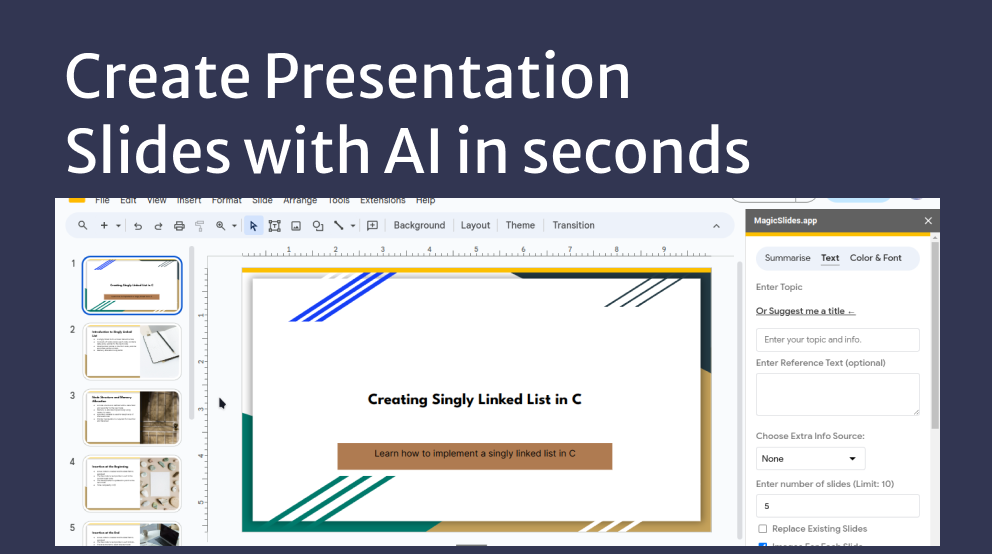
Creating engaging and aesthetically pleasing slides is crucial for maintaining audience interest and enhancing understanding during workshops. Leveraging AI tools can streamline this process by providing intelligent suggestions and automating design elements, allowing presenters to focus on content quality. AI-driven design ensures consistency, professionalism, and creativity in slide decks, making workshops more impactful and memorable.AI technologies facilitate the selection of complementary color schemes, appropriate fonts, and optimal layouts by analyzing content structure and target audience preferences.
These tools can suggest color palettes that evoke desired emotions or match branding guidelines, recommend fonts that improve readability, and propose layout formats that best organize information visually. This automation not only saves time but also ensures that design choices align with best practices in visual communication.Generating visual elements such as icons, diagrams, and infographics is another vital aspect where AI excels.
Advanced AI-driven graphic tools can create customized icons based on s, generate complex diagrams from textual descriptions, and produce high-quality visual assets that enhance comprehension. These elements make slide content more engaging and facilitate better retention of information, especially when presenting complex data or concepts.
Selecting Color Schemes, Fonts, and Layouts with AI
Selecting the right visual style involves understanding the emotional impact of colors, the readability of fonts, and the effectiveness of slide layouts. AI tools analyze the content and context of the workshop to provide tailored suggestions, ensuring a harmonious visual experience.
- Color schemes: AI algorithms suggest palettes based on color theory principles, matching the workshop’s tone—be it professional, creative, or energetic. For instance, a workshop on corporate finance might utilize blue and gray tones for trust and professionalism, while a creativity seminar could incorporate vibrant, contrasting colors to stimulate engagement.
- Fonts: AI recommends font combinations that optimize clarity and aesthetic appeal. It considers font size, style, and pairing, ensuring titles are prominent and body text remains legible across different devices and screen sizes.
- Layouts: AI proposes layout templates that balance text, visuals, and whitespace. By analyzing slide content, it suggests arrangements that highlight key points and create a visual hierarchy, enhancing audience focus and comprehension.
Generating Visual Elements like Icons and Diagrams via AI tools
Visual assets are essential for transforming textual information into easily digestible visuals. AI-powered graphic generators can produce icons, illustrations, and diagrams that align with the workshop theme and content.
- Icons: AI tools analyze s or concepts and generate relevant icons that can replace text labels, making slides cleaner and more intuitive. For example, an AI can create a set of icons representing data, collaboration, or analysis, tailored to the workshop topic.
- Diagrams: AI-driven diagram generators can create flowcharts, mind maps, or process diagrams from textual descriptions. Users input the process steps or concepts, and the AI visualizes them in a clear, professional format, saving time on manual design.
- Infographics: AI tools can assemble data points into engaging infographics, combining icons, charts, and concise text to communicate complex information effectively.
Sample Template of AI-Generated Slide Design Options
Below is a sample table illustrating various slide design options generated by AI, showcasing versatility and adaptability to different workshop themes and styles.
| Design Option | Color Palette | Font Pairing | Layout Style |
|---|---|---|---|
| Modern Minimalist | Soft neutrals with accent colors (e.g., beige, navy blue, coral) | Sans-serif headers with serif body fonts | Centered title with large visual on one side and text on the other |
| Creative Vibrant | Bright primaries and gradients (e.g., red, yellow, teal) | Playful, bold fonts for headlines; simple fonts for body | Asymmetrical layout with overlapping elements and dynamic visuals |
| Professional Elegant | Deep blues, gold accents, and white backgrounds | Elegant serif fonts for headings, clean sans-serif for content | Grid-based layout with balanced sections and minimal whitespace |
| Tech-Focused | Dark backgrounds with neon highlights (e.g., black, electric blue, lime) | Futuristic fonts with high contrast | Full-slide visuals with overlay text and animated elements |
This table exemplifies how AI can generate diverse style options, enabling workshop creators to select designs that best align with their message and audience, ultimately elevating the visual appeal of their slides.
Enhancing slide content with AI-generated text and multimedia
Creating engaging and informative workshop slides requires more than just textual information; integrating AI-generated content and multimedia elements significantly elevates the overall impact. Leveraging AI tools to enrich slide content allows presenters to craft compelling narratives, incorporate relevant visuals, and customize multimedia seamlessly. This process not only enhances learner engagement but also streamlines the content creation workflow, enabling workshop organizers to deliver professional-quality slides efficiently.AI-driven content enhancement involves generating precise and impactful text, selecting suitable multimedia assets, and tailoring these elements to align with workshop themes.
Using AI for these tasks ensures consistency, creativity, and relevance, thereby making the presentation more compelling and easier to understand.
Creating compelling headings and bullet points with AI
Effective slide content often hinges on clear headings and concise bullet points that capture key ideas. AI-powered writing tools can assist in generating attention-grabbing headings by analyzing the core message of each section and suggesting succinct titles that resonate with the audience. Similarly, for bullet points, AI can distill complex information into digestible, impactful statements that highlight essential facts, benefits, or steps.Using natural language processing algorithms, AI can generate variations of headings and bullet points, allowing presenters to choose the most appropriate phrasing.
This ensures that each slide maintains clarity and focus, making the overall presentation more engaging and easier for participants to follow.
Incorporating AI-suggested images and videos into slides
Visual content plays a vital role in enhancing understanding and retention in workshop slides. AI tools can recommend relevant images and videos based on the slide’s textual content. For example, if a slide discusses “sustainable energy sources,” AI can suggest high-quality images of solar panels, wind turbines, or hydroelectric facilities, which can be incorporated directly into the slide.Furthermore, AI-assisted multimedia integration involves selecting videos that illustrate concepts, demonstrate processes, or provide real-world examples, thereby enriching the learning experience.
Such AI-suggested media are often optimized for clarity and relevance, ensuring they complement the textual content without causing distraction.
Customizing AI-generated content to match workshop themes
While AI provides a robust starting point, customization is essential to ensure alignment with the unique tone and objectives of the workshop. Editing AI-generated text involves refining language for clarity, adjusting technical terminology, and tailoring the message to suit the target audience’s knowledge level. This customization helps maintain consistency with branding and thematic elements.For multimedia, customization includes cropping images to focus on relevant details, applying filters or styles to match the slide’s aesthetic, and selecting video segments that directly relate to specific workshop goals.
Personalizing AI suggestions ensures the final content reflects the workshop’s context, enhances credibility, and resonates effectively with participants.
Automating Slide Formatting and Consistency
Creating visually cohesive and professional-looking workshop slides is essential for effective communication and audience engagement. Leveraging AI to automate slide formatting not only streamlines the design process but also ensures uniformity across all presentation materials, which enhances credibility and aesthetic appeal. Incorporating AI-driven formatting features allows presenters to maintain a consistent style effortlessly, saving time and reducing manual effort.Ensuring uniformity in slide design involves standardizing elements such as fonts, colors, and spacing throughout the entire presentation.
AI tools equipped with formatting capabilities can automatically enforce these standards, thereby preventing inconsistencies that often occur when styles are manually adjusted on individual slides. This consistency significantly contributes to a polished and cohesive presentation, making the content easier to follow and more visually appealing.
Applying Consistent Design Templates via AI
Applying a uniform design template across all slides is a fundamental step toward achieving consistency. The following procedures Artikel how AI tools facilitate this process:
- Select a Suitable Template: Begin by choosing a professional template compatible with your AI slide creation tool. Many AI platforms offer a library of pre-designed templates tailored for various themes and purposes.
- Customize the Template: Use AI features to customize the template’s color scheme, font styles, and layout options. These settings can be saved as default styles for future use, ensuring uniformity across all slides.
- Apply the Template to All Slides: Most AI tools provide a one-click option to apply the selected template to the entire presentation. This automatically updates all slides with the chosen design parameters, maintaining consistency without manual adjustments.
- Review and Adjust: After applying the template, review the slides to ensure that the formatting aligns with the intended style. Minor adjustments can be made automatically if the AI supports fine-tuning options.
- Utilize Style Guides and Templates: Develop a style guide specifying fonts, colors, and spacing standards. AI tools can incorporate these guidelines, applying them uniformly whenever new slides are created or existing ones are updated.
| AI Formatting Tools | Features and Benefits |
|---|---|
| Canva with AI features | Allows for the creation of custom templates; automatically enforces brand and style consistency across slides. |
| Beautiful.ai | Utilizes smart templates and auto-alignment features to maintain uniformity in fonts, colors, and spacing. |
| Microsoft PowerPoint Designer | Provides design suggestions that align with selected templates, ensuring cohesive visual styles across slides. |
| Google Slides with AI add-ons | Offers style synchronization options, enabling users to apply consistent themes and formatting across multiple slides seamlessly. |
Consistent application of design templates via AI enhances both the professionalism and visual coherence of workshop presentations, enabling presenters to focus more on content delivery than on formatting concerns.
Exporting and sharing AI-created workshop slides
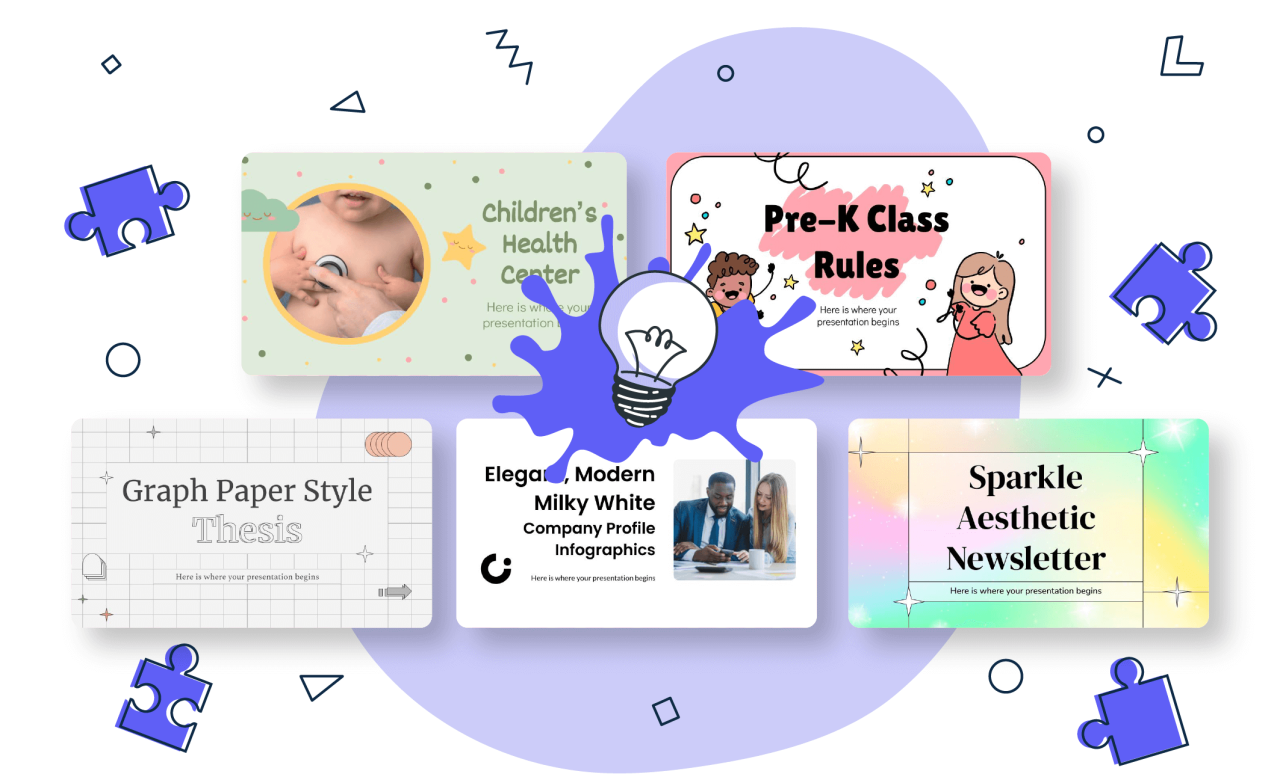
Creating workshop slides with AI tools streamlines the development process, but effectively exporting and sharing these slides ensures broad accessibility and impactful presentations. Proper handling of different formats and sharing strategies maximizes the utility of AI-generated content, enabling seamless collaboration and professional dissemination of information.Exporting AI-created slides into various formats is crucial for compatibility with different presentation platforms and audience preferences.
This flexibility allows presenters to embed slides into reports, distribute them via email, or display them on different devices without compatibility issues. Common formats include PDF, PowerPoint (PPT), and HTML, each serving specific purposes such as static distribution or interactive online viewing.
Options for exporting slides into various formats
When working with AI-powered slide creation tools, selecting the appropriate export format depends on the presentation’s intended use and the audience’s needs. Understanding the advantages of each format ensures effective dissemination of content.
- PDF (Portable Document Format): Ideal for static, non-editable sharing. Ensures consistent appearance across devices and platforms, making it suitable for distributing finalized versions of workshop slides or handouts.
- PPT (PowerPoint): Allows further editing and customization post-export. Suitable for collaborative environments where team members might need to modify content or add annotations.
- HTML (HyperText Markup Language): Facilitates online embedding with interactive features like clickable links, embedded multimedia, and animations. Perfect for hosting slides on websites or Learning Management Systems (LMS).
Most AI slide tools provide built-in export options or integration with cloud services that simplify this process. For example, exporting directly to PDF can be achieved with a single click, while advanced options may allow customization of slide dimensions, resolution, and multimedia embedding during export.
Embedding interactive elements generated by AI
Embedding interactive components enhances engagement and interactivity within workshop slides. When AI tools generate elements such as quizzes, clickable diagrams, or multimedia, embedding them properly ensures a seamless user experience.
- Use HTML exports for interactivity: HTML formats support embedding of interactive elements like embedded videos, quizzes, or animated diagrams. Ensure that these elements are properly linked and functional within the exported webpage.
- Leverage embedded multimedia: When exporting to PPT or PDF, incorporate multimedia files directly into slides or link to external files. For PPT, use the insert media functions; for PDFs, embed multimedia objects where supported.
- Ensure compatibility: Test interactive elements across different devices and platforms to confirm they function correctly. Use fallback options or alternative content for environments where interactivity may be limited.
Embedding interactive elements effectively transforms static slides into engaging multimedia experiences, increasing participant involvement and knowledge retention during workshops.
Methods for collaborative editing and feedback integration
Collaborative editing and feedback are vital for refining workshop slides, especially when AI-generated content serves as a draft or starting point. Utilizing cloud-based platforms and version control ensures efficient teamwork and quality control.
- Cloud-based collaboration tools: Export slides to platforms like Google Slides, Microsoft 365 PowerPoint Online, or other cloud services that allow multiple users to edit simultaneously, leave comments, and track changes in real-time.
- Version control and revision history: Maintain different versions of slides to compare edits, revert changes, or incorporate feedback systematically. Many AI tools automatically save revisions, facilitating this process.
- Feedback incorporation: Use comment features within collaboration platforms to gather input from team members or workshop stakeholders. After collecting feedback, make targeted edits and re-export the updated slides.
Implementing these collaborative strategies ensures that AI-generated slides are polished, accurate, and aligned with the workshop’s objectives, fostering a participative and iterative development process.
Closure
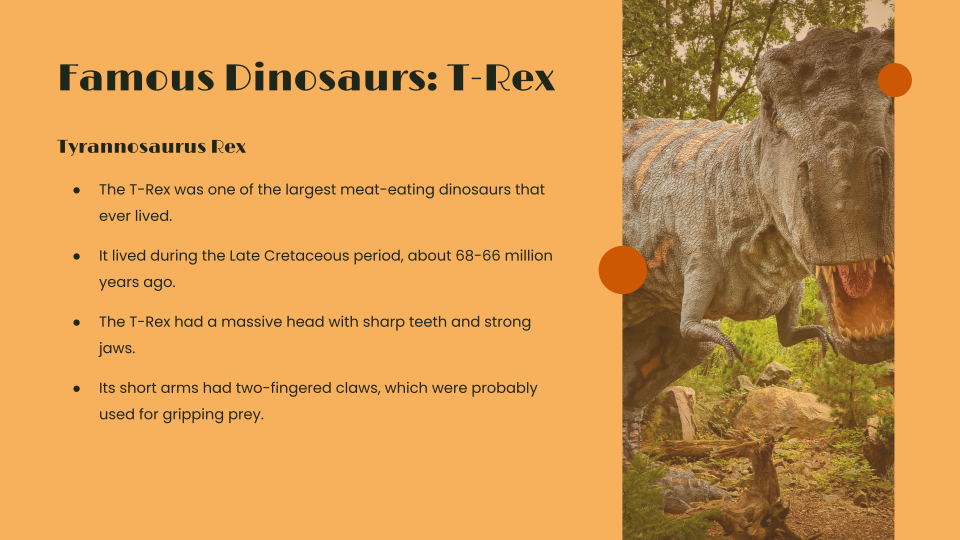
In conclusion, utilizing AI for creating workshop slides offers a powerful way to enhance both the efficiency and quality of your presentations. By selecting appropriate tools, structuring content effectively, and ensuring consistent design, you can deliver compelling workshops with ease. Embracing AI-driven solutions now can elevate your workshop experience and leave a lasting impression on your audience.