Discover how to automate slide layouts with AI and transform your presentation creation process. Leveraging artificial intelligence not only streamlines design workflows but also unlocks innovative ways to achieve visually appealing and consistent slides with minimal effort. This guide offers insights into the tools, techniques, and best practices that can elevate your presentations through automation.
By integrating AI-driven solutions, users can experience faster content organization, enhanced visual coherence, and personalized layouts that align with branding and user preferences. Exploring the comparison between manual and automated methods reveals significant efficiency gains and creative possibilities, making AI an essential asset in modern presentation design.
Overview of Automating Slide Layouts with AI
The integration of Artificial Intelligence (AI) into presentation design marks a significant advancement in how visual content is created and organized. AI-driven slide layout automation leverages machine learning algorithms and pattern recognition to generate visually appealing and coherent slide arrangements swiftly and efficiently. This technology transforms a traditionally manual and time-consuming process into a streamlined, intelligent workflow, enabling users to focus more on content quality and message clarity rather than the intricacies of design.
By incorporating AI into slide layout processes, presenters and content creators can achieve consistent, professional aesthetics with minimal effort. AI tools analyze the content provided—such as text, images, and data—and automatically suggest or implement optimal layout configurations. This not only accelerates the creation process but also enhances overall presentation quality by maintaining design standards and ensuring visual harmony across slides.
Fundamental Concepts of AI-Driven Slide Layout Automation
At the core of AI-driven slide layout automation are algorithms trained on vast datasets of professionally designed presentations. These algorithms utilize techniques such as pattern recognition, natural language processing (NLP), and computer vision to interpret content and determine the most suitable layout. The process involves analyzing the structure, importance, and relationships within the content to produce a visually balanced slide.
Machine learning models are continuously refined through exposure to diverse design styles and content types, enabling the AI to adapt to different presentation contexts. For example, when a user inputs a business report, the AI recognizes key elements such as headings, bullet points, data charts, and images, then arranges these components for clarity and aesthetic appeal. This intelligent automation ensures that each slide adheres to design principles like alignment, contrast, and hierarchy, without requiring manual adjustments.
Benefits of Integrating AI into Presentation Design Processes
Incorporating AI into slide creation offers several compelling advantages that elevate the presentation development experience. Firstly, it significantly reduces the time needed to produce polished slides, allowing users to allocate more resources toward content refinement and delivery strategies. AI-driven tools also minimize human error in layout application, resulting in more consistent and professional-looking presentations. Additionally, these tools facilitate creative exploration by suggesting innovative layout ideas that users might not have considered manually.
Another notable benefit is accessibility; AI automation democratizes high-quality design by enabling individuals with limited graphic design skills to generate visually compelling presentations effortlessly. It also ensures that slide designs conform to established branding and style guidelines, maintaining brand consistency across multiple presentations. Furthermore, AI can analyze audience engagement data and suggest modifications to enhance visual impact, making presentations more effective and engaging.
Comparison Between Manual and AI-Automated Slide Creation Methods
Manual slide creation is a traditional approach that relies heavily on the user’s design skills, creativity, and understanding of visual principles. While it offers full control over the layout and stylistic choices, it often involves considerable time investment, especially when creating large or complex decks. Manual design also introduces variability in quality, depending on the designer’s expertise.
In contrast, AI-automated slide layout generation utilizes algorithms that analyze content and automatically apply design templates and arrangements. This method drastically reduces the time required to produce slides and ensures consistency across multiple presentations. AI tools can quickly adapt to different content types and suggest optimal arrangements, which might be challenging or time-consuming for humans to achieve manually.
While manual design allows for highly personalized and creative layouts, AI automation emphasizes efficiency, uniformity, and adherence to best practices. Often, the most effective approach combines both methods—using AI to generate initial layouts and then refining them manually to add a personal touch or specific branding elements. This synergy leverages the strengths of both approaches to produce engaging, professional presentations efficiently.
Tools and Technologies for AI-powered Slide Layout Automation
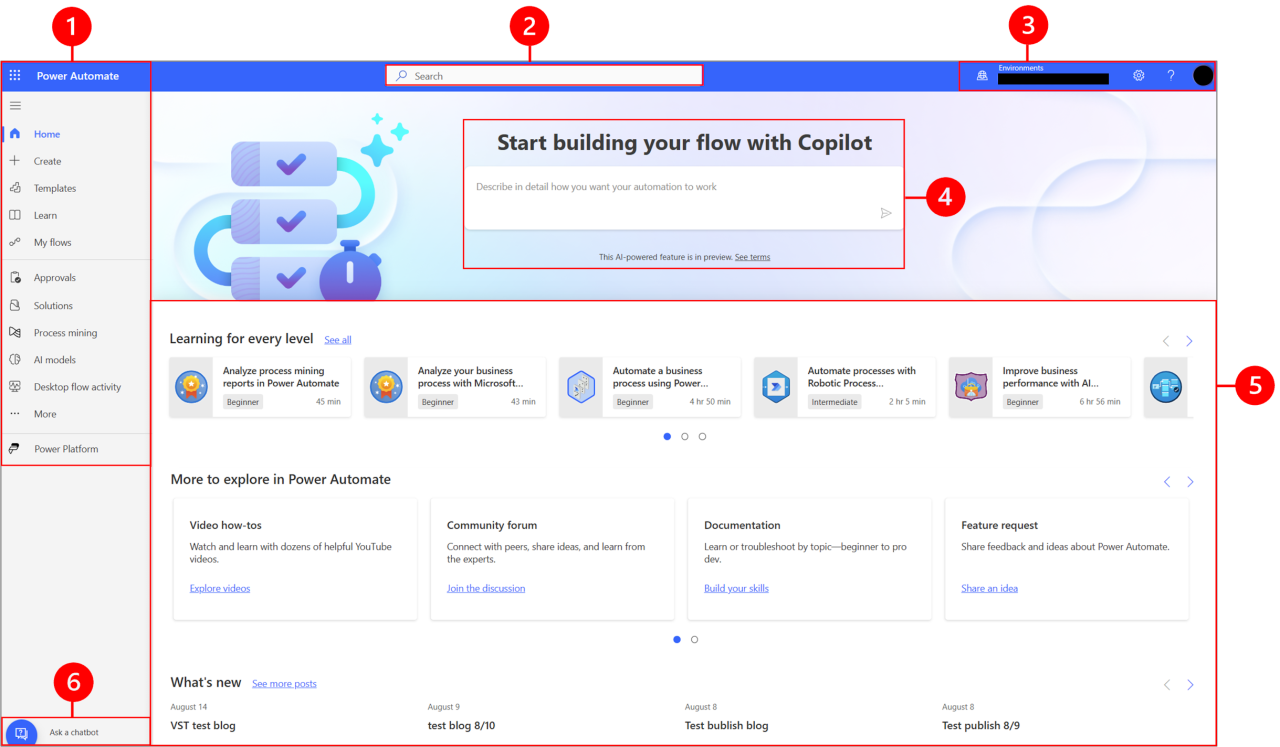
Implementing AI-driven automation for slide layouts necessitates the use of specialized tools and platforms that streamline design processes and enhance presentation quality. These technologies leverage advanced machine learning models to recognize patterns, suggest layouts, and even generate entire slides, significantly reducing manual effort and improving consistency across presentations.
Understanding the landscape of available tools, their integration capabilities, and how they utilize machine learning models is crucial for organizations seeking to adopt AI-powered slide automation effectively. Below, we explore popular AI tools, delve into the training of models for recognizing slide patterns, discuss methods for integrating AI APIs with presentation software, and compare key features across leading solutions.
Popular AI Tools and Platforms for Automating Slide Layouts
The market offers a variety of AI tools designed specifically for automating slide layouts, many of which integrate seamlessly with existing presentation platforms like PowerPoint and Google Slides. These tools typically provide features such as automatic layout suggestions, content structuring, and style consistency, powered by sophisticated AI algorithms.
- An AI-powered presentation software that automates slide design by suggesting layouts based on content input. It emphasizes visual consistency and professional aesthetics, making it ideal for business users seeking quick, polished presentations.
- Utilizes AI to automatically arrange content into visually appealing slides. Users input content, and the platform employs machine learning models to suggest optimal design arrangements, saving time in formatting and layout decisions.
- Integrated within PowerPoint, this feature uses AI to analyze slide content and recommend design ideas, layout adjustments, and visual enhancements in real-time.
- Google Slides with AI Add-ons: Through third-party add-ons like Pear Deck or SlideAI, Google Slides can incorporate AI functionalities for automatic layout suggestions and content optimization.
- Beautiful.AI API: Offers APIs that developers can embed into their applications to automate slide creation and layout, enabling custom integrations within enterprise systems.
Training Machine Learning Models for Recognizing Slide Patterns
Machine learning models form the backbone of AI-powered slide layout automation, requiring careful training to accurately recognize and replicate effective design patterns. The process typically involves the collection of large datasets comprising diverse slide layouts, content types, and design styles.
Supervised learning approaches are commonly employed, where labeled datasets contain examples of well-structured slides. Convolutional Neural Networks (CNNs) and Transformer-based models can analyze visual and textual features to identify layout structures, hierarchical content arrangements, and stylistic consistency. These models are trained through iterative optimization, minimizing the error between predicted and actual layout patterns.
For example, a model might be trained on thousands of slides from corporate presentations, learning to classify sections such as titles, bullet points, images, and charts. Over time, the model can generalize these patterns to new content, suggesting appropriate layouts that match the context and style of the presentation, thus maintaining visual coherence and readability.
Integrating AI APIs with Existing Presentation Software
To maximize the benefits of AI-driven slide automation, seamless integration with existing presentation platforms is essential. This can be achieved through the use of APIs (Application Programming Interfaces) that enable communication between AI services and presentation software, allowing for real-time suggestions and automated modifications.
Developers typically leverage RESTful APIs provided by AI platforms, which accept slide content, analyze it, and return layout suggestions or formatted slide elements. SDKs (Software Development Kits) and plugins further simplify this process, enabling customization and automation workflows tailored to organizational needs.
For example, integrating an AI API with PowerPoint might involve creating a plugin that, upon content entry, sends data to the AI service. The API processes this information, recognizes patterns, and responds with recommended layouts or visual enhancements, which are then applied directly within the presentation interface. Similarly, cloud-based solutions allow for batch processing of multiple slides, enabling large-scale automation in corporate environments.
Comparison of AI Slide Automation Tools
Below is a table summarizing key features, compatibility, and costs of leading AI-based slide automation tools. This facilitates informed decision-making based on organizational requirements and budget constraints.
| Name | Compatibility | Features | Cost |
|---|---|---|---|
| Beautiful.ai | Web-based, PowerPoint, Google Slides integrations | Automatic layout suggestions, style consistency, collaborative editing | Free tier available; Premium plans start at $12/month |
| Slidebean | Web platform, exports to PowerPoint and PDF | AI-driven design, content organization, branding templates | Subscription plans beginning at $8/month |
| PowerPoint Designer | Microsoft PowerPoint (Office 365 subscription) | Real-time design ideas, layout adjustments, visual enhancements | Included in Office 365 subscriptions, starting at $69.99/year |
| Beautiful.AI API | Custom integrations via API | Automated slide generation, customizable templates, API access | Price upon request; typically based on usage volume |
Designing AI Algorithms for Slide Layouts

Creating effective AI algorithms for slide layout generation involves a systematic and meticulous approach that ensures the models produce visually appealing and contextually appropriate presentations. These algorithms must understand design principles, content structure, and user preferences to automate layouts that meet diverse presentation needs efficiently. The development process combines data-driven insights with advanced machine learning techniques to achieve high-quality results.
Developing such algorithms entails multiple stages, including data collection, model training, validation, and customization. Each stage plays a crucial role in ensuring the AI can adapt to various content types, styles, and templates, thereby enabling versatile and personalized slide layouts. Implementing these steps effectively can significantly streamline the presentation creation process, saving time and enhancing overall presentation quality.
Steps to Develop AI Algorithms for Generating Slide Layouts
The development of AI algorithms for slide layouts involves a clear sequence of structured steps designed to produce accurate and customizable output. These crucial steps include:
- Data Collection: Gather a comprehensive dataset of diverse presentation slides, including different styles, themes, and content types. This dataset should encompass various industries, presentation purposes, and design aesthetics to ensure broad applicability.
- Data Annotation and Labeling: Annotate the collected slides to identify key layout elements such as titles, headings, images, bullet points, and footnotes. Proper labeling facilitates supervised learning models to recognize and replicate layout patterns.
- Feature Extraction: Identify and extract relevant features from the dataset, such as visual hierarchy, spatial relationships, font styles, and color schemes. These features serve as the basis for model training.
- Model Selection: Choose appropriate neural network architectures suitable for layout prediction, such as Convolutional Neural Networks (CNNs) for visual pattern recognition or Transformer-based models for understanding content relationships.
- Training and Validation: Train the models on the labeled datasets, employing techniques like cross-validation to prevent overfitting and ensure robustness. Fine-tune hyperparameters to optimize performance.
- Testing and Evaluation: Assess the model’s accuracy in generating layouts by testing it on unseen data. Use metrics such as layout similarity scores, user satisfaction surveys, and aesthetic assessments to gauge effectiveness.
- Deployment and Feedback Integration: Deploy the AI layout generator into the presentation software, collecting user feedback for iterative improvements. Incorporating real-world user interactions helps refine algorithms further.
Training Models on Diverse Presentation Datasets
Training AI models on a broad spectrum of presentation datasets enhances their adaptability and accuracy across various contexts. The diversity should encompass different industries, presentation styles, languages, and content complexities, ensuring the model can handle real-world variability effectively. This process involves meticulous data curation, augmentation, and balancing to prevent bias and overfitting.
First, curating datasets from multiple sources—such as publicly available slide repositories, corporate presentations, academic conferences, and design archives—provides a rich foundation. Augmentation techniques, like content variation, style transfer, and layout modifications, can expand the dataset’s breadth, enabling the model to generalize better. During training, applying transfer learning allows leveraging pre-trained models to improve learning efficiency, especially when datasets are limited in size.
Continuous validation on separate datasets ensures the model maintains high performance across different content domains.
Customizing AI to Suit Various Presentation Styles and Templates
Customization is vital for aligning AI-generated layouts with specific user preferences, branding guidelines, and presentation themes. Tailoring AI algorithms involves incorporating style and template parameters directly into the model or designing adaptable modules that can easily switch between styles.
One approach is to embed style embeddings within the training process, allowing the model to learn distinct stylistic features such as minimalism, corporate professionalism, or creative aesthetics. Users can provide style inputs or select from predefined templates, which the AI then uses as conditioning factors during layout generation. Additionally, developing modular architecture enables easy updates or additions of new styles without retraining the entire model.
Fine-tuning with user-specific data or feedback further personalizes the output, ensuring that the generated layouts adhere to brand standards or individual preferences seamlessly.
Structuring a Flowchart for AI Design Process in Slide Layout Generation
“A clear flowchart visualizes the systematic progression from data collection to deployment, ensuring transparency and facilitating iterative improvements.”
The flowchart for designing AI algorithms to generate slide layouts typically comprises the following stages:
| Stage | Description |
|---|---|
| Data Acquisition | Collect diverse slide datasets encompassing various styles, content types, and templates. |
| Data Annotation | Label key layout components such as titles, images, text blocks, and graphical elements. |
| Feature Extraction | Identify visual and structural features relevant to layout design. |
| Model Selection | Choose suitable architectures like CNNs, RNNs, or Transformers based on task complexity. |
| Training and Validation | Train models on labeled data, validate performance, and optimize hyperparameters. |
| Model Testing | Evaluate the model’s ability to generate accurate layouts on unseen data. |
| Deployment and Feedback | Integrate the model into presentation tools, collect user feedback, and iteratively refine. |
Automating Content Placement and Formatting
Effective slide design hinges on the precise placement and formatting of content elements such as text, images, and multimedia. Automating this process through AI enhances consistency, efficiency, and visual appeal, especially when handling large volumes of presentation material. Implementing AI-driven content placement ensures that each element aligns with the overall slide purpose and maintains a professional appearance without manual intervention.
By leveraging advanced algorithms, AI can intelligently organize diverse content types, adapt formatting styles based on context, and uphold design principles. This automation not only accelerates slide creation but also reduces human error, leading to more impactful presentations. The following sections explore the methods and criteria AI employs to achieve optimal content distribution and formatting in slides.
Methods for AI to Automatically Organize Text, Images, and Multimedia Elements
AI utilizes a combination of natural language processing (NLP), computer vision, and design heuristics to automatically organize various content elements on slides. These methods include:
- Content Segmentation: AI identifies logical divisions within text, such as headings, subheadings, bullet points, and paragraphs, to allocate space appropriately.
- Image and Multimedia Recognition: Using computer vision, AI detects key features within images and videos, positioning them to complement textual content and avoid overlap or clutter.
- Priority-Based Placement: Content elements are prioritized based on importance, with primary messages placed prominently while supplementary media is positioned accordingly.
- Grid and Layout Algorithms: AI employs grid-based systems to systematically arrange elements, ensuring alignment, consistency, and aesthetic balance across slides.
Procedures for AI to Adapt Content Formatting Based on Slide Purpose
Content formatting must align with the intent of the slide, whether it aims to inform, persuade, or summarize. AI algorithms adapt formatting styles by analyzing contextual cues and predefined templates. Key procedures include:
- Contextual Analysis: Analyzing slide titles, s, and target audience to determine appropriate font sizes, colors, and emphasis styles.
- Template Selection: Applying formatting templates suited for specific slide types, such as title slides, data summaries, or conceptual overviews.
- Dynamic Adjustment: Modifying spacing, font weight, and multimedia prominence in real-time to optimize clarity and impact based on content density and purpose.
- Semantic Consistency: Ensuring that formatting emphasizes key messages through consistent use of colors, icons, and typography aligned with branding guidelines.
Rules and Criteria AI Uses for Effective Content Distribution
To produce visually appealing and coherent slides, AI adheres to a set of rules and criteria that govern content distribution:
“Prioritize clarity, balance visual weight, and maintain logical flow.”—Design Principle
- Hierarchy Rules: Larger fonts and bold styles for headings, with supporting details in smaller, less prominent formats.
- Whitespace Optimization: Ensuring sufficient space around elements to prevent overcrowding and facilitate readability.
- Alignment Consistency: Maintaining uniform alignment (left, center, or right) across elements to create a clean, organized appearance.
- Content Density Thresholds: Limiting the amount of text or multimedia per slide to avoid overwhelming viewers, with AI setting automatic line breaks or image resizing as needed.
- Color and Contrast Standards: Applying color schemes that ensure high contrast for readability, especially for text over backgrounds.
Content Types and Corresponding AI Formatting Strategies
| Content Type | AI Formatting Strategy |
|---|---|
| Headings and Titles | Use large, bold fonts with high contrast colors; center or left-align for emphasis; apply distinct style templates for consistency. |
| Body Text and Bullet Points | Implement legible font sizes; organize with bullet points or numbered lists; ensure sufficient line spacing and alignment for readability. |
| Images and Graphics | Resize to fit designated areas; add padding around images; apply caption styles if necessary; align with accompanying text to maintain balance. |
| Multimedia Elements (Videos, Audio) | Position at appropriate focal points; add overlays or annotations to highlight key segments; automatically resize or crop to match slide layout. |
| Data Visualizations and Charts | Apply consistent color schemes; label axes clearly; maintain proportional sizing; ensure readability at small scales. |
Enhancing Visual Consistency and Aesthetic Appeal
Maintaining a cohesive and visually appealing presentation is essential for effective communication. AI-powered tools can significantly streamline this process by ensuring that slide decks adhere to consistent design standards, thus enhancing professionalism and audience engagement. Leveraging AI for visual consistency not only saves time but also elevates the overall aesthetic quality of presentations.A well-implemented AI system can analyze existing slides and automatically enforce uniformity in color schemes, fonts, and styles across all slides.
It can suggest cohesive design themes that align with the presentation’s purpose or brand identity, applying these themes uniformly to create a harmonious visual flow. Furthermore, AI algorithms can optimize the visual balance within each slide, ensuring that content is evenly distributed, readable, and free of clutter, which makes key messages stand out clearly.AI can generate or modify various visual elements to uplift the aesthetic appeal of slides.
These include adjusting image sizes and placements for better alignment, suggesting complementary color palettes, adding subtle visual accents such as icons or borders, and fine-tuning typography for clarity. By automating these enhancements, AI ensures that each slide maintains a high standard of visual quality, contributing to a compelling and professional presentation.
Maintaining Consistent Color Schemes, Fonts, and Styles
Consistency in color, typography, and style is fundamental to delivering a polished presentation. AI tools can analyze the initial slides and generate a style guide that defines the primary color palette, secondary accents, font choices, and style parameters such as line thickness or iconography. Once established, AI can automatically apply these styles across all slides, preventing deviations that may occur with manual editing.
This automation ensures brand consistency and reduces the cognitive load on presenters, allowing them to focus more on content rather than design details.AI systems can also detect inconsistencies or mismatched elements, offering real-time suggestions for corrections. For instance, if a slide uses a different font or a conflicting color, the AI can prompt to standardize these elements, maintaining the overall visual harmony of the deck.
Moreover, AI can adapt color schemes to improve accessibility, such as ensuring sufficient contrast for readability by users with visual impairments.
Applying and Suggesting Design Themes for Slides
Design themes provide a unified visual identity to presentation slides, encompassing color palettes, typography, background styles, and layout templates. AI can analyze the context and content of the presentation to recommend suitable themes that align with the message or branding guidelines. For example, a corporate financial report might benefit from a professional, minimalist theme with subdued colors and clean fonts, while a creative portfolio could utilize vibrant colors and bold typography.Once a theme is selected, AI can automatically apply it across all slides, adjusting layouts and visual elements for consistency.
It can also suggest custom modifications, such as adding specific background patterns or visual motifs that enhance the theme’s coherence. This capability ensures that the presentation maintains a strong visual identity from start to finish without requiring extensive manual adjustments.
Optimizing Slide Visual Balance and Readability
Effective slide design involves balancing visual elements to create a clear hierarchy and ensure easy readability. AI algorithms can evaluate each slide’s layout, assessing the distribution of text, images, and other visual elements. They can then suggest modifications to improve alignment, spacing, and sizing, creating a more balanced composition.AI can enhance readability by adjusting font sizes, line spacing, and contrast levels based on the content and background.
For example, it can increase font size for headings or ensure sufficient contrast between text and background colors to comply with accessibility standards. Additionally, AI can recommend the placement of key information in focal areas of the slide, guiding viewers’ attention naturally and intuitively.
Visual Elements AI Can Generate or Modify for Aesthetic Improvements
To elevate the aesthetic quality of slides, AI can generate or refine various visual components. These include:
- Custom icons and illustrations that match the presentation’s theme and style
- Background patterns or textures that add subtle visual interest without overwhelming content
- Image cropping, resizing, and positioning for optimal emphasis and alignment
- Color overlays or filters to create harmonious visual effects
- Infographics and data visualizations that adhere to a consistent color scheme and style
- Typography enhancements such as font pairing suggestions or dynamic text formatting
- Animated transitions or subtle effects to improve flow and engagement
By intelligently modifying or creating these elements, AI helps craft visually cohesive slides that captivate audiences and reinforce the intended message effectively.
Customizing and Personalizing Automated Slide Layouts
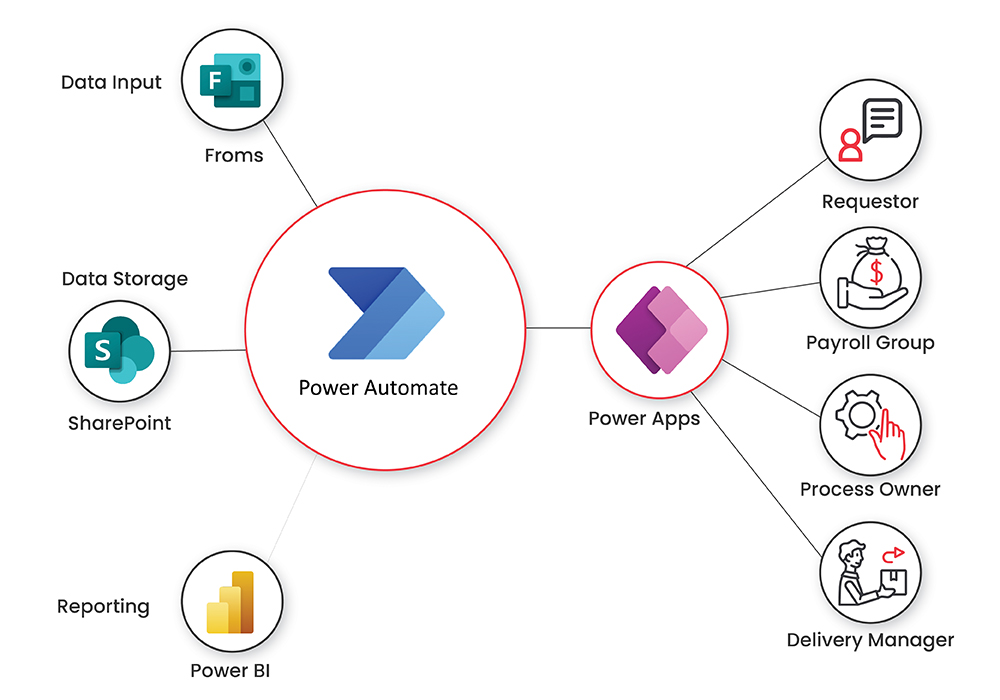
In the realm of AI-driven presentation design, customization and personalization are critical to ensuring that slide layouts resonate with individual branding standards and audience preferences. Incorporating branding elements into automated layouts not only streamlines the design process but also maintains consistency across various presentations, reinforcing corporate identity. Additionally, enabling AI systems to adapt to user preferences and presentation contexts enhances relevance, making automated layouts more effective and engaging.
Incorporating user feedback is essential for refining AI algorithms, leading to layouts that better meet specific needs and aesthetic expectations.
Effective customization involves programming AI to recognize and embed branding elements such as logos, color schemes, and font styles consistently within generated slides. Personalization extends to adapting layouts based on user-defined preferences, whether they favor minimalistic designs or more elaborate visual arrangements. Incorporating user feedback facilitates a dynamic learning process, allowing the AI to improve its layout suggestions over time, aligned with individual or organizational tastes.
Incorporating Branding Elements into AI-Generated Layouts
Embedding branding elements into automated slide layouts ensures visual coherence and brand recognition. This involves training AI algorithms to detect and incorporate logos, brand colors, typography, and style guidelines into each slide. For example, a corporate presentation might consistently feature a specific logo placed at the bottom right corner, while adhering to a predefined color palette such as navy blue and light grey.
Implementing style templates within the AI system enables seamless integration of these elements, maintaining consistency regardless of content variations.
Adapting to User Preferences and Presentation Contexts
Custom AI algorithms can be programmed to learn and adapt to user preferences by analyzing interaction history, such as preferred layouts, font sizes, or color schemes. Context-aware adaptations enable AI to modify layouts based on the presentation’s audience, setting, or purpose. For instance, a formal business report may favor conservative and clean layouts, whereas an educational presentation might incorporate more vibrant visuals and dynamic arrangements.
Utilizing machine learning models trained on user feedback and contextual data allows the AI to generate layouts that align closely with specific needs.
Incorporating User Feedback into AI Layout Adjustments
Integrating user feedback is vital for continuous improvement of automated layout systems. Feedback can be gathered through direct user inputs or by monitoring engagement metrics such as slide acceptance rates and editing frequency. AI systems can then analyze this data to identify patterns and preferences, leading to iterative refinements in layout suggestions. For example, if users consistently modify font sizes or reposition images, the AI can learn to prioritize these preferences in future recommendations, creating a more intuitive and user-centric design process.
Example HTML Table of Customization Options, AI Capabilities, and User Inputs
Customization Options AI Capabilities User Inputs Branding Elements (logos, colors, fonts) Automatic detection and embedding during layout generation Upload brand assets, define style guidelines Layout Preferences (minimalist, detailed) Learning user style preferences over time through interaction analysis Manual selection of preferred styles, feedback on generated slides Content Prioritization (text-heavy, visuals-focused) Adjusts layout emphasis based on content type and user feedback Specify content focus areas, rate layout suitability Visual Aesthetic Settings (color schemes, image placement) Personalization algorithms that adapt to user feedback and context Input preferred aesthetic themes, provide comments on visual appeal
Workflow Integration and Automation Processes
![[무료 MS RPA를 활용한 업무 자동화] Power Automate Desktop Essentials 강의 | 오마스 - 인프런](https://teknolandia.web.id/wp-content/uploads/2025/09/943b02f7-f249-431b-a21d-91e8d96c3ce0.png "[무료 MS RPA를 활용한 업무 자동화] Power Automate Desktop Essentials 강의 | 오마스 - 인프런")
Effective integration of AI-powered slide layout automation into existing presentation workflows is essential for streamlining content creation and enhancing efficiency. Establishing a seamless connection between AI systems and presentation tools ensures consistent, high-quality outputs while reducing manual effort. This section explores the step-by-step procedures for embedding AI into current processes, automating slide creation from various data sources, and managing batch processing for multiple presentations, complemented by a visual representation of the automation pipeline.
Implementing these processes requires a clear understanding of both the technical components and organizational workflows. By carefully designing integration strategies, organizations can leverage AI capabilities to optimize their presentation development cycle, leading to faster turnaround times and improved consistency across slides and presentations.
Step-by-Step Procedures for Integrating AI Systems into Existing Workflows
The successful integration of AI systems into presentation workflows involves a series of structured steps designed to ensure compatibility, efficiency, and scalability. These procedures include:
- Assessment of Current Workflow: Analyze existing processes to identify pain points and determine where AI integration can add value, such as in template management, content formatting, or slide layout design.
- Selection of Appropriate AI Tools and APIs: Choose AI services or develop custom algorithms that align with organizational needs, ensuring compatibility with present presentation platforms like PowerPoint, Google Slides, or other tools.
- Development of Integration Interfaces: Create APIs or middleware that facilitate communication between AI modules and presentation software, allowing automated data exchange and command execution.
- Establishment of Data Pipelines: Set up secure and efficient data flow channels from data sources (databases, spreadsheets, external APIs) to AI modules, enabling real-time or scheduled processing.
- Automation Scripting and Workflow Orchestration: Utilize scripting languages or workflow automation platforms (e.g., Python, Power Automate, Zapier) to coordinate tasks such as data retrieval, AI processing, and slide generation.
- Testing and Validation: Conduct rigorous tests to verify that AI outputs meet quality standards, slides are correctly formatted, and integration processes operate smoothly under various scenarios.
- Deployment and Monitoring: Launch the integrated system in the production environment with ongoing monitoring to detect issues, gather feedback, and optimize performance.
Automating Slide Creation from Templates or Data Sources
Automating slide creation from predefined templates or diverse data sources enhances consistency and accelerates the presentation development process. The key steps involve:
- Template Design and Standardization: Create flexible, AI-compatible templates that define layout structures, font styles, color schemes, and placeholders for dynamic content.
- Data Extraction and Preparation: Retrieve data from structured sources like databases, spreadsheets, or external APIs, ensuring data accuracy and relevance for the presentation context.
- Content Mapping and Data Binding: Map extracted data to corresponding placeholders within templates, enabling dynamic content population through automation scripts or AI algorithms.
- AI-Driven Layout Optimization: Use AI models to determine optimal slide layouts based on content type, importance, and visual hierarchy, ensuring logical and aesthetic coherence.
- Slide Generation and Formatting: Automate the creation of slides by combining templates with data-driven content, applying consistent formatting, and adjusting layouts algorithmically.
Procedures for Batch Processing Multiple Presentations with AI Tools
Batch processing enables organizations to handle large volumes of presentations efficiently, making it vital for scenarios like report generation, training materials, or marketing campaigns. The process involves:
- Batch Input Preparation: Collate all data sources, templates, and presentation specifications in a structured format, such as a directory of files or a centralized database.
- Automation Workflow Configuration: Configure AI automation workflows to process multiple inputs sequentially or concurrently, incorporating error handling and progress tracking.
- Execution of Batch Processing: Run the automation scripts or platform, initiating slide creation for each dataset or template set in the batch.
- Quality Assurance and Validation: Implement automated checks to verify the accuracy and visual consistency of generated presentations, flagging any anomalies for manual review.
- Output Management: Organize completed presentations systematically, with clear naming conventions and metadata for easy retrieval and version control.
Automation Pipeline for Slide Layout Generation
Visualizing the automation pipeline provides clarity on how data flows through various stages to produce final slide layouts. The typical pipeline includes:
A comprehensive automation pipeline involves data ingestion, AI-driven content analysis, layout planning, slide assembly, and delivery, ensuring a streamlined and scalable process for high-quality presentation generation.
| Stage | Description | Tools/Technologies |
|---|---|---|
| Data Ingestion | Collect data from multiple sources such as databases, APIs, or spreadsheets. | SQL, REST APIs, ETL tools |
| Content Analysis | Analyze and interpret data to determine key messages and content structure. | Natural Language Processing (NLP), AI summarizers |
| Layout Planning | Use AI algorithms to decide optimal slide layouts based on content type and importance. | Custom AI models, machine learning frameworks |
| Slide Assembly | Automate placement of content within templates, applying formatting and design rules. | Scripting, presentation APIs |
| Quality Checking & Output | Review slides for consistency, correctness, and visual appeal before final delivery. | Automated validation tools, human review |
Final Wrap-Up

In conclusion, automating slide layouts with AI opens up a realm of opportunities for more efficient and consistent presentation creation. Embracing these technologies allows users to focus on content quality and storytelling while AI handles the complexities of design. As this field continues to evolve, staying informed and adaptable will ensure you harness the full potential of AI in presentation development.