Learning how to generate infographic reports using AI opens the door to transforming complex data into visually engaging and easily understandable presentations. Harnessing artificial intelligence for this purpose streamlines the creation process, saving time while enhancing clarity and impact. This approach is increasingly vital for organizations seeking to communicate insights efficiently and professionally.
By exploring the essential tools, data preparation techniques, and best practices, users can develop compelling infographics that cater to diverse reporting needs. The integration of AI not only automates routine tasks but also enriches reports with advanced features such as interactivity and dynamic updates, elevating the overall quality and effectiveness of data storytelling.
Overview of Generating Infographic Reports Using AI
Artificial Intelligence (AI) has revolutionized the way data is transformed into visually engaging and easily understandable reports. The process of generating infographic reports using AI involves leveraging advanced algorithms and machine learning models to automate the creation of compelling visual summaries from complex datasets. This approach significantly enhances the efficiency, accuracy, and consistency of report production, making it an invaluable tool for businesses, researchers, and analysts seeking to communicate insights effectively.
AI-driven infographic report creation typically follows a streamlined workflow that integrates data collection, analysis, visualization, and presentation. Initially, relevant data is gathered from various sources, such as databases, APIs, or user inputs. Next, AI algorithms analyze and interpret this data, identifying key patterns, trends, and insights. These insights are then transformed into visual elements—charts, icons, and illustrations—using intelligent design tools that optimize layout, color schemes, and typography for clarity and aesthetic appeal.
Finally, the system compiles these visual components into a cohesive report that can be customized for different audiences or purposes.
Benefits of Automating Infographic Reports Through AI Tools
Automating infographic report generation with AI offers numerous advantages that enhance productivity and communication effectiveness. One of the primary benefits is the significant reduction in time spent on manual data visualization, allowing teams to produce reports rapidly and respond swiftly to evolving information needs. Moreover, AI tools enhance consistency across reports by standardizing design elements, ensuring that visualizations adhere to branding guidelines or style preferences.
Another key benefit is the ability to handle large and complex datasets seamlessly, which might be impractical with traditional manual methods. AI algorithms can uncover hidden insights and generate visual summaries that highlight critical points, aiding decision-makers in understanding trends that might otherwise go unnoticed. Additionally, AI-powered tools often incorporate adaptive learning features, improving their visualization strategies over time based on user feedback and evolving data patterns.
Furthermore, the automation process minimizes human error, leading to more accurate and reliable reports. This is particularly crucial in high-stakes environments such as financial analysis, healthcare, and market research, where the precision of insights can significantly impact strategic decisions. Overall, AI-driven infographic report generation streamlines workflows, enhances data storytelling, and empowers organizations to communicate complex information effectively and efficiently.
Essential AI Tools and Platforms for Infographic Reports
In the realm of creating compelling and data-rich infographic reports, leveraging the right AI tools and platforms is crucial. These technologies simplify complex data visualization processes, enhance design quality, and streamline workflow efficiency. Selecting appropriate AI software can significantly impact the clarity, engagement, and professionalism of your reports, making them more appealing to your target audience.
With a multitude of AI-powered options available today, understanding the features, usability, and output quality of each platform enables informed decision-making. This section provides insights into popular AI tools suited for infographic report creation, compares their core attributes, and offers guidance on choosing the best platform aligned with specific project needs.
Popular AI Software and Platforms for Designing Infographic Reports
The landscape of AI-driven infographic design is populated with a variety of software solutions, each offering unique functionalities tailored to diverse user requirements. Some platforms excel in automated data visualization, while others focus on intuitive design interfaces or advanced customization options. Recognizing these differences helps users match tools to their project complexity, technical expertise, and desired output quality.
- Canva Pro with AI integrations: A widely used graphic design platform that incorporates AI features for layout suggestions, color schemes, and image enhancement. Known for its user-friendly interface, Canva enables rapid creation of professional-quality infographics without extensive design experience.
- Piktochart: Specializes in making data visualization accessible through AI-guided templates and auto-sizing features. Suitable for users seeking to produce visually appealing reports with minimal effort.
- Visme: Offers AI-assisted design tools, including smart templates and data widgets, to help craft engaging infographics. Its drag-and-drop interface simplifies the creative process.
- Designs.ai (Videomaker, Logomaker, Speechmaker): A comprehensive platform leveraging AI to generate branding assets, videos, and visual content efficiently, applicable to infographic report elements requiring multimedia integration.
- Venngage: Provides AI-powered data visualization tools and simple customization options, ideal for creating reports for marketing, education, or enterprise use.
Comparative Table of AI Tools for Infographic Reports
To facilitate an informed choice, the following table contrasts key features, ease of use, and output quality among leading AI platforms:
| Platform | Key Features | Ease of Use | Output Quality |
|---|---|---|---|
| Canva Pro | AI layout suggestions, image enhancement, extensive template library | High – Intuitive drag-and-drop interface suitable for beginners | Professional; customizable with high-resolution exports |
| Piktochart | Auto-sizing templates, interactive data visualization, AI-guided design | Moderate – Slight learning curve but user-friendly | High – Visually appealing with accurate data representation |
| Visme | Smart templates, data widgets, interactive infographics | High – Designed for ease of use with guided workflows | Excellent – Detailed customization for professional reports |
| Designs.ai | Multimedia integration, AI-powered branding, video generation | Moderate – Requires familiarity with multimedia tools | Very High – High-quality visual assets generated rapidly |
| Venngage | Data visualization, customizable templates, AI assistance | High – Simple interface suitable for non-designers | Good – Suitable for professional and educational reports |
Criteria for Selecting Appropriate AI Tools
Choosing the right AI platform for infographic report creation depends on multiple project-specific criteria. These include the complexity of data, required customization level, team technical expertise, and desired output quality. Understanding these factors ensures efficient tool selection that aligns with organizational goals and resource availability.
Data Complexity: Select tools with advanced data visualization capabilities if your report involves intricate datasets.
Design Flexibility: Opt for platforms offering extensive customization options when personalized branding and specific visual style adherence are priorities.
Ease of Use: For teams with limited design experience, user-friendly platforms with guided workflows are ideal.
Output Quality: High-resolution and export options are essential for professional printing or presentation formats.
Integration and Collaboration: Consider tools that support collaborative editing and integrate with data sources or other reporting systems for streamlined workflows.
Data Preparation and Integration for AI-Generated Infographics
Effective data preparation and seamless integration are foundational steps in producing high-quality AI-generated infographics. Proper handling of datasets ensures that visualizations accurately represent the underlying information, facilitating clear communication and insightful analysis. This process involves collecting relevant data, transforming it into suitable formats, and integrating it efficiently into AI tools for processing and visualization.Data preparation encompasses gathering data from various sources, cleaning, transforming, and organizing it to meet the specific requirements of visualization platforms.
Integration involves importing these datasets into AI-powered tools, configuring parameters, and ensuring compatibility for smooth processing. Adhering to best practices in data cleaning and organization significantly enhances the overall quality and accuracy of the resulting infographics.
Collecting and Preparing Data Suitable for Visualization
Collecting accurate and relevant data is crucial for creating meaningful infographics. Data can originate from multiple sources such as databases, spreadsheets, APIs, surveys, or web scraping. Ensuring data relevance involves selecting datasets that directly support the narrative or insights intended to be conveyed through the infographic.Preparation begins with structuring the data in a way that’s compatible with visualization tools. This includes standardizing formats, such as converting dates into consistent formats (e.g., YYYY-MM-DD), normalizing numerical values for comparison, and categorizing data into logical groups.
For example, when visualizing sales across regions, data should include clear regional identifiers alongside sales figures.In addition, it’s important to address missing or inconsistent data points. Filling gaps with estimated values or removing unreliable entries can prevent misleading visuals. Organizing data into tabular formats such as CSV or Excel files facilitates easy import into AI tools and ensures compatibility across platforms.
Procedures for Integrating Datasets into AI Tools for Processing
Integrating datasets into AI tools involves several systematic steps to enable accurate data processing and visualization. First, select an AI platform compatible with your data format—commonly, CSV, JSON, or Excel files are supported by popular tools like Tableau, Power BI, or dedicated AI visualization platforms.Next, import the prepared datasets into the AI tool through its data import interface. For larger datasets, consider leveraging database connections or cloud storage integrations to streamline the process.
During import, verify that data fields are correctly mapped to visualization axes or categories.Once imported, configure the AI tool to interpret your data appropriately. This may include setting data types, defining hierarchies, or establishing relationships between datasets when working with multiple sources. For example, linking sales data with regional demographics can enable more nuanced insights.Finally, conduct initial data validation within the platform by previewing the dataset and checking for anomalies or errors.
This step ensures that the data has been correctly integrated and is ready for AI-driven processing to generate insightful infographics.
Organizing Best Practices for Data Cleaning to Optimize AI Infographic Outputs
Effective data cleaning is vital for maximizing the clarity, accuracy, and impact of AI-generated infographics. It involves systematically identifying and correcting errors, inconsistencies, and redundancies within datasets.Begin with removing duplicate entries to avoid skewed visualizations. Standardize data formats—uniform date formats, consistent unit measures, and standardized categorical labels—facilitate smoother processing and clearer visuals. For example, using “USD” consistently instead of mixing “$” and “USD” helps maintain uniformity.Address missing data by imputing suitable values—such as averaging nearby data points or using median values—or by excluding incomplete records if they are not critical.
This prevents gaps from distorting visual representations. Use statistical tools to identify outliers that may result from data entry errors, and decide whether to correct or exclude these anomalies based on context.Use validation checks to ensure data integrity. This includes verifying that numerical values fall within expected ranges, categorical labels are within predefined categories, and relationships between datasets are logical.
Regularly documenting cleaning procedures helps maintain transparency and reproducibility.Adopting these best practices ensures that AI tools can generate accurate, meaningful, and visually appealing infographics that truly reflect the underlying data insights.
Designing Effective Infographics with AI
Creating visually compelling and informative infographics is a crucial aspect of data storytelling. Leveraging AI tools enhances this process by streamlining design workflows, enabling customization, and ensuring consistency across visual elements. Understanding how to input data, select appropriate visual components, and incorporate branding effectively can significantly elevate the impact of your AI-generated infographics.
In this section, we explore the structured approach to designing impactful infographics using AI platforms, focusing on data input, customization, visual selection, and branding integration to produce professional and engaging visual reports.
Inputting Data and Customizing Templates within AI Platforms
Efficient data input and template customization form the foundation of AI-driven infographic design. Most AI platforms offer user-friendly interfaces where raw data can be uploaded or integrated directly from databases, spreadsheets, or cloud storage services. Once uploaded, the AI processes the data to identify key insights and suggest suitable visualization formats.
Customization options typically include selecting pre-designed templates tailored for various industries or report types. Users can modify layouts, fonts, and placeholders to align with specific themes or presentation objectives. Some platforms incorporate AI algorithms that recommend optimal arrangements based on the data structure and desired narrative flow, enabling users to tailor the infographic to their unique needs.
Selecting Visual Elements: Charts, Icons, and Color Schemes
Choosing the right visual elements is vital for conveying data clearly and attractively. AI platforms assist in this process by analyzing the data and recommending appropriate charts such as bar, line, pie, or scatter plots, depending on the data type and the story to be told. The selection of icons and imagery should align with the content theme, enhancing comprehension without cluttering the design.
Color schemes play a significant role in making infographics appealing and functional. AI tools often provide color palette suggestions based on branding guidelines or industry standards, ensuring visual harmony. They can also analyze color contrast for readability and accessibility, making certain that the infographic is effective for all viewers.
For example, an AI platform might suggest a vibrant palette for a marketing report to highlight key metrics or a subdued color scheme for financial data to maintain professionalism.
Organizing Infographic Components with Structured Layouts
Effective organization of infographic components enhances readability and guides the viewer through the data narrative seamlessly. Below is a structured HTML table layout example that can be used to arrange key components such as titles, data visualizations, icons, and annotations in a clear and cohesive manner:
Component Description Design Tips Example Title & Subtitle Provides the main context and infographics’ purpose. Use large, bold fonts; keep it concise. “Quarterly Sales Performance” as the main title with a subtitle “2023 Q2 Insights”. Data Visualizations Charts and graphs that display key data points. Select the appropriate chart type; emphasize clarity over complexity. A pie chart showing market share distribution. Icons & Illustrations Supporting visual cues to highlight sections or data points. Use consistent style; avoid overloading. Icons representing growth, decline, or categories. Annotations & Labels Text explanations or data labels that clarify visuals. Keep annotations brief; position for readability. Percent increase labeled directly on a bar chart.
Incorporating Branding and Stylistic Preferences
Embedding branding elements into AI-generated infographics ensures consistency across all visual communications. This involves integrating logos, brand colors, fonts, and stylistic motifs directly within the design process.
Most AI platforms offer customization panels where branding assets can be uploaded and applied across templates seamlessly. Users can set default color palettes that reflect their brand identity, ensuring all infographics adhere to corporate style guides. Font choices can be standardized to match branding typography, enhancing professionalism and brand recognition.
Important branding considerations include maintaining visual consistency, ensuring accessibility with color choices, and aligning stylistic elements such as iconography and imagery with brand personality. For example, a tech company might prioritize clean lines and modern fonts, while a creative agency may opt for more vibrant and eclectic visuals.
By thoughtfully incorporating these stylistic preferences, AI tools facilitate the creation of infographics that not only present data effectively but also reinforce brand identity and aesthetic appeal.
Automating Report Generation with AI
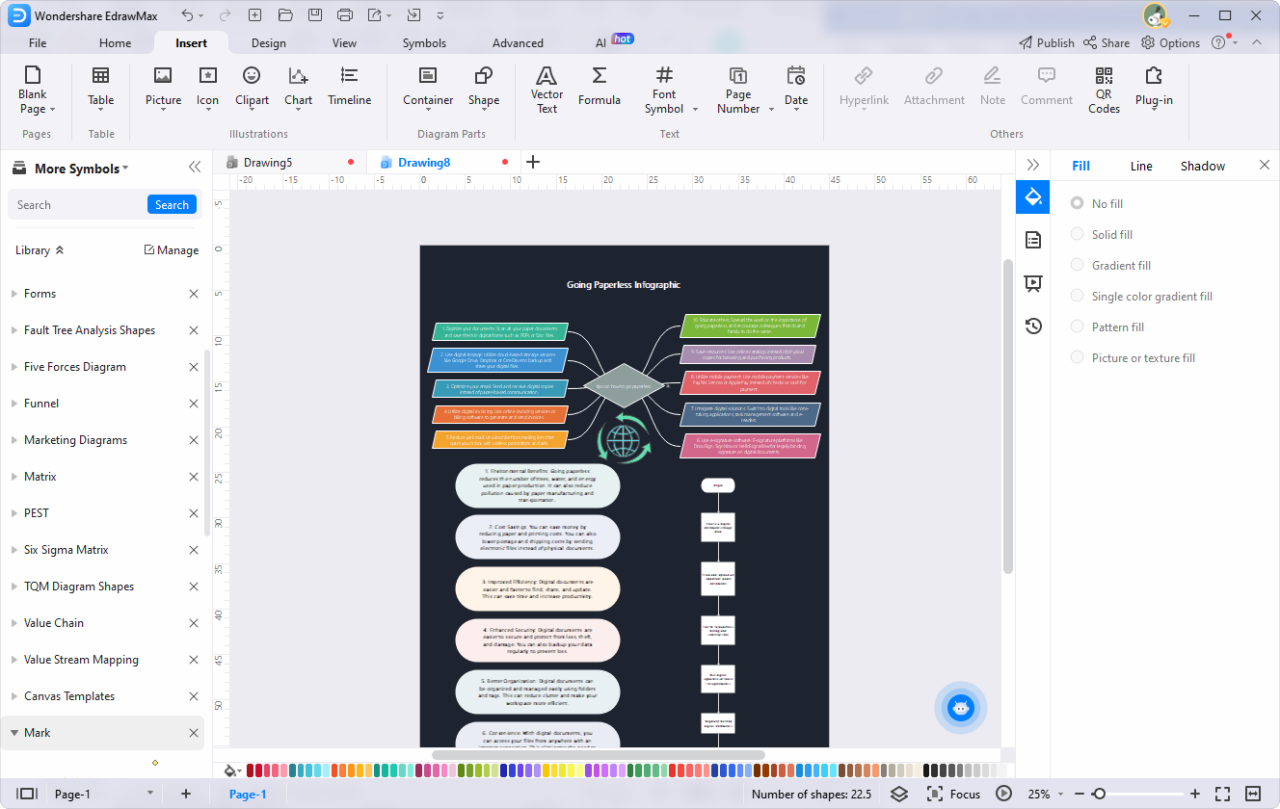
Automation plays a critical role in streamlining the production of infographic reports, enabling organizations to deliver timely insights with minimal manual intervention. Leveraging AI to automate report generation not only enhances efficiency but also ensures consistency and accuracy across multiple reporting cycles. Establishing robust automated workflows allows teams to focus more on strategic analysis rather than routine data compilation.
By integrating AI-driven tools into existing data infrastructure, users can set up recurring report schedules, customize parameters dynamically, and generate multiple reports simultaneously. This approach simplifies large-scale reporting tasks, reduces human error, and accelerates decision-making processes, making it an essential practice for data-driven organizations seeking agility and scalability in their reporting efforts.
Setting Up Automated Workflows and Recurring Report Schedules
Effective automation begins with designing workflows that connect data sources, processing modules, and reporting outputs seamlessly. This involves leveraging AI-powered platforms that support scheduled tasks and trigger-based actions, ensuring reports are generated automatically at predefined intervals without manual initiation. These workflows can be configured within data orchestration tools or AI report platforms that offer automation capabilities.
To establish a recurring schedule, organizations typically define parameters such as report frequency (daily, weekly, monthly), specific data snapshots, and output formats. Automated workflows then execute these tasks consistently, pulling latest data, analyzing it using AI models, and creating updated infographic reports accordingly. This process minimizes delays and maintains a steady flow of insights tailored to organizational needs.
Customizing Report Parameters and Updating Data Inputs Dynamically
Customizability enhances the relevance and precision of automated reports. AI platforms often provide interfaces for setting adjustable parameters such as date ranges, specific metrics, target segments, and visualization styles. These parameters can be modified dynamically through user inputs or embedded rules, allowing reports to adapt to evolving business questions or stakeholder requirements.
Dynamic data input updates are vital for maintaining report freshness and accuracy. Integration with live data sources—such as APIs, databases, or cloud storage—enables AI systems to fetch the latest data automatically before report generation. Some platforms support rule-based data filtering or real-time data streaming, ensuring reports reflect current conditions and trends without manual data uploads. For example, a marketing team might schedule a weekly report that automatically incorporates the latest social media analytics or campaign metrics.
Generating Multiple Reports Efficiently Using AI Automation Features
AI automation features excel at producing numerous reports efficiently, especially when dealing with diverse datasets or multiple departments. Batch processing capabilities allow users to define templates, parameters, and data inputs once, then generate a series of reports in rapid succession or parallel processes. This significantly reduces time and effort compared to manual generation.
Organizations can utilize AI-driven scheduling to customize report outputs for different teams or stakeholders, each with tailored content and visualizations. For instance, a company might automate weekly sales reports segmented by region, product line, and sales channel, all generated simultaneously and delivered via email or dashboards. Additionally, AI tools can incorporate version control, track changes, and even suggest optimizations for future reports, thereby continuously enhancing reporting workflows.
Enhancing Infographic Reports with Advanced AI Features
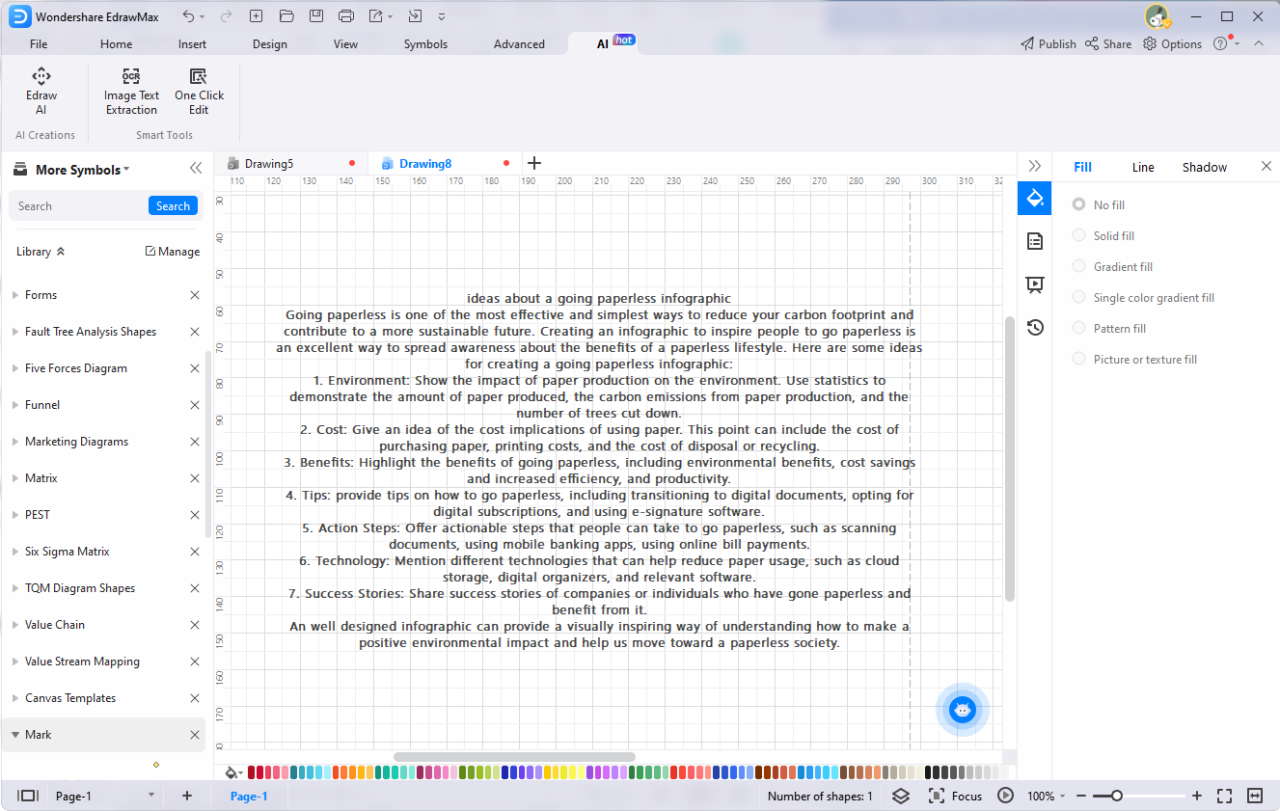
As the capabilities of artificial intelligence continue to evolve, integrating advanced AI features into infographic reports enables the creation of more dynamic, insightful, and engaging visual content. These enhancements not only improve user interaction but also provide richer narratives that facilitate better data comprehension and decision-making. Leveraging sophisticated AI tools allows report creators to incorporate interactivity, animation, and intelligent insights seamlessly into their visual reports.
Implementing these features involves understanding how to add interactive elements and animated visuals, utilizing AI-driven insights to deepen content relevance, and integrating AI-generated annotations that clarify complex data points. The following sections detail the core techniques and step-by-step processes to elevate infographic reports with these advanced AI functionalities.
Adding Interactive Elements and Animated Visuals
Incorporating interactivity and animation transforms static infographics into immersive experiences that actively engage viewers. This can be achieved through a combination of AI-powered tools, web technologies, and design principles that facilitate user interaction and visual storytelling.
- Utilize AI-enabled visualization platforms that support interactive dashboards, allowing users to filter data, explore different scenarios, or view detailed insights on demand. For example, platforms like Tableau or Power BI integrate AI features to enhance user engagement.
- Integrate animated visuals such as animated charts, transitions, or data storytelling sequences that respond to user input or data updates. Tools like Adobe Animate or D3.js enable dynamic storytelling by animating data points and transitions in real-time.
- Implement hover effects, clickable elements, or drill-down options that activate additional information or visual layers, making the report more exploratory and interactive. AI can assist by predicting user behavior and customizing the experience accordingly.
Adding these elements requires a combination of design expertise and AI integration, often facilitated through APIs or embedded scripts that enhance static visuals with real-time interactivity and animations.
Utilizing AI-Driven Insights to Enrich Content and Narratives
AI-driven insights provide a powerful means to deepen the narrative of infographic reports by highlighting key patterns, anomalies, or trends that may not be immediately apparent. These insights help to craft compelling stories grounded in data, making reports more informative and persuasive.
- Leverage machine learning algorithms to analyze large datasets, identify significant correlations, or forecast future trends. These insights can be incorporated directly into the report visuals, emphasizing critical data points.
- Use natural language processing (NLP) to generate descriptive summaries, hypotheses, or contextual explanations that accompany visual data. AI can automatically produce narrative captions or annotations that clarify complex findings.
- Apply AI tools that detect outliers or unusual patterns, prompting reporters to highlight these areas as focal points within the infographic, thereby directing viewer attention effectively.
AI insights add layers of intelligence to reports, transforming raw data into meaningful stories that foster better understanding and actionable decisions.
Integrating AI-Generated Annotations and Explanations
Annotations and explanations serve as guiding tools within infographic reports, helping viewers interpret data accurately. AI enables the automated creation of these contextual elements, ensuring clarity and consistency across reports.
- Start by feeding the dataset into an AI platform capable of generating contextual annotations, such as IBM Watson or Google Cloud AI. These platforms analyze data points to produce relevant explanations and labels.
- Configure the AI system to identify key data features or anomalies that require explanation. For example, if a sales chart shows a sudden dip, the AI can generate annotations specifying potential causes like market changes or seasonal effects.
- Integrate these AI-generated annotations into the infographic dynamically, ensuring they update in real-time as underlying data changes. Use scripting or APIs to embed annotations directly onto visuals or as floating labels.
- Review and customize AI explanations for accuracy and contextual relevance, ensuring they align with the overall narrative and are accessible to the target audience.
By systematically integrating AI-generated annotations, report creators can enhance comprehension, reduce manual effort, and maintain consistency across large volumes of data-driven visuals.
Best Practices and Tips for High-Quality Infographics

Creating impactful and professional infographic reports using AI requires adherence to best practices that ensure accuracy, clarity, and visual appeal. These guidelines help maximize the effectiveness of your visual storytelling, making complex data easily understandable and engaging for your audience.
Implementing these practices involves meticulous data verification, thoughtful design principles, and systematic review processes. By following established tips, you can produce high-quality infographics that not only present data accurately but also resonate visually and communicate messages effectively.
Verifying Data Accuracy Before Visualization
Ensuring the integrity of data prior to visualization is fundamental to producing trustworthy infographic reports. Inaccurate or misleading data can compromise the credibility of your entire presentation, regardless of the visual appeal.
Key methods include:
- Cross-Checking Data Sources: Confirm that data is obtained from reputable and verified sources such as government databases, academic publications, or industry reports.
- Using Data Validation Tools: Leverage AI-powered validation tools that can detect inconsistencies, duplicates, or anomalies within datasets.
- Implementing Statistical Checks: Apply statistical techniques to identify outliers or discrepancies that may distort visualizations.
- Regular Data Updates: Use the latest available data and verify the timestamps to ensure relevance and accuracy.
“Data accuracy is the foundation of effective visual storytelling; without it, insights lose their value.”
Balancing Visual Appeal with Clarity and Readability
An effective infographic strikes a careful balance between attracting viewers and conveying information clearly. Overly complex or cluttered visuals can hinder understanding, while overly simplistic designs may fail to engage.
Techniques to achieve this balance include:
- Minimalism in Design: Use clean layouts with ample white space to prevent visual overload.
- Consistent Color Schemes: Apply a harmonious color palette that emphasizes key data points without overwhelming the viewer.
- Effective Use of Typography: Choose legible fonts and appropriate font sizes to enhance readability, especially for headings and labels.
- Prioritizing Data Hierarchy: Highlight the most important data through size, color, or placement to guide the viewer’s attention logically.
- Limiting Data Points per Visual: Focus on essential information to avoid clutter and improve comprehension.
Incorporating these strategies ensures that your infographic remains both visually engaging and easy to interpret, ultimately facilitating better communication of insights.
Checklist for Reviewing AI-Generated Infographic Reports for Consistency and Professionalism
Before finalizing AI-generated infographic reports, conducting a thorough review is vital to maintain quality standards. A comprehensive checklist helps identify and address potential issues regarding data integrity, design consistency, and overall professionalism.
| Review Aspect | Key Checks |
|---|---|
| Data Consistency | Verify that all data points align with source datasets; check for discrepancies or missing information. |
| Accuracy and Credibility | Ensure that figures, percentages, and trends are correct; confirm that sources are cited where appropriate. |
| Visual Coherence | Assess color schemes, font choices, and iconography for uniformity; ensure labels are clear and unambiguous. |
| Clarity and Readability | Check that text is legible; confirm that visual elements are balanced and not overcrowded. |
| Technical Quality | Review resolution, formatting, and alignment; ensure the report is professional-looking across different devices and platforms. |
| Compliance and Ethics | Confirm adherence to branding guidelines; avoid misrepresentation or manipulation of data for misleading impressions. |
“A meticulous review process is essential to elevate AI-generated infographics from good to exceptional, ensuring they communicate accurate and professional messages.”
Examples and Case Studies of AI-Generated Infographic Reports
As AI-powered tools become increasingly integrated into data visualization and reporting workflows, numerous industries are leveraging these technologies to streamline the creation of compelling infographic reports. These case studies illustrate the diverse applications, benefits, and lessons learned from deploying AI-driven infographic generation in real-world scenarios, providing valuable insights into best practices and innovative approaches.
By examining these examples, organizations can gain a clearer understanding of how AI enhances efficiency, accuracy, and visual appeal in report creation. The following summarizes some prominent industry applications, showcasing the variety of report types and the improvements realized through AI integration.
Industry Applications of AI in Infographic Report Creation
- Healthcare Sector: AI tools generate patient outcome reports and health trend visualizations by synthesizing electronic health records, clinical data, and research findings. These reports assist medical professionals in quickly interpreting complex datasets, facilitating informed decision-making.
- Financial Services: Financial institutions utilize AI to produce investment summaries, market analysis, and risk assessment reports. Automated infographic reports present multi-dimensional data—such as stock performance, economic indicators, and portfolio distributions—in visually engaging formats, enabling stakeholders to grasp insights rapidly.
- Marketing and Advertising: AI-driven tools craft campaign performance reports by integrating data from digital channels, customer engagement metrics, and sales figures. These visual summaries help marketing teams optimize strategies and demonstrate ROI effectively.
- Education and Research: Academic institutions employ AI to generate research summaries, citation analyses, and educational progress reports. These infographics distill complex research findings into accessible visual formats suitable for diverse audiences.
- Logistics and Supply Chain Management: AI systems compile operational data, delivery metrics, and inventory levels into comprehensive infographic reports. These visualizations improve supply chain transparency and support strategic planning.
Structured Examples of AI-Generated Infographic Reports
Below are specific report types across various industries, highlighting their features and the benefits gained through AI automation:
| Industry | Report Type | Features | Benefits |
|---|---|---|---|
| Healthcare | Patient Outcome Dashboard |
|
|
| Finance | Market Performance Summary |
|
|
| Marketing | Campaign Effectiveness Report |
|
|
| Education | Research Impact Visualization |
|
|
| Logistics | Supply Chain Performance Dashboard |
|
|
Lessons Learned and Observed Improvements
Real-world applications of AI for infographic report creation have yielded insightful lessons and notable improvements. Organizations have observed that AI tools significantly reduce manual effort and human error, leading to faster report generation cycles. The automation of data collection, processing, and visualization allows teams to focus more on analysis and strategic decision-making rather than technical report formatting.
“AI-driven infographic reports have demonstrated a remarkable capacity to turn complex datasets into intuitive visuals, enabling stakeholders to understand key insights swiftly and accurately.”
Data Analytics Manager, Healthcare Sector
Furthermore, continuous refinement of AI algorithms—such as incorporating user feedback and updating data models—has enhanced the relevance and clarity of reports over time. Challenges related to data quality and interpretability underscore the importance of robust data governance and validation processes. Overall, the integration of AI in infographic report creation fosters a more agile, insightful, and visually compelling approach to data communication across industries.
Summary

In conclusion, mastering how to generate infographic reports using AI empowers professionals to produce high-quality visual content with greater efficiency and creativity. Embracing these innovative tools and techniques ensures that data-driven narratives are both impactful and accessible, paving the way for more informed decision-making and strategic success.