Learning how to generate infographics using AI opens up new horizons for data visualization, allowing for faster, more innovative, and visually appealing presentations of complex information. Integrating artificial intelligence into infographic creation streamlines the design process, making it accessible even for those without advanced graphic skills.
This guide explores various AI-powered tools and step-by-step procedures to help you craft compelling infographics efficiently. From data preparation to customization, you’ll discover how to harness AI’s capabilities to produce professional-quality visuals tailored to your needs.
Overview of AI-powered infographic creation
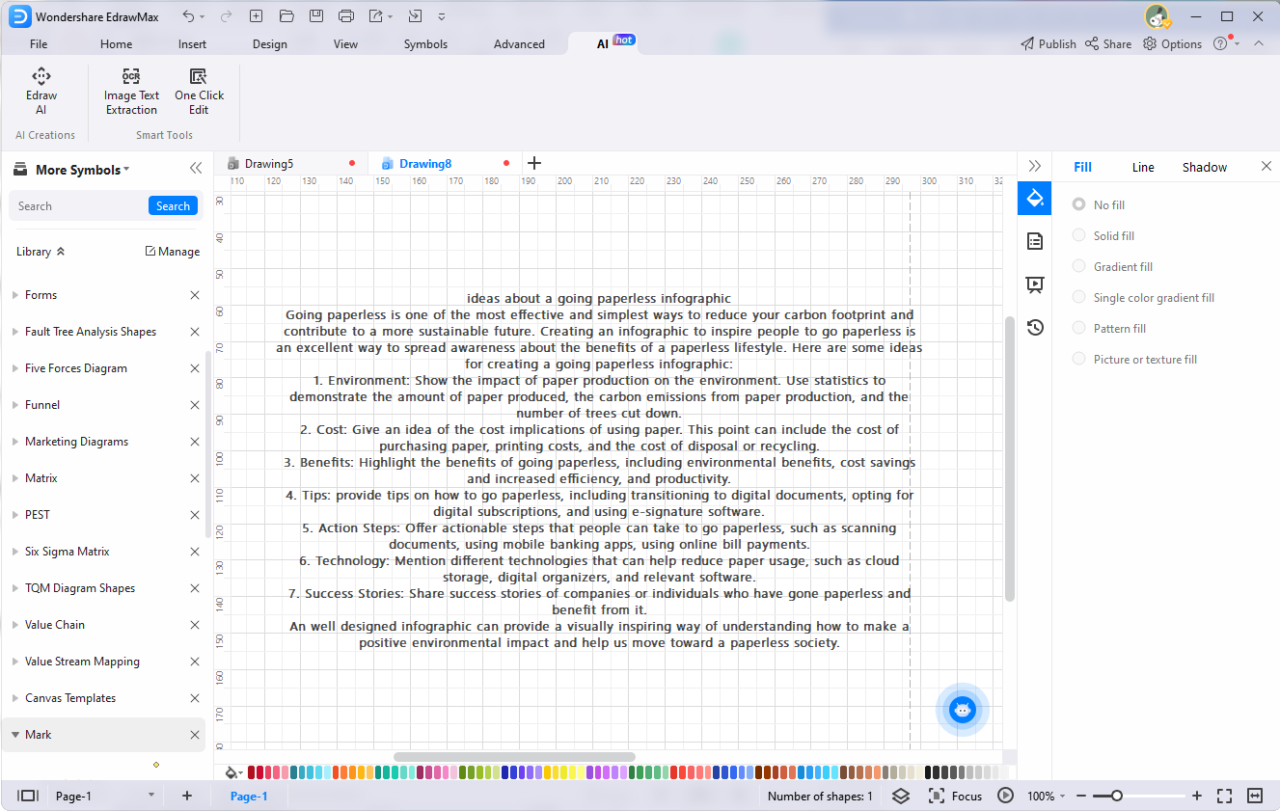
In the evolving landscape of data visualization, artificial intelligence (AI) has emerged as a transformative tool that streamlines and enhances the creation of infographics. AI-powered infographic creation leverages advanced algorithms and machine learning models to automate many aspects of designing compelling visual representations of data. This approach enables users, ranging from experienced designers to novices, to generate professional-quality infographics efficiently and effectively.
The integration of AI into infographic development introduces numerous advantages, including increased speed, consistency, and customization. By utilizing AI tools, users can rapidly convert large datasets into visually appealing graphics, reducing the time and effort traditionally associated with manual design. Moreover, AI algorithms can analyze data to suggest optimal visual elements, color schemes, and layouts, ensuring that the resulting infographics communicate the intended message clearly and impactfully.
Benefits of using AI for infographic design and data visualization
Adopting AI in infographic creation offers several compelling benefits that significantly improve the data storytelling process. AI tools facilitate automation of repetitive tasks such as data cleaning, chart selection, and layout arrangement, freeing up valuable time for strategic content development. They also support adaptive design features, allowing infographics to be tailored for various formats and audiences with minimal effort.
Furthermore, AI enhances the quality and accuracy of visualizations by minimizing human errors and optimizing visual hierarchy. For instance, AI-powered tools can detect patterns and insights within complex datasets, generating visual representations that highlight key trends and relationships. This capability ensures that users can communicate complex data insights more effectively, fostering better decision-making and audience engagement.
| Manual Infographic Development | AI-assisted Infographic Development |
|---|---|
| Requires extensive manual effort in data analysis, design, and layout | Automates many steps, including data processing, visualization, and formatting |
| Dependent on individual skill level and experience | Utilizes machine learning algorithms to suggest and generate designs |
| Time-consuming, especially for large or complex datasets | Provides rapid generation, even for extensive data |
| Potential for human error and inconsistencies | Ensures consistency and accuracy through algorithmic precision |
While manual infographic creation allows for creative control and customization, AI-assisted tools offer efficiency, scalability, and data-driven insights that can significantly enhance the overall quality and effectiveness of visual communication. The choice between the two approaches depends on the specific needs, resources, and objectives of the user or organization.
Types of AI tools for creating infographics
With the rapid development of artificial intelligence, a diverse range of tools has emerged to simplify and enhance the creation of infographics. These AI-powered applications cater to different needs—from automated design generation to data visualization—making it easier for users without extensive design experience to produce compelling visual content efficiently. Understanding the various categories of these tools is essential for selecting the right solution tailored to specific project requirements.
This section explores the primary categories of AI applications used in infographic creation, highlights key features of popular tools within each category, and provides a comparative overview to facilitate informed decision-making.
AI-powered Design Generators
AI-powered design generators focus on automating the creation of visually appealing layouts and graphic elements. They often utilize machine learning algorithms to suggest color schemes, font pairings, and layout arrangements based on the content provided. These tools excel at producing professional-looking infographics quickly, reducing the need for manual design skills.
- Canva’s Magic Resize and Design Suggestions: Uses AI to recommend optimal layouts and automatically resize designs for different platforms.
- Crello’s AI Design Assistant: Offers template suggestions and layout adjustments based on user input and content type.
- Adobe Spark: Employs AI to recommend visual styles and simplify design customization, making it accessible for non-designers.
Data Visualization Tools
Data visualization tools leverage AI to interpret complex datasets and generate visual representations such as charts, graphs, and infographics. They can automatically analyze data trends, identify patterns, and suggest the most effective visual formats to communicate insights clearly.
- Visme: Integrates AI features to recommend chart types based on data characteristics and offers customizable templates for various data stories.
- Tableau with Einstein Analytics: Uses AI to automate data analysis and suggest visualization types aligned with the underlying data patterns.
- Piktochart: Provides intelligent suggestions for data presentation, including iconography and color schemes aligned with the data context.
Content Generation and Enhancement Tools
These tools employ AI to assist in generating textual content, headlines, and descriptions that complement visual elements. They can analyze input data or existing content to suggest engaging copy, ensuring that infographics are not only visually appealing but also rich in meaningful information.
- Snazzy AI: Uses natural language processing to create compelling textual content tailored for infographics.
- Copy.ai: Automates the generation of headlines and supporting text based on brief prompts, enhancing infographic narratives.
- Kami (integrated with design platforms): Provides real-time assistance in refining content and ensuring clarity and engagement.
Summary of AI Infographic Creation Tools
The table below summarizes several prominent AI tools for infographic creation, highlighting their core features, pricing models, and output formats to facilitate easy comparison.
| Name | Features | Pricing | Output Format |
|---|---|---|---|
| Canva | AI design suggestions, template library, resize features | Free tier; Pro plan at $12.99/month; Business plan at $30/month | PNG, JPEG, PDF, SVG |
| Visme | Data visualization, AI-powered recommendations, interactive infographics | Basic free; Standard at $25/month; Enterprise custom pricing | HTML5, PNG, PDF |
| Piktochart | Data-driven design, iconography, customizable templates | Free basic; Pro at $24.17/month; Team plan at $82.50/month | PNG, PDF, JPEG |
| Crello | AI-driven design suggestions, animated graphics, extensive templates | Free; Pro at $9.99/month | JPEG, PNG, MP4 |
Step-by-step process to generate infographics with AI
Creating compelling infographics using AI involves a structured approach that leverages the power of intelligent tools to transform data into visually engaging content. This process ensures accuracy, efficiency, and customization, enabling users with varying levels of design expertise to produce professional-quality graphics. Following a systematic workflow helps streamline the creation process and maximizes the capabilities of AI-driven infographic tools.
By understanding each stage—from preparing data to customizing the final design—users can effectively utilize AI platforms to generate informative and visually appealing infographics tailored to their specific needs. This guide Artikels each step in detail, providing clarity on how to input data, select appropriate templates, and personalize elements to achieve the desired outcome.
Data input and preparation
Effective infographic generation begins with the correct preparation and input of relevant data. Accurate, well-structured data ensures the AI tool can interpret and visualize information correctly. Users should gather all necessary data points, statistics, and textual details beforehand, verifying their accuracy for credibility. Common formats accepted include CSV, Excel spreadsheets, and simple text entries. Clean and organize data to prevent errors during processing, such as removing duplicates or inconsistent entries.
Inputting data into AI tools
Most AI-powered infographic creation platforms provide straightforward interfaces for data input. Users typically upload files or directly paste data into designated fields. During this stage, you should specify the type of data (e.g., numerical, categorical), which helps the AI identify suitable visualization methods. For example, financial data might be best represented through bar charts or pie charts, while trend data might require line graphs.
Reviewing the data for completeness and correctness before proceeding minimizes errors in the final output.
Selecting templates and styles
Choosing the right template and style is essential to align the infographic with your branding and communication goals. Many AI tools offer a variety of pre-designed templates catering to different themes such as corporate, educational, or social media. These templates serve as frameworks that can be customized further. When selecting a template, consider factors like color schemes, layout structure, and visual hierarchy.
An appropriate style enhances readability and engagement, making it easier for viewers to interpret the information effectively.
Customizing infographic elements
After selecting a template, customizing individual elements allows for a tailored presentation. This stage includes modifying colors, fonts, and sizes to match branding guidelines or personal preferences. Users can add or remove sections, include icons, images, or annotations for clarity, and adjust layouts to emphasize key data points. AI tools often provide intelligent suggestions for color contrast and font pairing to improve aesthetic appeal.
Fine-tuning these elements ensures the final infographic is both visually appealing and informative.
Designing a multi-stage infographic with example explainings
Designing a multi-stage infographic involves organizing information into logical segments that guide viewers through a narrative or process. For example, a business growth infographic might include stages such as initial investment, marketing strategies, sales milestones, and future projections.
- Stage 1: Data Collection and Input
- Gather data related to investment amounts, marketing channels, sales figures, and growth percentages. Input this data into the AI tool, ensuring clarity and accuracy.
- Stage 2: Template Selection
- Choose a template that supports multiple sections with clear divisions, such as a timeline or process flow. Ensure the style aligns with your branding and audience expectations.
- Stage 3: Customization and Layout Design
- Modify each section with relevant icons, color codes, and concise annotations. For instance, use green for growth stages and red for challenges. Adjust layout to maintain logical flow and visual balance.
- Stage 4: Refinement and Finalization
- Review the infographic for consistency, clarity, and visual appeal. Make necessary adjustments to font sizes, colors, and element positions. Export the final version in the desired format for presentation or distribution.
This structured approach ensures a comprehensive and methodical creation process, resulting in a professional infographic that effectively communicates your message.
Data Preparation and Input for AI Infographic Tools

Creating compelling and accurate infographics with AI relies heavily on well-organized and clean data. Proper data preparation ensures that the AI tools can process information efficiently, resulting in high-quality visual representations. This step involves structuring datasets appropriately, cleaning the data to eliminate inconsistencies, and formatting inputs to align with the specific requirements of the chosen AI tools. Attention to detail during this phase significantly influences the clarity, accuracy, and visual appeal of the final infographic.Effective data input involves translating raw data into formats that AI tools can interpret seamlessly.
Whether working with spreadsheets, CSV files, or other data sources, ensuring consistency and clarity is crucial. Properly formatted data not only accelerates the creation process but also enhances the AI’s ability to generate insightful and visually appealing infographics.
Organizing Data Sets and Visuals for AI Processing
Organizing data sets involves categorizing information logically and coherently to facilitate smooth AI processing. Begin by segmenting data into relevant categories—such as demographics, sales figures, or survey results—so that each segment can be visually represented distinctly. Use clear labels for each data field, avoiding ambiguous or overly complex terminology.Visual data should complement numerical data to enrich the infographic. Examples include icons, charts, or images that represent the data points visually.
To prepare visuals, select images or icons that are relevant, high-resolution, and consistent in style, ensuring they integrate well with the overall design. Maintain uniform color schemes and design elements to create a cohesive visual narrative.
Techniques for Cleaning and Structuring Data to Improve Output Quality
Cleaning data enhances the accuracy and readability of the resulting infographic. This process involves removing duplicates, correcting errors, handling missing values, and standardizing formats. For instance, date formats should follow a universal standard like YYYY-MM-DD, and numerical data should be free of extraneous symbols or inconsistent decimal places.Structuring data involves organizing it into a logical hierarchy. Arrange data in tabular formats with clear headers and consistent units.
Use techniques like normalization to scale data appropriately, making comparative visuals more meaningful. Additionally, creating summarized datasets—such as averages, totals, or percentages—can streamline the input and highlight key insights effectively.A practical example of structured data for an income distribution infographic might look like this:
| Region | Average Income | Population |
|---|---|---|
| North | 45,000 | 1,200,000 |
| South | 38,000 | 950,000 |
| East | 52,000 | 1,500,000 |
| West | 47,000 | 1,100,000 |
This table encapsulates key data points in a clean, structured manner, ready for AI interpretation.
“Structured and clean data serve as the foundation for generating accurate, insightful, and visually appealing infographics with AI tools.”
By systematically organizing, cleaning, and formatting data, users can leverage AI-powered tools more effectively, ensuring the final infographic communicates the intended message with clarity and precision.
Designing effective explainings for AI infographic generation
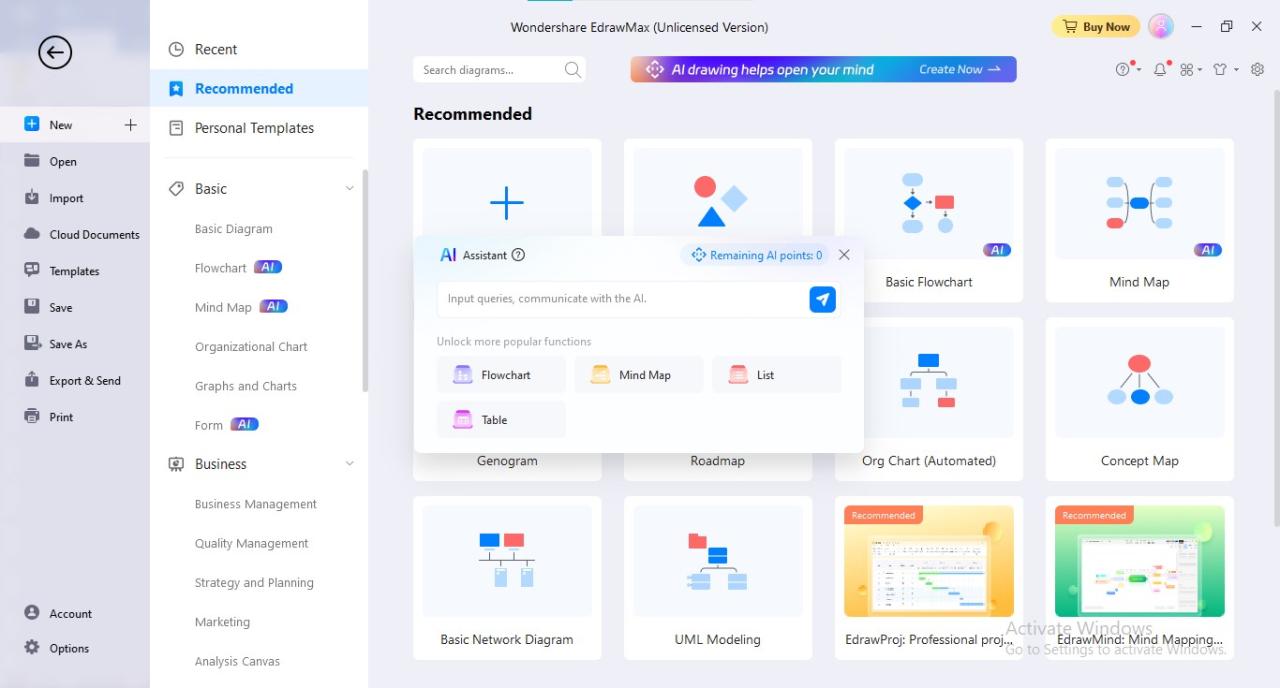
Crafting precise and comprehensive explanations is crucial to guide AI tools in producing high-quality infographics that meet specific informational and aesthetic goals. Well-structured explainings ensure that the AI comprehends the desired themes, visual styles, and data representations, resulting in more accurate and visually appealing outputs.
Effective explainings serve as a blueprint for AI, outlining clear instructions on various elements such as content focus, stylistic preferences, and visual details. This disciplined approach minimizes ambiguity and helps to generate infographics that align with users’ expectations and communication needs.
Strategies for framing clear, detailed explainings
To optimize AI-generated infographics, it is essential to develop explanations that are explicit, detailed, and contextually rich. Clear instructions should specify the main themes, desired tone, and key data points, alongside any stylistic preferences like color schemes or layout styles.
- Use precise language to describe the thematic focus, such as “environmental impact of renewable energy sources” or “monthly sales trends in the retail sector.”
- Specify the target audience to tailor the complexity and design, e.g., “professional stakeholders” versus “general public.”
- Include detailed data points or metrics, such as “increase of 15% over Q2” or “average customer satisfaction rating of 4.5 out of 5.”
- Describe preferred visual styles, like “minimalist with bold icons” or “colorful, data-rich visualizations.”
Well-constructed explainings should be comprehensive enough to reduce ambiguity, enabling the AI to accurately interpret and execute the design process.
Examples of explaining structures specifying themes, styles, and data points
Structured explanations that clearly define essential components enhance the quality of AI outputs. Such explanations typically include sections detailing the theme, visual style, data points, and any specific visual or textual elements.
| Component | Example Description |
|---|---|
| Theme | “This infographic presents the global carbon emissions by country in 2022, highlighting major contributors and trends over the past decade.” |
| Style | “Adopt a modern, clean layout with a predominantly blue and green color palette, incorporating flat icons and minimalistic charts for clarity.” |
| Data Points | “Total emissions: 34 gigatons; Top emitters: China (28%), USA (15%), India (7%); annual increase: 1.2%.” |
| Visual Elements | “Use bar charts to compare country emissions, a world map with highlighted regions, and icon-based indicators to represent data categories.” |
By clearly defining each component, the explanation provides an unambiguous guide for the AI, ensuring the generated infographic accurately reflects the specified content and style.
Incorporating visual elements descriptions within explainings
Describing visual elements explicitly in the explanation helps the AI understand how to integrate images, icons, and layout features cohesively. Detailed descriptions of visual components contribute to a more engaging and comprehensible infographic.
- Specify iconography and imagery that relate to the data, such as using leaf icons for environmental topics or dollar signs for financial data.
- Describe layout preferences, like the placement of key data points at the top, use of sidebars for supplementary information, or central focus elements.
- Detail color schemes and typography to reinforce the thematic tone, e.g., “use dark backgrounds with contrasting bright colors for emphasis.”
- Include instructions for visual emphasis, such as highlighting critical data with larger fonts or vibrant colors to draw attention.
Incorporating descriptive visual element instructions ensures the AI includes appropriate graphics that support the narrative, making the infographic more intuitive and visually appealing.
Customizing and enhancing AI-generated infographics
Once an infographic has been generated using AI tools, customization and enhancement become crucial for aligning the visual content with specific branding requirements, improving clarity, and ensuring consistency across various visual materials. Tailoring these outputs allows organizations and designers to achieve a professional and cohesive presentation that resonates with their target audience and adheres to brand standards.
Enhancing AI-generated infographics involves modifying colors, styles, and layouts, as well as adding annotations and supplementary explanations post-creation. These adjustments can significantly improve the infographic’s effectiveness, making complex data more accessible and visually appealing. Additionally, integrating these infographics seamlessly into presentations or reports ensures they serve their intended communicative purpose effectively.
Modifying AI outputs for branding, color schemes, and style consistency
To align AI-generated infographics with branding guidelines, it is essential to adjust visual elements such as colors, fonts, and style features. Most AI tools provide options to customize these attributes post-generation or allow exporting the design for further editing in external graphic editing software.
- Implement brand-specific color palettes to maintain visual consistency across all marketing materials. For example, a company with a primary color palette of blue and white can adjust the infographic’s color scheme to reflect these hues, reinforcing brand recognition.
- Apply custom fonts that match your organization’s branding guidelines for titles, labels, and descriptions, ensuring uniformity and professionalism.
- Adjust stylistic elements such as iconography, line thickness, and layout structure to reflect the brand’s aesthetic and enhance visual coherence.
Many AI tools support exporting generated infographics into editable formats like SVG or PDF, allowing further manual adjustments using graphic editing software such as Adobe Illustrator or Canva. This flexibility ensures that the final output aligns perfectly with branding standards.
Adding annotations, labels, and explanations post-generation
Enhancing AI-generated infographics often requires adding detailed annotations, labels, and notes to clarify complex data points or highlight key insights. These enhancements improve comprehension and help guide viewers through the information presented.
- Utilize graphic editing tools to insert text labels directly onto specific data points, using contrasting colors or font styles to improve readability.
- Add arrows, callouts, or icons to draw attention to critical segments or trends within the infographic.
- Include brief notes or captions that provide context or additional details, especially for data that might require further clarification.
For example, in a sales performance infographic, annotations can highlight year-over-year growth percentages or specify particular regions contributing significantly to overall results. These enhancements make the infographic more informative and actionable.
Integrating AI infographics into presentations or reports
Effective integration of infographics into reports and presentations involves ensuring compatibility, clarity, and aesthetic harmony. Properly integrated visuals can significantly augment data storytelling and audience engagement.
- Use high-resolution formats such as PNG or PDF to embed infographics into presentation slides or document pages without loss of quality.
- Position infographics strategically within reports to complement related textual analysis, ensuring they are placed adjacent to relevant sections for easy reference.
- In presentations, incorporate animated transitions or interactive elements if supported, to emphasize key data points and maintain audience interest.
- Supplement static infographics with verbal narration or additional contextual explanations during live presentations for enhanced understanding.
Embedding infographics into slide decks and reports with clear captions and consistent styling ensures that the visual data supports the overall message, making complex information accessible and engaging for diverse audiences.
Best practices and tips for optimal results
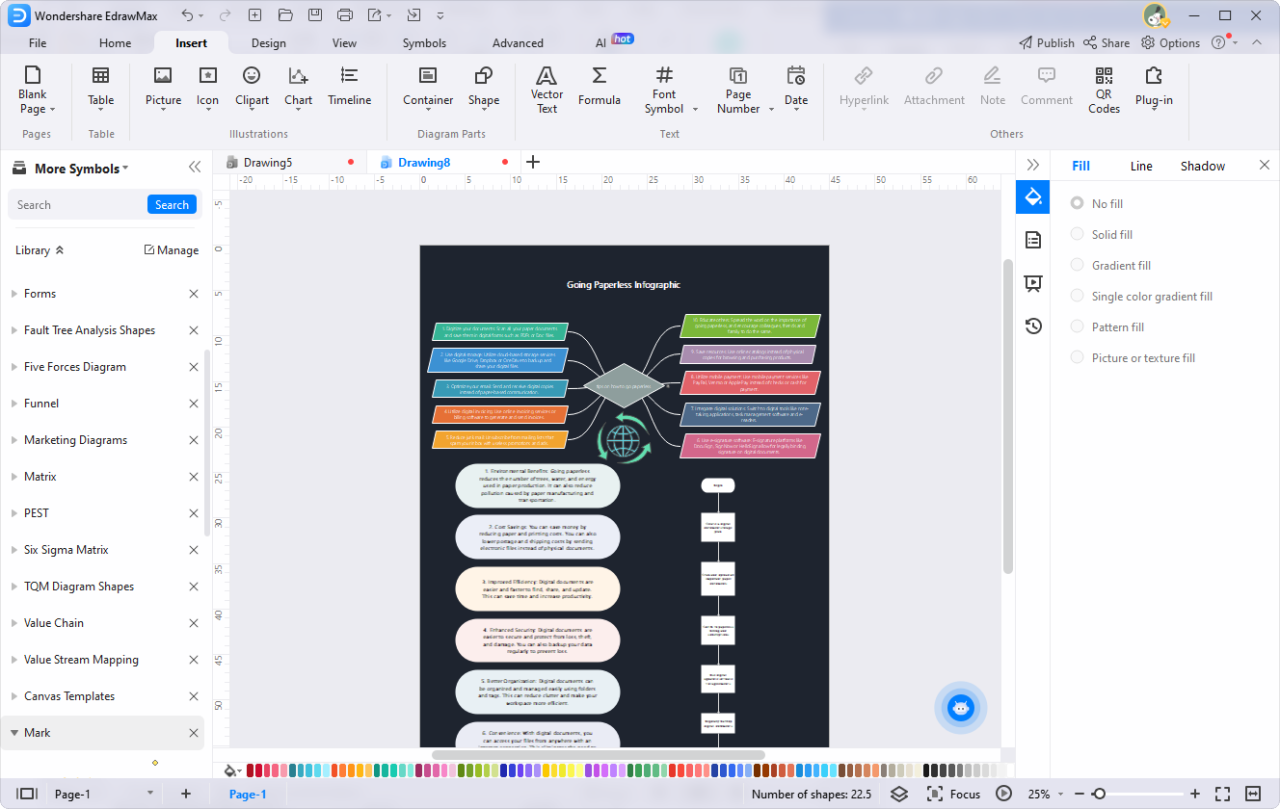
Creating compelling and accurate infographics with AI involves more than just utilizing advanced tools; it requires strategic approaches and adherence to best practices. To achieve high-quality visualizations that effectively communicate information, users should adopt techniques that facilitate iterative improvement, troubleshoot common issues efficiently, and verify data integrity thoroughly before finalizing their designs. Implementing these strategies will maximize the potential of AI-powered infographic creation and ensure the delivery of clear, accurate, and visually appealing results.Effective AI infographic generation hinges on iterative refinement of explanations and inputs.
As initial outputs may not fully meet expectations, it’s crucial to review AI-generated visuals critically and make incremental adjustments. This process often involves refining prompts, adjusting parameters, or providing more detailed context to guide the AI. For example, if a generated chart appears cluttered or misaligned, specifying the desired level of detail or emphasizing key data points in subsequent prompts can lead to clearer visuals.
Consistent feedback and adjustments help the AI understand your preferences better, resulting in more refined and accurate infographics over time.Common challenges in AI infographic creation include inconsistent visual styles, misrepresentation of data, or low-resolution images. Troubleshooting steps should start with verifying the input data for accuracy and completeness, as flawed data can lead to misleading visuals. Ensuring the AI tool settings align with the intended output—such as selecting appropriate templates, color schemes, and visualization types—is also vital.
If visuals appear cluttered, simplifying the data or reducing the number of elements can improve clarity. Regularly reviewing the AI’s output and providing specific feedback can address issues early in the process, saving time and improving overall quality.Data accuracy and visual clarity are fundamental before finalizing any infographic. It is advisable to double-check all data points against original sources to prevent the dissemination of incorrect information.
Use reputable datasets and cross-verify figures where possible. Additionally, assess the visual clarity by reviewing the infographic on different devices or print formats to ensure readability and proper scaling. Pay attention to font sizes, color contrasts, and data labels. Employing peer review or seeking feedback from colleagues can further identify potential misunderstandings or visual ambiguities, ultimately ensuring the infographic effectively communicates its intended message without errors.
Ethical considerations and data privacy in AI infographic generation
Creating infographics with AI involves handling diverse datasets and visual content, which raises important ethical considerations and privacy concerns. It is essential for professionals to adopt responsible practices to ensure the integrity, fairness, and security of AI-generated visuals. These practices help maintain trust with audiences and uphold legal standards governing data use and intellectual property rights.AI-powered tools often source data from multiple origins, including proprietary datasets, publicly available information, and user inputs.
Managing these sources ethically requires ensuring that data is collected and used in accordance with applicable laws and guidelines, respecting individual privacy and intellectual property rights. Failure to do so can lead to legal repercussions, reputational damage, and loss of trust.Implementing transparent and accurate processes in AI infographic creation is critical. This involves clearly communicating the origin of data, the methodology used for visual generation, and any modifications made by AI tools.
Verifying the accuracy of AI-generated visuals helps prevent misinformation and ensures that the insights conveyed are reliable. As AI systems can inadvertently introduce biases or errors, human oversight is necessary to validate the results before dissemination.Security practices are fundamental when handling sensitive information during AI infographic creation. Ensuring data encryption, secure storage, and access controls minimizes the risk of data breaches.
Additionally, anonymizing personally identifiable information (PII) helps protect individual privacy when working with sensitive datasets. Organizations should also establish clear protocols for data handling, including regular audits and compliance checks to uphold data security standards.
Responsible data usage and intellectual property concerns
Utilizing data responsibly involves obtaining proper permissions for proprietary information, respecting licensing agreements, and avoiding the use of copyrighted materials without authorization. When AI tools generate visuals based on copyrighted data, it is important to either secure licenses or use content that falls within fair use policies. Users must be aware that AI-generated infographics can inadvertently infringe on intellectual property rights if the training data or generated visuals resemble protected content.
To counter this, employing AI tools that are transparent about their data sources and output limitations is advisable. Proper attribution of original data sources and adherence to licensing terms safeguard against legal issues and promote ethical standards in visual content creation.
Guidelines for ensuring transparency and accuracy in AI-generated visuals
Maintaining transparency involves disclosing the use of AI in creating infographics, including the methodologies and datasets involved. This helps audiences understand the origin and credibility of the visual content. It is also important to include annotations or footnotes that specify data sources and any assumptions made during creation.Ensuring accuracy requires rigorous validation of AI outputs. Cross-checking AI-generated data with trusted sources helps identify discrepancies and correct errors before publication.
Human oversight remains vital to interpret AI insights correctly and to modify visuals that may misrepresent information. Establishing review protocols and involving subject matter experts can further enhance the integrity of the final infographic.
Security practices for handling sensitive information during the process
Handling sensitive data demands robust security measures. Encryption of data both at rest and in transit prevents unauthorized access. Implementing strict access controls ensures only authorized personnel can view or modify sensitive information. Regular security audits help identify vulnerabilities in data handling processes.Organizations should also adopt data minimization principles, collecting only what is strictly necessary for infographic creation, thereby reducing exposure to potential breaches.
When working with PII or confidential data, anonymization techniques should be applied to protect individual identities. Additionally, establishing secure platforms and environments for data storage and processing reduces the risk of cyber threats. Staff training on data privacy and security protocols further reinforces a culture of responsible data management in AI-driven visual content creation.
Final Wrap-Up
In conclusion, leveraging AI for infographic generation significantly enhances your ability to communicate data effectively and creatively. By understanding the available tools and best practices, you can optimize your visual content, ensuring clarity and impact in your presentations or reports. Embracing this technology paves the way for more engaging and insightful data storytelling.