Learning how to design presentations with AI opens new horizons for creating impactful and professional slides efficiently. Artificial intelligence offers innovative tools that enhance both creativity and productivity, transforming the way presentations are conceptualized and built. By integrating AI into your workflow, you can automate repetitive tasks, generate compelling content, and craft visually stunning slides that captivate your audience from start to finish.
This guide explores various AI-driven platforms, methods for structuring your presentations, techniques for designing visually appealing slides, and ways to incorporate multimedia elements seamlessly. Additionally, it emphasizes best practices for ethical and effective AI use, ensuring your presentations are not only impressive but also original and audience-focused.
Introduction to AI-powered presentation design
Artificial intelligence has revolutionized the way presentations are created, offering innovative tools that streamline workflows and elevate the quality of visual communication. In the modern digital landscape, AI-driven platforms empower users to craft compelling presentations more efficiently, reducing the time spent on design tasks while maximizing creative potential. This integration allows for a more dynamic and engaging delivery suited to diverse audiences and complex content.
By harnessing AI capabilities, presenters gain access to intelligent features such as automated layout suggestions, content generation, and visual enhancement. This synergy between human creativity and machine intelligence fosters a more productive and innovative approach to presentation design, ultimately resulting in clearer messaging and a more polished final product. The benefits include not only time savings but also an elevation in presentation quality that aligns with contemporary expectations of professionalism and engagement.
Role of artificial intelligence in modern presentation creation
Artificial intelligence acts as a strategic partner in the presentation creation process, offering tools that analyze content, suggest design elements, and optimize visual layouts. AI algorithms can interpret textual data and recommend relevant templates, color schemes, and imagery to match the tone and purpose of the presentation. For example, AI-powered design assistants can automatically adjust slide layouts to improve readability and visual appeal, ensuring consistency throughout the presentation.
Furthermore, AI facilitates content enhancement by providing real-time suggestions for improving clarity, conciseness, and impact. Some advanced tools utilize natural language processing to generate summaries or suggest engaging language, aiding presenters in crafting compelling narratives. In addition, machine learning models can adapt to user preferences over time, offering personalized design recommendations that align with individual style or branding guidelines.
Enhancement of efficiency and creativity through AI tools
AI tools significantly increase efficiency in presentation design by automating routine tasks such as layout formatting, image selection, and content organization. This automation allows users to focus more on strategic messaging and storytelling rather than technical details. For instance, AI-powered platforms can instantly generate multiple design options based on a single input, enabling rapid iteration and refinement.
Creativity is also amplified by AI through features like intelligent image synthesis, theme generation, and dynamic visualizations. These tools can suggest innovative design elements that might not be immediately apparent, inspiring presenters to explore new aesthetic directions. Additionally, AI-assisted content creation tools can help craft persuasive narratives by analyzing data and suggesting compelling visualizations, making data-driven storytelling more accessible for users without specialized design backgrounds.
Benefits of integrating AI into presentation development
Integrating AI into the presentation development process offers numerous advantages that contribute to higher quality and more impactful communications. Firstly, it reduces the time required to produce professional-grade presentations, enabling faster turnaround times for business meetings, academic conferences, or client pitches. Secondly, AI enhances consistency and adherence to branding standards, ensuring a cohesive look and feel across all slides.
Moreover, AI-driven insights can help identify potential issues such as cluttered slides or poor visual hierarchies, allowing for prompt adjustments that improve audience comprehension. The ability to generate data visualizations and summaries automatically supports clearer storytelling, especially when dealing with complex datasets. Ultimately, the integration of AI tools democratizes high-quality presentation design, making it accessible to users with varying levels of expertise and fostering more effective and engaging communication strategies.
Selecting AI tools for designing presentations
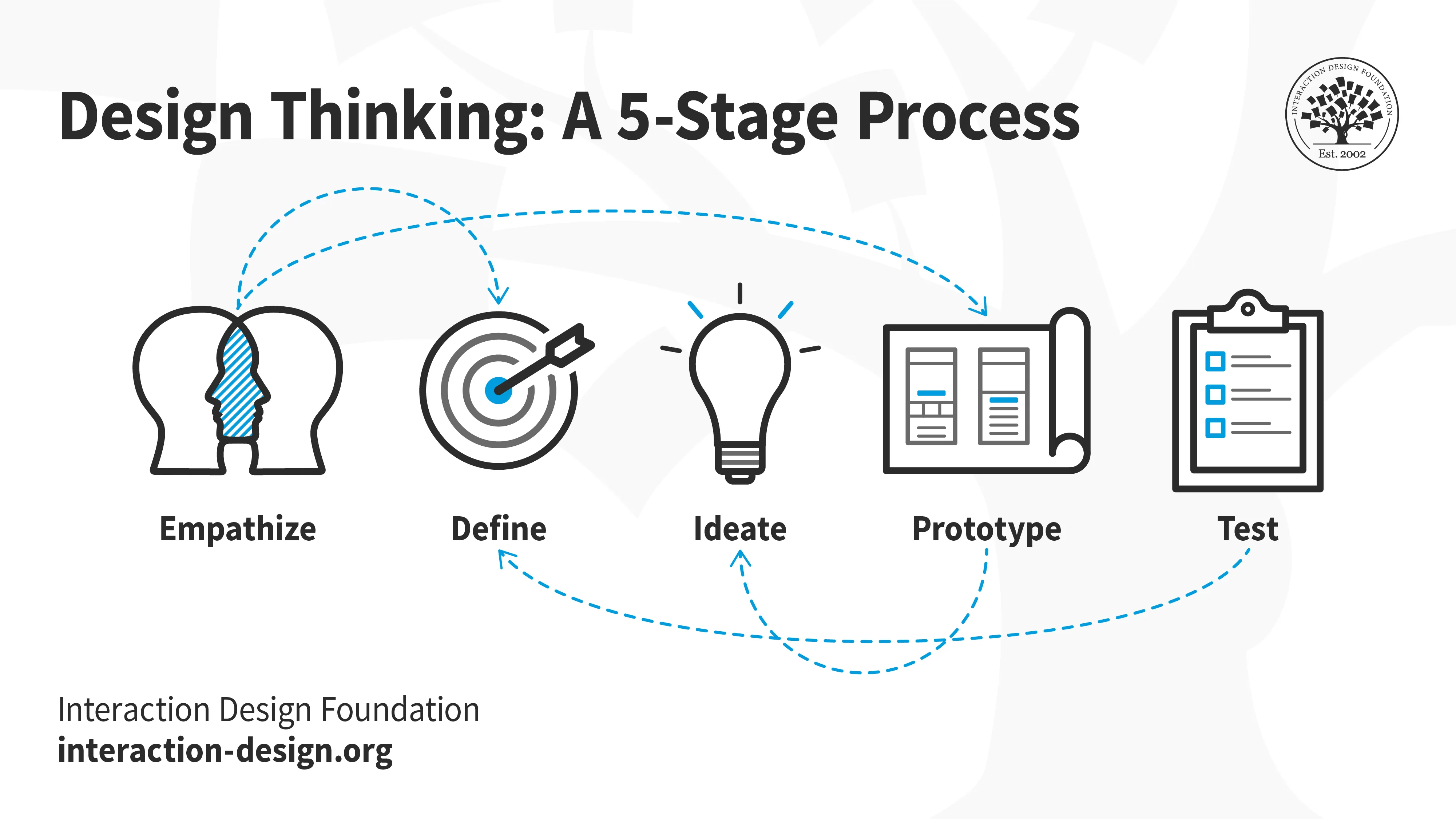
Choosing the right AI-driven presentation platform is crucial for creating engaging, professional, and visually appealing presentations efficiently. With a variety of options available, evaluating each tool’s features, usability, and customization capabilities becomes essential to align their strengths with your specific needs. An informed selection process ensures that your presentation design workflow is optimized, saving time while enhancing quality.
This section provides a comparative analysis of popular AI-powered presentation tools, highlighting their core functionalities, ease of use, pricing structures, and customization options. By understanding these aspects, users can make well-informed decisions tailored to their project requirements, whether for academic, corporate, or creative purposes.
Comparison of Popular AI-Driven Presentation Platforms
The rapid development of AI technologies has led to an increasing number of tools designed to streamline presentation creation. Below is an overview of some of the most prominent AI-driven platforms, each offering unique features to enhance the presentation design process.
| Feature | Beautiful.AI | Canva | Visme | Designs.ai | Slidebean |
|---|---|---|---|---|---|
| Core Capabilities | Automated slide layout, smart templates, visual suggestions | Intuitive drag-and-drop editor, AI-powered design suggestions, extensive template library | Data visualization, multimedia integration, customizable templates | Logo design, video, and presentation automation with AI | AI-assisted slide design, content formatting, and branding tools |
| Pricing | Free plan with limited features; Paid plans start at $12/month | Free basic version; Pro plans from $12.95/month | Free tier; Premium starts at $25/month | Subscription-based from $19/month for individual users | Basic free option; Premium plans from $39/month |
| User-Friendliness | User-friendly interface tailored for quick setup; minimal learning curve | Highly intuitive with a gentle learning curve; suitable for beginners | Moderate complexity; suitable for users familiar with data visualization | Simple interface focused on automation; easy onboarding | Designed for ease of use; guided workflows for efficient creation |
| Customization Options | Limited to predefined templates; some flexibility in styling | Extensive customization with flexible templates and multimedia options | High level of customization for data and visual elements | Moderate; focused on automation rather than deep customization | Flexible styling and branding options; supports custom content |
When selecting an AI presentation platform, consider the specific features that enhance your workflow. For example, if rapid slide creation with minimal design effort is a priority, tools like Beautiful.AI or Slidebean offer streamlined experiences. Conversely, if extensive customization and multimedia integration are necessary, Canva or Visme might serve better. Pricing plans vary widely, with some platforms providing free tiers suitable for basic needs, while others offer comprehensive features through subscription models.
Usability remains a key factor; tools with intuitive interfaces reduce the learning curve and enable quicker adoption, especially for users new to AI-powered design.
Planning and structuring presentations with AI assistance

Efficient planning and logical structuring are fundamental steps in creating impactful presentations. Leveraging AI tools for these processes can significantly enhance clarity, coherence, and audience engagement. AI-powered assistance streamlines the brainstorming phase, aids in organizing content logically, and helps design slide layouts that effectively convey your message. By integrating AI into your planning workflow, you ensure that each slide contributes meaningfully to your overall narrative, making your presentation both compelling and easy to follow.
Utilizing AI for structuring presentations involves a combination of creative ideation and systematic arrangement. AI algorithms can analyze your main message, suggest logical sequences, and even propose visual cues to emphasize key points. This integration not only saves time but also introduces innovative perspectives that might be overlooked in traditional planning methods. The following sections explore how AI can facilitate brainstorming topics, organizing slides coherently, and designing a comprehensive slide structure template.
Brainstorming presentation topics and main messages with AI
Choosing the right topic and crafting a clear main message are crucial steps in presentation planning. AI tools excel in generating diverse ideas based on input s, recent trends, or your specific field. These tools analyze vast amounts of data to suggest relevant themes, ensuring your presentation aligns with current interests or organizational goals.
To optimize this process, input your general subject area into an AI brainstorming tool, such as a language model or specialized idea generator. The AI then provides a list of potential topics, along with suggested angles or focus points. For refining the main message, AI can analyze your content or objectives and propose a concise thesis statement or key takeaway.
This approach ensures your presentation starts with a strong, well-defined purpose that resonates with your audience and guides subsequent content development.
Organizing slides logically with AI-generated sequences
Creating a coherent flow is essential for maintaining audience engagement and ensuring your message is effectively communicated. AI can assist by analyzing your content and suggesting optimal slide sequences based on logical progression, thematic grouping, or narrative techniques. This process helps to avoid disjointed slides and ensures a natural flow from introduction to conclusion.
Methods include using AI-driven Artikel generators that input your main points or draft content, then output a structured sequence of slides. These systems consider importance, dependencies, and storytelling principles to recommend the most effective order. Additionally, AI can identify potential gaps or redundancies, prompting you to refine your presentation structure. Employing such tools results in a well-organized presentation that guides your audience seamlessly through your ideas, enhancing comprehension and retention.
Sample slide structure template
To facilitate the creation of presentations with clarity and consistency, it helps to adopt a predefined slide structure template. This template serves as a blueprint for each slide, ensuring all necessary elements are included and formatted uniformly. The following table illustrates a sample template that can be adapted for various presentation topics:
| Slide Title | Content | Visuals | Notes |
|---|---|---|---|
| Introduction and Objectives | Brief overview of the presentation topic, key objectives, and agenda. | Relevant image or icon representing the main theme. | Set the tone; clearly state what the audience can expect. |
| Background and Context | Background information, relevant data, and context setting. | Charts or infographics illustrating key statistics. | Ensure clarity; avoid overcrowding visuals. |
| Main Idea or Key Point | Core message supported by evidence or examples. | Illustrative diagrams or photos enhancing understanding. | Keep content concise; focus on clarity. |
| Supporting Details | Additional data, case studies, or elaborations. | Tables, graphs, or images for visual impact. | Maintain logical order; avoid information overload. |
| Conclusion and Call to Action | Summary of key points and next steps or recommendations. | Call-to-action button or motivational imagery. | End with a memorable statement or question to engage the audience. |
Designing Visually Appealing Slides Using AI
Creating engaging and visually compelling slides is essential for effective communication during presentations. AI-powered tools have revolutionized this aspect by providing intelligent suggestions and automation that help presenters craft aesthetically pleasing slides with minimal effort. Leveraging AI in slide design enables a balance between creativity, clarity, and professionalism, ensuring your message resonates with your audience.
AI-driven design techniques assist in selecting harmonious color schemes, appropriate fonts, and optimal layouts—streamlining the process to produce slides that are both attractive and easy to understand. Additionally, AI tools facilitate the generation and customization of images and graphics, elevating the visual impact while maintaining clarity. This integration of technology ensures that even users with limited graphic design experience can produce high-quality presentations tailored to their specific content needs.
Selecting Color Schemes, Fonts, and Layouts with AI Suggestions
Choosing the right visual elements is crucial for effective slide design. AI tools can analyze the presentation content and recommend color palettes that enhance readability and evoke the desired emotional response. These suggestions often align with current design trends and accessibility standards, ensuring inclusivity for diverse audiences.
Fonts selection is equally supported by AI, which suggests typefaces based on the tone and purpose of the presentation. For example, professional corporate slides benefit from clean, sans-serif fonts, whereas creative projects might incorporate more expressive typefaces. AI-driven layout recommendations help arrange content logically and aesthetically, balancing text, visuals, and whitespace to improve overall clarity and flow.
Effective slide design relies on consistent visual language; AI tools assist by maintaining design coherence through intelligent suggestions.
Generating or Customizing Images and Graphics through AI Tools
Visual elements significantly impact audience engagement and message retention. AI-powered image generation and customization tools enable users to create unique visuals tailored to their presentation themes. These tools can produce images based on descriptive prompts, allowing for high personalization without the need for extensive graphic design skills.
Additionally, AI assists in editing existing images by enhancing resolution, adjusting colors, or removing backgrounds, making it easier to integrate visuals seamlessly into slides. For instance, an AI tool might generate a professional-looking infographic illustrating complex data or create a thematic background that aligns with the presentation’s color scheme. This capability ensures visual consistency and elevates the overall aesthetic quality of slides.
Examples of Effective Slide Designs Created with AI
Many successful presentations exemplify the power of AI-enhanced design. For example, a technology startup used an AI tool to select a modern color palette and clean layout, resulting in slides that communicated innovation and professionalism. The use of AI-generated icons and custom illustrations helped simplify complex concepts, making the content accessible and visually engaging.
In a financial report presentation, AI-assisted layout suggestions organized numerical data into clear, digestible charts and infographics. The harmony of color schemes and well-chosen fonts contributed to a polished appearance that maintained audience interest and clarity. These examples underscore how AI-driven design can produce slides that are both aesthetically pleasing and highly functional, effectively supporting the presentation’s key messages.
Content Generation and Enhancement with AI
In the process of designing impactful presentations, crafting compelling content is paramount. AI-powered tools have revolutionized this aspect by enabling users to generate engaging copy, concise bullet points, and relevant visual data. Leveraging AI for content enhancement ensures that presentations are both informative and captivating, saving time and elevating the overall quality of the output.
Effective utilization of AI can assist in creating clear, persuasive language that resonates with audiences. Moreover, AI can propose suitable data visualizations and infographics that complement the textual content, making complex information more accessible. Systematic review and refinement of AI-generated content are essential to maintain accuracy, relevance, and engagement, ensuring that the final presentation aligns with the intended message and audience expectations.
Crafting Compelling Copy and Concise Bullet Points
AI tools can analyze the core message of the presentation and suggest well-structured, persuasive copy that aligns with the tone and purpose. These tools often use natural language processing (NLP) algorithms to generate text that is coherent, relevant, and engaging. When creating bullet points, AI can condense lengthy information into succinct, impactful statements that highlight key takeaways without overwhelming the audience.
- Input key themes or data points into AI copy generators to receive tailored paragraphs or sentences that enhance clarity and persuasion.
- Use AI to identify redundancies and suggest more concise phrasing, ensuring that each bullet point delivers maximum impact with minimal words.
- Leverage AI to adapt tone and style based on the target audience, whether formal, persuasive, or casual.
For example, an AI tool might transform a detailed paragraph about market trends into a sharp, attention-grabbing bullet point:
“Market growth accelerated by 15% in Q2, driven by increased consumer demand.”
Such enhancements make content more digestible and memorable.
Recommending Relevant Data Visualizations and Infographics
AI systems can analyze textual data and identify the most effective ways to visualize information. They suggest appropriate charts, graphs, and infographics that enhance understanding and retention. By recognizing patterns and relationships within data, AI can recommend visual formats such as bar charts for comparisons, pie charts for proportions, or line graphs for trends.
- Input data sets or descriptive content into AI visualization tools to receive suggestions for the most impactful visualizations.
- AI can generate automated infographics that combine data points with graphical elements, providing a visual summary of complex information.
- Tools may also recommend color schemes, layouts, and labels to improve clarity and aesthetic appeal of visual content.
For instance, when presenting sales performance across regions, AI might recommend a heat map or a comparative bar chart to clearly illustrate regional differences and trends over time.
Reviewing and Refining AI-Generated Content
While AI significantly accelerates content creation, human oversight remains vital to ensure accuracy, relevance, and engagement. Reviewing AI-generated material involves verifying factual correctness, maintaining a consistent tone, and enhancing clarity. Refinement processes include editing for grammar and stylistic consistency, as well as tailoring content to the specific audience and presentation context.
- Cross-check data and facts generated by AI against reliable sources to prevent inaccuracies.
- Modify AI-suggested copy to better reflect the presenter’s voice and the audience’s expectations.
- Utilize feedback from colleagues or test runs to identify areas where AI content can be improved for engagement and clarity.
In practice, this might involve adjusting AI-derived bullet points to emphasize certain insights or rephrasing AI-suggested narratives to align with the presenter’s style. Continuous refinement ensures the presentation maintains a high standard of professionalism and effectiveness.
Incorporating Multimedia and Interactive Elements with AI

Integrating multimedia components and interactive features into presentations significantly enhances audience engagement and comprehension. Leveraging AI in this process streamlines the selection and implementation of these elements, ensuring that each component aligns with the presentation’s objectives and audience preferences. AI-driven tools can analyze content themes and suggest suitable multimedia resources, making the process more efficient and creatively inspiring.AI can recommend appropriate multimedia elements such as videos, audio clips, and animations based on the presentation context, target audience, and the specific message being conveyed.
By analyzing the textual content, AI algorithms identify s and themes that match existing multimedia repositories or suggest relevant assets. This not only saves time but also ensures that the multimedia enhances understanding and retains audience interest.Embedding interactive features such as quizzes, clickable elements, and data visualizations fosters active participation. AI can assist in designing these features by providing templates, recommending placement within slides, and suggesting interactive formats that best suit the content.
For example, AI can guide the presenter to embed a clickable infographic that displays additional data upon interaction or a quiz that reinforces key points.Below is a table layout for effectively integrating multimedia elements into presentations:
| Type | Source | Purpose | Placement |
|---|---|---|---|
| Video | Online repositories (e.g., YouTube, Vimeo), internal files | Illustrate a concept, provide real-world examples, or demonstrate processes | Near relevant content sections, typically mid-slide or as a visual anchor |
| Audio | Stock audio libraries, custom recordings | Enhance storytelling, emphasize points, or provide background ambiance | Introductory or concluding slides, or where narration complements visuals |
| Animations | Built-in presentation software, AI-generated motion graphics | Highlight key data, animate processes, or add visual interest | To introduce concepts, animate transitions, or emphasize critical points |
| Interactive Elements | Presentation software features, AI-powered plugins | Engage audience, gather feedback, or facilitate knowledge checks | Throughout the presentation, especially after complex sections or to prompt discussion |
Incorporating these multimedia and interactive components intelligently enhances the overall impact of your presentation. AI’s role in recommending, sourcing, and embedding these elements simplifies the process while maximizing audience engagement and understanding.
Automating presentation workflows with AI

Integrating AI into presentation creation processes offers significant efficiencies by automating routine tasks, enhancing collaboration, and facilitating timely delivery. Leveraging AI for workflow automation not only accelerates the production cycle but also ensures consistency and quality across presentations, enabling professionals to focus more on content quality and strategic messaging.
By implementing AI-driven workflows, users can streamline repetitive tasks, improve team collaboration, and manage project timelines more effectively. This approach results in more polished presentations delivered within tight schedules, ultimately elevating organizational productivity and presentation impact.
Streamlining repetitive tasks such as formatting and slide transitions
Consistency in formatting and smooth slide transitions are key elements of professional presentations. AI tools can automate these aspects by analyzing the presentation style and applying uniform formatting rules across all slides, saving considerable manual effort and reducing human error. AI algorithms can also automatically insert seamless transitions between slides, enhancing the visual flow and engagement.
- Utilize AI-powered formatting assistants that recognize slide templates and style preferences, applying them uniformly across the entire presentation.
- Employ AI-driven transition generators that select appropriate transition effects based on slide content and overall presentation style, ensuring a cohesive viewer experience.
- Set predefined formatting and transition rules within AI tools to enforce brand consistency and presentation standards automatically.
Assisting in version control and collaborative editing
Effective collaboration on presentation projects requires robust version control and seamless editing capabilities. AI-enhanced platforms facilitate real-time co-authoring, automatically tracking changes, and managing different versions, thereby preventing conflicts and data loss. AI algorithms can suggest edits, resolve inconsistencies, and highlight significant modifications, making collaborative workflows more efficient.
| Feature | Description |
|---|---|
| Real-time collaborative editing | Multiple users can work simultaneously on a presentation, with AI managing conflict resolution and change synchronization. |
| Version history and rollback | AI automatically records version histories, allowing users to revert to previous versions if needed, ensuring revision control and accountability. |
| AI-driven change suggestions | The system analyzes edits, suggesting improvements or flagging potential issues, thereby enhancing content quality during collaboration. |
Managing deadlines and iterative improvements using AI workflows
Efficiency in presentation development is closely linked to effective deadline management and iterative refinement. AI workflows assist in setting realistic timelines by analyzing project scope and resource availability. Additionally, AI can monitor progress, send automated reminders, and prioritize tasks to keep the project on schedule.
‘AI-driven project management tools enable dynamic scheduling, ensuring that iterative improvements are incorporated within tight deadlines without compromising quality.’
Iterative enhancement becomes more manageable with AI by providing feedback on draft versions, suggesting content improvements, and automating tasks like image sourcing or data verification. These capabilities facilitate continuous refinement, ensuring that the final presentation aligns with strategic objectives and stakeholder expectations.
Best practices for designing with AI ethically and effectively
Designing presentations with AI offers significant advantages in efficiency and creativity. However, it is essential to maintain ethical standards and ensure the originality of content while leveraging AI tools. Properly balancing AI assistance with personal input can result in compelling, honest, and audience-focused presentations that uphold integrity and foster trust.Incorporating AI into presentation design requires a conscious approach that respects ethical considerations, promotes originality, and maintains clarity for the audience.
By following established guidelines, presenters can harness AI’s power responsibly, ensuring their work remains authentic and engaging.
Guidelines for Ethical AI Use and Ensuring Originality
The integration of AI in presentation design must prioritize ethical standards to prevent issues related to plagiarism, misinformation, and bias. Clear guidelines help maintain transparency, protect intellectual property, and promote responsible use of AI tools.
- Respect intellectual property rights by verifying that AI-generated content is free from copyright violations and appropriately credited when necessary.
- Use AI as a supportive tool rather than a sole creator, ensuring that your personal insights and perspectives are reflected in the presentation.
- Maintain transparency with your audience about the use of AI in content creation to foster trust and credibility.
- Regularly review AI outputs for accuracy, fairness, and potential biases, especially when dealing with sensitive or diverse topics.
Adhering to these guidelines fosters ethical integrity and preserves the originality of your presentations while utilizing AI effectively.
Balancing AI-generated Content with Personal Creativity
While AI can significantly streamline content creation and enhance visual appeal, it is crucial to infuse personal creativity to achieve a unique and authentic presentation style. Excessive reliance on AI can diminish the personal touch and reduce the emotional connection with your audience.
Effective balance can be achieved through:
- Using AI-generated Artikels and visuals as foundational elements, then customizing them with your insights, anecdotes, and personal voice.
- Adding unique data points, case studies, or proprietary information that AI might not generate organically.
- Applying your design sensibilities and branding style to AI-suggested layouts and visuals to ensure consistency and originality.
- Periodic review and editing of AI-produced content to align with your presentation goals and audience needs.
“AI should serve as a creative partner, not a replacement for human ingenuity and authenticity.”
Maintaining Audience Focus and Clarity Despite Automation
Automation can sometimes lead to overly complex or cluttered presentations that confuse or disengage the audience. Ensuring clarity and focus requires deliberate strategies to keep content accessible and engaging.
Best practices include:
- Prioritizing clarity by using AI to generate concise summaries, key points, and visual hierarchies that guide the audience’s attention effectively.
- Designing slides with a minimalist approach, where AI assists in selecting relevant visuals and limiting text to essential information.
- Structuring the presentation logically, with clear transitions and signposting that help the audience follow the narrative seamlessly.
- Using multimedia and interactive AI-driven elements judiciously to enhance engagement without overwhelming viewers.
- Rehearsing the presentation to ensure that automated content supports your delivery style and that key messages are emphasized clearly.
Ultimately, AI should be a tool that enhances human delivery, ensuring that the audience remains focused and that your message is communicated with clarity and impact.
Final Summary
In conclusion, mastering how to design presentations with AI empowers you to produce high-quality, engaging content with greater ease and innovation. By leveraging the right tools and adhering to best practices, you can elevate your presentation skills and create memorable experiences for your audience. Embrace AI as a valuable partner in your creative journey and unlock new potential in your presentation design process.