Learning how to automate design consistency with AI offers a transformative approach to maintaining a unified and professional visual identity across multiple projects and platforms. By leveraging advanced AI tools, designers and organizations can streamline workflows, reduce manual effort, and ensure that branding standards are consistently upheld with minimal oversight.
This comprehensive overview explores the essential components of AI-driven automation, including style guide creation, asset management, and workflow integration. It highlights the significant benefits of adopting AI to enhance efficiency, accuracy, and scalability in design processes, ultimately enabling more cohesive and brand-aligned outputs.
Introduction to Automating Design Consistency with AI
Maintaining a cohesive and uniform visual identity across multiple projects is vital for establishing brand recognition and ensuring professional presentation. Consistency in design not only enhances user experience but also reinforces the credibility and reliability of a brand or organization. However, manual oversight of design elements can be time-consuming and prone to human error, especially in large-scale or rapidly evolving projects.
Artificial Intelligence (AI) tools have emerged as powerful solutions to streamline and uphold design consistency. By leveraging advanced algorithms and machine learning, these tools can automatically detect, apply, and enforce design standards across diverse assets and platforms. This automation facilitates a more efficient workflow, allowing designers and teams to focus on creative innovation while ensuring uniformity.
Enhancing Workflow Efficiency Through AI
The integration of AI in design workflows transforms traditional processes by reducing repetitive tasks and minimizing inconsistencies. AI-driven systems can analyze existing design patterns and establish standard guidelines that are consistently applied throughout the project lifecycle. This ensures that all design elements—from typography and color schemes to layout structures—adhere to predefined standards without manual intervention.
For example, AI-powered design tools can automatically adjust spacing, alignment, and sizing to match a brand’s style guide. They can also identify deviations in real-time and suggest corrections, significantly decreasing review cycles and speeding up project completion times. Moreover, these tools can adapt to evolving branding requirements, ensuring that updates are seamlessly integrated across all assets.
Benefits of Automation in Design Processes
Implementing automation through AI offers numerous advantages that elevate the overall quality and efficiency of design projects:
- Consistency and Accuracy: AI ensures all design elements align with established standards, reducing human error and maintaining visual coherence.
- Time Savings: Automating repetitive tasks frees up valuable time for designers to focus on creative problem-solving and innovation.
- Scalability: Automated systems can effortlessly handle large volumes of assets, making them ideal for extensive branding campaigns or multi-platform projects.
- Real-Time Feedback: AI tools provide immediate insights into design deviations, allowing for prompt corrections and continuous improvement.
- Cost Effectiveness: Reduced manual review and correction processes lead to lower operational costs and faster project turnaround times.
As AI continues to evolve, its role in ensuring design consistency becomes increasingly sophisticated, enabling organizations to uphold brand integrity effortlessly and efficiently across all touchpoints.
Key Components of AI-Driven Design Automation
Implementing AI in design processes hinges on understanding its core technological components and how they synergize with established design systems. These elements facilitate the automation of style enforcement, asset management, and consistency checks, ultimately streamlining workflows and maintaining brand integrity across multiple projects.
Central to AI-driven design automation are advanced technologies such as machine learning, pattern recognition, and natural language processing. These tools enable systems to analyze vast datasets, recognize design patterns, and generate or suggest consistent design elements. When integrated with style guides, templates, and comprehensive asset libraries, AI can effectively uphold design standards while reducing manual intervention. Strategically embedding AI into existing design ecosystems involves selecting suitable tools, establishing seamless workflows, and ensuring ongoing calibration for optimal performance.
Essential AI Technologies Used in Design Consistency
AI technologies serve as the backbone of automation by providing capabilities that mimic human judgment and pattern identification at scale. Machine learning algorithms analyze historical design data to identify recurring patterns and preferences, which can then be applied to new projects to ensure uniformity. Pattern recognition is crucial for detecting inconsistencies in visual elements, such as color schemes, typography, and layout structures.
Natural language processing aids in maintaining tone and messaging consistency across content and interfaces, ensuring that branding remains cohesive across all touchpoints.
Role of Style Guides, Templates, and Asset Libraries
Style guides, templates, and asset libraries are foundational components that provide structured references and reusable components for designers and AI systems. Style guides define color palettes, typography rules, spacing, and other visual standards, serving as a reference for AI to enforce uniformity automatically. Templates offer pre-designed layouts that can be customized while maintaining core design principles, facilitating rapid and consistent content creation.
Asset libraries contain approved images, icons, and UI elements, ensuring that all visual assets align with brand standards. When integrated with AI, these components enable dynamic enforcement and suggestion mechanisms that uphold consistency across various projects and teams.
Methods for Integrating AI into Existing Design Systems
| AI Tool | Function | Integration Method | Benefits |
|---|---|---|---|
| Adobe Sensei | Automates image tagging, layout suggestions, and style consistency checks | Embedding within Adobe Creative Cloud applications via plugins and APIs | Streamlines creative workflows, reduces manual editing, and enhances visual uniformity |
| Figma Plugins with AI Capabilities | Enables real-time design validation, component suggestions, and pattern recognition | Installing AI-powered plugins into Figma environment for seamless workflow integration | Improves collaboration, accelerates prototyping, and enforces style standards efficiently |
| Canva’s AI Design Assistant | Provides automatic layout adjustments, color palette suggestions, and asset recommendations | Integration through API access or built-in features within the Canva platform | Empowers non-designers to produce consistent visuals, reducing dependency on specialized skills |
| Custom Machine Learning Models | Analyzes brand assets, detects deviations, and predicts optimal design adjustments | Integration via APIs and custom workflows within existing design management systems | Offers tailored solutions aligned with specific brand requirements and workflows |
Establishing Design Standards with AI
Creating robust and adaptable design standards is fundamental to maintaining consistency across digital products. When integrated with AI, these standards can be codified and enforced efficiently, reducing manual oversight and minimizing errors. Implementing AI-driven standards ensures that design elements align seamlessly with brand identity while allowing flexibility for scalability and updates.
By establishing clear procedures for defining and encoding style guides, organizations can automate the enforcement and updating of design standards across multiple platforms. This process enhances design uniformity, accelerates workflows, and ensures that visual consistency is preserved in a rapidly evolving digital landscape.
Creating Comprehensive Style Guides Adaptable by AI
Developing a comprehensive style guide involves detailing visual and functional design elements that serve as a reference for all future work. For AI compatibility, these guides should be structured in a machine-readable format, such as JSON, YAML, or XML, facilitating easy parsing and interpretation by AI systems.
- Define core design elements including color palettes, typography, spacing, iconography, and imagery styles. Use precise specifications such as hex codes, font sizes, and line heights.
- Include component guidelines outlining behaviors, states, and interactions for UI elements like buttons, forms, and navigation menus.
- Document accessibility standards to ensure inclusivity, such as contrast ratios, font readability, and semantic markup.
- Utilize standardized terminology and structured data formats to enhance AI’s ability to interpret and apply design rules consistently.
Examples of adaptable style guides include JSON schemas that specify color schemes with variants, font families with weights, and component behaviors, all structured for easy updates and integration. This ensures that as design trends or branding directives evolve, updates can be seamlessly implemented without disrupting existing workflows.
Encoding Design Rules and Constraints for AI Interpretation
Encoding design rules involves translating visual principles into machine-readable constraints that AI can interpret and enforce automatically. This process requires formalizing design principles into clear, unambiguous rules that specify permissible variations and constraints.
“Design rules should be expressed as logical conditions or constraints, such as ‘Button color must be #007BFF when active’ or ‘Header font size should not exceed 24px.'”
To accomplish this, organizations can use rule-based systems or constraint languages that define acceptable ranges, conditions, and dependencies among design elements. Examples include:
- Color contrast rules to ensure accessibility compliance, encoded as minimum contrast ratios.
- Alignment constraints for grid systems to maintain visual harmony across different screen sizes.
- Spacing rules to standardize margins and paddings based on component types and context.
Integrating these rules into AI systems enables automatic validation during the design process, flagging deviations and suggesting corrections in real-time, which significantly improves consistency and reduces manual review efforts.
Automating Style Updates Across Multiple Platforms
Updating design styles across various digital assets manually can be tedious and error-prone. AI-driven automation provides a solution by enabling centralized updates that propagate seamlessly to all connected platforms, ensuring uniformity and saving valuable time.
| Design Rules | AI Application | Output Examples | Update Frequency |
|---|---|---|---|
| Color Palette | AI detects all instances of specified colors in code and design files. | Automatically replaces previous shades with updated brand colors across websites, apps, and emails. | Real-time or scheduled (e.g., nightly updates) |
| Typography Styles | AI scans for font families, sizes, and weights as per style guide. | Ensures all headers and body texts conform to new typographic standards. | On demand or periodic (weekly/monthly) |
| Spacing and Layout | AI applies grid and spacing constraints to layout components. | Adjusts margin and padding values uniformly in designs and code repositories. | Triggered by design changes or automated updates |
By implementing such automation, organizations can maintain a cohesive visual identity effortlessly. Regular synchronization, whether through scheduled scripts or real-time monitoring, ensures design standards evolve smoothly and consistently across all digital touchpoints, fostering a unified user experience.
Automating Asset Management and Reuse
Effective asset management is crucial for maintaining design consistency and streamlining workflows within creative teams. Automation powered by AI significantly enhances the organization, retrieval, and updating of assets, reducing manual effort and minimizing errors. By leveraging AI technologies, organizations can achieve a more intelligent and scalable approach to managing a growing library of design resources, ensuring assets are always current and easily accessible for reuse across projects.
AI-driven asset management involves categorizing, tagging, and versioning assets automatically, enabling teams to locate and deploy assets efficiently. This automation supports faster project turnaround times, reduces redundancy, and ensures that design standards are uniformly applied across all deliverables. The subsequent discussion explores how AI facilitates asset categorization, version control, and compares traditional manual methods with AI-powered automation for optimal asset reuse.
Organizing Procedures for AI to Categorize and Tag Assets
Implementing AI in asset management begins with establishing procedures for categorizing and tagging assets to enable quick retrieval and consistent reuse. AI algorithms utilize computer vision, natural language processing, and metadata analysis to automatically analyze asset properties such as colors, shapes, styles, and descriptive labels. This process ensures assets are accurately classified without manual input, saving time and reducing human error.
For example, an AI system scanning a library of logo designs can identify and tag all assets with attributes like color palette, brand style, and format. This allows designers to search for assets using simple queries such as “blue logos with modern style” and retrieve relevant files instantly. Additionally, AI can detect duplicate assets and suggest optimal tags, maintaining a well-organized, searchable repository that adapts as new assets are added.
Examples of AI-Assisted Asset Versioning and Updating
AI aids in asset versioning by automatically tracking changes, suggesting updates, and ensuring that teams always work with the most current files. For instance, AI-powered tools can monitor a shared asset repository and identify outdated versions, prompting designers to review or update assets accordingly. In a real-world scenario, a company might use AI to manage a library of product images, where the system detects new product photos, automatically updates existing assets with the latest branding elements, and maintains version histories for audit purposes.
Furthermore, AI facilitates seamless asset updates across multiple projects. When a core asset like a logo or icon needs modification, AI can propagate the change to all instances, ensuring consistency without manual re-editing. This capability significantly reduces manual effort and minimizes the risk of inconsistencies across different deliverables.
Manual Asset Management vs. AI-Powered Automation: Efficiency Gains
Transitioning from manual asset management to AI-driven automation offers notable efficiency improvements. Understanding the key differences helps organizations realize the potential benefits:
| Manual Methods | AI Methods |
|---|---|
| Requires manual tagging, sorting, and categorization of assets | Utilizes AI algorithms for automatic tagging, classification, and organization |
| Asset retrieval depends on human memory and search skills | Searches are accelerated through intelligent tagging and metadata analysis |
| Version control is managed manually, risking inconsistencies | Automated version tracking and updates ensure uniformity and accuracy |
| Time-consuming, prone to human error, and difficult to scale as asset libraries grow | Rapid, accurate, and scalable, accommodating large volumes of assets efficiently |
Efficiency Gains: AI automation reduces asset retrieval time by up to 70%, minimizes manual effort for tagging and updating, and ensures consistent application of design standards across multiple projects. This allows creative teams to focus more on the creative process rather than administrative tasks, ultimately accelerating project timelines and improving overall productivity.
Implementing AI in Design Workflow Automation
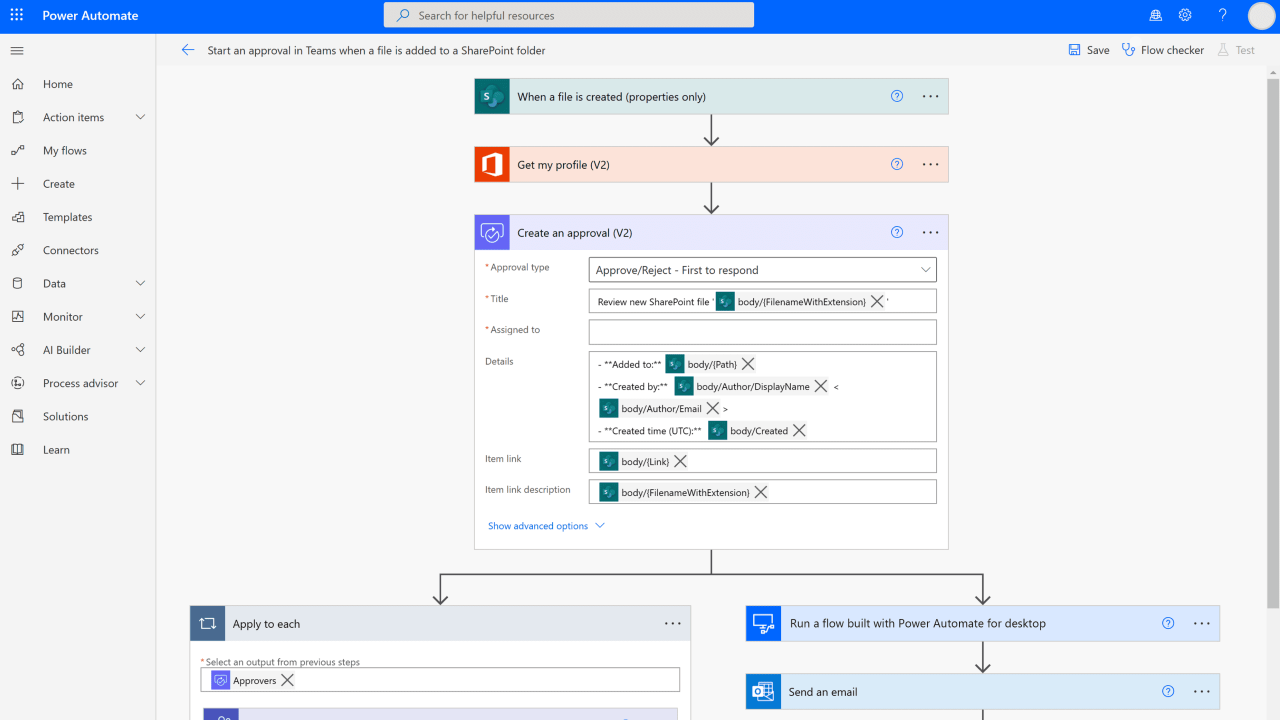
Integrating artificial intelligence into design workflows significantly enhances efficiency, consistency, and innovation. Implementing AI-driven automation requires a systematic approach to seamlessly incorporate AI tools into existing design pipelines, thereby streamlining repetitive tasks, improving quality control, and enabling continuous learning. This process involves careful planning, strategic integration, and ongoing optimization to realize the full potential of AI in design environments.
Successful deployment of AI within design workflows hinges on multiple key steps. These include selecting suitable AI tools, establishing integration frameworks, defining workflows, and setting up mechanisms for quality assurance. By methodically implementing these steps, organizations can foster a highly automated, consistent, and adaptable design process that not only accelerates project delivery but also maintains high standards of quality and style coherence.
Step-by-Step Processes for Integrating AI Tools into Design Pipelines
Effective integration of AI into design workflows involves a structured, phased approach. The following steps Artikel a comprehensive pathway for organizations seeking to leverage AI technologies:
- Assessment of Current Workflow and Needs: Analyze existing design processes to identify repetitive tasks, bottlenecks, and areas where AI can add value. This assessment helps determine suitable AI tools aligned with organizational goals.
- Selection of AI Technologies and Tools: Choose AI solutions that are compatible with current design software and workflows. These may include machine learning models for style transfer, image recognition for asset management, or natural language processing for content generation.
- Development of Integration Frameworks: Establish APIs, plugins, or middleware that enable seamless communication between AI tools and design software. Custom scripting or automation platforms like Zapier or Integromat can facilitate this integration.
- Workflow Mapping and Process Automation: Redefine design pipelines to incorporate AI-driven steps. Automate tasks such as asset tagging, color palette suggestions, or layout adjustments to reduce manual effort.
- Pilot Testing and Validation: Implement pilot projects to evaluate AI performance within the workflow. Gather feedback, measure efficiency gains, and identify potential issues before full deployment.
- Full Deployment and Training: Roll out the integrated AI tools across teams, providing comprehensive training to ensure effective utilization and adoption.
Setting Up Automated Quality Checks and Style Consistency Validation
Ensuring design outputs adhere to established standards is critical for brand integrity and project coherence. Automated quality checks and style validation leverage AI to maintain high standards efficiently across large volumes of work. Establishing these mechanisms within the workflow involves defining validation rules, implementing AI models, and setting up real-time feedback systems.
AI-powered quality assurance can automatically detect deviations from style guides, color mismatches, font inconsistencies, or layout errors. These checks can be integrated at various stages of the design pipeline to catch issues early, reduce rework, and uphold uniformity.
Key consideration: Regularly updating validation criteria ensures that AI models adapt to evolving design standards and brand guidelines.
Implementing automated style validation involves the following procedures:
| Procedure | Description |
|---|---|
| Define Style Guidelines | Establish clear and measurable design standards covering colors, fonts, spacing, and other visual elements. |
| Train AI Models | Use a dataset of approved designs to train machine learning models to recognize compliant and non-compliant elements. |
| Integrate Validation Checks | Embed AI validation scripts within the design pipeline to automatically analyze and flag discrepancies during or after design creation. |
| Establish Feedback Loops | Set mechanisms for designers to review AI feedback, make necessary adjustments, and provide data for ongoing model refinement. |
This systematic approach enables continuous quality assurance, ensuring consistency without the need for manual review at every step.
Procedures for Continuous Learning and Improvement of AI Models in Design Tasks
AI models thrive on data and feedback, making continuous learning essential for maintaining accuracy and relevance in design automation. Implementing procedures for ongoing improvement involves monitoring model performance, collecting new data, retraining algorithms, and refining validation criteria.
To facilitate this, organizations should establish a feedback loop where designers can annotate or correct AI suggestions. This real-world data helps improve model understanding of nuanced design standards and preferences.
Best practice: Regularly scheduled retraining sessions, based on accumulated feedback and new design trends, ensure AI models stay aligned with evolving standards.
Key procedures include:
- Monitoring and Evaluation: Continuously track AI performance metrics such as accuracy, false positives, and user satisfaction to identify areas needing improvement.
- Data Collection and Annotation: Gather and label new design samples, especially those where AI suggestions were incorrect or suboptimal, to expand training datasets.
- Model Retraining and Fine-Tuning: Use the updated datasets to retrain models periodically, applying transfer learning or incremental learning techniques to adapt to new data without losing prior knowledge.
- Version Control and Deployment: Manage different versions of AI models, testing updates in controlled environments before deploying to production to minimize disruptions.
- Incorporating User Feedback: Actively solicit feedback from designers regarding AI outputs and incorporate their insights into model refinement processes.
This iterative cycle of learning and adjustment ensures AI-driven design automation remains effective, adaptable, and aligned with organizational standards over time.
Examples and Case Studies of AI-Enabled Design Consistency

Implementing AI for design consistency has yielded impressive results across various industries, demonstrating its capacity to enhance brand coherence, streamline workflows, and reduce manual errors. These real-world examples highlight how organizations leverage AI-driven solutions to achieve standardized visual identities and operational efficiencies in complex, multi-platform environments.
Through detailed case studies, we observe the transformative impact of AI in automating routine design tasks, maintaining uniformity in branding, and enabling rapid updates across diverse channels. The following summaries provide insights into successful AI implementations that serve as benchmarks for organizations aiming to harness the power of AI for design consistency and brand integrity.
Case Study Summaries
| Case Study | Industry | AI Solution | Outcomes |
|---|---|---|---|
| Global Retail Chain | Retail & E-commerce | AI-powered Brand Asset Management Platform |
|
| Major Airline | Transportation & Travel | AI-Driven Visual Identity Automation System |
|
| Leading Fashion Brand | Fashion & Lifestyle | AI-Based Design Standardization Tool |
|
| Financial Services Provider | Banking & Finance | AI-Enabled Automated Content and Design Compliance System |
|
| Tech Startup | Technology & Software | AI-Integrated Branding Platform |
|
These case studies exemplify how AI-driven solutions can be tailored to meet industry-specific needs, fostering a cohesive brand experience that resonates across channels and markets. The successful implementation of AI in these contexts underscores its potential to transform traditional design processes into agile, consistent, and scalable operations.
Challenges and Best Practices in Automating Design Consistency
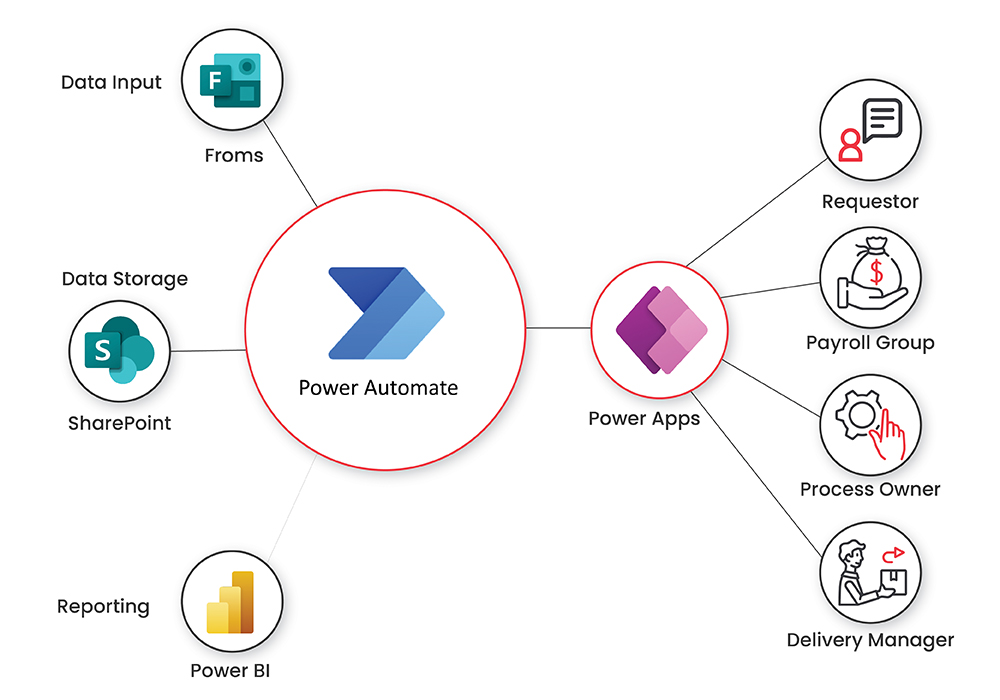
Maintaining consistent design standards through AI-driven automation offers significant benefits, including increased efficiency and uniformity across projects. However, organizations often encounter several obstacles when implementing these advanced systems. Addressing these challenges effectively requires understanding common issues and adopting proven best practices. This ensures that AI integration enhances the design process without compromising creativity or quality, leading to more reliable and scalable outcomes.Implementing AI for design consistency involves complex technical, cultural, and operational considerations.
Overcoming these obstacles necessitates strategic planning, ongoing training, and a balanced approach to automation and human oversight. By acknowledging these challenges early and establishing robust practices, organizations can optimize their AI-driven design workflows and realize their full potential.
Common Obstacles in Adopting AI-Driven Automation
The transition to AI-based design automation presents several hurdles, often rooted in technical limitations, organizational resistance, and data quality issues. Recognizing these obstacles is crucial for developing effective strategies to overcome them.
- Data Quality and Diversity: AI models require extensive, high-quality data to accurately recognize and enforce design standards. Inconsistent or incomplete datasets can lead to inaccuracies, reducing trust in automation outcomes.
- Technical Complexity: Integrating AI tools with existing design workflows and tools can be complex, requiring specialized expertise and infrastructure upgrades. This often leads to longer implementation timelines and higher costs.
- Resistance to Change: Designers and stakeholders accustomed to traditional methods may resist adopting AI tools, fearing job displacement or loss of creative control.
- Model Bias and Overfitting: AI models trained on limited datasets may develop biases that skew enforcement, leading to inconsistent results or overlooked nuances in design standards.
- Scalability Challenges: Automating at scale requires robust systems that can handle increasing complexity and volume, which can be difficult to achieve without significant investment.
Best Practices for Training AI Models to Recognize and Enforce Design Standards
Effective training of AI models is essential for ensuring accurate recognition of design standards and consistent enforcement. Implementing best practices enhances model reliability and aligns automation outputs with organizational goals.
Successful AI training involves a combination of comprehensive dataset preparation, iterative training, and continuous validation. The following practices facilitate optimal learning and application:
- Curate Diverse and Representative Data: Collect a wide range of design samples reflecting various styles, formats, and deviations to ensure the AI model learns comprehensive standards.
- Annotate Data Meticulously: Accurate and consistent labeling of design elements is critical. Utilize expert reviewers to verify annotations and reduce errors that can propagate through the model.
- Employ Incremental Training: Adopt an iterative approach where the AI model is progressively refined with new data, feedback, and corrections to improve accuracy over time.
- Implement Validation and Testing: Regularly assess model performance against a validation set to identify biases or inaccuracies, adjusting training protocols accordingly.
- Leverage Transfer Learning: Utilize pre-trained models as a foundation, fine-tuning them with organization-specific data to accelerate learning and improve accuracy.
Methods to Balance Automation with Human Oversight for Optimal Results
Striking the right balance between automated processes and human intervention is vital for maintaining design quality, fostering innovation, and ensuring standards are met effectively. Over-reliance on automation may lead to overlooked nuances, while excessive manual oversight can reduce efficiency gains.
Implementing effective oversight involves establishing clear roles, review checkpoints, and feedback loops that complement AI capabilities:
Automating routine standard enforcement while reserving creative and complex decision-making for human designers optimizes efficiency and quality.
- Define Clear Thresholds and Alerts: Set parameters where AI confidence levels trigger review requests, ensuring human oversight is focused on borderline or complex cases.
- Establish Review Processes: Incorporate periodic audits and peer reviews of AI outputs to catch errors, provide feedback, and update training datasets.
- Foster Collaboration between AI and Designers: Encourage designers to work alongside AI tools, using automation for routine enforcement while applying judgment for unique or innovative designs.
- Provide Ongoing Training and Feedback: Equip teams with knowledge about AI limitations and updates, fostering a culture of continuous improvement and trust.
- Utilize Explainability Tools: Incorporate AI systems that provide rationale for their decisions, enabling human reviewers to understand and validate outcomes effectively.
Future Trends in AI-Driven Design Automation
As artificial intelligence continues to evolve at a rapid pace, its integration into design automation is poised to revolutionize how designers create, maintain, and optimize visual assets. Emerging technologies promise to make design workflows more intelligent, adaptive, and efficient, enabling teams to achieve greater consistency and innovation with less manual effort. Understanding these future trends is crucial for staying ahead in a competitive landscape and harnessing the full potential of AI-enabled design processes.
Looking ahead, advancements in AI are expected to facilitate real-time, self-correcting design environments, where tools not only assist but actively enforce standards, enhance creativity, and streamline project execution. This dynamic evolution will introduce next-generation tools capable of predicting design needs, auto-generating variations, and maintaining uniformity across complex projects seamlessly.
Emerging AI Technologies Enhancing Design Workflows
The integration of cutting-edge AI technologies is set to transform traditional design practices. Some key innovations include:
- Generative Adversarial Networks (GANs): These AI models can produce highly realistic and diverse design elements, enabling rapid prototyping and creative experimentation. GANs will increasingly assist in generating brand-consistent visual assets automatically, reducing time-to-market.
- Deep Learning for Style Transfer: Advanced neural networks will facilitate precise style replication across assets, ensuring visual harmony while allowing for customized variations. This technology supports maintaining consistent branding guidelines effortlessly.
- Natural Language Processing (NLP): NLP-driven tools will allow designers to describe their requirements in natural language, prompting AI to generate or suggest compliant design assets and layouts, thus bridging the gap between concept and execution.
- Automated Quality Assurance Systems: AI-powered review mechanisms will proactively identify inconsistencies, layout issues, or deviations from standards, providing instant feedback and suggestions for correction, thereby enhancing overall quality control.
Real-Time Design Consistency Enforcement and Next-Generation AI Tools
Future AI systems will move beyond static compliance checks, offering dynamic, real-time enforcement of design standards throughout the creative process. These systems will be deeply integrated into design tools, continuously monitoring work as it progresses and making adjustments proactively. This will ensure that every element adheres to the established guidelines without disrupting the creative flow.
Some speculative scenarios include:
- Intelligent Design Assistants: AI assistants embedded within design software could analyze ongoing work and suggest adjustments instantaneously, such as aligning spacing, matching color palettes, or adjusting typography to maintain consistency.
- Adaptive Style Engines: Future tools might learn from a company’s branding patterns and automatically adapt new designs to match evolving standards, ensuring uniformity even as styles evolve over time.
- Autonomous Design Systems: Fully autonomous platforms could generate entire design concepts, prototypes, and layouts in real-time, continuously optimizing for consistency, branding, and user experience based on predictive analytics and user feedback.
“The next-generation AI tools will not only support designers but become active partners in maintaining design integrity, enabling a new era of intelligent automation.”
By embracing these technological advancements, organizations will be able to achieve unprecedented levels of efficiency, accuracy, and adaptability in their design processes, ultimately pushing the boundaries of creativity and innovation in the digital age.
Last Recap

In conclusion, automating design consistency with AI presents a powerful opportunity to optimize branding efforts across various industries. By understanding key tools, best practices, and future trends, organizations can implement effective automation strategies that generate consistent, high-quality designs while saving valuable time and resources. Embracing these innovations paves the way for smarter, more agile design workflows that evolve with emerging technologies.