Learning how to create academic slides with AI opens new horizons for educators and students seeking efficient and engaging presentation tools. By harnessing advanced artificial intelligence technologies, users can streamline the process of designing visually appealing and content-rich slides that enhance learning experiences.
This guide explores the use of AI-powered platforms for generating, structuring, and customizing academic slides, providing practical methods to improve clarity, visual appeal, and data integration. Whether you are preparing lectures, research presentations, or academic projects, leveraging AI can significantly elevate the quality and efficiency of your slides.
Overview of AI Tools for Creating Academic Slides
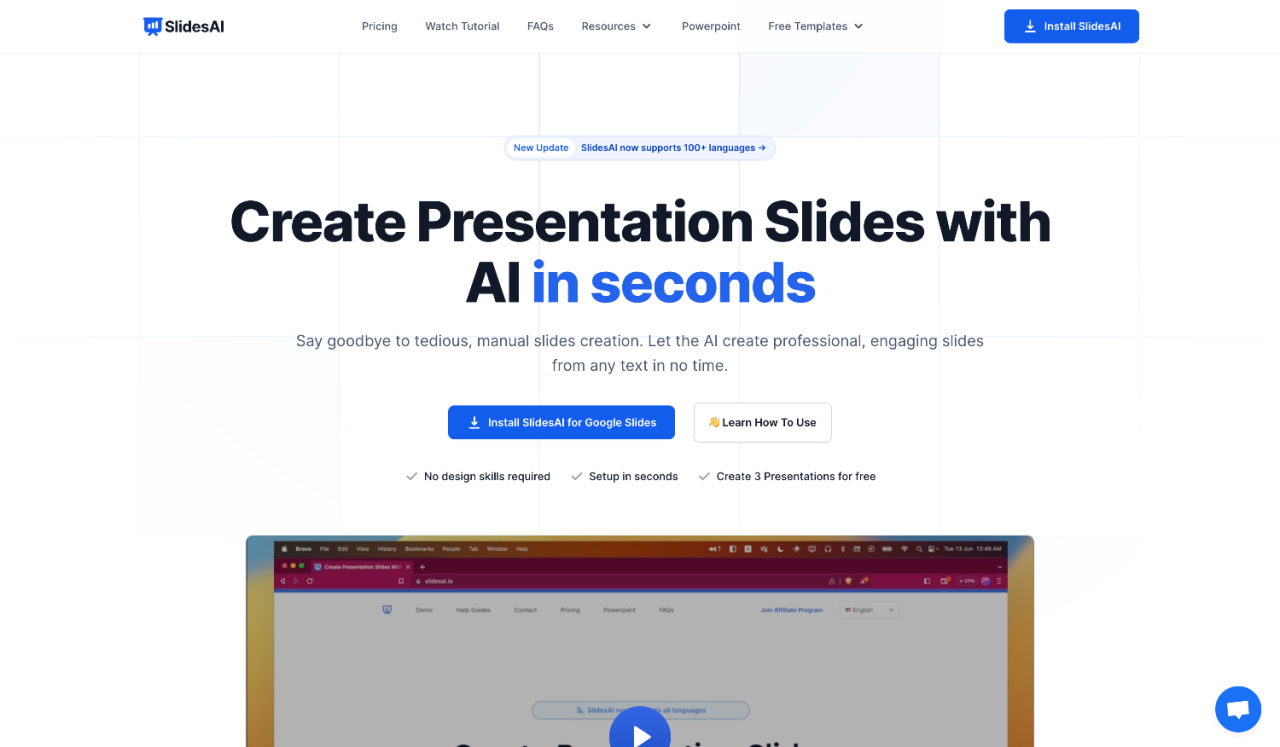
Artificial Intelligence (AI) has revolutionized the way educators and students develop presentation content, streamlining the process of designing academic slides with increased efficiency and creativity. These AI-powered tools leverage advanced algorithms to assist in generating, organizing, and refining presentation materials, making it easier to produce professional and impactful slides without extensive design expertise.
Modern AI tools for slide creation serve various educational purposes, ranging from content summarization and visual enhancement to automatic layout design. They help users focus more on the core message and less on formatting details, ensuring that presentations are both visually appealing and content-rich. As a result, these platforms are increasingly becoming integral to academic workflows, enabling educators and learners to craft compelling slides in less time while maintaining high quality.
AI-Powered Slide Creation Platforms and Their Features
Several AI-driven platforms are available, each offering unique functionalities suited for academic purposes. These tools typically incorporate features such as automated content generation, intelligent design suggestions, image and icon integration, and compatibility with popular presentation software. Here are some notable examples:
- Beautiful.ai: Utilizes AI to automate slide layout design, ensuring consistency and visual appeal across the presentation. It offers a wide range of templates and intelligent formatting tools, making it ideal for educators seeking quick yet professional slides.
- Designs.ai: Provides an AI-powered presentation builder that automatically generates slides from textual input. Its features include customizable templates, real-time editing, and branding options suitable for academic institutions.
- Canva with Magic Write: Combines a user-friendly interface with AI assistance to generate textual content and visuals. Its extensive library of templates, images, and icons supports the creation of engaging educational slides with minimal effort.
- Slidebean: Focuses on automatic slide design based on user content. Its AI engine arranges text and visuals in a cohesive and professional manner, ideal for rapid presentation development in academic settings.
- BeautifulSlides: Offers AI-based content enhancement and visual suggestion features, simplifying the process of creating detailed and visually appealing academic presentations.
Comparison Table of AI Tools for Academic Slide Creation
To facilitate effective selection, the following comparison table highlights key aspects of popular AI-powered slide creation platforms, focusing on their primary functions, compatibility with various devices or software, and user-friendliness for academic users:
| Tool Name | Primary Function | Compatibility | User-Friendliness |
|---|---|---|---|
| Beautiful.ai | Automated slide layout and design | Web-based, integrates with PowerPoint and Google Slides | High; intuitive interface with drag-and-drop features |
| Designs.ai | AI-generated presentation content from text | Web platform, compatible with any device with internet access | Moderate; guided steps for content input and customization |
| Canva with Magic Write | Content creation and visual design | Web-based and app versions for Windows, iOS, Android | High; user-friendly interface with extensive templates |
| Slidebean | Automatic slide design from user content | Web-based, exports to PowerPoint and PDF | Moderate; straightforward for users familiar with presentation tools |
| BeautifulSlides | Content enhancement and visual suggestions | Web platform, compatible with major browsers | High; simple interface suitable for educators and students |
Planning and Structuring Academic Slide Content with AI

Effective planning and organization are fundamental to creating impactful academic slides. Leveraging AI tools can streamline this process by assisting in the systematic arrangement of complex information, ensuring clarity and coherence throughout your presentation. Proper structuring not only enhances audience engagement but also facilitates a better understanding of the material being presented.
Using AI assistance for planning involves transforming raw academic material into organized slide sections that logically flow from introduction to conclusion. This approach helps in breaking down extensive notes, data, and concepts into manageable, visually appealing segments. Implementing a clear step-by-step process allows educators and students alike to produce professional-grade slides efficiently, saving valuable time and effort while maintaining high standards of scholarly accuracy.
Methodology for Using AI to Organize Lecture Topics
To effectively utilize AI in structuring lecture topics, begin by clearly defining the scope and objectives of the presentation. Input detailed lecture notes or academic materials into the AI platform, specifying the key themes and s you wish to cover. The AI then analyzes this input to generate a logical Artikel that highlights main ideas and supporting details, ensuring comprehensive coverage of the subject matter.
For instance, when preparing a lecture on climate change, input detailed notes including causes, effects, mitigation strategies, and case studies. The AI can process this information to suggest a hierarchical structure, organizing these elements into distinct slide sections such as Introduction, Causes, Impacts, Solutions, and Conclusion. This method ensures that all critical components are systematically addressed, and the material is presented coherently.
Transforming Notes into Slide Sections via AI Tools
Converting detailed notes into well-structured slide sections involves a strategic approach that maximizes AI capabilities. The following step-by-step process can guide this transformation:
- Collect comprehensive notes, highlighting key concepts, data points, and relevant references.
- Input the notes into an AI-powered content organization tool, specifying the goal of creating an academic presentation.
- Use the AI-generated Artikel to identify primary sections and sub-sections, ensuring logical flow and thematic coherence.
- Refine the AI’s suggested structure by manually adjusting sections to better fit the presentation style or specific focus areas of the lecture.
- Generate detailed slide content for each section, leveraging AI to summarize lengthy notes into concise bullet points or key messages.
- Review and edit the final slide Artikel to incorporate visual aids, charts, and images that enhance understanding and engagement.
This method ensures that dense academic materials are transformed into clear, organized, and pedagogically effective slides, facilitating impactful teaching and learning experiences. AI’s ability to analyze, summarize, and structure information makes it an invaluable asset in academic slide preparation, enabling educators to deliver complex concepts with clarity and confidence.
Designing Visually Engaging Slides Using AI
Creating visually appealing and effective academic slides is crucial for engaging your audience and conveying complex information clearly. Leveraging AI tools can significantly enhance this process by providing intelligent suggestions for design elements that align with your presentation’s purpose and academic tone. AI-driven design assists in maintaining consistency, professionalism, and visual harmony across your slides, ultimately elevating the overall quality of your academic presentation.
By integrating AI into the design process, presenters can efficiently generate slides that are not only informative but also aesthetically compelling. This approach minimizes manual effort while maximizing design effectiveness, allowing educators and students alike to focus more on content quality and delivery. The following sections explore how AI can recommend color schemes, font choices, layout styles, and facilitate the creation of customized slide templates for academic presentations.
Techniques for AI-Suggested Color Schemes, Font Choices, and Layout Styles
AI tools utilize advanced algorithms and data analysis to suggest optimal visual components tailored for academic contexts. These techniques ensure that slides are both visually consistent and appropriate for formal settings.
- Color Scheme Recommendations: AI analyzes the presentation topic, audience preferences, and psychological impact to suggest harmonious color combinations. For instance, shades of blue and gray are frequently recommended for scientific topics, promoting trust and professionalism. AI can also generate palettes that ensure sufficient contrast for readability and accessibility, such as color-blind friendly schemes.
- Font Selection: AI evaluates readability, font pairing principles, and the formal tone of academic content to recommend suitable typefaces. Typically, AI suggests sans-serif fonts like Arial or Helvetica for headings due to clarity, paired with serif fonts like Times New Roman for body text to enhance readability. AI can also identify font sizes and styles that maintain consistency across slides.
- Layout Style Suggestions: AI examines the content structure to propose efficient layout styles. For example, it may recommend a two-column layout for comparative analysis or a centered title with bullet points for key concepts. It also suggests visual hierarchy by adjusting element placement to highlight essential information effectively.
Procedures to Generate Custom Slide Templates via AI
Generating custom templates with AI involves providing input parameters and leveraging AI-powered design platforms that automate the creation process. This ensures that your presentation maintains a cohesive style aligned with branding or academic standards.
- Define the primary theme and purpose of your presentation, specifying preferred color schemes, fonts, and layout styles.
- Use AI-driven template creation tools, such as specialised presentation platforms or design assistants, to input these preferences.
- Allow the AI to analyze your inputs and generate multiple template options, considering factors like slide structure, visual balance, and consistency.
- Select the most suitable template and customize it further if needed, such as adding your institution’s logo or specific style elements.
- Save and reuse the generated template for future academic presentations, ensuring uniformity and professionalism across your slides.
Sample HTML Table Illustrating Recommended Slide Design Elements
To streamline the design process, it is helpful to organize recommended slide elements in a clear and structured manner. The following table demonstrates essential components, their suggested styles, and their roles within an academic slide.
| Design Element | Recommended Style | Purpose / Notes |
|---|---|---|
| Title | Font: Sans-serif (e.g., Arial, Helvetica); Size: 36-44 pt; Color: Dark blue or black for contrast |
Concise, descriptive; sets the context for the slide content |
| Bullet Points | Font: Serif (e.g., Times New Roman); Size: 24-28 pt; Color: Dark gray or navy |
Highlights key ideas; use minimal text for clarity |
| Images | High-quality, relevant visuals; aligned left or right; size scaled to fit without overcrowding | Supports textual information; enhances understanding through visuals |
| Citations | Smaller font: 20-22 pt; Color: Gray or subdued tone | Crediting sources; placed at the bottom or near the referenced content |
Effective slide design combines visual harmony with content clarity, ensuring your audience engages with and comprehends your academic message seamlessly.
Enhancing Content Accuracy and Clarity with AI

Ensuring the precision and clarity of academic slide content is a fundamental step in effective scholarly communication. Artificial Intelligence offers powerful tools that assist educators and students alike in verifying facts, refining language, and presenting complex research in accessible formats. Integrating these AI capabilities into the slide creation process can significantly improve the quality and credibility of academic presentations, fostering a deeper understanding among audiences.
AI-driven solutions facilitate systematic fact-checking, help in refining academic language for clarity and conciseness, and streamline the synthesis of complex research findings into digestible slide points. By establishing structured workflows for review and editing, users can confidently produce accurate, clear, and impactful academic slides supported by AI technology.
Assistance in Fact-Checking and Refining Academic Language
AI tools can automatically verify the factual accuracy of data and statements included in academic slides. These tools cross-reference information against reputable databases, scientific repositories, and trusted sources to identify potential inaccuracies or outdated data. Additionally, AI enhances the clarity of academic language by suggesting simpler synonyms, correcting grammatical errors, and ensuring consistency in terminology throughout the presentation.
- Utilize AI-powered fact-checking plugins integrated into presentation software or as standalone applications that scan slide content and highlight potential inaccuracies or inconsistencies.
- Apply AI language models to review academic terminology, ensuring appropriate usage and avoiding ambiguity. These models can suggest alternative phrasings that improve readability without compromising technical precision.
- Leverage AI tools that provide real-time grammar and style suggestions, enabling users to achieve a professional and polished presentation.
Steps to Summarize Complex Research Papers into Slide-Ready Points
Transforming dense research papers into concise, impactful slide content requires systematic summarization. AI can facilitate this process by extracting essential information and presenting it in a structured format suitable for slides.
- Upload the full research paper to an AI summarization tool capable of processing lengthy documents, such as specialized AI-based research assistants or advanced language models.
- Request the AI to generate a brief overview that highlights the key objectives, methodology, significant findings, and conclusions. Specify the desired slide format and point-length for each section.
- Review the AI-generated summaries to ensure they accurately capture the core messages and omit extraneous details that may clutter the slides.
- Refine these points manually if necessary, verifying technical accuracy against the original research before including them in the presentation.
Workflow for Reviewing and Editing AI-Suggested Content for Precision
Maintaining high standards of accuracy and clarity involves a multi-step review and editing process when utilizing AI-generated content. Establishing a clear workflow ensures that AI suggestions are thoroughly checked before final inclusion in the slides.
| Step | Description | Best Practices |
|---|---|---|
| Initial AI Generation | Input raw research data or summaries into AI tools and generate preliminary content. | Set explicit instructions regarding content scope, detail level, and language style to guide AI outputs. |
| First Review | Manually review AI suggestions for factual correctness, relevance, and clarity. | Compare with original research sources and verify all data points, especially quantitative information. |
| Editing and Refinement | Make necessary modifications to improve readability, technical accuracy, and conciseness. | Use AI suggestions as a foundation but ensure the final content aligns with your academic standards and target audience. |
| Final Verification | Conduct a comprehensive check for consistency, grammatical correctness, and factual integrity. | Optionally, employ a second AI proofreading tool or peer review to catch overlooked errors. |
Building a reliable workflow for AI-assisted editing enhances the trustworthiness and clarity of academic slides, ensuring that complex information is conveyed accurately and effectively.
Automating Slide Generation and Customization
Leveraging AI for automating slide creation streamlines the presentation development process, saving valuable time and ensuring consistency across academic content. Automation not only accelerates the initial drafting but also facilitates rapid modifications aligned with specific academic disciplines or presentation styles. Customization of these automated outputs is crucial to ensure relevance, accuracy, and adherence to disciplinary standards, thereby enhancing the overall quality and impact of academic presentations.
AI-powered tools enable users to generate and tailor slides efficiently by utilizing predefined templates, integrating discipline-specific terminology, and adjusting stylistic elements. These methods support educators, researchers, and students in constructing professional, engaging, and accurate presentations with minimal manual effort, fostering an environment where content quality and visual appeal are optimally balanced.
Methods to Automate Slide Creation Based on Predefined Templates and AI Input
Automated slide generation begins with selecting or designing templates that align with the presentation’s purpose and academic context. AI tools can then interpret input data—such as research summaries, datasets, or lecture notes—and populate these templates accordingly. For instance, an AI system can analyze a research paper to extract key findings and automatically generate slides summarizing objectives, methodology, results, and conclusions, formatted within the chosen template.
Natural Language Processing (NLP) models can convert detailed textual descriptions into structured slide content, dividing information into logical sections with appropriate headings and bullet points. Additionally, AI can incorporate multimedia elements, such as charts, images, and hyperlinks, based on input data, creating a comprehensive presentation without manual assembly.
Customizing Automated Outputs for Specific Academic Disciplines
To enhance relevance, AI outputs can be tailored to align with the conventions and terminologies of specific academic disciplines, such as engineering, social sciences, or medicine. Customization involves adjusting language style, visual elements, and content focus to meet disciplinary standards. For instance, in a medical presentation, AI can prioritize clinical data, use domain-specific terminology, and incorporate relevant imagery like anatomical diagrams or medical charts.
Discipline-specific customization can also involve selecting appropriate templates that reflect the aesthetic and structural preferences common in that field, such as detailed data tables for engineering or case study layouts for social sciences. AI systems often allow users to define parameters or input discipline-relevant s, which guide content generation toward discipline-specific relevance and fidelity.
AI Features for Customization: Automation Level, Editing Options, and Output Formats
Understanding the capabilities of AI tools in terms of customization is key to maximizing their utility. The following table summarizes common AI features, highlighting their automation levels, editing flexibility, and output formats:
| Feature | Automation Level | Editing Options | Output Formats |
|---|---|---|---|
| Template-Based Slide Generation | High | Limited; primarily template adjustments | PowerPoint (PPTX), PDF, Google Slides |
| Content Population from AI Input | Moderate to High | Extensive; allows manual editing post-generation | PPTX, PDF, HTML |
| Discipline-Specific Customization | Variable; dependent on input parameters | High; user can modify language, visuals, and structure | PPTX, Google Slides, PDF |
| Multimedia Integration | Moderate | Flexible; multimedia elements can be added or adjusted | PPTX, PDF, HTML |
| Style and Theme Adjustments | High | Extensive; includes font, color schemes, and layout modifications | PPTX, Google Slides |
These features empower users to develop tailored, professional academic slides efficiently. High automation levels streamline the initial creation, while flexible editing options enable refinements to match specific disciplinary requirements and presentation goals. Output formats ensure compatibility with widely used presentation platforms, facilitating seamless sharing and delivery.
Best Practices for Using AI in Academic Slide Creation

Ensuring the effective and responsible use of AI tools in academic slide development is essential for maintaining clarity, professionalism, and academic integrity. Implementing best practices not only enhances the quality of presentations but also upholds the credibility of your academic work. This section provides guidelines and procedures to optimize AI-assisted slide creation, focusing on clarity, authenticity, and ethical standards.AI technology offers powerful capabilities to streamline slide design and content generation; however, it requires careful oversight to prevent the dissemination of inaccuracies or unprofessional material.
Adhering to established best practices ensures that AI serves as a supportive tool rather than a substitute for critical thinking and scholarly rigor.
Guidelines for Ensuring Clarity, Professionalism, and Academic Integrity
Clear communication, a professional presentation style, and adherence to academic standards are fundamental when integrating AI into slide creation. It is vital to verify that AI-generated content aligns with the intended message, is free from bias, and respects scholarly conventions. To achieve this, users should prioritize clarity by avoiding overly complex jargon unless necessary, maintaining consistency in terminology, and organizing content logically.Maintaining professionalism involves using appropriate fonts, color schemes, and layouts that are accessible and conducive to learning.
Academic integrity is preserved by properly citing sources, acknowledging AI assistance when applicable, and avoiding plagiarism. Ensuring these aspects fosters trustworthiness and enhances the educational value of the presentation.
Procedures to Verify AI-Generated Content Before Finalizing Slides
The accuracy and reliability of AI-generated information must be thoroughly validated prior to presentation. Implementing a structured review process helps identify and correct errors, ensuring content credibility.Begin by cross-referencing all facts, data points, and quotations with trusted academic sources or primary literature. Use reputable databases, peer-reviewed journals, and official publications for verification. Additionally, review AI-generated summaries or explanations to confirm they reflect current consensus or accepted theories in the field.Another crucial step involves assessing the clarity and coherence of the slides.
Read through the content to ensure logical flow, remove ambiguities, and clarify technical terms where necessary. Solicit feedback from peers or mentors to gain external perspectives on the content’s accuracy and comprehensibility. Lastly, audit the slides for ethical considerations, such as proper attribution and avoidance of overstated claims.
Do’s and Don’ts in AI-Assisted Academic Presentation Design
To optimize the benefits of AI while minimizing potential pitfalls, adhere to the following do’s and don’ts:
- Do: Use AI tools primarily for drafting, designing, and organizing content, not as the sole source of information.
- Do: Always verify AI-generated content against credible sources before inclusion in your presentation.
- Do: Maintain a consistent and professional slide design, ensuring readability and visual appeal.
- Do: Properly cite sources, including any AI assistance or generated data, to uphold academic integrity.
- Do: Review and edit AI-produced text to tailor the tone, style, and level of detail appropriate for your audience.
- Don’t: Rely blindly on AI outputs without critical evaluation; AI can introduce inaccuracies or biases.
- Don’t: Use overly complex visuals or cluttered slides that hinder comprehension or distract the audience.
- Don’t: Present AI-generated content as original or solely authored work; transparency is key.
- Don’t: Neglect ethical considerations, such as intellectual property rights or misrepresentation of data.
By following these guidelines, educators and students can leverage AI to enhance their academic presentations effectively, responsibly, and ethically, ensuring that technology augments scholarly communication rather than compromising it.
Final Thoughts
In summary, mastering how to create academic slides with AI equips you with powerful tools to produce professional, accurate, and visually engaging presentations. Implementing these AI techniques ensures your academic content is both compelling and impactful, paving the way for more effective communication and learning outcomes.