Creating training slides with AI offers a transformative approach to developing engaging and impactful educational materials. Leveraging artificial intelligence streamlines the design process, enhances visual appeal, and ensures content clarity, making training sessions more productive and memorable. This guide explores the essential steps and tools to harness AI effectively for slide creation, empowering educators and trainers to deliver compelling presentations effortlessly.
From selecting appropriate AI platforms to designing visually appealing layouts and incorporating multimedia elements, this comprehensive overview provides valuable insights into optimizing training materials. By understanding the integration of AI in content generation, customization, and review, users can elevate their training slides to new levels of professionalism and engagement.
Introduction to Creating Training Slides with AI
Leveraging Artificial Intelligence (AI) in the development of training materials offers a transformative approach to designing engaging, accurate, and efficient slide presentations. AI tools facilitate automation of content generation, visual enhancements, and personalization, significantly reducing the time and effort traditionally required for slide creation. This integration empowers trainers and educators to focus more on the pedagogical aspects, ensuring a more impactful learning experience.
The process of integrating AI tools into slide development involves selecting suitable AI-driven platforms, preparing input data, customizing outputs, and refining the content to align with specific training objectives. By combining human expertise with AI capabilities, organizations can produce high-quality training materials that are both visually appealing and pedagogically effective.
Step-by-Step Guide for Designing Training Slides with AI Assistance
Creating training slides with AI assistance involves a structured approach that ensures clarity, relevance, and engagement. The following steps provide a comprehensive framework for utilizing AI tools effectively:
- Identify Training Objectives and Content Scope
Begin by clearly defining the learning goals and key topics to be covered. This clarity guides the AI in generating relevant content and visuals that align with the training’s purpose.
- Choose Appropriate AI Tools and Platforms
Select AI-powered applications capable of content generation, such as natural language processing tools for text, image generation platforms, or presentation design assistants. Examples include Kami for content creation and DALL·E for visuals.
- Generate Draft Content Using AI
Input specific prompts related to each training topic into the selected AI tools. For instance, providing a prompt like “Explain the basics of cybersecurity in simple terms” helps generate concise, understandable content suitable for training slides.
- Design Visual Elements
Utilize AI-based image generation or design tools to create relevant visuals that support the text content. Descriptive prompts should clearly specify the desired visuals, such as diagrams, icons, or infographics.
- Organize Content into Slide Structure
Arrange the AI-generated text and visuals logically across slides, ensuring a smooth flow of information. Break complex topics into digestible sections, and use headers and bullet points for clarity.
- Review and Refine Content
Human review is crucial to ensure accuracy, coherence, and appropriateness of the AI-generated content. Edit as necessary to match organizational tone and training standards.
- Enhance Interactivity and Engagement
Incorporate AI-driven interactive elements, such as quizzes or simulations, to facilitate active learning. These elements can be generated or suggested by AI tools based on the content provided.
By following these steps, training developers can harness AI to create comprehensive, engaging, and tailored training slides efficiently. The combination of automated content creation and human oversight ensures the delivery of high-quality training materials that meet specific organizational needs and learning objectives.
Selecting Appropriate AI Tools for Slide Development
Choosing the right AI tool for creating training slides is a crucial step in streamlining the development process and ensuring the quality and effectiveness of the content. With a variety of platforms available, it is essential to evaluate each option based on specific features, compatibility with your needs, and overall usability. Making informed decisions in this phase can significantly enhance both productivity and the visual impact of your training materials.
In this section, we will explore some of the most popular AI-powered platforms and software designed for slide creation, compare their core functionalities, and present a decision matrix to assist in selecting the most suitable tool for your training development needs.
Popular AI Platforms and Software for Training Slide Creation
The landscape of AI tools for slide development includes several established platforms that leverage artificial intelligence to automate and enhance the design process. These tools differ in features such as template variety, content generation capabilities, collaboration options, and integration with other software. Below are some notable options widely used in the industry:
- Beautiful.ai: Known for its intuitive design interface, Beautiful.ai offers automated slide formatting and a wide array of templates. It uses AI to suggest layouts based on content, making slide creation faster and more visually consistent. Suitable for teams seeking quick, professional results.
- Designs.ai: This platform provides an AI-powered presentation builder that can generate slides from input text, images, and branding assets. It emphasizes brand consistency and branding automation, ideal for organizations with strict visual identity requirements.
- Canva with Magic Write: While Canva is traditionally a graphic design tool, its recent integration of AI writing assistants enables users to generate slide content automatically. Canva excels in collaborative editing and extensive design customization, making it popular across diverse industries.
- Beautiful Slides by Slidebean: Focused on startups and entrepreneurs, Slidebean leverages AI to automate slide layout and content arrangement. It simplifies the process for users with minimal design experience but offers customization options for advanced users.
- Microsoft PowerPoint with Designer AI: PowerPoint’s Designer feature uses AI to recommend slide layouts and visual enhancements. It integrates seamlessly with the Office ecosystem, making it a practical choice for organizations already using Microsoft 365.
Features, Advantages, and Limitations of AI Tools
Evaluating AI tools requires understanding their core features, the benefits they offer, and potential limitations that might impact your workflow or output quality. The following overview provides insights into these aspects for each platform:
Features: Automated layout suggestions, content generation, template variety, branding automation, collaboration tools, integration capabilities, and multimedia support.
Advantages: Significant time savings, consistent design quality, enhanced creativity through AI suggestions, easy-to-use interfaces, and improved collaboration features.
Limitations: Potential lack of customization flexibility, dependency on AI-generated content quality, subscription costs, and occasional inaccuracies in content suggestions or layout recommendations.
| Tool | Main Features | Advantages | Limitations |
|---|---|---|---|
| Beautiful.ai | Automated layouts, templates, real-time collaboration | Fast, professional-looking slides; minimal design effort | Limited customization flexibility; subscription cost |
| Designs.ai | Content generation, branding automation, multimedia integration | Consistent branding; versatile content creation | May require manual adjustments; learning curve |
| Canva with Magic Write | AI content writing, extensive templates, collaborative editing | User-friendly; vast library of design assets; collaborative features | Some AI features require subscriptions; occasional content inaccuracies |
| Slidebean | Automated slide design, content organization | Simplifies complex presentations; suitable for startups | Limited free features; customization can be restrictive |
| PowerPoint with Designer AI | Layout suggestions, multimedia support; integration with Office | Seamless integration; familiar interface | Dependent on Microsoft ecosystem; AI suggestions may need manual tweaking |
Decision Matrix for Selecting AI Tools
To facilitate an objective evaluation based on your specific requirements, a decision matrix summarizes the key aspects of each tool. This matrix considers factors such as ease of use, customization options, AI capabilities, collaboration features, and cost. Use this as a guide to identify the best fit for your training slide development project:
| Criteria | Beautiful.ai | Designs.ai | Canva with Magic Write | Slidebean | PowerPoint with Designer AI |
|---|---|---|---|---|---|
| Ease of Use | High | Medium | High | High | High |
| Customization Flexibility | Medium | High | Medium | Low to Medium | Medium | AI Content Generation | Yes | Yes | Yes | Limited | Yes | Collaboration Features | Yes | Yes | Yes | Yes | Yes | Cost | Subscription-based | Subscription-based | Freemium with paid upgrades | Subscription-based | Included in Microsoft 365 |
Defining Training Objectives and Content Structuring
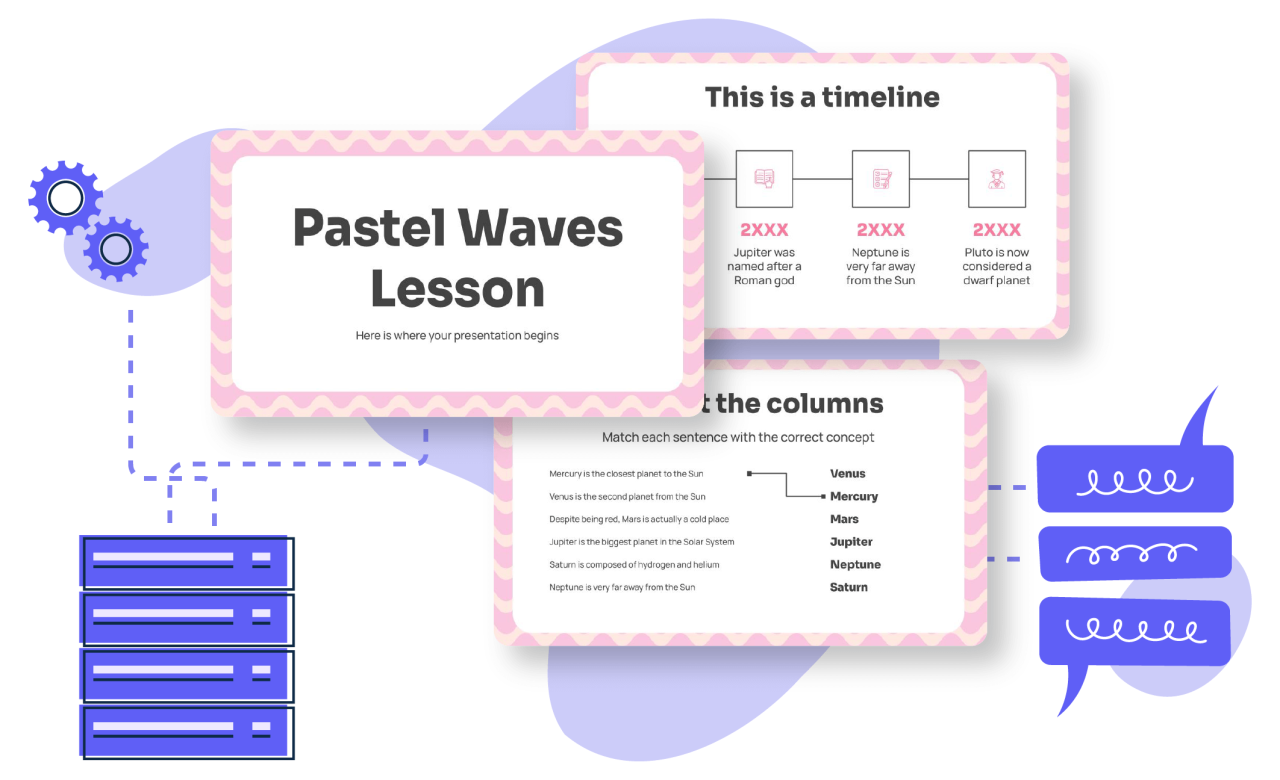
Establishing clear training objectives is a fundamental step in creating effective training slides with AI. Precise objectives guide the development process, ensuring that the content aligns with desired learning outcomes. Proper content structuring further enhances learner engagement by organizing information logically, which facilitates comprehension and retention. Leveraging AI tools to define objectives and structure content systematically streamlines the development process, making it more efficient and targeted.
In this section, we explore methods to articulate clear learning goals using AI, as well as techniques to organize training material hierarchically. Employing these strategies helps create cohesive and impactful training modules tailored to specific audience needs.
Methods for Clarifying Learning Objectives Using AI
Using AI to develop and refine training objectives involves inputting specific prompts that guide the system to generate precise, measurable goals aligned with the training’s purpose. Clear objectives act as benchmarks for content development, evaluation, and learner assessment. The following procedures demonstrate how to utilize AI effectively for this purpose:
- Identify the core skills or knowledge areas targeted by the training, and input these as s or phrases into the AI system, such as “develop leadership skills in mid-level managers.”
- Specify the desired learning outcomes by describing the expected competencies, for example, “by the end of this module, participants will be able to analyze financial statements.”
- Use structured prompts to generate SMART (Specific, Measurable, Achievable, Relevant, Time-bound) objectives, such as “Create learning objectives that enable learners to identify key marketing strategies within 30 minutes.”
- Review and refine AI-generated objectives to ensure they are clear, concise, and aligned with organizational goals, editing as necessary for specificity and clarity.
- Input iterative feedback into the AI system to fine-tune subsequent objectives, focusing on clarity and relevance to the training context.
Organizing Training Content with Hierarchical Structures
Effective content organization enhances learning by presenting information in a logical, digestible manner. Hierarchical structuring involves breaking down complex topics into main themes, s, and detailed points, providing a clear pathway from foundational concepts to advanced insights. Using AI for this task involves creating a comprehensive framework that guides content development systematically.
The following steps help organize training material hierarchically with AI assistance:
- Define main topics or modules based on the training objectives, inputting these as broad categories into the AI system to serve as primary headers.
- Develop s or sections under each main category by prompting the AI with specific thematic areas, ensuring coverage of all relevant aspects.
- For each , generate detailed points or bullet lists that elaborate on key concepts, examples, or applications, maintaining logical progression.
- Utilize AI to create visual Artikels or mind maps that visually represent the hierarchical structure, aiding in content visualization and validation.
- Review and adjust the hierarchy to ensure a smooth flow of information, making sure each sub-level contributes coherently to the overarching learning objectives.
Structured content not only facilitates comprehension but also enhances retention by guiding learners through a logical progression of ideas, from basic to complex concepts.
Automating Content Generation and Text Optimization
Creating effective training slides relies heavily on clear, concise, and impactful text. Utilizing AI to automate content generation helps streamline this process, ensuring consistency and efficiency while maintaining high-quality messaging. Properly optimized AI-generated text enhances learner engagement and comprehension, thereby making training sessions more effective and memorable.AI-powered tools can produce slide content that captures the essence of complex concepts in a condensed and engaging manner.
These tools analyze vast amounts of data and generate relevant text, which can then be tailored to specific training objectives. The key is to leverage AI to craft impactful summaries, titles, and bullet points that resonate with the target audience, saving time and reducing manual editing efforts.
Generating Concise and Impactful Slide Text
A primary advantage of AI in slide creation is its ability to generate succinct yet compelling text. To achieve this, AI algorithms are trained on high-quality datasets and can identify the most critical information to include in each slide. When prompted appropriately, AI can produce content that emphasizes key messages, using language that is both accessible and persuasive.For example, when generating slide titles, AI can analyze the core theme and suggest options that encapsulate the main idea in a brief phrase.
For bullet points, AI can distill detailed information into digestible, impactful statements. Summaries created by AI condense lengthy explanations into essential points, aiding in quick comprehension and retention.
Refining and Editing AI-Generated Content for Clarity
While AI can produce foundational content efficiently, manual review and refinement are essential to ensure clarity and alignment with training goals. Editing AI-generated text involves enhancing readability, removing ambiguities, and tailoring the tone to suit the audience.Strategies for refinement include simplifying complex sentence structures, eliminating redundant information, and emphasizing critical points through formatting or rephrasing. For instance, transforming a verbose AI-produced paragraph into clear, bulleted statements improves clarity and facilitates easier note-taking.
Additionally, verifying factual accuracy and ensuring consistency with organizational terminology reinforce message credibility.
Examples of Producing Slide Titles, Bullet Points, and Summaries
Effective slide content begins with strong titles that immediately convey the topic. AI can suggest titles such as “Fundamentals of Data Security” or “Key Principles of Customer Service.” These titles are concise and directly address the slide’s focus.Bullet points should highlight essential information in a structured manner. For example, an AI-generated set of bullet points on cybersecurity might include:
- Protect sensitive information with encryption
- Implement multi-factor authentication
- Regularly update security protocols
- Educate staff on phishing threats
Summaries distill larger content into core takeaways. An AI-generated summary of a detailed training module on project management may read:
“Effective project management requires clear objectives, resource planning, risk assessment, and continuous monitoring to ensure timely delivery and stakeholder satisfaction.”
By leveraging AI for these tasks, trainers can produce high-quality, engaging slides efficiently while maintaining control over the final message and tone.
Incorporating Visuals and Multimedia Elements via AI
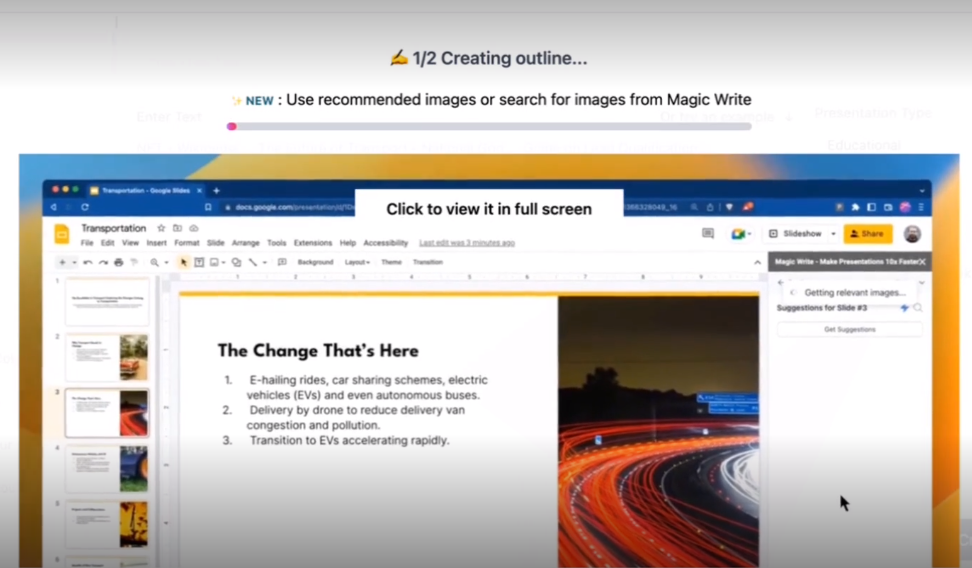
Creating engaging and informative training slides often hinges on the effective use of visuals and multimedia elements. Leveraging AI tools to generate and embed high-quality images, icons, diagrams, and multimedia content enhances comprehension and retention. This section explores how AI can facilitate the seamless integration of diverse visual components into training presentations, making them more dynamic and impactful.Incorporating multimedia elements through AI involves not only generating relevant visuals but also embedding them into slides in a way that maintains flow and clarity.
This process begins with selecting suitable AI-powered tools capable of creating images and videos aligned with the training content, followed by systematic embedding that preserves slide aesthetics and readability. Properly integrated multimedia can illustrate complex concepts, demonstrate procedures, and appeal to various learning styles.
Generating Relevant Images, Icons, and Diagrams with AI
Effective training slides rely on visuals that accurately depict concepts, processes, or data. AI-powered image generation tools utilize advanced algorithms to create custom visuals based on descriptive prompts, allowing trainers to produce specific images without extensive graphic design skills. For example, an AI tool can generate a detailed flowchart illustrating a manufacturing process or a set of icons representing different roles within an organization.When describing visuals to AI for creation, clarity and detail are essential.
Providing explicit prompts such as “Generate a high-resolution diagram showing the steps involved in the water purification process, with labeled components and color distinctions for each stage” ensures the AI produces precise and relevant visuals. Icons and simple graphics can be generated by specifying styles, such as minimalistic, flat design, or 3D, to match the overall aesthetic of the training materials.
Embedding Multimedia Content Seamlessly into Slides
Once visuals are generated, embedding them into slides requires attention to positioning, size, and contextual relevance. AI-based presentation tools often include features that facilitate drag-and-drop insertion, resize options, and automatic alignment to maintain consistency across slides. To ensure multimedia enhances rather than distracts, consider integrating visuals that directly support the textual content, such as diagrams illustrating a procedure next to step-by-step descriptions.The process involves exporting visuals from AI tools in compatible formats (such as PNG, JPEG, or SVG) and inserting them into the slide layout.
Many AI presentation platforms also enable automated suggestions for placement based on the slide’s structure, reducing manual effort and promoting visual balance. Embedding videos or audio clips follows similar procedures, with AI assisting in optimizing multimedia file sizes and formats for smooth playback. Proper captioning and descriptive labels should accompany multimedia elements to improve accessibility and understanding.
Composing Descriptive Prompts for AI-Generated Visuals
Precise and detailed prompts are the cornerstone of generating high-quality visuals aligned with training topics. When creating visuals using AI, it is vital to specify aspects such as content focus, style preferences, color schemes, and level of detail. Clear prompts lead to more accurate and relevant images that effectively illustrate the intended concepts.For example, to generate an illustration of the human respiratory system, a prompt might read:
“Create a detailed, labeled illustration of the human respiratory system, highlighting the lungs, trachea, and alveoli, in a clean, professional style with distinct color coding for each part.”
Similarly, if a training module involves complex data visualization, prompts should specify the type of chart or graph, data range, and visual style, such as “Generate a bar chart comparing quarterly sales across regions with vibrant colors and clear labels.”By adopting comprehensive descriptive prompts and leveraging AI’s capabilities, trainers can produce a diverse array of visuals that support various training topics, from technical processes to organizational hierarchies, thereby enriching the overall learning experience.
Enhancing Accessibility and Engagement
Creating training slides that are both accessible to diverse learners and engaging is essential for effective knowledge transfer. Leveraging AI tools enables trainers to implement strategies that accommodate various needs and promote active participation. By focusing on accessibility and engagement, instructional designers can ensure that their content resonates with all learners, regardless of their abilities or learning preferences. AI-driven solutions facilitate this process by offering automated adjustments, interactive features, and multimedia integrations that foster a more inclusive and stimulating learning environment.Making slides accessible involves utilizing AI-powered tools that automatically check for and enhance features like contrast, font size, and text clarity to support learners with visual impairments or reading difficulties.
Additionally, AI can generate alternative text descriptions for visuals, ensuring screen readers can effectively interpret visual content. To further improve accessibility, incorporating features such as adjustable text sizes, captioned videos, and keyboard navigation options can be streamlined with AI assistance, providing a seamless experience for all users.Engagement can be significantly increased by integrating AI-generated interactive elements into training slides. These elements include quizzes, polls, and scenario-based activities that prompt learners to apply knowledge actively.
AI tools can automatically create tailored quizzes based on content complexity and learner proficiency, offering immediate feedback that reinforces learning outcomes. Incorporating multimedia elements—such as videos, animations, and interactive diagrams—generated or optimized by AI enhances visual interest and maintains learner attention throughout the training session.
Strategies for Making Slides Accessible with AI Tools
AI technologies enable the automatic enhancement of slide accessibility by implementing best practices for universal design. Features such as color contrast checks ensure text and background combinations are easily distinguishable, reducing visual barriers for learners with color vision deficiencies. AI can also optimize font choices and sizes for readability, and generate descriptive alt-text for images and icons, ensuring compatibility with assistive technologies like screen readers.Another effective strategy involves leveraging AI-based captioning and transcription services that convert audio and video content into text.
This not only supports learners with hearing impairments but also provides alternative formats for review and reference. AI-driven contrast and readability assessments can be integrated into slide creation tools, allowing trainers to quickly identify and rectify potential accessibility issues early in the development process.
Adding Interactive Elements and Quizzes with AI
Interactive components are vital for maintaining learner engagement and promoting active participation. AI can facilitate the automatic generation of quizzes and interactive scenarios aligned with slide content, customizing difficulty levels based on learner performance data. These quizzes can include multiple-choice questions, drag-and-drop activities, or scenario-based decision points, delivered within the slides to provide immediate reinforcement.Furthermore, AI-powered platforms can analyze learner responses in real-time, adapting subsequent content or offering additional support where needed.
For example, if a learner struggles with a particular concept, the AI can suggest supplementary multimedia resources or modify the difficulty of upcoming questions to suit their needs. Incorporating gamified elements, such as badges or progress indicators generated by AI, can boost motivation and foster a more dynamic learning experience.
Integrating Multimedia Elements to Boost Learner Engagement
Multimedia integration is a key factor in creating compelling training slides that captivate learners. AI tools can assist in selecting, optimizing, and integrating relevant images, videos, animations, and audio to clarify complex concepts and illustrate real-world applications. For example, AI can analyze slide content to recommend appropriate multimedia resources from vast online repositories, ensuring relevance and quality.Engaging multimedia not only enhances visual appeal but also caters to different learning styles, such as auditory or visual preferences.
AI-powered editing tools can automatically generate captions for videos, create animated infographics, and adjust multimedia formats to ensure compatibility across devices. Incorporating interactive multimedia elements, like clickable diagrams or embedded quizzes within videos, further stimulates active engagement and promotes a multi-sensory learning experience that can improve retention and understanding.
Reviewing and Refining Slides with AI Assistance
Effective training slides are essential for engaging learners and conveying information clearly. Incorporating AI tools into the review and refinement process enhances the quality and impact of your presentation materials. This stage involves leveraging AI to evaluate slide effectiveness, identify areas for improvement, and iteratively enhance content for clarity, coherence, and engagement.
By systematically reviewing slides with AI assistance, trainers can ensure that the message is delivered accurately, visually appealing, and accessible to diverse audiences. This process not only saves time but also promotes a data-driven approach to creating compelling training content.
Evaluating Slide Quality Using AI Feedback Mechanisms
AI feedback mechanisms serve as intelligent review tools that analyze slide content, design, and overall effectiveness. These systems can assess readability, visual balance, consistency, and adherence to training goals. Implementing AI-driven evaluations involves uploading or linking slides to AI platforms capable of providing detailed, actionable insights.
Common AI feedback features include natural language processing (NLP) to evaluate clarity and tone, visual analysis to detect clutter or imbalance, and accessibility checks to ensure compliance with standards such as WCAG. For example, an AI tool might highlight sections of text that are too complex or suggest alternative phrasing to improve comprehension.
Techniques for Iterative Editing to Improve Clarity and Impact
Iterative editing involves repeatedly refining slide content based on AI feedback, with the goal of enhancing clarity, engagement, and professionalism. This process ensures that each version progressively improves, addressing identified issues systematically.
Key techniques include:
- Applying AI suggestions for simplifying language or restructuring information for logical flow.
- Adjusting visual elements such as font size, color contrast, and layout as recommended by AI analysis to maximize readability and visual appeal.
- Using AI to test the effectiveness of different slide arrangements or content emphasis, selecting the version that best captures attention and facilitates learning.
- Conducting multiple review cycles, each time integrating AI-generated insights to approach the optimal slide design.
Effective refinement combines human judgment with AI insights, creating slides that are both accurate and engaging.
Checklist for Reviewing Training Slides Before Finalization
Before finalizing training slides, a comprehensive review ensures all elements meet quality standards and training objectives. The following checklist provides a structured approach to verify critical aspects of your slides, leveraging AI tools where applicable.
| Review Item | Criteria | AI Assistance |
|---|---|---|
| Content Accuracy | All information is current, factual, and aligned with training objectives. | Use AI content verification tools to detect outdated or inconsistent data. |
| Clarity and Readability | Text is concise, jargon-free, and easily understood by the target audience. | Apply NLP tools to analyze complexity and suggest simplifications. |
| Visual Design | Slides are visually balanced, with appropriate use of colors, fonts, and spacing. | Utilize AI design evaluators that recommend improvements for aesthetic consistency. |
| Visual and Multimedia Elements | Images, videos, and graphics support learning and are correctly embedded. | AI tools verify multimedia functionality and relevance. |
| Accessibility | Slides are accessible to diverse learners, including those with disabilities. | Employ AI accessibility checkers to identify and rectify issues like insufficient contrast or missing alt text. |
| Engagement and Impact | Slides effectively capture attention and reinforce key messages. | AI engagement analyzers assess visual interest and message emphasis. |
Exporting and Sharing Training Slides
After creating and refining training slides with AI assistance, it is essential to effectively export and distribute these materials to reach the intended audience. Proper export formats and sharing methods ensure that the content remains accessible, professional, and adaptable across various platforms and environments. Implementing best practices during the export process maintains the integrity and quality of the training materials, ultimately enhancing the learning experience for users.
Choosing the appropriate export formats and sharing strategies depends on the target audience, delivery context, and technological infrastructure. Whether distributing materials online, via email, or in offline settings such as workshops or printed handouts, understanding these options enables trainers to maximize the impact and usability of their training slides.
Export Formats for AI-Generated Slides
The selection of export formats is crucial for ensuring compatibility, quality, and future editing capabilities. Different formats serve various purposes, from presentation delivery to archival or printing needs. The most common formats include:
| Format | Description | Ideal Use Cases |
|---|---|---|
| PDF (Portable Document Format) | Widely used for sharing static presentations that preserve layout, fonts, and graphics across devices. | Distributing finalized slides for viewing, printing, or offline access. |
| PPTX (PowerPoint Presentation) | Editable format suitable for further modifications or customization using presentation software like Microsoft PowerPoint. | Collaborative editing, updates, or customizations prior to final delivery. |
| HTML (HyperText Markup Language) | Web-compatible format allowing interactive elements, multimedia, and online hosting. | Embedding slides into websites, e-learning platforms, or online courses. |
| Video formats (MP4, MOV) | Converting slides into video for asynchronous viewing or recordings of live presentations. | Online sharing, embedded videos in training portals, or distributed via multimedia channels. |
| Image formats (JPEG, PNG) | Exporting individual slides as high-quality images for quick sharing or inclusion in other documents. | Creating visual summaries or integrating slides into reports and brochures. |
Methods for Sharing Training Materials
Sharing training slides involves choosing delivery channels that align with the audience’s access capabilities and learning preferences. Diverse methods include:
- Online Platforms: Uploading slides to Learning Management Systems (LMS), cloud services like Google Drive, or dedicated training portals ensures easy access and tracking.
- Email Distribution: Sending slides via email, especially as attachments or links, facilitates direct distribution to participants or stakeholders.
- Webinars and Virtual Classrooms: Incorporating slides into live online sessions enhances engagement and allows for real-time interaction.
- Offline Delivery: Providing printed copies or downloadable files for environments with limited internet connectivity ensures inclusivity and flexibility.
- Shared Networks and Intranet: Using internal organizational networks enables secure sharing within corporate or educational institutions.
Best Practices for Maintaining Consistency and Quality During Export
Ensuring the exported training slides retain their quality and consistency is vital for professional presentation and effective learning. The following practices help achieve this goal:
- Standardize Formatting: Maintain consistent fonts, colors, and layout styles throughout the slides to uphold visual harmony.
- Use High-Resolution Graphics: Export visuals and multimedia elements at adequate resolutions to prevent pixelation or blurriness in the final output.
- Verify Compatibility: Test exported files across different devices and software to identify and resolve potential display issues.
- Check Accessibility Features: Ensure that exported files support accessibility, such as proper contrast, text descriptions for visuals, and compatibility with screen readers.
- Maintain Version Control: Save incremental versions during the export process to revert to earlier iterations if needed, avoiding data loss or errors.
- Follow Delivery Specifications: Adhere to the technical requirements or guidelines stipulated by the platform or audience, such as file size limits or format preferences.
Consistent and high-quality exports foster professionalism, credibility, and a seamless learning experience across various dissemination channels.
Closure

In conclusion, utilizing AI in creating training slides not only simplifies the development process but also enhances the overall quality and effectiveness of educational presentations. By adopting these innovative techniques, trainers can deliver dynamic, accessible, and engaging training sessions that resonate with learners and achieve desired learning outcomes. Embracing AI technology paves the way for continuous improvement and innovation in training methodologies.