Learning how to generate graphs for slides using AI opens up a world of streamlined visual data presentation, empowering users to create compelling and informative visuals with ease. Leveraging AI-powered tools not only accelerates the design process but also enhances the clarity and aesthetic appeal of your presentation materials. This approach ensures that complex data is transformed into visually engaging graphics that effectively communicate key insights to your audience.
From preparing datasets to selecting suitable AI platforms, understanding the step-by-step procedures involved allows for optimized graph generation that aligns with your presentation objectives. Whether for academic, business, or technical purposes, mastering AI-driven graph creation provides a valuable skill to produce professional and visually appealing slides efficiently.
Overview of AI-powered tools for graph generation for slides

In the realm of modern presentation creation, leveraging artificial intelligence (AI) to generate visual data representations has become increasingly prevalent. These AI-powered tools streamline the process of transforming raw data into compelling and informative graphs, saving time and enhancing the clarity of your slides. Such tools are especially valuable for professionals who need to rapidly develop impactful presentations without extensive manual effort.
AI tools designed for graph generation encompass a variety of functionalities, from automating data visualization to customizing visual styles to match presentation themes. They utilize advanced algorithms that interpret raw data inputs and produce visual representations that are both accurate and aesthetically appealing. This automation not only accelerates the design process but also reduces the potential for human error, ensuring that data is correctly interpreted and visualized.
Types of AI tools for graph creation
The landscape of AI-driven graph generation includes several categories of tools that cater to diverse user needs:
- Data Visualization Software: Platforms like Tableau, Power BI, and Google Data Studio incorporate AI features that automatically suggest suitable graph types based on data patterns. These tools often include machine learning components that optimize visualizations for clarity and impact.
- Specialized AI Graph Generators: Dedicated tools such as Charticulator or Flourish utilize AI to convert raw datasets into customizable charts and infographics with minimal user input. They often support complex visualizations like Sankey diagrams, heatmaps, or hierarchical trees.
- Integrated Presentation Suites: Applications like Microsoft PowerPoint and Google Slides are beginning to embed AI features that facilitate automated chart creation, enabling users to input data directly and receive ready-to-use graphical representations.
Automation of graph creation from raw data
AI automates the graph creation process by analyzing raw datasets—whether they are spreadsheets, databases, or real-time data streams—and identifying the most appropriate visualization methods. This involves several key steps:
- Data Parsing and Cleaning: AI algorithms first interpret and clean raw data, handling missing values, outliers, and inconsistencies to prepare it for visualization.
- Pattern Recognition and Analysis: Machine learning models detect trends, correlations, and distributions within the data, informing the selection of the most meaningful graph types.
- Graph Selection and Customization: Based on the analysis, AI suggests suitable chart formats—such as bar graphs, line charts, or scatter plots—and applies styling options to match presentation aesthetics.
- Generation and Refinement: The tool generates the visual graph, allowing for further automated or manual refinements to enhance readability and visual appeal.
“AI-driven visualization bridges the gap between raw data and compelling presentations by automating complex, time-consuming steps, enabling users to focus on the insights.”
Advantages of using AI for generating graphs in slide decks
Employing AI tools for graph creation offers numerous benefits that enhance both productivity and presentation quality:
- Time Efficiency: Automated processes significantly reduce the time needed to produce high-quality visualizations, allowing users to focus on content delivery and analysis.
- Accuracy and Consistency: AI minimizes manual errors in data interpretation and formatting, ensuring that visualizations accurately represent underlying data.
- Customization and Flexibility: Many AI tools offer dynamic styling options, enabling users to tailor graphs to match branding or presentation themes effortlessly.
- Insight Discovery: Advanced AI analysis can uncover hidden patterns and trends within data, providing deeper insights that can be visually emphasized in the presentation.
- Accessibility: AI simplifies complex data visualization tasks, making it easier for users with limited technical skills to create professional-quality graphs.
Preparing Data for AI-driven Graph Creation

Effective graph generation using AI tools hinges on the quality and structure of your dataset. Proper preparation ensures that AI models can accurately interpret the data, resulting in insightful and visually appealing graphs for your presentations. Organizing data meticulously not only streamlines the creation process but also enhances the clarity and impact of your visualizations.
In this section, we explore essential steps to prepare datasets suitable for AI analysis. From organizing raw data to formatting it in an optimal structure, these practices are vital for achieving precise and meaningful graph outputs. Clean, structured data allows AI algorithms to detect patterns, trends, and relationships effectively, thereby producing more accurate and aesthetically pleasing graphs for your slides.
Organizing Datasets Suitable for AI Analysis
Organizing your data involves structuring it in a manner that aligns with the input requirements of AI-driven graph generation tools. Typically, datasets should be arranged in tabular formats with clearly labeled columns and rows. Consistency in data entry and logical grouping are key to facilitating smooth analysis.
- Ensure that each dataset contains relevant variables with distinct and descriptive headers, such as “Sales,” “Date,” “Region,” or “Customer Satisfaction Score.”
- Group related data points together to allow the AI to recognize patterns, such as grouping sales figures by months or regions.
- Maintain uniform units of measurement across datasets to prevent misinterpretation—for example, using all sales figures in USD or all temperatures in Celsius.
Effective organization allows AI tools to process data efficiently, minimizing errors and maximizing the relevance of generated graphs.
Formatting Data for Optimal AI Interpretation
Proper formatting enhances AI’s ability to analyze datasets thoroughly. Standardized formats aid in reducing ambiguity and improve the accuracy of pattern recognition, trend analysis, and relationship mapping.
Consistent data formatting includes using standardized date formats like YYYY-MM-DD, numeric precision control, and uniform categorical labels.
Key practices for formatting include:
- Using plain text files such as CSV or Excel spreadsheets, which are widely compatible with AI analysis tools.
- Ensuring numeric data is formatted without extraneous characters or symbols that could interfere with parsing.
- Using consistent data types within columns—numeric, date, categorical—to prevent misclassification by the AI.
- Applying uniform naming conventions for categories and labels across datasets.
Proper formatting not only expedites the AI analysis process but also contributes to generating more accurate visualizations that reflect true data relationships.
Best Practices for Cleaning and Structuring Data Before Graph Generation
Data cleaning and structuring are critical steps to eliminate inconsistencies, errors, and redundancies that can distort analysis results. Clean datasets are foundational for generating reliable and meaningful graphs.
- Remove duplicates: Ensure that identical entries do not skew the analysis. For example, duplicate customer records can inflate sales data artificially.
- Handle missing data: Fill gaps with appropriate values, such as averages or medians, or remove incomplete records if they are not representative.
- Correct errors: Verify data accuracy by cross-referencing with original sources, correcting typos, and standardizing formats.
- Normalize data: Adjust data ranges for comparison, such as scaling sales figures for different regions to a common scale.
- Restructure datasets: Pivot tables or reshape data so that variables are organized in columns suitable for analysis—such as transforming a list of transactions into summarized monthly totals.
Implementing these best practices ensures that the data fed into AI tools is accurate, consistent, and structured for efficient analysis, leading to high-quality and insightful graphs for your presentations.
Step-by-step process for generating graphs using AI

Creating visually compelling and accurate graphs using AI tools involves a systematic approach that ensures data is properly processed, selected, and customized to meet presentation needs. This process streamlines the transition from raw data to insightful visualizations, saving time and enhancing clarity in your slides.
Following a clear, structured workflow helps users efficiently generate the desired graphs by inputting data correctly, choosing appropriate styles, and fine-tuning parameters to align with the presentation’s objectives. The subsequent steps provide a comprehensive guide for leveraging AI-powered graph generation tools effectively.
Inputting Data into AI Tools
Accurate data input is fundamental to generating meaningful graphs. Most AI platforms support multiple data formats such as CSV, Excel, or direct data entry. Ensuring data cleanliness and organization prior to input enhances the quality of the output graph.
- Prepare your data by verifying its accuracy, completeness, and relevance. Remove any anomalies or outliers that could distort the visualization.
- Format your dataset according to the platform’s requirements, typically in tabular form with clearly labeled columns and rows.
- Access the AI graph generation tool and locate the data input section, which may include options for uploading files or manual entry.
- Upload your dataset or copy and paste the data into the designated input box, ensuring that the format matches the tool’s specifications.
- Review the uploaded data within the platform to confirm correctness before proceeding to graph configuration.
Selecting and Configuring Graph Types and Styles
Choosing the appropriate graph type and styling options is vital for effectively communicating your data insights. AI tools typically offer a variety of graph templates, each suited for different types of data and analysis goals.
- From the available options, select a graph type that best represents your data, such as bar, line, pie, scatter, or area charts. The platform might suggest optimal types based on your dataset characteristics.
- Adjust the style settings to match your presentation theme. This includes selecting color schemes, font styles, and line thicknesses that enhance readability and visual appeal.
- Leverage AI recommendations for default styles that maximize clarity, but feel free to customize for branding or aesthetic preferences.
- Preview the graph to ensure the selected type and style effectively display the intended data insights.
Customizing Graph Parameters within AI Platforms
Fine-tuning graph parameters allows for precise control over the visualization, making sure it aligns with your specific information delivery needs. Most AI-driven platforms provide user-friendly interfaces for parameter adjustments.
- Identify key parameters such as axis labels, data labels, legends, and data point markers. These settings improve interpretability.
- Modify axis scales—linear or logarithmic—to accurately reflect data distribution, especially when dealing with skewed datasets.
- Set thresholds or highlight specific data points to draw attention to critical values or outliers. This can involve changing marker styles or colors.
- Use interactive sliders or input fields to adjust parameters like grid lines, transparency, or animation effects, enhancing the overall presentation quality.
- Apply filters or data subset selections if your dataset contains multiple categories or time periods, enabling focused visualization.
| Procedure Step | Description |
|---|---|
| Step 1: Data Input | Upload or enter your prepared dataset into the AI tool, verifying data accuracy. |
| Step 2: Graph Type Selection | Choose the most appropriate graph type based on your data visualization goals. |
| Step 3: Style Configuration | Select visual styles, including colors, fonts, and layout preferences. |
| Step 4: Parameter Customization | Adjust axes, labels, scales, and other settings for precision and clarity. |
| Step 5: Review and Finalize | Preview the generated graph, make any necessary adjustments, and prepare for integration into slides. |
Designing Visually Appealing and Informative Graphs
Creating graphs that are both attractive and easy to interpret is essential for effective data communication in presentations. When utilizing AI-generated graphs, leveraging design principles can significantly enhance their clarity and aesthetic appeal, making complex data more accessible to your audience.A well-designed graph not only captures attention but also facilitates quick understanding of the underlying message. It combines thoughtful use of colors, clear labels, and appropriate annotations to guide viewers through the data story.
Ensuring that these visual elements align with the overall slide theme and presentation tone further reinforces professionalism and coherence.
Enhancing Clarity and Aesthetics of AI-Generated Graphs
To maximize the impact of AI-generated graphs, apply techniques that balance visual appeal with functional clarity. This involves selecting color schemes that are both engaging and accessible, optimizing label placement for readability, and incorporating annotations that highlight key insights without cluttering the design.AI tools often offer customization options that allow you to refine these elements post-generation. Adjusting font sizes, line weights, and spacing can prevent overlapping labels and ensure the graph remains legible when projected or viewed on different devices.
Incorporating minimalist design principles helps avoid unnecessary distractions, directing focus toward the data’s core message.
Color Schemes, Labels, and Annotations for Readability
Effective use of colors, labels, and annotations enhances the interpretability of your graphs. When selecting color schemes, consider color blindness-friendly palettes—such as those provided by ColorBrewer—to ensure accessibility for all viewers. Use contrasting colors to differentiate data series clearly and avoid overly vibrant or clashing hues that can cause visual fatigue.Labels should be concise yet descriptive, positioned strategically to prevent overlap with data points or other graphical elements.
Including units of measurement, data labels, or percentage values directly on the graph can eliminate ambiguity. Annotations serve as valuable tools to emphasize significant data points, trends, or anomalies, providing context without overwhelming the viewer.
Aligning Graphs with Slide Themes and Presentation Tone
Consistency between graphs and the overall slide design reinforces a unified and professional appearance. Choose color schemes and styles that complement your slide backgrounds, fonts, and branding elements. For instance, if your presentation adopts a minimalist aesthetic, opt for clean lines, simple color palettes, and subtle annotations.The tone of your presentation—whether formal, casual, or persuasive—should influence the complexity and style of your graphs.
Use straightforward visuals for general audiences, incorporating more sophisticated or detailed charts when addressing specialized or technical groups. Maintaining coherence in visual language ensures your graphs effectively support your narrative and resonate with your audience.
Enhancing graphs with AI tools for interactivity and animation
Creating engaging and dynamic visualizations is essential for effectively communicating data insights during presentations. AI-powered tools now offer advanced capabilities to incorporate interactivity and animations into graphs, elevating their impact and user engagement. Leveraging these features allows presenters to tailor the viewer experience, making complex data more accessible and memorable.Interactive and animated graphs enable audiences to explore data points, observe changes over time, or filter information based on specific criteria.
AI-driven platforms facilitate the seamless integration of these features, reducing the need for extensive manual coding and enabling non-technical users to craft compelling visuals. When properly utilized, these enhancements can transform static charts into immersive storytelling devices that foster better understanding and retention.
Options to incorporate animations or interactive features into graphs
A variety of AI tools provide multiple avenues to add animation and interactivity to graphs, each serving different presentation objectives.
- Hover effects and tooltips: AI features can enable graphs to display additional data or context when viewers hover over specific data points, providing detailed insights without cluttering the visual.
- Animated data transitions: Smooth animations can illustrate how data evolves over time, such as sales growth across months or demographic shifts, making trends more intuitive.
- Interactive filters and controls: Users can manipulate parameters, such as selecting categories or adjusting time ranges, to customize the view and focus on relevant data segments.
- Zoom and pan features: Allowing viewers to focus on specific data regions enhances detailed analysis within complex charts like heat maps or scatter plots.
Using AI features to add dynamic data updates
Dynamic data updates significantly enhance the relevance and timeliness of visualizations, especially in rapidly changing scenarios like financial markets or real-time monitoring systems.
AI tools facilitate automatic data refreshes, enabling graphs to reflect the latest information without manual intervention. These capabilities often integrate with live data sources, APIs, or databases, ensuring that graphs display current data at scheduled intervals or in response to specific triggers.
For instance, AI-powered dashboards can pull real-time stock prices or sensor data, updating the corresponding graphs instantaneously. This dynamic responsiveness allows decision-makers to observe trends as they happen, fostering more informed and timely actions.
Balancing visual engagement and clarity
While interactivity and animations enhance engagement, they must be implemented thoughtfully to preserve clarity and avoid overwhelming viewers.
AI tools often include customizable options to control the complexity and intensity of visual effects, ensuring they complement the data rather than distract from it. For example:
- Limit excessive animations: Use subtle transitions that highlight key changes without causing confusion or cognitive overload.
- Prioritize essential interactivity: Focus on features that add meaningful value, such as filtering or data drill-downs, avoiding unnecessary embellishments.
- Maintain consistency: Use uniform animation styles and interaction cues to help viewers intuitively understand how to engage with the graph.
- Test with target audiences: Gather feedback to ensure that the visual enhancements improve comprehension and engagement without compromising clarity.
Effective use of AI-driven interactivity and animation transforms static data into compelling narratives, fostering deeper understanding while maintaining focus and clarity.
Troubleshooting common issues in AI graph generation
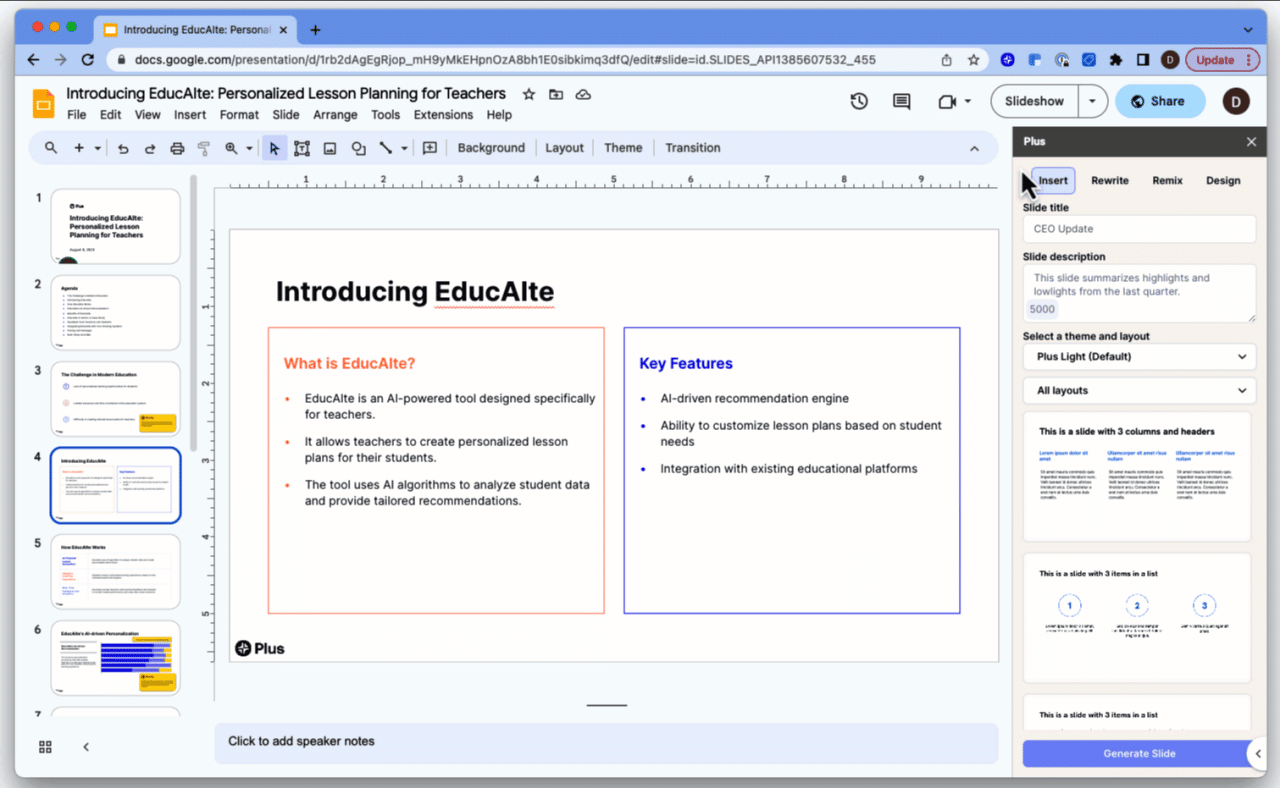
Creating graphs with AI-driven tools can significantly streamline presentation preparation, but it is not without its challenges. Users often encounter certain recurring problems that can compromise the quality or accuracy of generated visuals. Addressing these issues promptly ensures the effectiveness of your slides and enhances your overall presentation. Understanding common pitfalls and their solutions allows for a smoother workflow and more precise data visualization.AI-powered graph generation tools are sophisticated but may occasionally produce output that does not precisely match your expectations.
Typical problems include data incompatibility, formatting errors, and output mismatches, each of which can impact the clarity and correctness of your graphs. Recognizing these issues early and applying targeted solutions helps maintain the integrity of your visual data representations.
Data incompatibility and formatting errors
Data incompatibility arises when the input data does not align with the format or structure expected by the AI tool, leading to errors or inaccurate graphs. Formatting errors involve inconsistencies or incorrect data entries that can cause the AI to misinterpret the information or produce faulty visuals.To mitigate these problems, ensure your data is clean, well-structured, and adheres to the input requirements of the AI tool.
For example, double-check that numerical data has consistent units, categorical labels are correctly spelled, and date formats are standardized. When working with large datasets, consider preprocessing steps such as normalization or data validation to prevent incompatibility issues.
Output mismatches and visualization inaccuracies
Sometimes, the generated graphs do not reflect the intended data insights or contain visual inaccuracies, such as incorrect scales, misplaced labels, or inappropriate chart types. These issues often stem from improper parameter settings or insufficient data context provided to the AI.To improve output accuracy, review and refine the AI parameters, such as chart type, color schemes, and axis configurations. Providing clear, detailed prompts and context about the data helps the AI select appropriate visualization styles.
Additionally, verifying the raw output and comparing it to the source data can help identify discrepancies and guide adjustments for future generations.
Tips for refining AI parameters and improving graph accuracy
Fine-tuning the AI settings is crucial for obtaining precise and meaningful graphs. Start by experimenting with different parameter combinations specific to your data type and visualization goals. For instance, selecting a bar chart versus a line graph should reflect the nature of your data—categorical versus continuous.Regularly reviewing the generated output and adjusting parameters like color contrast, scale sensitivity, and data point density can enhance clarity and accuracy.
It is also beneficial to provide explicit instructions or constraints within your prompts, such as specifying the desired axis ranges or emphasizing key data points. This iterative process ensures that the AI tool aligns more closely with your presentation requirements, resulting in visually appealing and informative graphs.
Ending Remarks
In conclusion, utilizing AI tools to generate graphs for slides significantly improves the quality and efficiency of data visualization. By properly preparing your data, choosing the right software, and customizing your visuals, you can create impactful presentations that captivate and inform your audience. Embracing these innovative methods not only saves time but also elevates the overall effectiveness of your communication.