Discover how to customize pitch decks with AI to create compelling and tailored presentations that resonate with your audience. Leveraging advanced AI tools enables presenters to enhance visual appeal, personalize content, and streamline the development process, making your pitches more engaging and impactful.
This guide explores practical techniques for utilizing AI in designing, personalizing, and automating pitch decks, ensuring your presentations are both visually appealing and strategically aligned with your target stakeholders.
Overview of AI-Powered Customization for Pitch Decks
The integration of artificial intelligence into pitch deck design has revolutionized the way entrepreneurs and professionals create compelling presentation materials. AI-powered customization tools enhance the efficiency, creativity, and precision of pitch decks, enabling users to tailor content, visuals, and layouts according to specific audience needs and industry standards. This technological advancement streamlines the development process while elevating the overall quality of presentations, ultimately increasing the likelihood of securing investor interest or stakeholder engagement.
By leveraging various AI tools, users can automate routine tasks such as data visualization, slide formatting, and content suggestions. These tools often incorporate machine learning algorithms that analyze successful pitch decks, provide real-time feedback, and personalize recommendations based on the target audience or industry sector. The result is a more dynamic, professional, and persuasive pitch deck that adapts seamlessly to the presenter’s objectives, saving valuable time and resources while boosting confidence in the final output.
Benefits of Integrating AI into Pitch Deck Design and Customization Processes
Incorporating AI into the creation of pitch decks offers numerous advantages that significantly impact the quality and effectiveness of presentations. AI-driven tools facilitate faster development cycles by automating repetitive tasks such as slide layout adjustments, color scheme selection, and font consistency. This allows creators to focus more on strategic content and storytelling rather than technical formatting.
Furthermore, AI enhances the personalization and relevance of pitch decks. Through data analysis and pattern recognition, AI tools suggest customized content, visuals, and messaging tailored to the specific audience or investor profile. This targeted approach increases engagement and improves the chances of resonating with viewers. Additionally, AI can identify potential weaknesses in the pitch structure, recommend improvements, and even generate alternative versions, ensuring the presentation remains compelling and coherent throughout.
Another key benefit is the ability to incorporate real-time feedback and analytics. Some AI tools provide insights on how audiences interact with the presentation, allowing presenters to refine their pitch based on data-driven observations. This iterative process leads to more confident delivery and higher success rates.
AI Tools Assisting in Customizing Pitch Decks Effectively
The landscape of AI-driven tools for pitch deck customization is diverse, offering solutions that range from automated design assistants to advanced content generators. These tools are designed to simplify the creation process, enhance visual appeal, and ensure content relevance.
- Beautiful.ai: An AI-powered design platform that automates slide formatting, suggests layouts, and maintains visual consistency across the deck. It is ideal for users seeking fast, professional-looking presentations without extensive design skills.
- Designs.ai: Offers an array of AI tools for creating presentations, logos, and videos. Its presentation maker uses AI to generate slides based on user input, providing customization options tailored to branding and messaging needs.
- Canva with Magic Resize & AI Features: While primarily a graphic design tool, Canva incorporates AI features such as automatic content suggestions, font pairing, and layout optimization, making it a versatile option for pitch deck customization.
- Slidebean: Utilizes AI to automate slide design and content structuring. Users input their content, and Slidebean arranges slides with professional templates, saving time and ensuring aesthetic appeal.
- Beautiful Slides: An AI-driven platform that analyzes existing pitch decks and offers suggestions for improvement, including content restructuring, visual enhancements, and storytelling flow.
Comparison Table of Popular AI-Driven Presentation Tools
Understanding the capabilities and features of various AI-powered presentation tools helps users select the most suitable solution for their needs. The following table provides a comparative overview of some leading platforms:
| Feature / Tool | Beautiful.ai | Designs.ai | Canva with AI Features | Slidebean | Beautiful Slides |
|---|---|---|---|---|---|
| Automation of Design | Yes, automatic slide formatting and layout suggestions | Yes, AI-generated slides based on user input | Partial, content suggestions and layout optimization | Yes, automated slide structuring with AI | Yes, analysis and recommendations for improvement |
| Customization Options | Extensive, with adjustable templates and styles | Moderate, focus on branding and content tailoring | High, with custom branding and design elements | Moderate, template-based customization | High, content restructuring and visual enhancements |
| Ease of Use | High, intuitive interface for non-designers | Moderate, requires some familiarity | High, user-friendly with drag-and-drop features | High, straightforward slide creation | Moderate, analytical insights with user input |
| Pricing | Subscription-based, with free trial | Subscription plans with tiered features | Freemium model with premium options | Subscription with free tier | Subscription plans, varies by features |
| Unique Selling Point | Focus on aesthetics and consistency automation | AI-driven content generation and branding | Versatile design with AI enhancements | Content structuring and professional templates | Analytics and improvement suggestions |
Techniques for Personalizing Content with AI
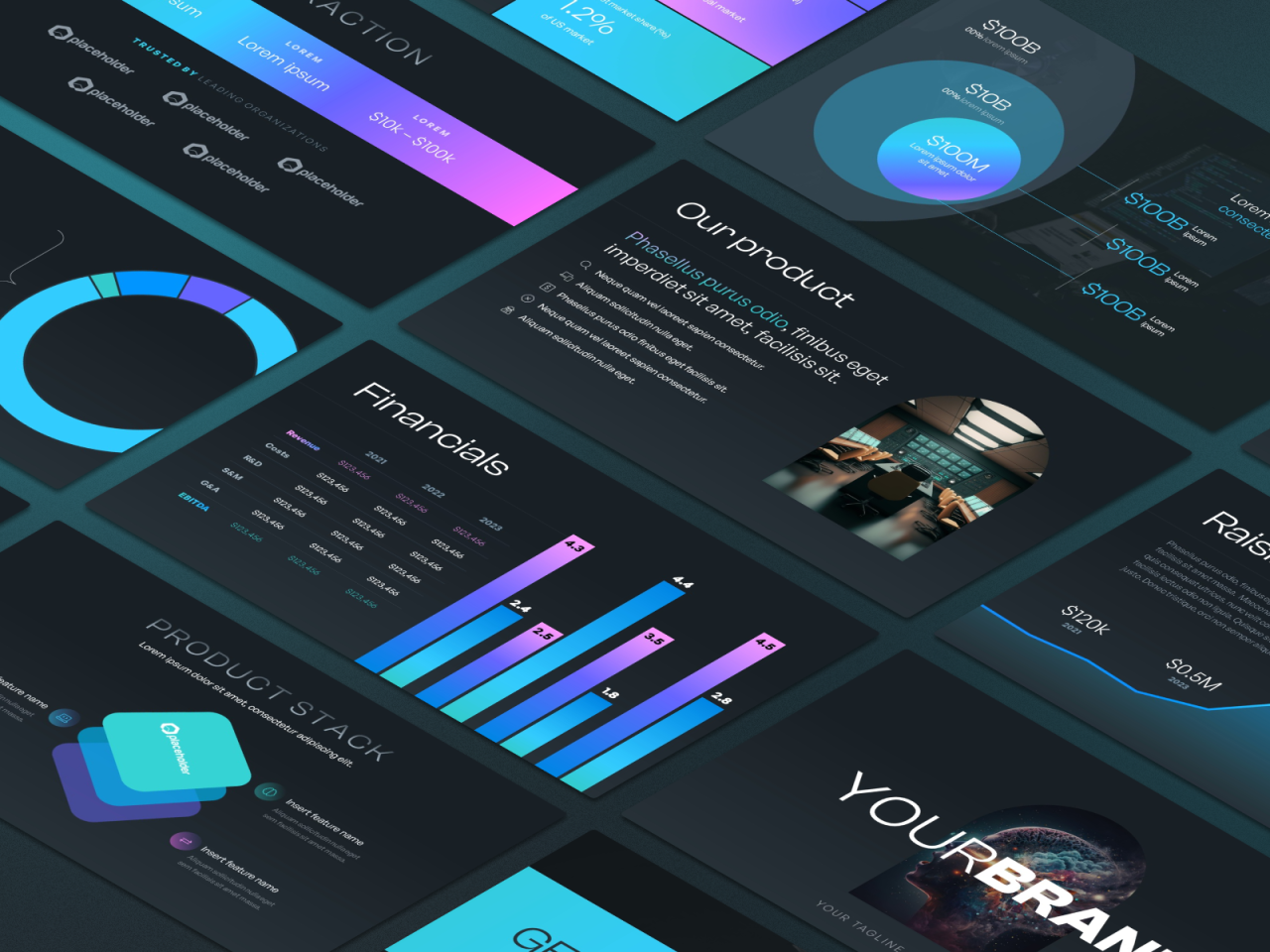
Effective customization of pitch decks enhances engagement by aligning messaging with the specific needs, preferences, and expectations of diverse audiences. Leveraging AI tools enables creators to automate and refine this process, ensuring each presentation resonates more profoundly with its target viewers. By applying advanced algorithms and templates, users can craft compelling, tailored content efficiently and accurately.
Utilizing AI for personalization involves selecting appropriate templates, importing relevant data, and systematically generating slides that reflect the audience’s industry context, interests, and expectations. This approach allows for dynamic updates and adjustments, providing a highly relevant and professional presentation each time. The following methods demonstrate how AI-driven customization streamlines this process and maximizes impact.
Using AI Templates for Tailoring Messaging to Target Audiences
AI templates serve as pre-designed frameworks that can be customized based on the target industry and audience profile. These templates incorporate adaptable content blocks, design elements, and language styles that cater to specific sectors such as technology, healthcare, or finance. Selecting the appropriate template ensures that messaging aligns with industry terminology, expectations, and cultural nuances, thereby increasing the likelihood of audience engagement.
To personalize messaging effectively, users should choose templates that correspond with their audience’s sector. Many AI tools offer a library of industry-specific templates, which can be further refined through customizable fields. This approach enables consistent branding while maintaining the flexibility to adapt language, statistics, and visuals to meet audience needs.
Organizing a Step-by-Step Procedure for Importing Data and Generating Customized Slides
Creating tailored pitch decks with AI involves a systematic workflow to ensure accuracy, relevance, and visual appeal. The following steps Artikel an efficient process:
- Data Collection and Preparation: Gather relevant information about the target audience, such as industry trends, key challenges, company data, and stakeholder profiles. Structure this data in organized formats like spreadsheets or CSV files for easy import.
- Import Data into AI Platform: Upload or integrate the prepared data into the AI tool’s platform. Many solutions support direct uploads or API integrations to facilitate seamless data transfer.
- Select Appropriate Templates: Choose templates that match the industry and audience type, leveraging built-in customization options within the AI platform.
- Configure Personalization Parameters: Define parameters such as target audience persona, messaging tone, and specific data points to highlight within each slide.
- Generate Customized Slides: Run the AI process to automatically populate slides with tailored content, visuals, and statistics based on the imported data and selected templates.
- Review and Refine: Examine the generated slides for accuracy and relevance, making manual adjustments if necessary to enhance clarity or emphasis.
This structured approach ensures that pitch decks are not only personalized but also professionally crafted, saving time and reducing manual errors.
Customization Options Based on Industry and Audience Type
The following table illustrates various customization strategies tailored to different industries and audience profiles, emphasizing how AI can adapt content to maximize relevance and impact:
| Industry | Audience Type | Customization Focus | Example Content Adjustments |
|---|---|---|---|
| Technology | Investors | Highlight innovation, scalability, and technological advantages | Technical jargon, market growth projections, and competitive differentiation |
| Healthcare | Medical Professionals | Emphasize clinical benefits, regulatory compliance, and patient outcomes | Clinical data, case studies, and compliance standards |
| Finance | Potential Clients or Partners | Focus on ROI, risk management, and financial forecasts | Charts, financial metrics, and strategic investment benefits |
| Education | Institutional Stakeholders | Highlight educational impact, scalability, and resource efficiency | Case studies, success metrics, and resource allocation plans |
| Retail | Consumers and Partners | Showcase customer engagement, sales data, and market reach | Visuals of product use, sales growth figures, and customer testimonials |
By customizing content according to industry-specific needs and audience expectations, AI-driven tools enable presenters to craft highly relevant and persuasive pitch decks that resonate and foster engagement across diverse sectors.
Automating Visual Design and Layout Adjustments

Effective visual design is crucial to capturing your audience’s attention and conveying your message clearly. Leveraging AI to automate the process of adjusting slide layouts, colors, and visual elements ensures a consistent, professional appearance while saving valuable time in the deck creation process. AI-powered tools can analyze content structure, readability, and visual harmony to optimize every slide for maximum impact.
By utilizing AI-driven design adjustments, presenters can achieve a cohesive and engaging presentation experience. These tools not only streamline design workflows but also provide creative suggestions that enhance visual appeal and clarity, ensuring your pitch deck resonates with your audience.
Optimizing Slide Layouts for Clarity and Engagement
AI algorithms analyze the content on each slide to automatically suggest or implement layout improvements that enhance clarity, focus, and visual interest. These systems consider factors such as text-to-image balance, whitespace distribution, and logical flow to create layouts that are both aesthetically pleasing and easy to follow.
For example, an AI tool might detect cluttered slides with dense text and suggest breaking the content into multiple slides or adjusting the placement of key points to improve readability. Such adjustments help maintain audience engagement and ensure that key messages are effectively communicated.
Adjusting Color Schemes, Fonts, and Visual Elements via AI Tools
AI-powered design platforms enable users to modify visual elements with minimal effort. These tools typically offer options to select or generate color schemes that align with branding or emotional tone, as well as recommend font pairings to improve readability and hierarchy. Additionally, AI can assist in resizing, repositioning, and customizing visual elements such as icons, charts, and images for optimal impact.
For instance, AI can analyze the existing color palette and suggest complementary or contrasting colors to emphasize important points. Similarly, font adjustments may involve selecting typefaces that enhance legibility across different devices and screen sizes, ensuring consistency throughout the deck.
Examples of Visual Adjustments with AI Customization
Below are common visual enhancements facilitated by AI tools, along with their descriptive explanations:
| Adjustment Type | Description |
|---|---|
| Color Harmonization | AI analyzes the current color palette and suggests cohesive colors that align with branding or emotional tone, ensuring visual consistency and appeal across all slides. |
| Font Optimization | AI recommends font styles and sizes based on readability, hierarchy, and aesthetic harmony, adapting the typography to suit different content types and presentation contexts. |
| Icon and Image Placement | AI detects visual clutter and suggests optimal placement of icons and images to create a balanced layout, improving clarity and focus on key content areas. |
| Whitespace Management | AI identifies areas with excessive or insufficient whitespace, proposing adjustments to improve content separation and overall slide harmony, making the presentation more engaging. |
| Visual Element Resizing | AI automatically resizes charts, images, and other visual elements to fit the slide layout effectively, maintaining aspect ratios and ensuring clarity without overcrowding. |
“AI-driven design adjustments enable seamless, consistent, and aesthetically appealing pitch decks, significantly reducing manual effort while enhancing visual storytelling.”
Incorporating Data and Visuals Using AI
Effective storytelling in pitch decks relies heavily on the strategic use of data and visuals that resonate with the audience. AI-powered tools have revolutionized this aspect by enabling seamless integration of dynamic data visualizations, transforming raw data into engaging and informative graphics. Leveraging AI for visual storytelling not only enhances clarity but also accelerates the creation process, allowing presenters to focus on delivering compelling narratives backed by compelling visuals.
AI facilitates the generation of a variety of visual elements, such as charts, infographics, and images, tailored to support key messages within the pitch. These AI-driven visuals adapt in real-time to data updates, ensuring that the deck remains current and relevant. The process involves analyzing datasets, selecting appropriate visualization types, and automating the design to produce clear, impactful visuals that elevate the overall storytelling experience.
Integrating Dynamic Data Visualizations into Pitch Decks
Incorporating dynamic data visualizations involves utilizing AI tools that connect directly to data sources, enabling automated updates and interactive features within the presentation. These processes typically include:
- Connecting AI-powered visualization platforms to live data feeds, such as sales figures, market trends, or user analytics, ensuring that visual content reflects the most recent information.
- Automating the selection of visualization types based on data characteristics, such as using line charts to show trends over time or bar charts for comparisons across categories.
- Embedding interactive elements that allow stakeholders to explore data in depth during presentations, fostering engagement and clarity.
This approach ensures that pitch decks remain flexible and responsive to data-driven insights, making the presentation more persuasive and credible.
Design Explaining AI-Generated Charts, Infographics, and Images
AI systems excel at creating visual assets that enhance storytelling by understanding contextual relevance and aesthetic principles. When designing visuals, AI algorithms analyze the underlying data to determine the most effective representation, considering factors like data distribution, scale, and narrative focus. This process involves:
- Generating charts that are tailored to specific data structures, such as pie charts for proportional data or scatter plots for correlation analysis.
- Designing infographics that combine data points with informative icons, annotations, and color schemes to make complex information more digestible.
- Creating images and illustrations that complement data visualizations, such as conceptual diagrams or product renderings, to support storytelling and branding.
Such AI-generated visuals are optimized for clarity, aesthetic appeal, and storytelling impact, ensuring that each element contributes meaningfully to the overall narrative.
Table Template for Data Visualization Types and Use Cases
Table 1: Data Visualization Types and Their Use Cases
| Visualization Type | Description | Best Use Cases |
|---|---|---|
| Bar Chart | Displays categorical data with rectangular bars representing values | Comparing quantities across different categories such as market segments or product types |
| Line Chart | Shows trends over time by connecting data points with lines | Visualizing sales growth, website traffic, or stock prices over periods |
| Pie Chart | Represents parts of a whole as slices of a circle | Depicting market share, resource allocation, or survey proportions |
| Scatter Plot | Displays relationships or correlations between two variables | Analyzing customer behavior patterns, investment risks, or product performance correlations |
| Infographic | Combines visual data with icons, text, and design elements for storytelling | Summarizing complex data, company milestones, or process flows for audiences |
| Heatmap | Uses color gradients to show data density or intensity across regions or variables | Visualizing user activity, regional sales performance, or operational efficiencies |
Choosing the appropriate visualization type depends on the data’s nature and the story’s objective. AI tools assist in recommending and creating these visualizations, ensuring they align with the message and audience engagement goals.
Enhancing Storytelling and Narrative Flow with AI
Crafting a compelling narrative within a pitch deck is essential for engaging investors, partners, or stakeholders. Leveraging AI tools can significantly improve the structure, coherence, and emotional appeal of your storytelling, making your pitch more persuasive and memorable. AI-driven solutions can assist in identifying the most impactful story arcs, suggesting content sequences, and refining language to resonate with your audience.AI can analyze vast amounts of successful pitch decks and storytelling principles to generate cohesive narratives that highlight your value proposition effectively.
By utilizing these technologies, presenters can ensure their story maintains logical flow, builds momentum, and emphasizes the most compelling aspects of their offering. Additionally, AI can support real-time adjustments to narrative elements based on audience feedback or changing presentation contexts.
Generating Engaging Hooks, Transitions, and Conclusions
Effective storytelling begins with an engaging hook that captures attention immediately. AI-powered content generation tools can help craft captivating opening statements by analyzing target audience preferences and identifying themes that evoke curiosity or emotional response. These tools can also propose transition statements that seamlessly connect different sections of the deck, maintaining narrative continuity and logical progression.Concluding statements are equally vital for reinforcing key messages and prompting action.
AI can suggest persuasive closing remarks tailored to your specific goals, whether to inspire confidence, provoke further discussion, or encourage investment. For example, an AI model might generate a compelling summary emphasizing your unique value, such as: “Together, we can revolutionize the industry with innovative solutions that deliver measurable impact.”
“AI-driven storytelling elements help craft persuasive narratives by analyzing audience data, optimizing language, and suggesting narrative structures that increase engagement and retention.”
Example Applications of AI in Persuasive Storytelling
AI tools can create persuasive storytelling elements by analyzing your key messages and generating language that appeals emotionally and logically to your audience. For instance, an AI can help develop a narrative arc that highlights customer pain points, presents your solution as the ideal remedy, and concludes with a call to action. Suppose your pitch revolves around a new health tech device.
An AI model might suggest a narrative like: “Every year, millions suffer from preventable health issues. Our innovative device empowers individuals to monitor their health proactively, reducing hospital visits and saving lives. Join us in transforming healthcare—because everyone deserves better health management.” This example demonstrates how AI can craft compelling stories that combine emotional resonance with factual persuasion.Moreover, AI can assist in refining the tone, ensuring consistency, and tailoring storytelling elements based on cultural or industry-specific nuances.
Incorporating these AI-generated components into your pitch deck can significantly elevate its impact, making your message not only clear but also emotionally compelling and persuasive.
Customizing Pitch Decks for Different Stakeholders
Effective communication with diverse stakeholder groups requires tailored content that resonates with their unique interests and priorities. Leveraging AI technology enables rapid personalization of pitch decks to suit investors, partners, or clients, ensuring that each presentation addresses the specific concerns and expectations of the audience.
Utilizing AI assistance for stakeholder-specific customization streamlines the process by automatically adapting messaging, visuals, and data points based on predefined profiles. This approach not only saves time but also enhances the relevance and impact of each pitch, increasing the likelihood of stakeholder engagement and support.
Approaches to Tailor Content for Stakeholders with AI Assistance
Customizing pitch decks begins with understanding stakeholder priorities and preferences, which AI can analyze through data inputs such as previous interactions, demographic information, and industry-specific interests. AI-driven tools can then generate personalized content by modifying language tone, emphasizing relevant benefits, and selecting appropriate visuals.
For example, when preparing for investors, AI can highlight financial metrics, growth forecasts, and ROI projections, whereas for potential partners, the focus might shift toward collaboration opportunities, strategic alignment, and mutual benefits. AI algorithms can adapt the narrative flow to emphasize these aspects, ensuring the message resonates with each audience.
Additionally, AI-powered natural language processing (NLP) can craft customized messaging that aligns with stakeholder communication styles, whether formal or casual, technical or simplified, further enhancing the effectiveness of the presentation.
Procedure for Rapid Creation of Stakeholder-Specific Decks
Developing multiple tailored versions of a pitch deck efficiently involves a structured approach that incorporates AI at key stages:
- Stakeholder Profiling: Gather data on each stakeholder group, including their priorities, interests, and preferred communication styles.
- Template Selection: Use a flexible deck template designed to accommodate dynamic content modifications.
- Content Customization: Utilize AI tools to generate or adapt content segments based on stakeholder profiles, adjusting language, data emphasis, and visual elements accordingly.
- Visual and Data Integration: Leverage AI to select or modify visuals, charts, and data points that are most relevant for each stakeholder group.
- Review and Refinement: Employ AI-powered feedback mechanisms to ensure clarity, relevance, and engagement level before finalizing each version.
This systematic process allows organizations to generate personalized pitch decks rapidly, often within minutes, especially when integrated within a centralized AI-enabled platform.
Comparison of Customization Strategies per Stakeholder Group
Below is a responsive table illustrating tailored strategies for different stakeholder groups, emphasizing their specific needs and AI-driven customization approaches:
Stakeholder Group Primary Focus Content Customization Strategy Visual & Data Approach Language & Tone Investors Financial viability, growth potential, ROI Highlight financial metrics, include forecasts, emphasize risk mitigation Use charts like CAGR, profit margins, and market share visuals Formal, data-driven, confidence-building language Partners Strategic alignment, collaboration benefits, partnership opportunities Focus on synergies, joint value propositions, case studies Diagrams of collaboration models, shared success visuals Professional yet approachable tone, emphasizing mutual growth Clients Solution benefits, user experience, service quality Personalized use-case scenarios, testimonials, benefit-focused messaging Customer journey maps, before-and-after visuals Friendly, straightforward language to foster trust and clarity
This table underscores the importance of aligning content strategies with stakeholder priorities, facilitated by AI to ensure rapid and precise customization. Each approach aims to maximize relevance and engagement, ultimately supporting the presentation’s effectiveness across varied audiences.
Best Practices for AI-Enhanced Pitch Deck Development
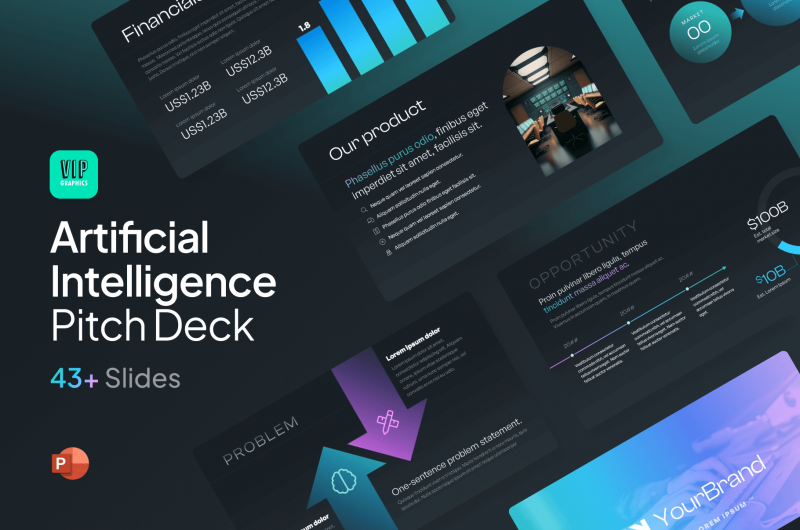
In the rapidly evolving landscape of presentation design, leveraging AI effectively can significantly improve the quality, relevance, and impact of pitch decks. Implementing best practices ensures that AI integration enhances creativity without compromising accuracy or brand identity. These guidelines serve as a foundation for developing compelling, personalized, and visually appealing decks that resonate with diverse stakeholders and facilitate successful communication of ideas.
Following a structured approach to AI-enhanced pitch deck development helps teams streamline workflows, maintain consistency, and optimize the use of AI tools. It also fosters continuous improvement through iterative processes, ensuring that the final presentation aligns with strategic goals and branding standards. Adopting these best practices empowers organizations to harness AI’s full potential while maintaining control over the quality and messaging of their pitch decks.
Checklist for Effective AI Integration in Pitch Deck Design
To maximize the benefits of AI during pitch deck creation, a systematic approach is essential. The following checklist Artikels key steps for integrating AI tools effectively, from initial setup to final review:
- Define Clear Objectives: Establish specific goals for AI use, such as content personalization, visual consistency, or data visualization enhancement. Clear objectives guide tool selection and application.
- Choose Appropriate AI Tools: Select AI platforms and features aligned with your needs, whether for content generation, design automation, or data integration. Verify tool credibility and compatibility with existing workflows.
- Prepare Data and Resources: Curate accurate, up-to-date data, branding guidelines, and tone-of-voice documents to inform AI-generated outputs, ensuring consistency and relevance.
- Set Up Custom Templates and Styles: Create templates that incorporate your brand identity, and configure AI settings to adhere to these standards during content and design automation.
- Integrate AI at Key Stages: Incorporate AI for initial content ideas, layout suggestions, and visual enhancements, always maintaining human oversight to ensure alignment with strategic messaging.
- Review AI Outputs Rigorously: Regularly evaluate AI-generated content for accuracy, relevance, and brand consistency before inclusion in the final deck.
- Iterate and Refine: Use feedback loops to improve AI prompts and outputs continually, applying insights from stakeholder reviews and internal assessments.
- Document Processes and Lessons Learned: Keep records of successful configurations and common pitfalls to streamline future AI-assisted projects and foster best practices across teams.
Tips for Reviewing AI-Generated Content for Accuracy and Brand Alignment
Ensuring that AI-produced content upholds accuracy and reflects your brand identity is critical to delivering a professional and trustworthy pitch. The following strategies facilitate effective review processes:
Establish a structured review protocol to verify AI outputs against factual data, branding standards, and strategic messaging.
- Cross-Check Data and Facts: Validate all AI-suggested statistics, figures, and statements against reliable sources to prevent misinformation and maintain credibility. For instance, if AI recommends a market share statistic, verify it with recent industry reports.
- Align with Brand Voice and Style: Ensure that language tone, terminology, and stylistic elements match your brand guidelines. For example, if your brand emphasizes a professional tone, avoid casual language suggested by AI tools.
- Assess Visual Consistency: Review AI-generated visuals for alignment with your branding palette, logo placement, and overall aesthetic to maintain a cohesive look across the deck.
- Check for Relevance and Context: Confirm that AI suggestions are contextually appropriate for your audience and presentation goals, adapting or discarding outputs that do not meet these standards.
- Engage Multiple Reviewers: Incorporate feedback from team members with different expertise—such as branding, data analysis, and storytelling—to capture diverse perspectives and ensure comprehensive quality control.
Methods to Iterate and Refine Decks Based on AI Feedback
Continuous improvement in pitch deck quality hinges on effectively leveraging feedback and AI suggestions. The following methods facilitate iterative refinement:
- Implement Feedback Loops: Collect input from stakeholders, peers, and AI evaluations to identify areas for enhancement. For example, if AI suggests alternative layouts that improve visual flow, incorporate and test these options.
- Adjust AI Prompts and Settings: Refine prompts based on previous outputs, emphasizing clarity and specificity to obtain more accurate and aligned results in subsequent iterations.
- Use Version Control: Maintain multiple versions of the deck during refinement to compare changes systematically, enabling informed decisions about final content and design choices.
- Leverage Analytics and Engagement Data: Analyze audience reactions, feedback, and engagement metrics post-presentation to identify strengths and weaknesses, guiding future AI-driven adjustments.
- Engage in Regular Testing and Validation: Conduct test runs of the pitch with internal teams or trusted stakeholders, gathering insights to fine-tune content relevance, clarity, and visual impact.
Ethical Considerations and Quality Control
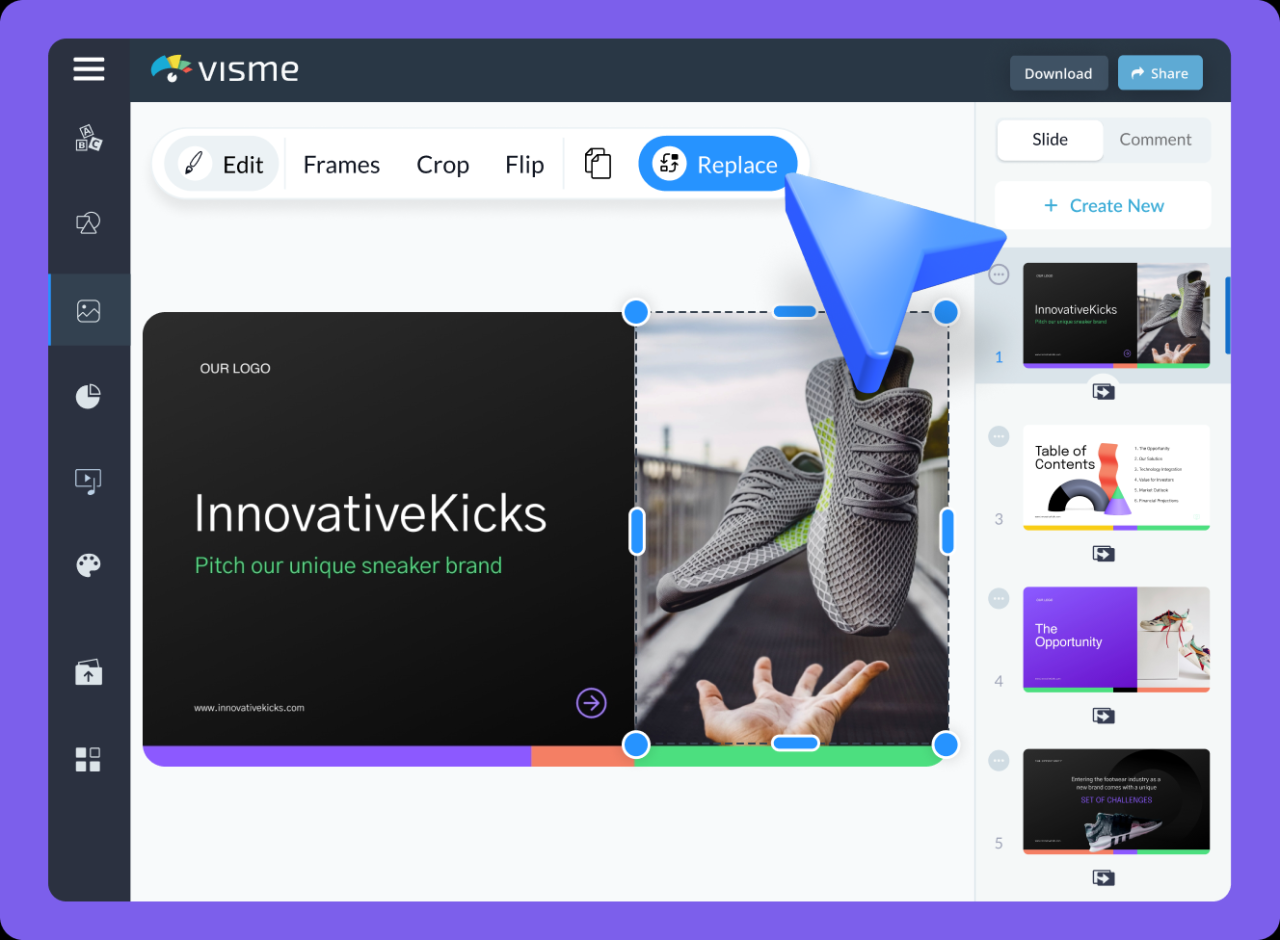
Ensuring the integrity and credibility of AI-enhanced pitch decks is essential for maintaining trust with stakeholders and upholding professional standards. As organizations increasingly adopt AI tools for customization, it becomes crucial to address ethical responsibilities and implement robust quality control measures. This section explores the responsibilities inherent in AI customization, procedures for verifying AI-generated content, and guidelines for balancing human oversight with AI assistance to produce authentic, reliable, and ethically sound presentations.In the context of AI-driven customization, the primary responsibility lies in ensuring that the content remains truthful, transparent, and respectful of intellectual property rights.
While AI can generate compelling narratives and visuals, human oversight is necessary to prevent misinformation, bias, or unintended misrepresentation. Establishing clear guidelines and accountability protocols helps organizations navigate the ethical landscape, especially when dealing with sensitive information or data from diverse sources.
Responsibilities in AI Customization to Maintain Authenticity and Transparency
AI customization must adhere to principles that promote honesty and openness. This involves explicitly disclosing the use of AI tools in the creation process, especially in scenarios where stakeholders expect traditional human-generated content. Transparency builds trust and manages expectations by clarifying that AI assists but does not replace human judgment.Furthermore, maintaining authenticity involves ensuring that generated content accurately reflects the company’s brand voice, values, and factual data.
Responsibility also extends to addressing biases that AI models might perpetuate. For example, if an AI tool inadvertently favors certain demographics or misrepresents statistical data, it can lead to ethical lapses and damage credibility.To uphold these standards, organizations should develop policies that define acceptable AI practices, conduct regular training for content creators on ethical AI use, and foster a culture of accountability.
This proactive approach helps prevent ethical pitfalls and promotes responsible AI deployment.
Procedures for Verifying AI-Generated Content for Reliability
Given the potential for AI to produce inaccurate or misleading information, a rigorous verification process is vital. Reliable verification procedures include:
- Cross-Checking Data and Facts: All factual statements and data visualizations generated by AI should be verified against trusted sources such as industry reports, official statistics, or primary research data. For instance, if the AI suggests market growth figures, these should be validated through reputable market research firms like Statista or IBISWorld.
- Human Review and Editing: Content generated by AI should undergo thorough review by subject matter experts or experienced content creators. This review ensures that nuanced context, tone, and messaging align with strategic objectives.
- Use of Quality Assurance Tools: Implementing software tools that scan for inconsistencies, grammatical errors, or potential biases can enhance content reliability. Automated tools can flag anomalies for manual assessment.
- Feedback Loops: Incorporating feedback mechanisms where stakeholders can report inaccuracies or concerns fosters continuous improvement and accountability in the AI customization process.
A case study illustrating these procedures is a financial startup that uses AI to generate investor pitch decks. They verify all financial projections with certified accountants and cross-reference market data with industry publications before finalizing the presentation.
Guidelines for Balancing AI Assistance with Human Oversight
Balancing AI assistance with human oversight involves integrating technology without relinquishing critical judgment and ethical responsibility. Effective guidelines include:
- Defining Roles and Responsibilities: Clearly delineate which aspects of content creation are handled by AI and which require human intervention. For example, while AI can generate initial drafts and visuals, humans should oversee storytelling coherence and cultural sensitivity.
- Implementing Multi-Layered Review Processes: Establish review stages where AI-generated content is checked by different team members, ensuring discrepancies are caught early. This multi-tiered approach enhances accuracy and ethical compliance.
- Providing Training on AI Limitations: Educate team members about the capabilities and limitations of AI tools. Understanding that AI is a tool rather than an autonomous creator helps maintain realistic expectations and encourages diligent oversight.
- Promoting Ethical Awareness: Foster awareness around potential ethical issues, such as bias or misrepresentation, so that human reviewers remain vigilant during the customization process.
- Continuous Monitoring and Improvement: Regularly assess the effectiveness of AI-human collaboration, adjusting procedures as new challenges or technologies emerge. This iterative process ensures ongoing quality and ethical standards are upheld.
In practice, a consulting firm might utilize AI to generate initial visual layouts but relies on experienced designers to refine the aesthetics and ensure cultural appropriateness, thereby maintaining both efficiency and ethical integrity in their pitch decks.
Wrap-Up
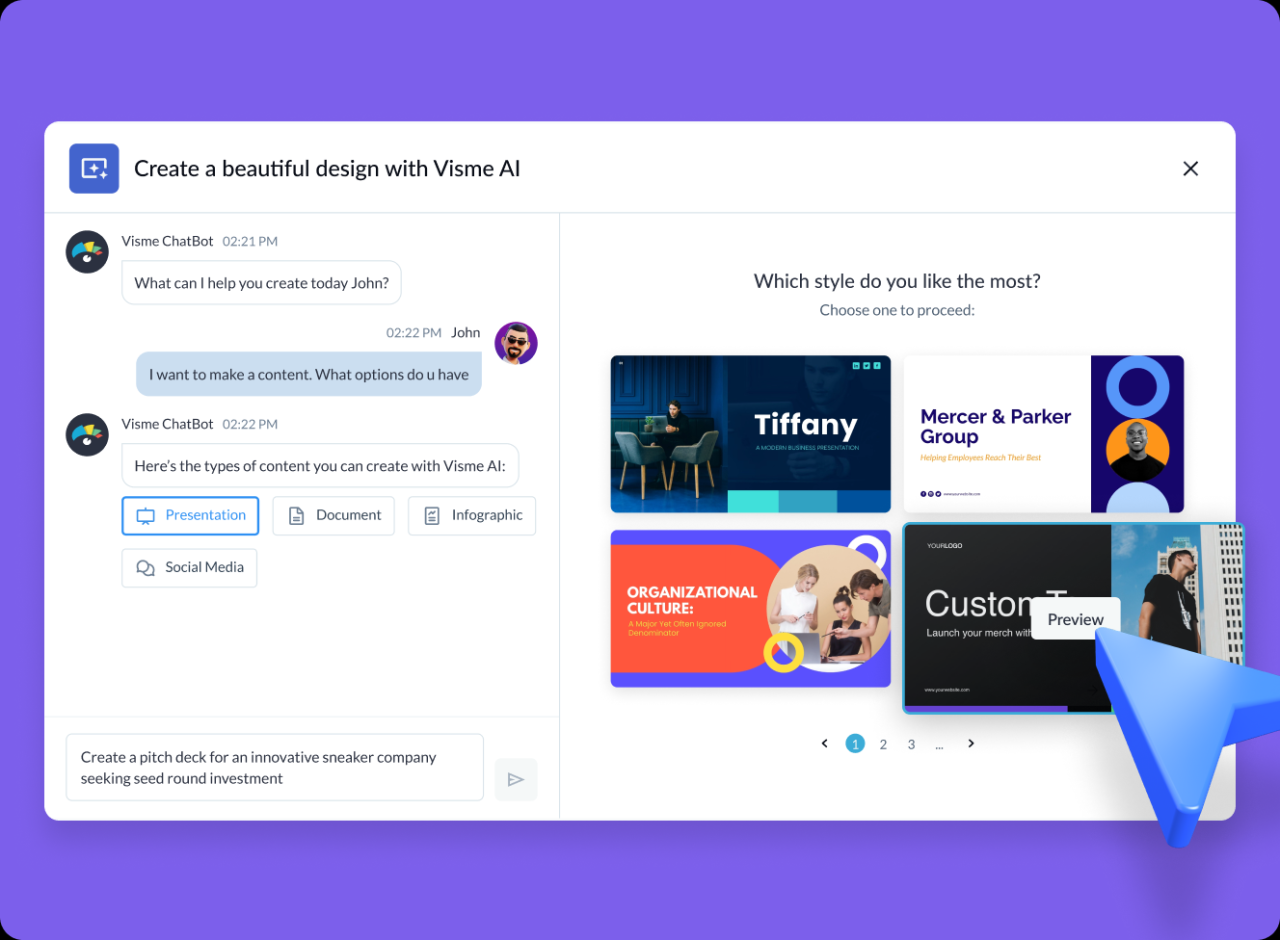
Incorporating AI into your pitch deck creation process offers numerous advantages, from personalized content to automated design adjustments. By applying these innovative techniques responsibly, you can craft persuasive presentations that effectively communicate your message and leave a lasting impression on your audience.