Discover effective strategies on how to enhance slide design with AI, enabling you to create more engaging, visually appealing, and clear presentations with ease. Leveraging AI tools can transform your slide creation process, making it more efficient and impactful.
This guide explores various ways AI can assist in generating content, selecting visual elements, visualizing data, automating design layouts, and adding interactive features—empowering you to deliver professional presentations effortlessly.
Understanding the Role of AI in Slide Design
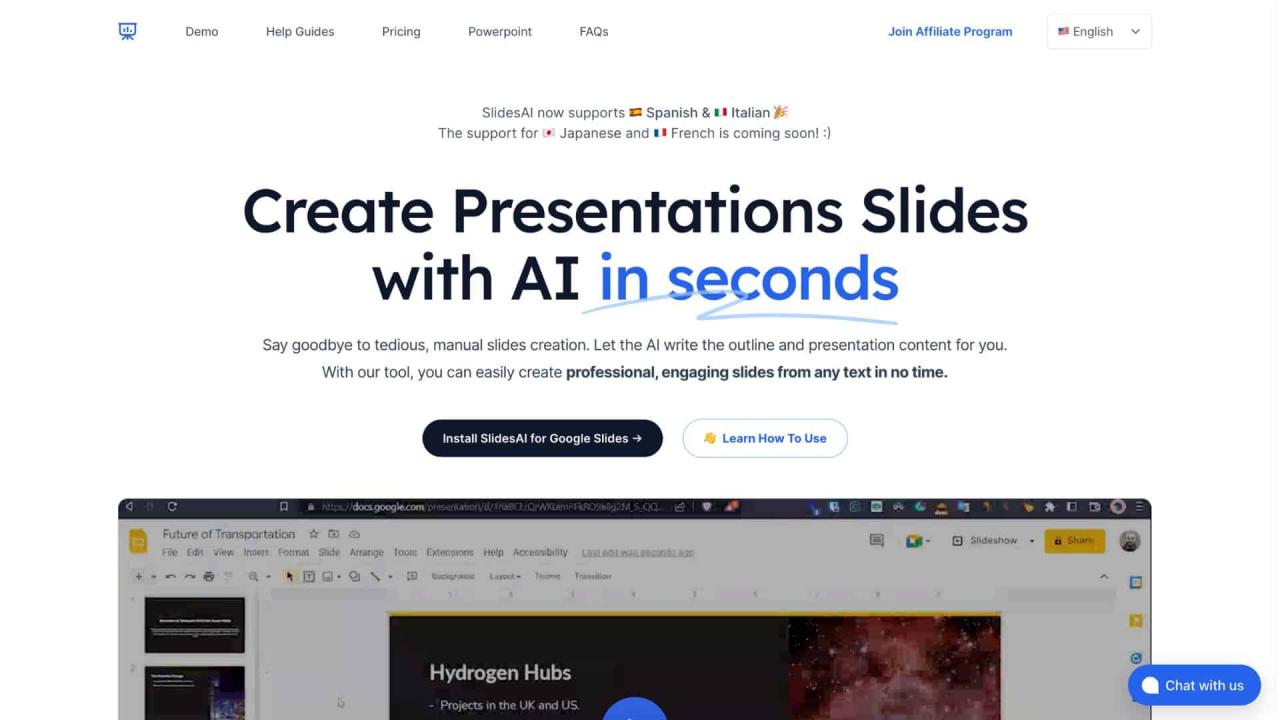
Artificial Intelligence (AI) has revolutionized numerous aspects of digital content creation, including the realm of presentation design. Its integration into slide creation processes offers professionals and educators alike the ability to produce visually compelling and content-rich presentations efficiently. By understanding how AI contributes to this field, users can leverage these tools to enhance both their workflow and the overall impact of their presentations.
AI tools streamline the creation and refinement of slides by automating routine tasks, optimizing visual aesthetics, and ensuring clarity of message. These technologies are increasingly embedded within popular presentation platforms, making sophisticated design capabilities accessible even to users with limited graphic design experience. The synergy between AI and presentation software empowers users to craft engaging, professional-quality slides with greater speed and consistency.
Automation of Slide Creation Processes
AI-driven features significantly reduce the time and effort required to develop presentations by automating various stages of slide design. These include layout suggestions, image selection, and content organization. For example, some platforms utilize AI to analyze the provided content and automatically generate cohesive slide structures, ensuring logical flow and visual balance. This automation allows users to focus more on the message they wish to communicate, rather than on the technicalities of design.
Impact on Visual Aesthetics and Content Clarity
The integration of AI enhances the visual appeal of slides through intelligent suggestions for color schemes, font pairings, and image placements that align with best design practices. AI algorithms can also analyze content to identify key messages, highlight critical data points, and suggest ways to emphasize these elements visually. This results in slides that are not only attractive but also clearer and more impactful, improving audience engagement and comprehension.
Integration with Popular Presentation Platforms
Many leading presentation tools have incorporated AI functionalities directly into their user interfaces, facilitating seamless integration. For instance, platforms like Microsoft PowerPoint leverage AI for designer suggestions, automatic image cropping, and accessibility enhancements. Google Slides integrates AI-powered language suggestions and layout recommendations. These integration points enable users to access advanced design features without needing specialized knowledge, thereby democratizing high-quality presentation creation across diverse user groups.
AI-Driven Content Generation for Slides
.webp "AI Slide Deck Creator | Presentations AI")
Leveraging artificial intelligence to generate slide content has become an essential practice for creating compelling and coherent presentations efficiently. AI tools can assist in transforming raw data or broad topics into structured, impactful slides that resonate with audiences. This approach not only saves time but also enhances the clarity and professionalism of your presentations.
By utilizing AI for content creation, presenters can focus more on delivery and engagement while ensuring that the core message remains clear and well-organized. From drafting initial Artikels to refining key messages, AI-driven content generation offers a versatile and powerful resource for modern slide design.
Structured Content Creation Using AI
Creating well-organized slide content begins with defining the core topic and allowing AI tools to assist in developing relevant points. AI can analyze input s or themes and produce coherent text segments that serve as the foundation for slide content. This process ensures that the information is aligned with the presentation’s objectives and tailored to the target audience.
AI algorithms can generate various content formats, including bullet points, summaries, and key messages, which can streamline the process of content organization. For instance, providing a broad topic such as “Renewable Energy” can prompt AI to produce distinct sections covering solar, wind, hydro, and policy aspects, each summarized clearly for presentation slides.
Organizing Bullet Points, Summaries, and Key Messages
Effective slides rely on concise and impactful content. AI facilitates this by assisting in structuring key messages into digestible bullet points, ensuring clarity and emphasis. When inputting a comprehensive paragraph or data set, AI tools can extract the most relevant information, distilling it into bullet points that highlight critical insights.
Additionally, AI can generate summaries that encapsulate lengthy reports or detailed data, making complex information accessible within a slide. For example, an AI-generated summary of a market analysis report might include key statistics, trends, and recommendations, providing a succinct overview suitable for presentation slides.
“AI-driven summarization enables presenters to convey complex datasets succinctly, making content more engaging and easier to understand.”
Designing Templates with AI-Generated Text
Templates serve as a foundational element of consistent and professional slide decks. Incorporating AI-generated text into templates allows for rapid customization across different presentation styles, whether formal, creative, or data-centric. AI can suggest layout arrangements that optimize readability, visual impact, and thematic coherence.
For example, an AI-designed template for a corporate presentation might include placeholder sections for executive summaries, key metrics, and strategic insights, each pre-populated with AI-generated content tailored to the specific topic. This approach expedites the creation process while maintaining a polished, unified appearance.
Moreover, AI can recommend font sizes, color schemes, and visual hierarchies that enhance the clarity of the generated content, ensuring that each slide aligns with best practices in visual communication.
Enhancing Visual Elements with AI
Visual elements play a crucial role in creating engaging and impactful presentations. Leveraging AI technology empowers users to craft visually cohesive and appealing slides with minimal effort, ensuring consistency and professionalism across your deck. Through advanced algorithms and data-driven suggestions, AI tools can significantly elevate the aesthetic quality of your slides, making your message more compelling and easier to comprehend.
By integrating AI into the design process, presenters can access intelligent recommendations for color schemes, fonts, layouts, and visual assets. This not only streamlines the creative workflow but also ensures that visual choices are data-informed and tailored to the content’s context. The following sections explore practical techniques and procedures to harness AI for enhancing visual elements effectively.
Using AI to Suggest Color Schemes, Fonts, and Layouts
Color schemes, fonts, and layouts are fundamental to establishing a slide’s visual identity. AI-powered design tools analyze the content and audience context to generate optimal combinations that enhance readability and visual harmony.
Techniques include:
- Color Palette Generation: AI tools can extract dominant colors from images or branding guidelines to suggest complementary palettes. For instance, when presenting a product related to nature, AI might recommend earthy tones like greens, browns, and soft blues to reinforce the theme.
- Font Pairing Recommendations: AI can analyze your existing font choices and suggest pairs that improve hierarchy and readability. For example, pairing a bold sans-serif for headings with a clean serif for body text creates visual contrast and clarity.
- Layout Optimization: AI algorithms assess slide content to propose layouts that balance text and visuals, maximizing space utilization while maintaining aesthetic appeal. This includes suggesting alignments, spacing, and placement based on design principles.
Recommending Relevant Images, Icons, and Infographics
Visual assets such as images, icons, and infographics significantly enhance the clarity and engagement of presentation slides. AI systems can streamline the selection process by providing contextually relevant suggestions, saving time and ensuring visual coherence.
Procedures involve:
- Semantic Analysis of Content: AI analyzes slide text and s to identify themes and concepts, then searches for matching visual assets. For example, a slide discussing renewable energy might be complemented with icons of solar panels, wind turbines, and related infographics.
- Image and Icon Libraries Access: Many AI tools are integrated with extensive repositories, enabling instant retrieval of high-quality images and icons aligned with the presentation’s subject matter.
- Visual Relevance Filtering: AI can filter out irrelevant or low-quality assets by evaluating visual clarity, resolution, and contextual fit, ensuring only suitable options are presented for selection.
This targeted approach not only enhances the visual storytelling but also maintains consistency across slides by using assets that align with the overall design theme.
Generating Visually Appealing Slide Backgrounds Using AI Tools
Slide backgrounds set the tone of the presentation and can either enhance or distract from the core message. AI tools facilitate the creation of dynamic, professional backgrounds that complement the content without overpowering it.
Procedures involve:
- Design Style Selection: AI can recommend background styles based on the presentation’s theme, such as minimalistic, textured, or gradient backgrounds. For example, for a corporate report, a subtle gradient with light hues may be suggested to keep the focus on the data.
- Automatic Background Generation: Using machine learning algorithms, AI can generate unique backgrounds by blending colors, textures, and patterns that align with the selected color palette. This process ensures backgrounds are cohesive with overall slide design.
- Context-Aware Adjustments: AI adjusts background complexity based on content density, ensuring that text and visuals remain clear and legible. For instance, it may suggest a more subdued background behind dense text sections and more vibrant designs for introductory slides.
Implementing AI-generated backgrounds can significantly reduce manual effort, while producing visually striking slides that engage audiences and reinforce your message effectively.
Incorporating AI for Data Visualization
Integrating AI-driven data visualization into slide presentations enhances clarity and engagement by transforming raw data into compelling visual narratives. AI-powered tools enable dynamic creation of charts, graphs, and interactive visuals that adapt to the data and audience needs seamlessly. This approach not only streamlines the design process but also elevates the overall impact of the presentation by making complex information more accessible and visually appealing.
Utilizing AI for data visualization involves leveraging advanced algorithms that analyze raw datasets and generate insightful visual representations. These tools can automatically select the most appropriate types of charts, optimize visual styles, and even suggest modifications to highlight key insights. The result is a more interactive, customized, and informative slide that resonates with viewers and facilitates better understanding of the data presented.
Creating Dynamic Charts and Graphs with AI
AI tools can convert raw data into engaging and informative visual formats with minimal manual input. By inputting datasets into AI-powered platforms, such as Tableau, Microsoft Power BI, or specialized AI visualization software, users receive automatically generated charts, graphs, and dashboards tailored to the data’s characteristics. These visualizations are often more accurate and insightful because AI algorithms can identify patterns, trends, and outliers that might be overlooked with traditional methods.
This process involves AI analyzing the data structure, selecting the optimal visualization type, and customizing the presentation for clarity and impact.
Customizing Visualizations to Enhance Understanding and Engagement
Customizing AI-generated visuals is crucial for aligning the data presentation with the audience’s expectations and the presentation’s objectives. AI tools often allow users to modify color schemes, labels, data points, and interaction features to improve readability and engagement. For example, utilizing contrasting colors can emphasize significant trends, while interactive elements like hover-over details can provide deeper insights without cluttering the slide.
Incorporating annotations or highlighting specific data points with AI assistance can draw attention to key messages, facilitating a more compelling visual narrative. Additionally, AI can suggest the best visualization styles based on the data type and audience demographics, ensuring the visuals are both informative and appealing.
Step-by-Step Process for Integrating AI-Generated Data Visuals into Slides
Integrating AI-created data visualizations into your presentation slides involves a systematic approach to ensure clarity, consistency, and visual harmony. The following process provides a straightforward method for seamless integration:
| Step | Action | Details | Outcome |
|---|---|---|---|
| 1 | Data Preparation | Organize raw data into clean, structured formats suitable for AI analysis, such as CSV or Excel files. | Ready-to-analyze dataset that ensures accurate visualization results. |
| 2 | AI Visualization Generation | Upload data into an AI-powered visualization tool or platform, selecting desired visualization types or allowing AI to recommend optimal formats. | Automatic creation of charts, graphs, or dashboards reflecting data insights. |
| 3 | Customization | Adjust colors, labels, and interaction features within the AI tool to enhance clarity and engagement, based on the presentation’s context. | Tailored visualizations that align with branding and audience preferences. |
| 4 | Export and Embed | Download the finalized visualizations in suitable formats (e.g., PNG, SVG, or interactive HTML) and insert them into your slides using your preferred presentation software. | Integrated, visually appealing data visuals that complement your slide content. |
Automating Slide Design with AI
Leveraging AI to automate slide design streamlines the creation process, ensuring consistency and efficiency while maintaining high visual standards. By harnessing AI-driven suggestions, presenters can produce professional and engaging slides rapidly, allowing more focus on content quality and delivery.
AI-powered tools analyze the content within each slide—be it text, images, or data—and recommend optimal layouts that enhance comprehension and aesthetic appeal. This automation not only accelerates slide production but also ensures designs are tailored to the specific type of information being presented, whether it’s textual explanation, data visualization, or multimedia integration.
Procedures for AI to Suggest Slide Layouts Based on Content Type
Effective utilization of AI for slide layout suggestions involves a structured approach that assesses the nature of the content and offers appropriate design templates. The process typically includes:
- Content Analysis: AI algorithms analyze the slide’s content to identify key elements such as headings, bullet points, images, charts, or data sets. Natural language processing (NLP) and image recognition technologies facilitate this step.
- Template Matching: Based on the content analysis, AI recommends pre-designed templates optimized for specific content types. For example, a slide with complex data will be matched with a layout featuring clear data visualization placeholders, while a text-heavy slide will be paired with a clean, readable format.
- Layout Customization Suggestions: AI tools may also suggest adjustments within templates, such as resizing elements, repositioning visuals for better balance, or choosing font styles that align with the overall presentation theme.
- Real-time Recommendations: During the design process, AI continuously offers layout suggestions based on emerging content, ensuring consistency and relevance throughout the presentation.
Tips for Customizing Automated Designs to Match Branding Guidelines
While AI provides powerful automated layout options, aligning slides with branding standards enhances professionalism and coherence across corporate presentations. Consider the following tips:
- Define Clear Branding Parameters: Incorporate your organization’s branding guidelines into the AI system, including logo placement, color palettes, font styles, and imagery preferences. Many AI tools allow uploading brand templates or style guides for automated adherence.
- Adjust Suggestions for Consistency: Review AI-generated layouts and customize them accordingly. For instance, modify color schemes or fonts to match branding, ensuring uniformity across all slides.
- Maintain Visual Hierarchy: Use AI to establish a consistent hierarchy in font sizes and element placement, but verify and adjust to reinforce key messages and maintain brand identity.
- Use Custom Templates: Save personalized templates that reflect branding standards, enabling the AI to suggest designs that inherently comply with your corporate identity in future projects.
Organizing Multiple Slides into Cohesive Sequences with AI Tools
Creating a unified presentation flow is essential for effective storytelling and audience engagement. AI-powered tools facilitate this by assisting in the organization and sequencing of slides based on logical progression, thematic consistency, and narrative structure.
These tools analyze the content of individual slides, suggesting optimal orderings that enhance the overall narrative. They can identify thematic overlaps, ensure smooth transitions, and recommend grouping related topics. Additionally, AI can assist in maintaining visual and stylistic consistency across the entire deck by applying uniform templates and design elements.
Furthermore, AI-driven sequence organization often includes features like:
- Automatic topic clustering, which groups related slides based on s or content similarity.
- Transition suggestions that recommend the most effective ways to move from one slide to the next, enhancing storytelling flow.
- Preview modes that allow presenters to review the entire sequence, making adjustments as needed before finalizing the presentation.
Implementing these AI capabilities results in a well-structured presentation that captures the audience’s attention, clearly conveys the intended message, and maintains a professional appearance throughout.
Interactive and Dynamic Slides with AI
Incorporating interactivity and dynamic elements into slide presentations significantly enhances audience engagement and learning retention. Leveraging AI capabilities allows presenters to create more responsive, personalized, and visually appealing slides that adapt to the audience’s needs and preferences.
AI-driven tools facilitate the embedding of interactive components such as quizzes, clickable links, and real-time feedback mechanisms. These features transform static slides into lively, user-centered experiences, making presentations more memorable and effective. Moreover, AI’s ability to analyze audience responses provides valuable insights into engagement levels, enabling continuous improvement of presentation strategies.
Embedding Interactive Elements
AI can be utilized to seamlessly incorporate interactive elements directly into slides, elevating the overall presentation dynamic. Embedding quizzes, polls, or clickable links allows for real-time audience participation, fostering active engagement and immediate feedback. Modern AI tools can analyze audience responses and adapt the presentation flow accordingly, ensuring that the content resonates with viewers’ interests and understanding levels.
- AI-Driven Quiz Integration: AI algorithms can generate context-specific quizzes based on the slide content, offering instant validation of audience comprehension. These quizzes can be adaptive, increasing difficulty for advanced learners or providing additional explanations for those who struggle.
- Clickable Content and Hyperlinks: AI can optimize the placement and relevance of clickable links within slides, directing viewers to supplementary resources or related topics. This interactivity encourages exploration and in-depth understanding.
- Real-Time Feedback and Response Analysis: AI-powered systems can collect and analyze responses during interactive segments, providing presenters with immediate insights into audience engagement and comprehension. This data supports dynamic adjustments to the presentation flow or content emphasis.
Designing Animated Transitions and Effects
Dynamic transitions and visual effects are fundamental in maintaining audience interest and emphasizing key points. AI tools can analyze presentation content and audience preferences to recommend or automate the creation of smooth, contextually appropriate animations and effects.
- AI-Generated Transition Sequences: Based on slide content and pacing, AI can suggest optimal transition styles—such as fades, wipes, or zooms—that align with the presentation’s tone and purpose.
- Personalized Effects: AI can tailor animations to suit the nature of the data or message, such as emphasizing critical statistics with subtle movement or highlighting key visuals through animated borders.
- Enhancing Visual Flow: AI-driven insights can help synchronize transitions with narration or background music, creating a cohesive and engaging viewer experience. For instance, AI can time animations to coincide with speech cues, improving clarity and emphasis.
Enhancing Engagement Through Adaptive Slide Elements
Adaptive slide elements powered by AI contribute substantially to personalized learning experiences. These elements modify dynamically according to audience interactions, feedback, or performance metrics, ensuring the presentation remains relevant and engaging.
- Real-Time Content Adaptation: AI can adjust slide content on-the-fly based on audience responses, for example, by providing additional explanations, simplifying complex concepts, or skipping less relevant sections.
- Personalized Visual and Text Elements: AI identifies individual preferences or learning styles, enabling the presentation to adapt visuals, font sizes, or language complexity accordingly, thus enhancing comprehension and retention.
- Engagement Monitoring and Adjustment: By analyzing engagement levels through responses or eye-tracking data, AI can suggest or implement modifications to slide layout, interactive components, or content flow, maintaining high levels of interest throughout the presentation.
Best Practices for Using AI in Slide Design
Integrating AI into slide design offers significant opportunities to enhance visual appeal, streamline workflows, and ensure consistency across presentations. However, to maximize these benefits, it is essential to follow structured best practices that maintain clarity and professionalism. Properly leveraging AI tools while adhering to design fundamentals can transform your presentation creation process into a more efficient and creative endeavor, resulting in slides that effectively communicate your message and engage your audience.
Implementing AI in slide design requires balancing automation with human oversight to preserve the integrity of your message. This involves establishing clear guidelines that prevent over-reliance on AI suggestions, ensuring visual consistency, and maintaining an appropriate level of originality. The following best practices provide actionable strategies to harness AI effectively while adhering to sound design principles.
Maintaining Visual Consistency and Clarity
Consistency and clarity are cornerstones of effective slide design. When using AI tools, it is vital to set standards that ensure generated content aligns with your overall visual style and messaging goals. This includes defining color palettes, font choices, and layout structures that AI can follow or recommend, thereby maintaining a unified look across all slides. Regularly reviewing AI suggestions for consistency helps prevent visual dissonance and enhances audience comprehension.
Additionally, clarity should be prioritized by ensuring that AI-generated content avoids clutter, uses readable font sizes, and employs sufficient whitespace. Clear visual hierarchy, achieved through size variations, color contrast, and strategic placement, guides viewers’ attention naturally to key points. Combining AI insights with human judgment ensures slides remain both visually appealing and easy to understand.
Dos and Don’ts for Integrating AI Suggestions
Successfully incorporating AI suggestions into your presentation involves adhering to certain dos and avoiding common pitfalls. These guidelines help maintain quality, relevance, and professionalism in your slides.
- Do: Review AI-generated content critically, ensuring it aligns with your message and brand identity. Validate suggestions before finalizing to prevent inaccuracies or misrepresentations.
- Do: Use AI to automate repetitive tasks such as formatting, layout adjustments, and data visualization, freeing time for content refinement and storytelling.
- Do: Customize AI recommendations to suit your audience and context, avoiding overly generic designs that may dilute your message.
- Don’t: Over-rely on AI suggestions without human oversight, which can result in inconsistent or generic slides that lack originality.
- Don’t: Sacrifice clarity for visual complexity; complex AI designs should always be simplified to enhance comprehension.
- Don’t: Use AI-generated content blindly; always consider cultural sensitivities, branding guidelines, and audience preferences.
Comparison of Traditional and AI-Enhanced Design Approaches
Traditional slide design relies heavily on manual effort, where designers meticulously craft each element to ensure alignment with branding, clarity, and visual appeal. This process often requires extensive time, creativity, and iterative revisions, which can slow down project timelines, especially when handling large volumes of slides.
In contrast, AI-enhanced methods introduce automation and intelligent suggestions that speed up the design process while maintaining quality. AI tools can generate layouts, recommend color schemes, optimize data visualizations, and even suggest content enhancements based on best practices. This allows designers to focus more on strategic messaging and storytelling rather than repetitive formatting tasks.
While traditional approaches excel in delivering highly tailored and nuanced designs, AI-driven methods increase efficiency, consistency, and scalability. This combination of human creativity and AI support results in presentations that are both professional and produced in a fraction of the time required by conventional methods.
Final Review
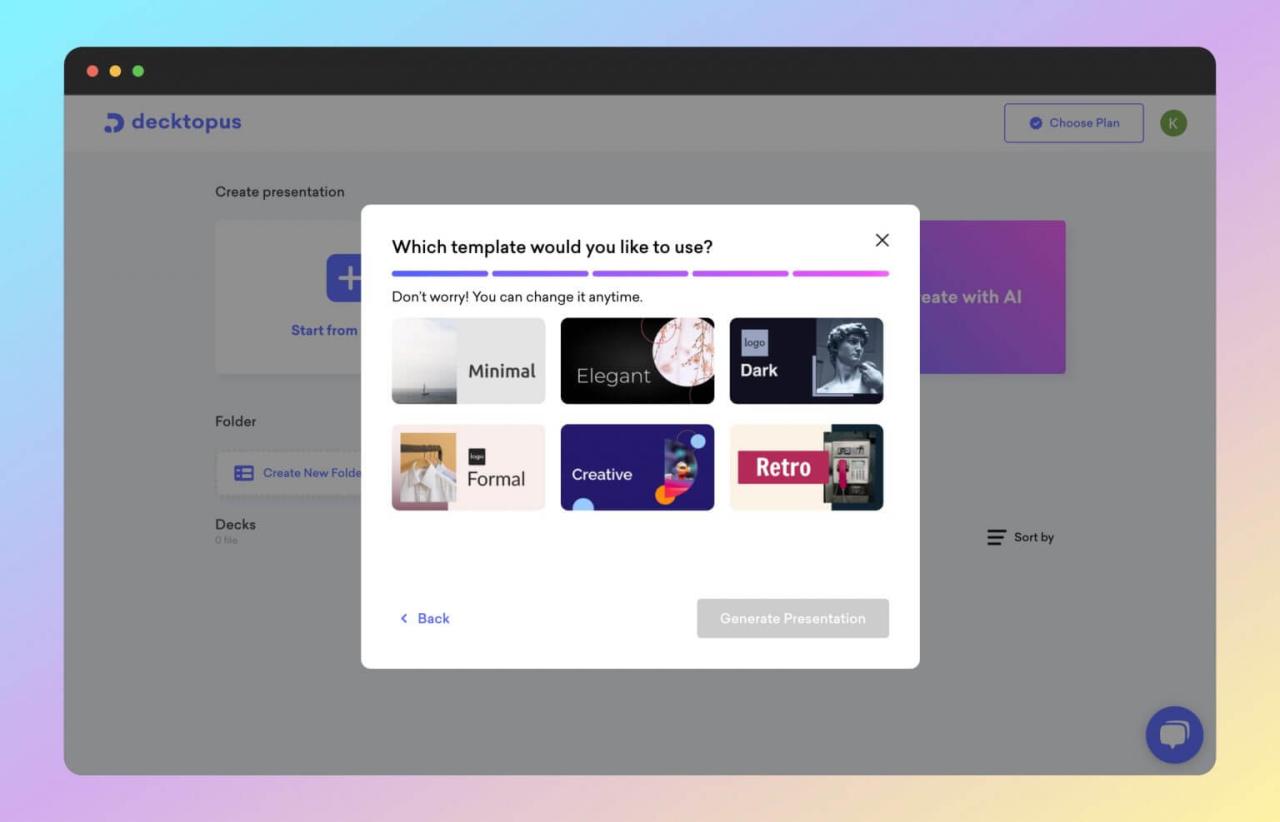
In summary, integrating AI into your slide design workflow offers numerous advantages, from streamlined content generation to elevated visual appeal and interactivity. Embracing these innovations can significantly enhance your presentation quality and audience engagement, setting you apart as a proficient communicator.