Discover how to improve presentations with AI to transform your communication and engage your audience more effectively. Leveraging advanced AI tools can elevate every aspect of your presentation, from visual design to audience interaction, resulting in more impactful and memorable sessions. Exploring these innovative strategies will allow you to stay ahead in the dynamic landscape of digital communication.
This comprehensive guide covers essential methods to utilize AI for enhancing visuals, crafting compelling content, engaging audiences, refining delivery, streamlining preparation, and exploring future trends. By integrating these technologies, presenters can achieve a higher level of professionalism and effectiveness in their presentations.
Enhancing Presentation Visuals Using AI
In today’s digital age, compelling visual design is crucial for delivering impactful presentations. Leveraging artificial intelligence (AI) tools can significantly streamline the process of creating visually appealing slides, infographics, and images. By integrating AI into your design workflow, you can produce professional-quality visuals efficiently, ensuring your message resonates clearly with your audience.
Utilizing AI-driven solutions for visual enhancement not only saves time but also introduces innovative design possibilities that may be beyond traditional methods. From selecting optimal color schemes to generating custom illustrations, AI empowers presenters to elevate their slides with minimal manual effort and maximum creative impact.
Selecting AI Tools for Designing Slide Decks with Optimal Visual Appeal
Choosing appropriate AI tools is fundamental to enhancing presentation visuals effectively. The selection process should be based on the specific needs of your presentation, compatibility with existing software, ease of use, and output quality. A variety of AI-powered design platforms are available that automate and assist in creating visually engaging slides.
- Canva: Incorporates AI features for automatic layout suggestions, color schemes, and image enhancements, making it suitable for users seeking an intuitive interface combined with powerful design capabilities.
- Beautiful.ai: Focuses on intelligent slide design by suggesting layouts based on content and ensuring visual consistency throughout the deck.
- Designs.ai: Offers AI-driven tools for generating custom graphics, logos, and presentations, allowing for highly personalized visuals.
- Visme: Combines AI features with data visualization tools, ideal for creating engaging infographics and data-rich slides.
When selecting an AI tool, consider factors such as the flexibility of customization, available templates, integration capabilities with presentation software (like PowerPoint or Google Slides), and the quality of AI-generated content. Testing different options through trial versions can help identify the most suitable platform for your presentation needs.
Automating the Creation of Infographics and Charts within Presentations
Automating infographic and chart creation through AI significantly reduces manual effort while enhancing visual clarity. AI algorithms analyze data and suggest optimal formats, color schemes, and layout arrangements, ensuring that complex data is presented in an accessible manner.
- Data Preparation: Ensure data is clean, structured, and ready for analysis. Use spreadsheet tools or data management software to organize information.
- Input Data into AI Tools: Upload your dataset into AI-powered visualization platforms such as Tableau, Infogram, or Datawrapper, which support automation features.
- Choose Visualization Types: The AI system recommends suitable chart types (bar, pie, line, etc.) based on data characteristics and presentation goals.
- Customize and Adjust: Fine-tune AI-suggested visuals by modifying colors, labels, and layouts for consistency and aesthetic appeal.
- Export and Integrate: Save the generated graphics in appropriate formats (PNG, SVG, etc.) and seamlessly embed them into your slide decks.
“AI-driven visualization streamlines complex data storytelling, making insights more digestible for diverse audiences.”
Consistent updating and refinement of AI-generated visuals ensure they remain aligned with the presentation’s objectives. Automating these processes not only enhances efficiency but also maintains a high standard of visual communication.
Integrating AI-generated Images and Illustrations into Slides
Incorporating AI-generated images and illustrations into presentations enhances visual engagement and reinforces key messages. The process involves selecting high-quality, relevant visuals and seamlessly embedding them within your slides to maximize their impact.
| Comparison of AI Tools for Generating Visuals | Features |
|---|---|
| Midjourney / DALL·E 2 | Utilize text prompts to generate unique, high-resolution images tailored to specific themes or concepts. Ideal for customized illustrations and backgrounds. |
| Runway ML | Offers advanced AI models for creating and editing images and animations, supporting integration with creative workflows. |
| Artbreeder | Allows blending of existing images to produce novel art, useful for character design, abstract visuals, or conceptual art. |
| Deep Dream Generator | Creates surreal and artistic images from simple inputs, suitable for creative backgrounds or abstract concepts. |
To effectively incorporate AI-generated visuals:
- Contextual Relevance: Select images that complement and reinforce your message, avoiding visuals that distract or confuse.
- Consistent Style: Maintain a uniform visual style throughout the presentation to create coherence and professionalism.
- Resolution and Quality: Use high-resolution images to prevent pixelation when projected or displayed on large screens.
- Placement and Size: Position visuals strategically within slides, ensuring they do not overshadow or clutter textual content.
When embedding AI-generated images, always verify their licensing and usage rights, especially for commercial presentations. Proper attribution and adherence to copyright policies safeguard against legal issues and uphold ethical standards.
Using AI to Craft Engaging Content and Narratives
Creating compelling presentations hinges on delivering content that resonates deeply with audiences. Leveraging AI tools can significantly enhance this process by providing innovative methods for developing impactful storylines and well-structured talking points. These technologies enable presenters to craft narratives that are not only engaging but also tailored precisely to their audience’s interests and expectations, thereby elevating the overall effectiveness of the presentation.
AI-driven content generation offers a versatile approach to developing speech components that align with specific presentation goals. By harnessing these capabilities, presenters can streamline their preparation process and ensure their delivery is both impactful and memorable. The subsequent techniques provide a structured framework for maximizing AI’s potential in crafting engaging content.
Generating Impactful Storylines and Talking Points
Employing AI for story creation involves a combination of algorithmic intelligence and creative input, resulting in narratives that capture attention and foster audience engagement. These approaches include:
- Prompt-Based Content Generation: Utilize well-crafted prompts to guide AI models such as GPT-4 or similar language models. For instance, prompting with “Create a compelling story around renewable energy innovations and their societal benefits” can produce a structured narrative suitable for various presentation contexts.
- Theme and Integration: Input core themes or s relevant to your topic to generate coherent and focused content. This approach ensures the generated material remains aligned with your presentation’s main message.
- Scenario and Case Study Creation: Use AI to develop realistic scenarios or case studies that illustrate key points. This method enhances relatability and helps contextualize complex information effectively.
For talking points, AI can assist in outlining clear, concise, and impactful statements that emphasize critical information. Techniques include:
- Summarization Tools: Use AI summarization features to distill lengthy research papers or reports into key takeaways suitable for presentation slides or speech notes.
- Bullet Point Extraction: Input comprehensive content to generate succinct bullet points that serve as the backbone of your talk, ensuring clarity and focus.
- Emotion and Tone Adjustment: Fine-tune AI-generated scripts to match the desired tone—be it formal, persuasive, or conversational—by adjusting prompts and parameters accordingly.
Customizing AI-Generated Scripts for Different Audiences and Styles
Adapting AI-generated content to suit diverse audiences and presentation styles is essential for maintaining engagement and relevance. The following methods facilitate effective customization:
- Audience Profiling and Input Data: Incorporate specific demographic or professional profiles into the AI prompts to generate tailored narratives. For example, scripts for technical experts can include industry-specific jargon, while those for general audiences should emphasize clarity and accessibility.
- Style Parameter Settings: Adjust parameters such as formality, complexity, and verbosity within AI tools to match the intended presentation style. This customization helps in maintaining consistency and authenticity throughout the speech.
- Iterative Refinement: Review and modify AI outputs through successive prompts or editing sessions, ensuring the content aligns perfectly with audience expectations and presenter preferences.
Refining Speech Flow and Timing Using AI Editing Tools
Effective delivery depends on well-paced speech that aligns with visual aids and audience engagement cues. AI-powered editing tools can assist in refining these aspects through:
- Speech Flow Analysis: Use AI software to analyze the structure of your script, identifying areas where transitions can be smoothed or where pacing may lag, allowing for adjustments that enhance narrative coherence.
- Timing Optimization: Employ AI-based timing prediction tools that simulate delivery, helping to calibrate speech segments to fit within allotted timeframes. For example, an AI can suggest where to add pauses for emphasis or where to condense content for brevity.
- Automated Speech Editing: Leverage AI editing to suggest rephrasing or restructuring sentences for better rhythm, clarity, and emphasis, ultimately resulting in a more natural and engaging delivery.
“AI tools empower presenters to craft and refine their narratives with precision, ensuring each presentation is impactful, audience-centric, and seamlessly delivered.”
AI-Powered Audience Engagement Strategies

Enhancing audience engagement during presentations is crucial for maintaining interest, fostering interaction, and ensuring message retention. Leveraging AI technologies allows presenters to create dynamic, responsive, and personalized experiences that resonate with diverse audiences. By integrating AI-driven engagement tools, speakers can transform passive listening into active participation, ultimately leading to more impactful communication.
Employing AI in audience engagement involves designing interactive elements such as polls, quizzes, and real-time feedback systems, as well as deploying intelligent chatbots to handle audience inquiries. These strategies enable presenters to adapt content on the fly, gather valuable insights, and cultivate a more connected presentation environment. The following Artikels practical methods and tools to implement AI-powered engagement effectively.
Designing Interactive Polls, Quizzes, and Live Feedback Mechanisms
Real-time interaction significantly boosts audience involvement and provides immediate insights into their perceptions and understanding. AI facilitates the creation of sophisticated interactive elements that adapt to audience responses, making sessions more engaging and informative. These tools can analyze audience data instantly, allowing presenters to tailor their delivery accordingly.
- AI-Driven Polls and Quizzes: Platforms like Mentimeter, Slido, and Poll Everywhere integrate AI to generate personalized questions based on prior responses or attendee profiles. This fosters relevancy and encourages active participation.
- Automated Feedback Collection: AI can analyze open-ended responses to identify common themes, sentiments, and areas needing clarification. This helps presenters address concerns promptly and improve ongoing engagement.
- Adaptive Content Delivery: By analyzing audience interactions, AI-driven tools can suggest modifications in the presentation flow, emphasizing topics that generate more interest.
Integrating AI Chatbots for Audience Question Handling
AI chatbots serve as virtual assistants during presentations, providing immediate answers to audience questions without interrupting the flow. They can handle a high volume of inquiries efficiently, freeing the presenter to focus on delivering content. When properly integrated, chatbots create an interactive, accessible environment that promotes continuous engagement and support.
| Tools | Features | Benefits | Implementation Steps |
|---|---|---|---|
| Drift, Intercom, ManyChat | Natural language processing, customizable responses, multi-platform integration | Instant answer provision, 24/7 availability, enhanced audience experience | 1. Select suitable chatbot platform 2. Define common audience questions 3. Develop conversational scripts 4. Integrate with presentation interface 5. Test and refine based on interactions |
Creating Templates for Dynamic Content Adjustment Based on Real-Time Audience Data
To maintain relevance and engagement, presentations can be dynamically tailored by analyzing live audience data. AI-powered systems collect data through polls, chat interactions, and behavioral cues, then modify content delivery, examples, or emphasis accordingly. This responsiveness ensures that the presentation remains pertinent and compelling throughout its duration.
| Tools | Features | Benefits | Implementation Steps |
|---|---|---|---|
| Microsoft Power BI, Tableau, Sli.do | Real-time data analytics, customizable dashboards, audience sentiment analysis | Personalized content adjustments, increased engagement, improved learning outcomes | 1. Connect audience interaction sources to analytics tools 2. Define key metrics and triggers 3. Configure dashboards for live data visualization 4. Set content adjustment protocols based on data insights 5. Continuously monitor and refine content in response to feedback |
Improving Delivery Through AI Assistants

Enhancing presentation delivery is a crucial component of effective communication. Leveraging AI assistants provides presenters with innovative tools to rehearse, refine, and deliver their messages with confidence and persuasiveness. By integrating AI-driven feedback systems into practice routines, speakers can identify areas for improvement and develop a more engaging presence. This approach transforms traditional rehearsal methods into dynamic, data-informed sessions that accelerate skill development and elevate overall presentation quality.AI assistants serve as virtual coaches that analyze numerous aspects of delivery, including voice modulation, pacing, and clarity.
They offer real-time or post-practice feedback, enabling presenters to adjust their tone, speed, and articulation for maximum impact. The use of these intelligent tools fosters a deeper understanding of effective delivery techniques and promotes continuous improvement through structured, personalized guidance. Adopting AI-driven coaching ensures presenters are better prepared to captivate their audience and convey their message with confidence.
Utilizing AI Assistants to Rehearse and Improve Delivery
AI assistants can be employed as interactive rehearsal partners that simulate live presentation environments. They help presenters practice multiple times while providing immediate feedback on various delivery parameters. This iterative process allows for incremental improvements based on precise data and targeted recommendations.
- Simulated Practice Sessions: AI assistants can generate realistic scenarios and questions, encouraging presenters to adapt and respond spontaneously, thus mimicking actual audience interactions.
- Real-Time Feedback on Voice Modulation: Using advanced speech analysis algorithms, AI tools assess changes in pitch, volume, and intonation, guiding speakers to adopt more expressive and engaging vocal patterns.
- Timing and Pacing Analysis: AI systems measure speech rhythm and suggest optimal pacing to prevent rushed or monotonous delivery, ensuring the message remains clear and compelling.
- Clarity and Diction Evaluation: Voice clarity is scrutinized to identify mumbling, filler words, or inconsistent enunciation, with targeted exercises recommended for improvement.
Techniques for Analyzing Voice Tone, Pace, and Clarity with AI Feedback Systems
Effective AI feedback systems leverage sophisticated algorithms to analyze multiple facets of speech, providing actionable insights that enhance delivery quality. Understanding these metrics helps presenters develop a more confident and persuasive speaking style.
- Voice Tone Analysis: AI evaluates variations in pitch, intonation, and emotional expression to determine whether the speaker’s tone aligns with the intended message. Consistent or appropriately varied tone sustains audience interest and conveys credibility.
- Pace Monitoring: Speech rate is measured to identify segments that may be too fast, risking comprehension issues, or too slow, causing disengagement. AI suggests optimal pacing intervals tailored to the content and audience.
- Clarity and Enunciation Assessment: Through spectral analysis, AI detects speech clarity, identifying mumbled words, filler sounds, or unclear pronunciation. Feedback highlights specific words or phrases that require clearer articulation.
- Emotion and Engagement Detection: Some AI tools analyze vocal cues for emotional expressiveness, helping speakers adjust their delivery to evoke desired audience reactions.
Adopting AI-Driven Coaching for Confident and Persuasive Delivery
Implementing AI coaching involves several steps that enable presenters to develop mastery over their delivery style systematically. These strategies foster confidence, authenticity, and persuasive power in every presentation.
- Recording and Uploading Practice Sessions: Presenters record rehearsals, which are then analyzed by AI systems to generate detailed reports on voice modulation, pacing, and clarity.
- Setting Personalized Improvement Goals: Based on AI feedback, speakers identify specific areas for enhancement, such as reducing filler words or increasing vocal variety, and establish measurable objectives.
- Engaging in Targeted Practice Exercises: AI assistants recommend tailored exercises, such as breathing techniques for voice control or pacing drills, to address individual weaknesses.
- Participating in Virtual Coaching Sessions: Some platforms offer live AI-guided coaching, where real-time feedback during practice helps immediately correct and reinforce effective delivery techniques.
- Monitoring Progress Over Time: Continuous use of AI tools tracks improvements, providing motivational insights and adjusting coaching strategies to ensure sustained growth.
Streamlining Preparation and Collaboration with AI
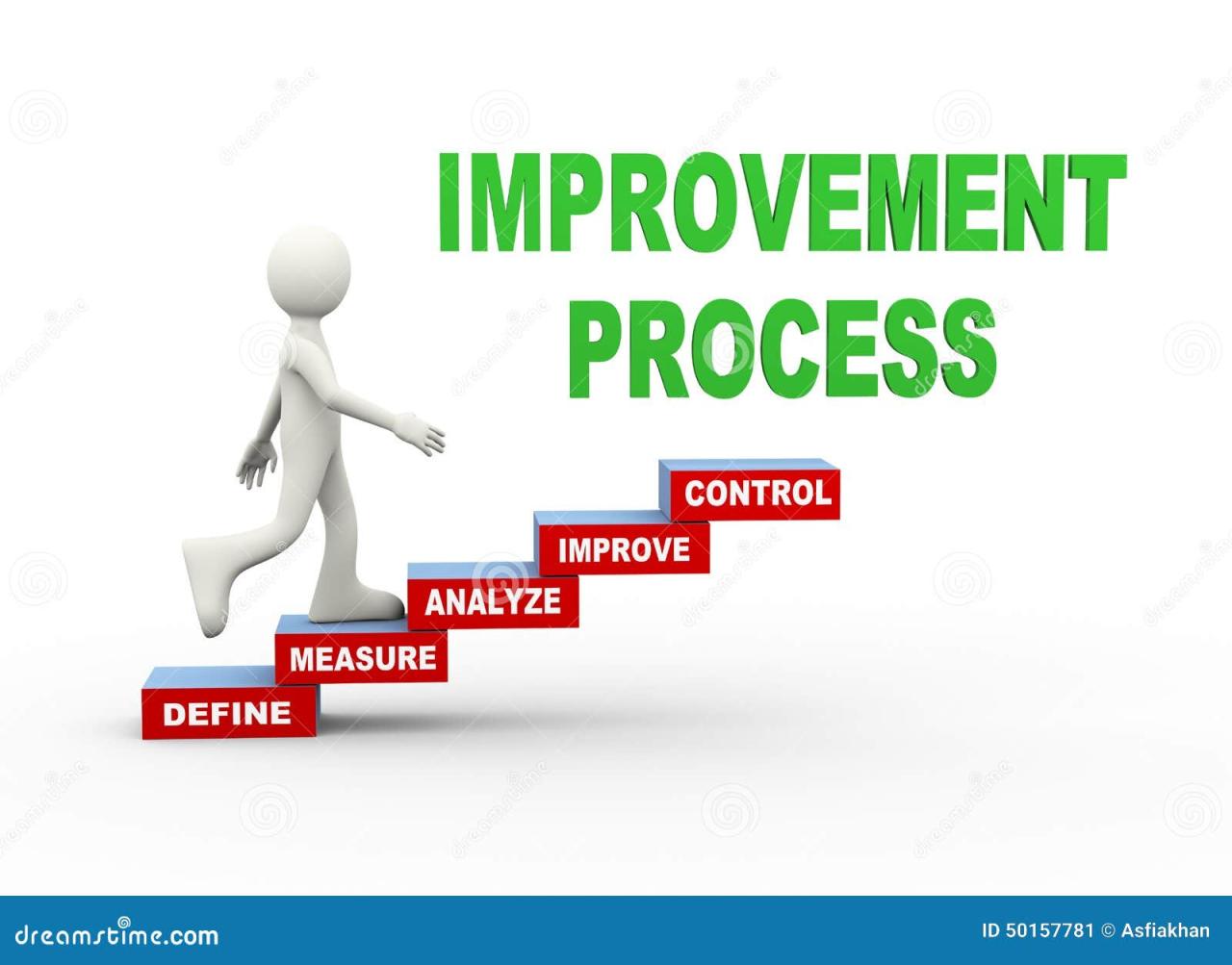
Efficient presentation development hinges on seamless preparation and collaboration among team members. Leveraging AI tools can significantly optimize these processes by automating routine tasks and facilitating smooth communication. Incorporating AI into your workflow ensures that presentations are crafted with greater accuracy, consistency, and efficiency, saving valuable time and reducing errors.
By integrating AI-driven solutions into the preparation phase, teams can automate slide reviews, manage edits systematically, and maintain coherent version control. Additionally, AI enhances collaborative editing by providing real-time feedback and suggestions, fostering a more dynamic and productive environment. Establishing best practices for AI integration within planning workflows ensures that teams maximize the potential of these technologies while maintaining creative flexibility and project integrity.
Automating Slide Reviews, Edits, and Version Control via AI Tools
Automation of slide reviews and edits using AI enhances consistency and accelerates the review cycle. AI-powered tools can analyze presentation slides for visual coherence, grammatical accuracy, and adherence to branding guidelines, providing instant feedback to creators. Automating version control ensures that teams always work on the latest iteration, reducing confusion and manual tracking efforts.
Key procedures for leveraging these capabilities include:
- Utilizing AI Review Platforms: Tools such as Beautiful.ai or Canva incorporate AI-driven suggestions for layout adjustments, visual enhancements, and content refinement. These platforms automatically identify inconsistencies and propose improvements during the editing process.
- Implementing Automated Version Management: Cloud-based AI tools like Microsoft PowerPoint with intelligent version history or Google Slides automatically track changes, enabling easy rollback and comparison of different versions.
- Integrating AI for Content Optimization: AI tools such as Grammarly or LanguageTool can be integrated to check slide content for clarity, grammatical correctness, and tone, ensuring professional quality across all slides.
Leveraging AI for Collaborative Editing and Feedback Collection
Effective collaboration is vital for producing compelling presentations. AI-powered platforms facilitate real-time cooperative editing, enabling team members to contribute simultaneously while maintaining clarity on edits and suggestions. They also support structured feedback collection, making it easier to gather, analyze, and integrate input from diverse stakeholders.
Practical approaches include:
- Real-Time Collaborative Tools: Platforms like Microsoft 365 or Google Workspace utilize AI to track changes, suggest edits, and resolve conflicts during joint editing sessions, enhancing workflow efficiency.
- AI-Driven Feedback Systems: Tools such as Frame.io or MURAL incorporate AI to categorize and prioritize feedback, ensuring critical suggestions are addressed promptly and reducing the risk of overlooked comments.
- Automated Summarization and Action Items: AI can summarize lengthy discussions or comment threads, highlight actionable points, and assign tasks accordingly, streamlining the feedback integration process.
Organizing Best Practices for Integrating AI into Presentation Planning Workflows
Incorporating AI into the planning stages requires strategic organization and clear workflows. This involves selecting appropriate tools, defining roles, and establishing routines that maximize AI benefits while maintaining creative control.
Recommended best practices include:
| Tools | Features | Integration Methods |
|---|---|---|
| Microsoft PowerPoint with AI features | Design ideas, real-time translation, accessibility checks | Built-in integration within Office 365, cloud synchronization |
| Canva | AI layout suggestions, brand kit management, collaborative editing | Browser-based platform with sharing and commenting capabilities |
| Grammarly | Grammar, clarity, tone suggestions | Browser extension, integrated into different editing platforms |
| Google Slides with AI add-ons | smart suggestions, real-time collaboration, version history | Google Workspace integration, add-on marketplace |
Key practices involve establishing clear protocols for AI tool adoption, training team members on best usage, and regularly reviewing workflows to incorporate new AI advancements. Ensuring all team members are aligned on how AI supports their roles fosters a cohesive and efficient presentation development process.
Future Trends in AI-Enhanced Presentations

The landscape of presentation creation and delivery is rapidly evolving with advancements in artificial intelligence. Emerging technologies promise to transform how presenters craft, customize, and evaluate their content, leading to more dynamic and impactful communication. Understanding these future trends enables professionals to stay ahead and leverage AI’s full potential for more personalized, engaging, and effective presentations.
As AI continues to develop, its integration into presentation workflows is expected to become more sophisticated, enabling seamless customization, real-time feedback, and data-driven improvements. This evolution will not only enhance the quality of presentations but also improve audience engagement and understanding, fulfilling the increasing demand for tailored communication experiences.
Emerging AI Technologies Revolutionizing Presentations
New AI innovations are set to reshape how presentations are created and delivered, offering capabilities that were previously unattainable or highly labor-intensive. These technologies include:
- Generative AI for Automated Content Creation: Advanced language models will generate tailored presentation scripts, visual content, and data visualizations based on brief inputs from users. For instance, startups like Jasper and Copy.ai are already enhancing content generation, and future iterations will be more context-aware, creating entire presentation narratives automatically.
- AI-Driven Virtual Reality (VR) and Augmented Reality (AR): Immersive environments powered by AI will enable presenters to deliver highly interactive and engaging experiences. Imagine a virtual conference room where AI dynamically adjusts the environment based on audience reactions, fostering deeper engagement.
- Real-Time Language Translation and Transcription: AI systems will facilitate multilingual presentations with instantaneous translation and closed-captioning, expanding reach and inclusivity across diverse audiences. Technologies similar to Google’s Live Caption will become more refined and integrated into presentation tools.
- AI-Powered Presentation Design Platforms: Platforms will evolve to automatically adapt layouts, color schemes, and visual elements based on audience demographics, content complexity, or presentation context, improving clarity and aesthetic appeal.
Forecasts on AI’s Role in Personalized Presentation Experiences
The future of AI in presentations emphasizes personalization, transforming static content into interactive and tailored experiences. AI-driven personalization will consider individual audience preferences, prior knowledge, and engagement patterns to customize content delivery.
“AI will enable each attendee to experience a presentation uniquely suited to their interests, learning styles, and feedback, fostering better understanding and retention.” – Industry Expert
For example, adaptive presentation systems could modify difficulty levels, highlight specific data points, or suggest supplementary resources in real time, akin to personalized learning platforms like Khan Academy or Duolingo. This approach makes presentations more relevant and engaging, increasing information retention and audience satisfaction.
Opportunities for Incorporating AI-Driven Analytics to Measure Effectiveness
AI-driven analytics will be instrumental in assessing and refining presentation impact through comprehensive data collection and analysis. These insights enable presenters to optimize future content and delivery methods effectively.
Key opportunities include:
- Engagement Tracking: AI can monitor audience interactions, such as eye movement, facial expressions, and participation levels, providing real-time feedback on engagement. Platforms like Affectiva utilize emotion AI to gauge emotional responses.
- Content Effectiveness Analysis: Post-presentation analytics can identify which segments resonated most, based on audience reactions and questions. This data helps refine content structure and visuals for future presentations.
- Predictive Performance Modeling: AI models can forecast audience understanding and engagement levels before and during presentations, allowing presenters to adjust pacing or emphasize critical points proactively.
- Outcome Measurement and Reporting: Combining analytics with feedback systems enables comprehensive reports on presentation success, influencing training and development strategies.
These analytics foster a data-driven approach to presentation mastery, ensuring continuous improvement and higher levels of audience engagement and comprehension.
Conclusion
In conclusion, incorporating AI into your presentation practices offers endless possibilities for innovation and improvement. From automating design tasks to personalizing audience engagement and gaining real-time feedback, AI empowers presenters to deliver more confident and impactful messages. Embracing these advancements will ensure your presentations remain compelling and relevant in an increasingly digital world.