Exploring how to design creative presentations using AI opens the door to innovative and impactful visual storytelling. Leveraging artificial intelligence tools allows creators to automate design processes, generate compelling content, and craft visually appealing slides with ease. This approach not only streamlines the development workflow but also elevates the overall quality of presentations, making them more engaging for audiences.
By integrating AI-driven features such as theme generation, data visualization, and interactive elements, presenters can enhance both the aesthetic appeal and communicative effectiveness of their slides. Understanding how to effectively utilize these tools enables the creation of dynamic, professional, and memorable presentations that resonate with viewers across various platforms.
Understanding the Role of AI in Creative Presentation Design

Artificial Intelligence has become a pivotal force in revolutionizing the way presentations are conceptualized, designed, and delivered. Modern AI tools are not only simplifying the creation process but also elevating the aesthetic and functional quality of presentations, enabling speakers and creators to captivate their audiences more effectively. Recognizing how AI integrates into this domain is essential for leveraging its full potential in developing engaging and visually appealing presentations.
AI influences contemporary presentation design by automating complex tasks, providing intelligent content suggestions, and enhancing visual storytelling. Its capabilities extend beyond simple automation, offering adaptive design options that align with the presenter’s goals and audience preferences. As a result, presenters can focus more on their message while relying on AI-powered tools to handle stylistic consistency and visual impact efficiently.
Influence of AI on Presentation Aesthetics and Functionality
AI-driven design tools such as Canva, Beautiful.ai, and Microsoft PowerPoint’s Designer feature incorporate advanced algorithms that analyze content and generate aesthetically pleasing layouts automatically. These tools consider color harmony, typography, spacing, and visual hierarchy to produce professional-quality slides without extensive manual effort. The influence of AI extends to ensuring that each slide maintains a cohesive look, thereby reinforcing brand identity or thematic consistency throughout the presentation.
Additionally, AI enhances functionality by embedding features like voice recognition, real-time translation, and adaptive content suggestions. These functionalities facilitate smoother presentation workflows, improve accessibility, and cater to diverse audience needs. For example, AI can suggest relevant images, icons, or charts based on textual content, saving time and enriching the visual narrative of presentations.
Automation of Design Elements and Content Suggestions
The integration of AI in presentation creation dramatically accelerates the design process through automation. AI tools can automatically align elements, select optimal color schemes, and recommend layout adjustments, ensuring high-quality visual design with minimal user intervention. This automation allows creators to focus more on crafting compelling messages rather than spending excessive time on design tweaks.
Content suggestions powered by AI, such as Smart Recommendations in PowerPoint, analyze the context of the presentation and propose relevant data, images, or even entire slide templates. This not only streamlines content development but also ensures that each element aligns with the overall theme, thus maintaining coherence and visual appeal. For instance, when presenting statistical data, AI can recommend appropriate chart types and formats that effectively communicate the information visually.
Advantages of Using AI for Visual Impact and Audience Engagement
Employing AI in presentation design offers significant advantages in enhancing visual impact and fostering audience engagement. AI tools facilitate the creation of visually striking slides that capture attention through optimized layouts, vibrant color schemes, and compelling visual elements. These enhancements lead to a more memorable presentation experience, increasing the likelihood of audience retention and interaction.
“AI-driven design elevates presentation quality by combining creativity with data-driven insights, resulting in presentations that are both visually appealing and highly effective.”
Furthermore, AI supports personalized experiences by tailoring content and visuals to specific audience segments, increasing relevance and engagement. For example, AI can analyze audience demographics and suggest modifications to the presentation style or content complexity, ensuring that the message resonates effectively. This personalized approach fosters a deeper connection between speakers and their audiences, ultimately leading to more impactful communication.
Selecting AI-Powered Tools for Presentation Creation
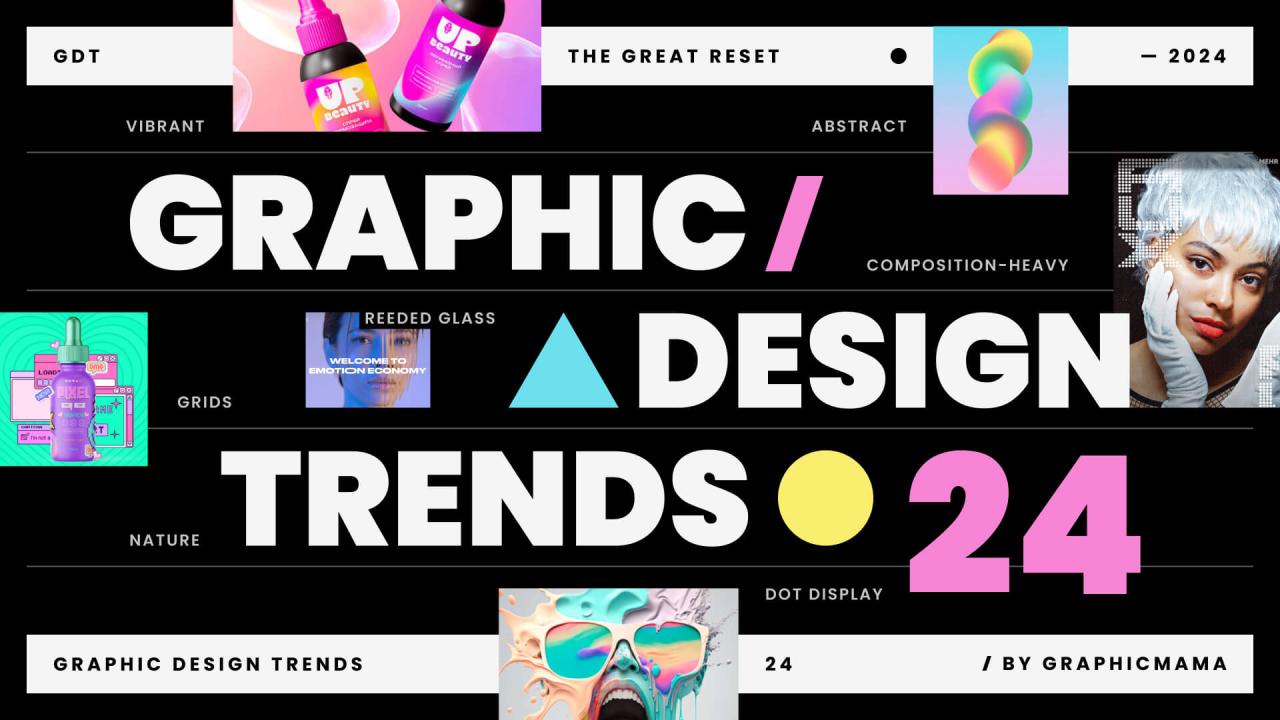
Choosing the right AI-driven presentation software is a crucial step in streamlining your creative process and ensuring impactful delivery. The landscape of AI-enabled tools offers a diverse array of features tailored to different needs, from automatic design enhancements to intelligent content suggestions. Making an informed selection involves understanding the capabilities of each platform and how they align with your presentation objectives.
Evaluating AI tools for presentation design requires a comprehensive analysis of their functionalities, usability, and compatibility with your workflow. By comparing popular options, you can identify the most suitable software that leverages artificial intelligence to enhance productivity, creativity, and engagement. Incorporating features such as theme generation, layout optimization, and content suggestions can significantly elevate the quality of your presentations and reduce the time spent on manual adjustments.
Comparative Overview of Popular AI-Driven Presentation Software Options
Several AI-powered presentation tools have gained prominence for their innovative features and user-friendly interfaces. Understanding their core offerings helps in making a strategic choice tailored to your specific needs.
| Software | Key Features | Unique Advantages | Pricing Model |
|---|---|---|---|
| Beautiful.ai | Automated slide design, theme generation, real-time collaboration | Intuitive interface that emphasizes visual storytelling and consistency | Freemium with premium plans for additional features |
| Designs.ai | Content-based theme suggestions, layout optimization, AI-powered branding tools | Versatile tools for both presentations and video content creation | Subscription-based, with scalable plans for businesses |
| Slidebean | AI-driven slide layout, automatic formatting, data-driven content recommendations | Focus on startup pitches and investor presentations with tailored templates | Monthly and annual subscription options |
| Beautiful Slides | Theme and layout suggestions driven by AI, content analysis, and automation | Emphasis on reducing manual effort and maintaining visual consistency | Pricing available upon request, with free trial options |
When selecting an AI-powered presentation tool, consider evaluating features such as:
- Theme Generation: The capability of the software to create visually appealing themes that match your content’s tone and purpose.
- Layout Optimization: Automated arrangement of text, images, and data to ensure clarity and aesthetic appeal.
- Content Suggestions: Intelligent recommendations for text, visuals, and data points to enhance engagement and coherence.
- Collaboration Tools: Real-time editing and feedback features that facilitate teamwork.
- Integration Capabilities: Compatibility with other tools and platforms, such as cloud storage, analytics, or CRM systems.
“AI features like theme generation and layout optimization not only streamline the design process but also elevate the overall presentation quality, making your content more engaging and professional.”
Incorporating AI features into your workflow involves leveraging these tools to automate mundane tasks and focus on content quality. For instance, using AI-driven theme generation can quickly establish a consistent visual identity across slides. Layout optimization ensures that text and visuals are arranged harmoniously, improving readability and audience retention. Content suggestions can help diversify your messaging and introduce compelling visuals or data points, ultimately enhancing the narrative flow of your presentation.
Generating Creative Content with AI

Creating engaging and innovative presentations requires a strategic approach to content development. AI offers powerful tools to facilitate the brainstorming of unique topics, craft compelling narratives, and produce visually appealing materials. Leveraging AI effectively can elevate presentation quality, ensuring messages resonate with audiences and stand out in competitive environments.AI-driven content generation involves a combination of techniques that streamline the creative process.
These methods enable presenters to explore new ideas, structure their stories coherently, and design content that captures attention. By understanding these approaches, users can harness AI to enhance every aspect of presentation creation.
Brainstorming Unique Topics and Ideas
The foundation of an impactful presentation is a distinctive topic that aligns with audience interests and objectives. AI can assist in identifying innovative themes through various methods:
- Using natural language processing (NLP) tools to analyze trending s and emerging issues within specific industries or fields. For example, AI can scan recent research papers, news articles, and social media to suggest relevant, novel topics.
- Implementing AI-powered idea generators that input a broad theme or industry and output a list of potential presentation subjects, ensuring diversity and originality.
- Deploying sentiment analysis to gauge public interest or emotional connection to certain topics, enabling the selection of themes that evoke engagement and enthusiasm.
These strategies facilitate the discovery of fresh perspectives and ensure the presentation addresses current or future challenges effectively.
Crafting Compelling Slide Narratives and Storytelling Frameworks
A well-structured narrative transforms static information into a captivating story, fostering audience engagement and comprehension. AI tools can assist in developing logical flow and emotional resonance:
- Utilizing AI-based storytelling frameworks that analyze the presentation topic and suggest an optimal sequence of key points, supporting data, and illustrative examples.
- Employing machine learning algorithms to identify narrative arcs from successful presentations, which can be adapted to fit new content, ensuring coherence and impact.
- Applying AI conversational models to generate transitional phrases, hooks, and summaries that maintain audience interest throughout the presentation.
These methods help presenters construct narratives that are both informative and emotionally compelling, making complex ideas accessible.
Designing Templates and Guiding Content Creation
Templates serve as blueprints for consistent and visually appealing presentations. Designing AI-compatible templates involves specifying structural and stylistic preferences:
- Defining content zones within the template, such as title, main content, visuals, and references, to guide AI in placing and formatting elements appropriately.
- Including style instructions—such as color schemes, font choices, and image placement—to ensure generated content adheres to brand or thematic guidelines.
- Providing example prompts or frameworks that AI can interpret to generate text and visuals aligned with the presentation’s tone and purpose.
By establishing clear templates and instructions, users enable AI to produce consistent, engaging, and on-brand visual and textual content that enhances storytelling and audience engagement.
Designing Visually Appealing Slides with AI Assistance
Creating captivating slides that effectively communicate your message is a crucial aspect of compelling presentations. Leveraging AI tools can significantly streamline the design process, offering personalized suggestions for colors, fonts, and imagery that align with your content and branding goals. This section explores how AI can assist in enhancing visual appeal through intelligent recommendations and customization techniques, ensuring your slides are both aesthetically pleasing and thematically coherent.
By incorporating AI-driven design suggestions, presenters can achieve a professional look with less effort, while maintaining consistency across slides. The following techniques and steps will guide you through utilizing AI to craft visually engaging presentations tailored to your specific objectives and audience expectations.
Techniques for AI-Recommended Color Schemes, Typography, and Imagery
Effective slide design relies heavily on harmonious color palettes, appropriate typography, and compelling imagery. AI algorithms analyze your content, branding guidelines, and target audience to generate suitable combinations that enhance readability and visual impact. These techniques include:
- Color Scheme Recommendations: AI tools analyze color theory principles, existing branding colors, and psychological impacts to suggest balanced palettes. For example, a financial presentation might benefit from blue hues indicating trust and stability, whereas a creative portfolio might employ vibrant, energetic colors to stimulate interest.
- Typography Selection: AI assesses font styles, sizes, and pairings to improve readability and convey the desired tone. For instance, a formal corporate report might favor serif fonts like Times New Roman or Georgia, while a modern startup pitch could utilize clean sans-serif options such as Helvetica or Open Sans.
- Imagery Suggestions: AI scans your slide content to recommend relevant images that complement your message. This includes selecting high-quality photos, icons, or illustrations that resonate with the thematic elements, ensuring visual consistency and engagement.
Customizing AI-Generated Visual Elements to Match Branding or Thematic Goals
Once AI provides initial design suggestions, the next step involves tailoring these visual elements to align perfectly with your brand identity or presentation theme. This customization process ensures that automated recommendations seamlessly integrate with your overall aesthetic. Key steps include:
- Adjusting Colors: Fine-tune AI-suggested color palettes by modifying hues, saturation, and brightness to match your brand colors or thematic preferences. For example, if your brand uses a specific shade of green, incorporate it into the AI-generated palette to maintain consistency.
- Modifying Typography: Select or customize fonts to adhere to your branding guidelines, adjusting size, weight, and spacing as needed. This ensures that text elements align with your visual identity and improve overall clarity.
- Refining Imagery: Replace or edit AI-suggested images to better reflect your brand personality or thematic focus. Use image editing tools to adjust color tones, overlays, or crop images to fit slide layouts effectively.
Organizing Slide Layouts Using AI-Suggested Templates
Structuring your content visually is vital for maintaining audience engagement and facilitating comprehension. AI-powered presentation tools can propose optimized slide layouts by recommending templates tailored to your content type and thematic objectives. The process involves:
| Template Type | Description | Ideal Use Cases | Customization Tips |
|---|---|---|---|
| Title and Content Layout | Features a prominent title with space for main points or visuals. | Introducing new topics, summarizing key ideas, or showcasing visuals with minimal text. | Adjust font sizes, add icons or images, and align elements to emphasize key messages. |
| Comparison Layout | Side-by-side sections for contrasting ideas or options. | Highlighting pros and cons, before-and-after scenarios, or alternative solutions. | Use consistent color coding for each side, and balance content density for clarity. |
| Process or Workflow Layout | Sequential steps arranged logically, often with arrows or numbering. | Explaining procedures, timelines, or workflows in a clear progression. | Customize icons, colors, and descriptions to match your branding or thematic elements. |
| Data-Driven Layout | Incorporates charts, graphs, and data visualizations. | Presenting statistical information, trends, or comparative analyses. | Choose appropriate chart types, adjust colors for readability, and supplement with concise captions. |
Incorporating Data and Infographics Using AI
Integrating data visualizations and infographics into presentations enhances clarity, engagement, and comprehension. Leveraging AI in this process streamlines the creation of insightful and visually appealing data representations, enabling presenters to communicate complex information effectively. This segment explores how AI analyzes data, generates compelling infographics, and assists in designing clear visualizations that resonate with audiences.AI tools utilize advanced algorithms to process vast datasets, identify key patterns, and extract meaningful insights.
By applying machine learning techniques, AI can detect trends, correlations, and outliers that might be overlooked manually. Once analyzed, AI-driven platforms can automatically generate infographics that summarize data visually, such as pie charts, bar graphs, and heat maps, tailored to specific presentation goals. These tools often include templates and customization options, allowing users to modify color schemes, labels, and styles to align with branding or thematic preferences.Creating dynamic tables and charts within HTML enhances data presentation by providing customizable and interactive elements.
For example, HTML `