Discovering how to generate timeline charts with AI opens new avenues for creating dynamic and visually appealing data visualizations. By leveraging artificial intelligence, professionals across various industries can simplify complex data representation, making information more accessible and engaging.
This guide explores the essentials of preparing data, selecting suitable AI tools, designing, automating, and enhancing timeline charts, ensuring a comprehensive understanding of utilizing AI for effective timeline visualization in diverse applications.
Overview of AI-Based Timeline Chart Generation
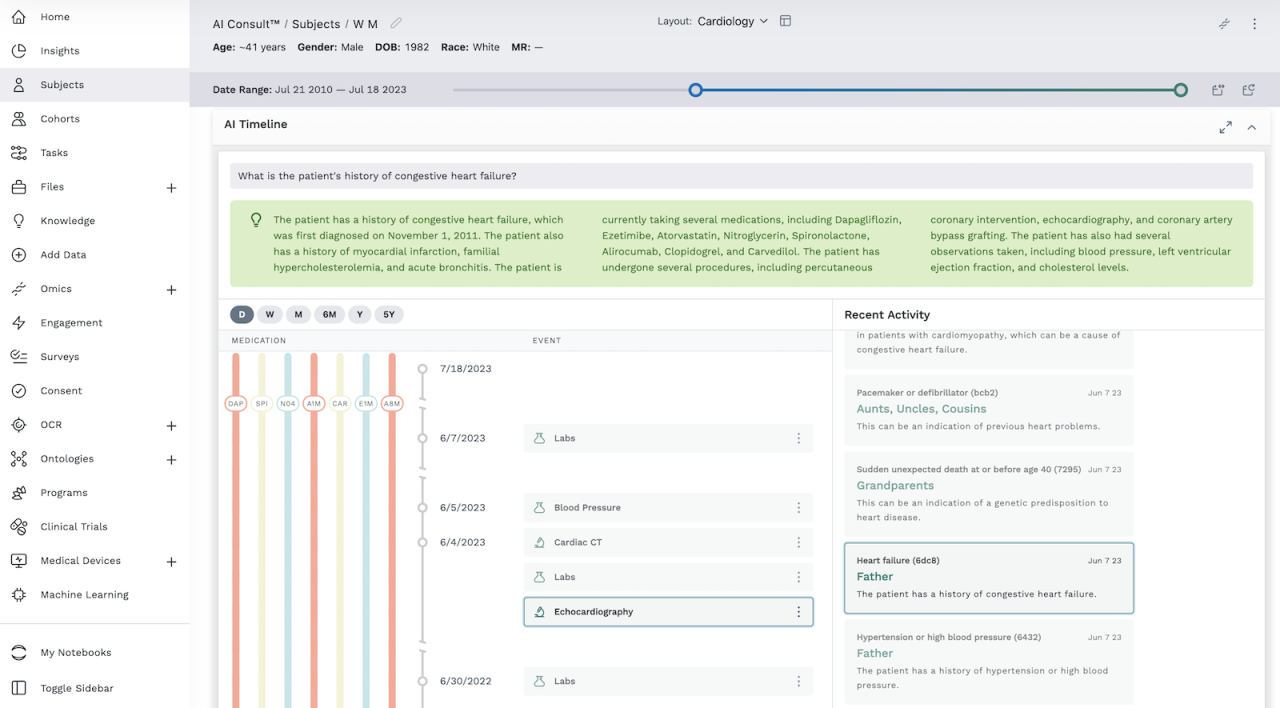
Artificial intelligence (AI) has revolutionized the way data visualization is approached, particularly in creating intricate and dynamic timeline charts. By harnessing AI algorithms, users can automate the process of designing, updating, and customizing timeline visualizations, making them more accurate, insightful, and adaptable to complex datasets. This integration of AI not only accelerates the creation process but also enhances the interpretability of temporal data, enabling better decision-making across various domains.
AI-driven timeline visualization leverages machine learning models, natural language processing, and data analytics to generate, optimize, and personalize timelines based on input data. This approach is especially valuable when dealing with large-scale or constantly evolving datasets where manual chart creation would be time-consuming and error-prone. The use of AI facilitates the detection of patterns, automatic categorization of events, and dynamic adjustments to visual elements, resulting in highly functional and aesthetically appealing timeline charts.
Applications and Industries Utilizing AI for Timeline Charts
Various industries benefit from AI-powered timeline chart generation, as these tools help visualize complex processes and historical data effectively. Among these sectors:
| Industry | Application of AI-Driven Timeline Charts |
|---|---|
| Healthcare | Mapping patient histories, disease progression, and treatment timelines to improve diagnostics and personalized care plans. |
| Finance | Visualizing stock market trends, economic indicators, and investment portfolios over time to inform strategic decisions. |
| Project Management | Tracking project milestones, resource allocation, and deadlines, with AI optimizing schedules and predicting delays. |
| History and Education | Presenting historical events, cultural developments, and educational timelines with interactive and adaptable features. |
| Supply Chain and Logistics | Monitoring shipment progress, inventory changes, and operational timelines to enhance efficiency and responsiveness. |
By integrating AI, these industries can generate comprehensive timeline visualizations that are not only accurate but also tailored to specific analytical needs, facilitating better insights and strategic planning.
Data Preparation for AI-Generated Timeline Charts
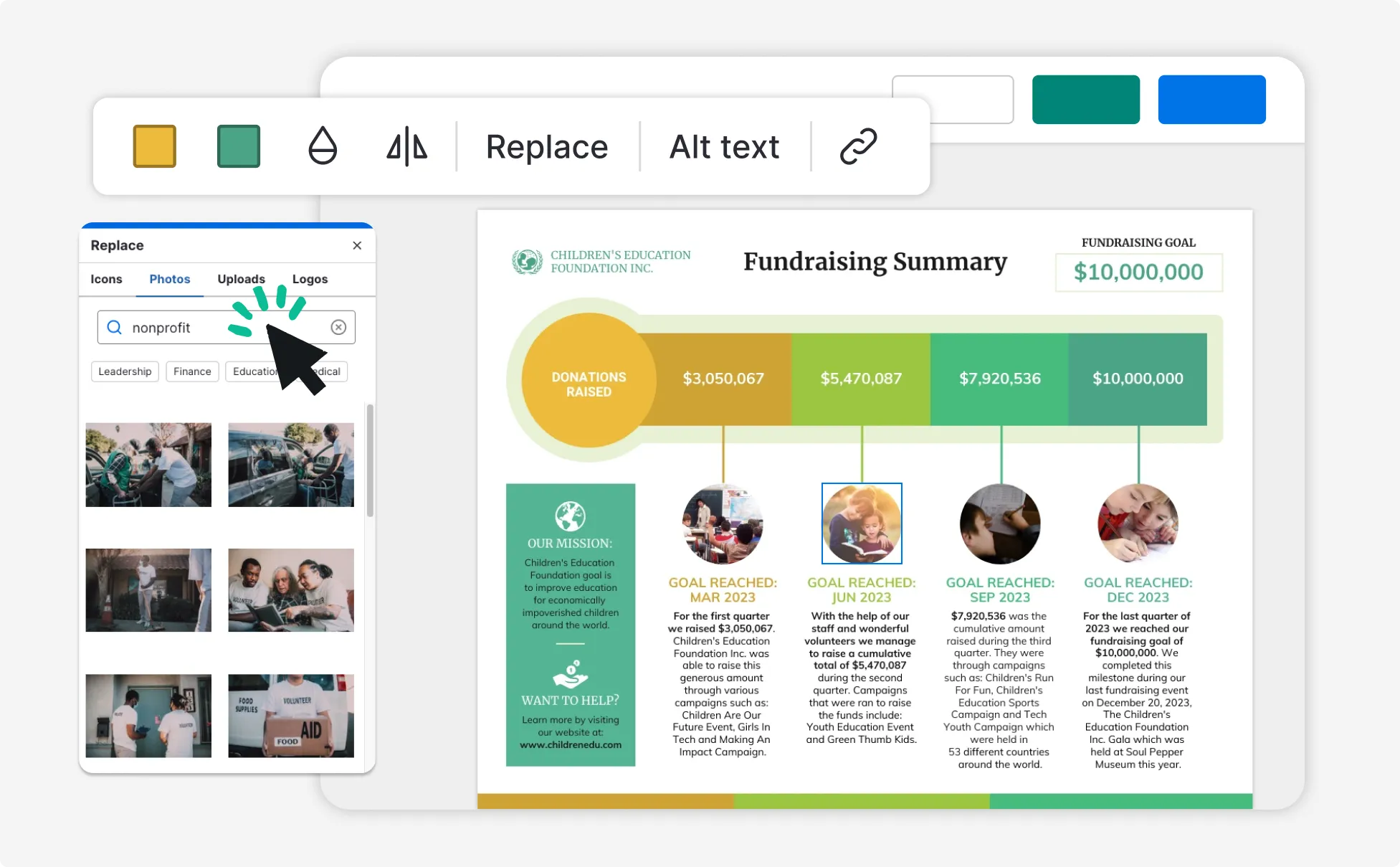
Effective data preparation is fundamental to creating accurate and insightful timeline charts using AI. The quality, organization, and structure of the dataset directly influence the clarity and usefulness of the final visualization. Properly prepared data ensures that AI models can accurately interpret temporal relationships and events, leading to meaningful representations that support informed decision-making.
This stage involves collecting relevant data, cleaning and organizing it to eliminate inconsistencies, and transforming raw information into formats that align with AI processing requirements. Adhering to systematic data preparation procedures enhances the reliability and readability of timeline visualizations, making them more accessible and useful for users across various domains.
Collecting and Organizing Data for Timeline Visualization
Gathering comprehensive and relevant data sets the foundation for effective timeline chart generation. Data should encompass key events, dates, and associated attributes that are crucial to the narrative or analysis. The collection process often involves sourcing from multiple repositories such as databases, spreadsheets, or APIs, depending on the context of the visualization.
Once acquired, organizing data in a logical and structured manner facilitates efficient processing. Typical organization includes cataloging data points with clear identifiers, timestamps, and descriptive labels. Establishing a consistent format, such as CSV or JSON, aids in seamless integration with AI tools. Categorization of events based on themes or chronological order helps maintain clarity during visualization and enhances interpretability.
Cleaning and Structuring Datasets for AI Processing
Cleaning datasets involves identifying and correcting inaccuracies, eliminating duplicates, and filling in missing values to ensure data integrity. This step is vital to prevent errors in the generated timeline and to maintain the visual’s accuracy and credibility.
Structuring datasets requires standardizing data formats and establishing clear relationships between data points. For example, dates should follow a uniform format such as ISO 8601 (YYYY-MM-DD), and categorical data should adhere to predefined labels to avoid ambiguity. This consistency ensures that AI algorithms can parse and interpret the data effectively, resulting in precise timeline generation.
Consistent data formatting and thorough cleaning are essential to leverage AI capabilities fully, enabling the creation of accurate, meaningful timeline visualizations.
Transforming Raw Data into AI-Compatible Formats
The transformation process involves converting raw datasets into formats that are compatible with AI tools and algorithms used for timeline generation. Formats like JSON, XML, or structured CSV files are commonly employed due to their ease of parsing and integration with AI models.
Transforming data may include encoding categorical variables numerically, normalizing date formats, and structuring data hierarchically if necessary. For example, a timeline of historical events may require nesting related sub-events under broader categories, which can be represented effectively in JSON format. This step ensures that AI systems can efficiently process the data and accurately represent complex temporal relationships within the timeline chart.
Selecting AI Tools and Platforms for Timeline Chart Creation
With the increasing availability of AI-powered solutions, selecting the appropriate platform for generating timeline charts is crucial for ensuring efficiency, accuracy, and seamless integration within your workflow. The variety of tools tailored for different project scales and technical expertise levels offers a rich landscape of options to explore.
Choosing the right AI tool involves assessing multiple factors, including feature sets, user-friendliness, compatibility with existing systems, and cost-effectiveness. Understanding these elements can help streamline the decision-making process and enable the creation of visually compelling and information-rich timeline charts tailored to specific project requirements.
Popular AI-Powered Tools and Platforms for Timeline Design
Several AI-driven platforms have gained recognition for their capabilities in automating and enhancing timeline chart generation. These tools often combine data analysis, natural language processing, and visual design features to simplify complex project visualizations:
| Tool/Platform | Key Features | Ease of Use | Integrations |
|---|---|---|---|
| Microsoft Power BI with AI Insights | Advanced data modeling, automatic timeline generation, natural language queries | User-friendly interface with drag-and-drop functionalities | Supports Excel, SharePoint, Azure, and other Microsoft services |
| Tableau with Einstein Analytics | AI-powered data analysis, automatic chart suggestions, customizable visuals | Intuitive for users familiar with Tableau; minimal coding required | Integrates with Salesforce, R, Python, and various databases |
| Infogram with AI Enhancements | Smart data linking, automated chart creation, interactive timelines | Web-based interface with straightforward editing tools | Supports integrations with Google Sheets, Excel, Slack, and social media |
| Visme with AI-Assisted Design | Template-based design, data-driven insights, auto-layout features | Designed for non-technical users; simple and guided workflow | Integrates with Google Drive, Dropbox, and various content management systems |
The selection of a suitable platform should be driven by specific project needs, such as the complexity of data, desired level of customization, existing infrastructure, and user proficiency. For instance, organizations requiring comprehensive data analysis combined with timeline visualization may prefer Power BI, while teams seeking quick, visually appealing timelines without deep technical knowledge might lean toward Infogram or Visme.
It is beneficial to evaluate these tools through trial versions or demos to assess their functionality and compatibility with your project scope. Consider factors such as the learning curve, available support resources, and scalability to ensure the chosen AI platform aligns with your long-term objectives for timeline chart creation.
Designing Timeline Charts with AI
Creating visually compelling and accurate timeline charts with AI involves a systematic approach that leverages the power of automation and customization features within AI tools. This process enables users to generate professional timelines efficiently, tailored to specific presentation needs or analytical purposes. By understanding the step-by-step procedures for data input, customization options, and sample applications, users can harness AI capabilities to produce high-quality, insightful timeline visualizations.
Effective design of timeline charts with AI begins with precise data organization, followed by strategic input into chosen AI platforms. The subsequent customization phase allows for adjusting styles, formats, and specific visual elements to align with the intended narrative or aesthetic preferences. Utilizing AI to generate different types of timeline charts—from simple chronological sequences to complex project roadmaps—facilitates diverse applications across industries such as project management, historical analysis, and event planning.
Mastery of these procedures ensures that AI-driven timeline charts are both informative and visually engaging, enhancing decision-making and communication processes.
Step-by-Step Procedures for Inputting Data into AI Tools for Timeline Generation
For optimal results, it is crucial to prepare data systematically before inputting it into AI tools. The following steps Artikel the general process:
- Organize Data in a Structured Format: Arrange your data with clear labels for each event or milestone, including dates, descriptions, and categories if applicable. Using spreadsheet software like Excel or Google Sheets can facilitate this process, with columns such as ‘Event Name,’ ‘Start Date,’ ‘End Date,’ and ‘Category.’
- Ensure Data Consistency and Accuracy: Verify date formats are consistent (e.g., YYYY-MM-DD) and descriptions are clear to prevent misinterpretation by AI tools.
- Export Data in Compatible Formats: Save or export your data as CSV or JSON files, as these formats are commonly supported by AI timeline generation platforms.
- Access the AI Timeline Generation Platform: Log into the selected AI tool or platform that supports timeline creation, such as specialized visualization platforms or AI-powered data visualization dashboards.
- Upload Data: Use the platform’s import function to upload your structured data file, ensuring the fields are mapped correctly to the tool’s data input requirements.
- Review and Validate Data Input: Preview the imported data within the platform to confirm correct interpretation before proceeding with visualization.
Following these steps ensures that the AI tool accurately processes your data, setting a solid foundation for effective timeline creation.
Customizing Timeline Styles and Formats Using AI Features
AI tools provide a variety of customization options that enable users to tailor timeline charts to specific stylistic and functional requirements. Customization enhances clarity, visual appeal, and relevance to the target audience. Here are key features and procedures for effective customization:
Many AI platforms include options such as:
| Customization Feature | Description |
|---|---|
| Color Schemes | Adjust colors for different categories or statuses to improve differentiation and visual interest. AI can suggest optimal palettes based on the context or branding guidelines. |
| Timeline Styles | Select from various timeline layouts—horizontal, vertical, radial—to best fit your presentation format and content density. |
| Font and Text Formatting | Customize font types, sizes, and styles for event labels, titles, and descriptions to enhance readability and aesthetic coherence. |
| Iconography and Markers | Incorporate icons or custom markers to represent specific types of events or milestones, facilitating quick visual recognition. |
| Interactive Elements | Enable features such as zoom, tooltip information, and clickable events, creating a more engaging and user-friendly timeline experience. |
To implement these customizations, users typically select options within the platform’s interface, often guided by AI suggestions or presets. Some advanced AI tools allow for natural language commands or AI-driven style recommendations, simplifying the customization process and ensuring the final timeline aligns with your visual and functional goals.
Organizing Sample Data for AI-Generated Specific Types of Timeline Charts
Structuring sample data appropriately is vital for AI to generate the desired timeline type effectively. Different timeline formats—such as milestone charts, project Gantt charts, or historical event timelines—require specific data arrangements. Here are examples for common types:
Milestone Timeline: Focuses on key events with precise dates, minimal duration data, emphasizing significant points rather than periods.
| Sample Data Structure for Milestone Timeline |
|---|
Event Name, Date, Description Product Launch, 2023-05-15, Official product launch event Conference, 2023-07-10, Industry conference participation Certification, 2023-09-01, Achieved ISO certification |
Gantt Chart for Project Management: Requires detailed start and end dates for tasks, dependencies, and resource allocations to visualize project schedules comprehensively.
| Sample Data Structure for Gantt Chart |
|---|
Task Name, Start Date, End Date, Dependencies Design Phase, 2023-01-01, 2023-02-15, Development, 2023-02-16, 2023-04-30, Design Phase Testing, 2023-05-01, 2023-06-15, Development Deployment, 2023-06-16, 2023-07-01, Testing |
Historical Event Timeline: Organized chronologically with detailed dates and contextual information to illustrate historical progression.
| Sample Data Structure for Historical Events |
|---|
Event Name, Date, Description French Revolution Begins, 1789-07-14, Storming of the Bastille marks start of revolution Declaration of Independence, 1776-07-04, United States declares independence from Britain End of World War II, 1945-09-02, Formal surrender signed aboard USS Missouri |
Properly organizing data according to the specific timeline type ensures AI tools can accurately interpret and generate charts that meet your visualization goals, whether emphasizing milestones, managing project schedules, or illustrating historical developments.
Automating Timeline Chart Updates with AI
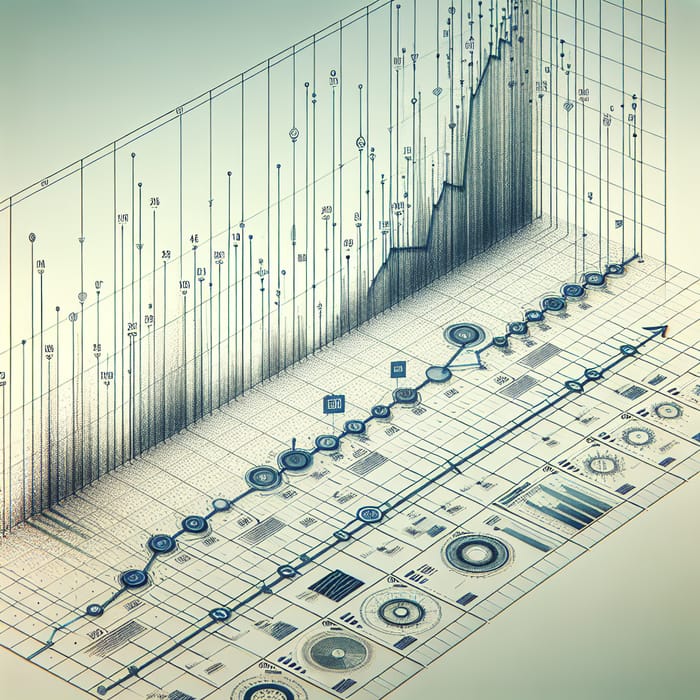
Automating the process of updating timeline charts ensures that visualizations remain current and accurately reflect ongoing data changes. Leveraging AI integration facilitates seamless synchronization between dynamic data sources and visualization tools, allowing for real-time or scheduled updates that enhance decision-making and data analysis efficiency. Implementing automation not only saves time but also reduces manual errors, providing stakeholders with reliable and timely insights.
This process involves establishing connections between live data streams and AI-powered visualization platforms, designing workflows for automatic regeneration of timelines, and managing update schedules effectively. By embracing these methods, organizations can maintain dynamic visual representations that adapt instantly to the evolving datasets, enabling more agile and informed responses to business or project developments.
Linking Dynamic Data Sources to AI Tools for Real-Time Updates
Establishing robust connections between live data sources and AI-driven timeline tools is essential for real-time updates. This can be achieved through APIs, webhooks, or data streaming platforms that facilitate continuous data flow. AI platforms such as Google Cloud AI, Microsoft Azure, or custom solutions integrated with Python scripts can connect directly to these data streams, ensuring that timeline visualizations reflect the most recent data without manual intervention.
For example, a sales dashboard monitoring real-time transactions can be linked via a web API to an AI platform that processes incoming sales data. When new sales data arrives, the AI model can trigger updates to the timeline visualization, displaying up-to-date sales trends and milestones automatically. Ensuring data security and managing access permissions are crucial during this integration to safeguard sensitive information while maintaining seamless data flow.
Workflow for Automatic Regeneration of Timelines
Designing an effective workflow allows AI tools to automatically regenerate timelines whenever new data is detected. This process typically involves several key components:
- An automated data ingestion system continuously monitors data sources for updates.
- The data preprocessing module cleans, formats, and organizes incoming data for compatibility with visualization models.
- The AI engine analyzes and integrates the processed data, updating underlying parameters or models used to generate timelines.
- The visualization platform receives the updated data or parameters and regenerates the timeline chart accordingly.
Implementing such workflows often employs automation tools like Apache Airflow, Zapier, or custom scripts scheduled via cron jobs. These systems coordinate data retrieval, processing, and visualization updates efficiently, minimizing manual oversight and ensuring that timelines are always current with minimal latency.
Procedures for Scheduling and Managing Automated Timeline Revisions
Efficient management of automated updates requires establishing clear procedures for scheduling and maintaining revision cycles. This involves defining update frequencies—whether real-time, hourly, daily, or weekly—based on data volatility and stakeholder needs. Automated scheduling tools can trigger workflows at predetermined intervals, ensuring consistent refresh cycles.
Automated scheduling ensures timelines remain aligned with the latest data, providing up-to-date insights without manual intervention.
Additionally, it is important to implement version control and logging mechanisms to track changes and troubleshoot issues promptly. Regular audits of the update process help to identify bottlenecks or errors, while notifications or alerts can be configured to inform relevant personnel of successful updates or failures. Incorporating flexible scheduling options and monitoring protocols guarantees the reliability and accuracy of automated timeline charts over time.
Enhancing Timeline Visualizations Using AI Capabilities
Leveraging AI to enhance timeline visualizations significantly elevates their clarity, interactivity, and informational depth. Advanced AI features enable the seamless addition of annotations, labels, and interactive elements that make timelines more informative and engaging for users. Moreover, AI can facilitate the integration of multimedia and supplementary data, transforming static visualizations into dynamic storytelling tools. Utilizing templates and scripts powered by AI ensures consistency and efficiency in creating visually appealing and easily interpretable timelines.
This section explores various techniques and best practices to maximize the potential of AI-driven enhancements in timeline charts.
Additions of Annotations, Labels, and Interactive Elements via AI
AI-driven tools simplify the process of enriching timeline charts with detailed annotations, precise labels, and interactive components, which are essential for emphasizing key events and facilitating user engagement. Modern AI platforms often include natural language processing capabilities that automatically generate context-aware annotations based on data content. For example, when a timeline depicts historical milestones, AI can suggest annotations that provide additional background or significance, thus enriching user comprehension.
Interactive elements such as clickable data points, hover-over tooltips, and zoom functionalities can be integrated using AI algorithms that analyze user behavior and adapt interactions accordingly. These features allow users to explore timelines more intuitively, accessing supplementary information without cluttering the visual space. Implementing AI to manage these elements reduces manual effort and ensures consistency across different timeline visualizations.
Integration of Multimedia and Supplementary Data into Timeline Charts
Incorporating multimedia components like images, videos, and audio clips into timeline charts enhances their storytelling capacity and user engagement. AI technologies facilitate this integration by automatically associating relevant multimedia with specific timeline events based on metadata and contextual analysis. For example, during a timeline covering technological innovations, AI can suggest and embed videos demonstrating key inventions or images of pioneering devices, making the visualization more immersive.
Additionally, AI can aggregate supplementary data sources, such as documents, articles, or statistical datasets, and embed them within the timeline. This provides users with a richer understanding of the context, supporting research or educational objectives. AI’s ability to curate and organize this data ensures that the timeline remains clear and focused despite the added complexity of multimedia and external information.
Templates and Scripts for AI-Enhanced Chart Clarity and Engagement
Developing reusable templates and scripts powered by AI enables consistent application of visual enhancements across multiple timeline charts. These templates incorporate best practices for layout, annotation placement, color coding, and interactive feature integration, ensuring that each visualization maintains high clarity and engagement standards.
“Automated scripting with AI allows for dynamic adjustment of visual elements, optimizing readability and user interaction based on the dataset’s characteristics.”
For example, AI scripts can automatically generate color schemes that differentiate event categories, position annotations to avoid overlaps, and suggest font sizes for optimal readability. These scripts can be customized for specific domains such as history, project management, or scientific research, streamlining the creation process while enhancing the end-user experience. The deployment of such templates and scripts accelerates workflow, reduces human error, and results in visually compelling timelines that effectively communicate complex sequences of events.
Exporting and Embedding AI-Generated Timeline Charts
Once timeline charts are generated using AI tools, it is essential to effectively export and embed them into various platforms such as websites, reports, or presentations. Properly exporting these visualizations ensures their accessibility, quality, and seamless integration into diverse formats, enhancing communication and data storytelling.
This section covers the methods for exporting timeline charts in multiple formats, discusses embedding techniques suitable for web and presentation use, and provides sample code snippets and table structures to streamline the embedding process. These approaches facilitate the efficient sharing and presentation of AI-generated timelines across different mediums.
Exporting Timeline Charts in Multiple Formats
Exporting timeline charts in various formats allows for versatile use cases, whether it be embedding into webpages, including in printed reports, or sharing as standalone files. The choice of format depends on the intended application, quality requirements, and compatibility with the target platform.
- HTML Export: Enables interactive and responsive timelines that can be embedded directly into web pages. HTML exports preserve the interactivity features, such as tooltips and zooming, enhancing user engagement.
- Image Formats (PNG, JPEG, SVG): Suitable for static representations, these formats are widely compatible with documents, presentations, and online platforms. SVG is particularly useful for scalable, high-quality graphics.
- PDF Export: Ideal for sharing static timelines in professional reports or printable formats. PDFs maintain the visual fidelity of the charts and are universally accessible across devices.
Most AI timeline tools provide built-in export options or APIs that facilitate exporting to these formats with customizable settings, such as resolution and interactivity features.
Embedding Methods for AI-Generated Timelines
Embedding timeline charts into websites, dashboards, or presentations involves integrating exported files using appropriate HTML elements or platform-specific tools. The choice of method depends on the format exported and the target environment.
- Embedding HTML Timelines: Use
<iframe>tags to embed interactive timelines directly into web pages. This approach preserves interactivity and responsiveness. For static HTML exports, inline embedding or importing via scripts can also be employed. - Embedding Image Files: Insert images into documents or webpages using
<img>tags, specifying the source path. This method is straightforward for static timelines embedded into reports or slides. - Embedding PDFs: PDFs can be embedded using
<embed>or<iframe>tags in web environments, or simply linked within documents, allowing users to view or download the timeline directly.
Advanced embedding may involve dynamic loading via JavaScript or platform-specific plugins, especially for interactive timelines that require continuous updates or customization.
Sample Code Snippets and Table Structures for Embedding
Implementing efficient embedding often involves organizing data or code snippets that streamline integration. Below are examples of code snippets and table structures for embedding timelines with up to four columns, suitable for displaying key data points or configuration options.
HTML Example for Embedding an Interactive Timeline via iFrame
<iframe src="path-to-exported-timeline.html" width="800" height="600" frameborder="0"></iframe>
Static Image Embedding Example
<img src="timeline-image.png" alt="AI-Generated Timeline Chart" width="800" height="600">
PDF Embedding Example
<embed src="timeline-report.pdf" width="800" height="600" type="application/pdf">
Sample Data Table for Organizing Timeline Events
| Start Date | End Date | Event Description | Additional Notes |
|---|---|---|---|
| 2023-01-01 | 2023-03-15 | Project Planning Phase | Initial phase with stakeholder meetings |
| 2023-04-01 | 2023-06-30 | Development Sprint | Feature implementation and testing |
| 2023-07-01 | 2023-07-31 | Deployment & Monitoring | System rollout and performance tracking |
| 2023-08-01 | 2023-09-15 | Post-Deployment Review | Gather feedback and plan updates |
This structured approach ensures clarity in presenting timeline data and simplifies the embedding process across various platforms, making AI-generated visuals a seamless part of your communication toolkit.
Best Practices and Tips for Effective AI-Generated Timeline Charts
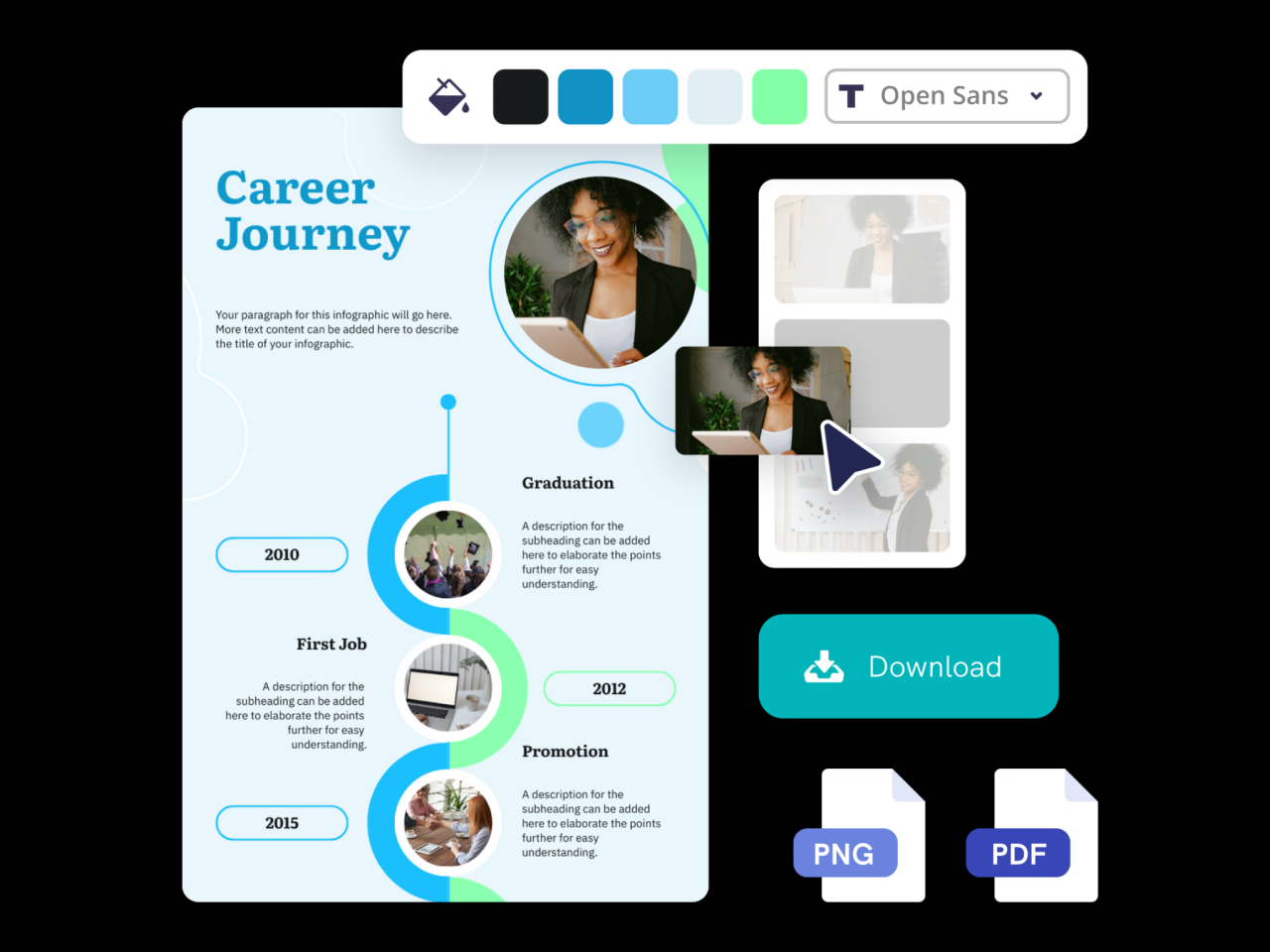
Creating accurate and impactful timeline charts with AI involves adhering to established best practices that ensure clarity, accuracy, and meaningful insights. Employing proper guidelines for data selection, visualization parameters, and validation processes can significantly enhance the quality of your timelines. By following these recommendations, users can avoid common pitfalls and produce visualizations that are both trustworthy and easy to interpret.
Implementing these best practices not only improves the visual appeal but also enhances the analytical value of your AI-generated timelines. Consistency, accuracy, and thoughtful design are essential for leveraging AI tools effectively, especially when presenting complex data or multiple time-based events. The following guidelines serve as a comprehensive roadmap to optimize your timeline creation process.
Guidelines for Selecting Appropriate Data and Visualization Parameters
Selecting relevant and high-quality data is fundamental for generating meaningful timeline charts. Accurate data ensures the timeline reflects real-world scenarios, enabling informed decision-making. When choosing data, consider the following:
- Ensure data completeness by including all critical events or milestones relevant to the timeline’s purpose.
- Validate data sources for credibility to prevent misinformation or inaccuracies.
- Standardize date formats and time zones to maintain consistency across data points.
- Prioritize data that is recent and updated, especially for dynamic timelines such as project schedules or historical analyses.
In terms of visualization parameters, selecting appropriate settings enhances clarity and interpretability:
- Adjust time scales (linear, logarithmic, or custom ranges) based on the data distribution and the level of detail required.
- Choose suitable color schemes to differentiate categories or events without causing confusion.
- Include relevant labels and annotations to contextualize key points and milestones effectively.
- Set appropriate granularity for time intervals, balancing detail with readability—avoiding overly cluttered or sparse timelines.
Common Pitfalls and Strategies to Avoid Inaccuracies or Misrepresentations
AI-generated timelines may sometimes present inaccuracies or misrepresent data if best practices are not followed. Awareness of typical pitfalls helps in preempting errors:
- Overloading timelines with excessive detail: This can clutter the visualization, making it difficult to interpret. Focus on key events and milestones to maintain clarity.
- Ignoring data validation: Relying on unverified data can lead to misleading timelines. Always cross-check critical data points against primary sources.
- Misaligning time scales: Using inappropriate or inconsistent time units (e.g., mixing days and years without proper scaling) can distort the timeline’s meaning.
- Neglecting context: Failing to add labels, annotations, or contextual information can result in timelines that are difficult to interpret accurately.
To avoid these pitfalls, implement thorough data verification processes, choose suitable visualization settings, and maintain simplicity and clarity in design. Regular review and refinement of the timeline ensure it accurately represents the underlying data without distortion.
Checklist for Validating the Accuracy and Readability of AI-Created Timelines
Validation is a critical step to ensure that AI-generated timelines are both accurate and user-friendly. A structured checklist facilitates systematic review and quality assurance:
- Data Accuracy: Confirm all data points are correct by cross-referencing with primary sources or authoritative datasets.
- Date and Time Consistency: Verify uniformity in date formats, time zones, and interval representations.
- Event Completeness: Ensure all relevant events and milestones are included and properly ordered chronologically.
- Visual Clarity: Check that labels, legends, and annotations are clear, legible, and do not overlap.
- Color and Design Appropriateness: Confirm that color schemes distinguish categories effectively without causing confusion.
- Scaling and granularity: Review time scales and intervals for appropriate level of detail and overall readability.
- Contextual Information: Add necessary descriptions or notes to aid interpretation, especially for complex or technical timelines.
- Audience Suitability: Evaluate whether the timeline communicates the intended message effectively to the target audience.
Regularly updating this checklist based on project-specific requirements and user feedback helps maintain the integrity and usability of your AI-generated timeline charts, ensuring they serve as reliable tools for analysis and presentation.
Closing Notes
In conclusion, mastering how to generate timeline charts with AI empowers users to create insightful, automated, and customizable visual narratives. As technology advances, integrating AI into timeline creation will continue to optimize data storytelling and decision-making processes across sectors.